1. المقدمة
This manual provides detailed instructions for the setup, operation, and maintenance of your MOKiN 13-in-1 USB-C Docking Station. Please read this manual thoroughly before using the device to ensure proper functionality and to prevent damage.
إرشادات السلامة
- لا تعرض الجهاز للماء أو الرطوبة أو درجات الحرارة العالية.
- تجنب إسقاط الجهاز أو تعريضه لصدمات قوية.
- استخدم فقط محول الطاقة المرفق أو مصدر طاقة متوافق.
- احتفظ بالجهاز بعيدًا عن متناول الأطفال.
- Do not attempt to disassemble or repair the device yourself. Contact customer support if service is required.
2. انتهى المنتجview
The MOKiN 13-in-1 USB-C Docking Station is designed to expand the connectivity of your USB-C enabled laptop, providing multiple ports for display, data transfer, network, and charging.
الميزات الرئيسية
- التوسعة 13 في 1: Includes 2 HDMI ports, 2 USB-C data ports, 1 USB-A data port, 1 USB-A 2.0 port, 3 USB-C charging ports (including host), 1 USB-A charging port, Gigabit Ethernet, AC power port, and a screen-lock button.
- دعم العرض المزدوج: Extends your display in up to 4K resolution via HDMI ports. Supports dual-display mode for macOS and Windows.
- نقل البيانات بسرعة عالية: USB 3.2 Gen 2 ports (2 USB-C and 1 USB-A) offer up to 10Gbps data transfer speeds.
- أقصى قدرة خرج 160 واط: Capable of charging up to four devices simultaneously, with individual ports supporting up to 100W (USB-C) and 12W (USB-A).
- 2.26" LCD Smart Display: Provides real-time monitoring of charging status, power output, display resolution, and refresh rate.
- جيجابت إيثرنت: Ensures fast and stable wired network connection up to 1000Mbps.
- التصميم المبتكر: Compact vertical design with an aluminum finish, 80cm host cable, and a magnetic base.
- ميزة الخصوصية: Built-in screen-lock button for securing sensitive information.
تخطيط المنفذ

Detailed diagram illustrating the front and rear ports of the MOKiN Docking Station, including USB-C, USB-A, HDMI, Ethernet, and power input.
المنافذ الأمامية:
- زر الطاقة
- 3 x USB 3.2 Gen 2 Data Ports (2x USB-C, 1x USB-A) - 10Gbps
- 2 x USB-C Charging Ports
- 1 x USB-A Charging Port
المنافذ الخلفية:
- 1 x USB-C Host Port (20Gbps/100W PD)
- 1 x USB-A 2.0 Port
- 2 x HDMI Ports (up to 4K@60Hz)
- 1 × منفذ جيجابت إيثرنت
- دخل طاقة التيار المتردد
3. تعليمات الإعداد
الخطوة 1: توصيل الطاقة
- Connect the provided AC power adapter to the AC Power Input port on the rear of the docking station.
- قم بتوصيل محول الطاقة بمأخذ الحائط.
Step 2: Connecting to Host Device
- Connect the integrated USB-C host cable from the docking station to a compatible USB-C, USB4, or Thunderbolt port on your laptop.
- Ensure your laptop supports DP Alt Mode and Power Delivery for full functionality.
الخطوة 3: توصيل الأجهزة الطرفية
- يعرض: Connect your monitors to the HDMI ports on the rear of the docking station using HDMI cables.
- جهاز USB:٪ s: Connect USB peripherals such as keyboards, mice, external hard drives, or USB flash drives to the available USB-A and USB-C data ports.
- شبكة: For a wired internet connection, connect an Ethernet cable from your router or modem to the Gigabit Ethernet port on the rear.
- أجهزة الشحن: Use the dedicated USB-C and USB-A charging ports on the front to charge your smartphones, tablets, or other compatible devices.
4. تعليمات التشغيل
الاستخدام العام
Once all connections are made, the docking station should automatically be recognized by your laptop. Drivers are typically installed automatically by your operating system (Windows, macOS, ChromeOS).
شاشة ال سي دي الذكية
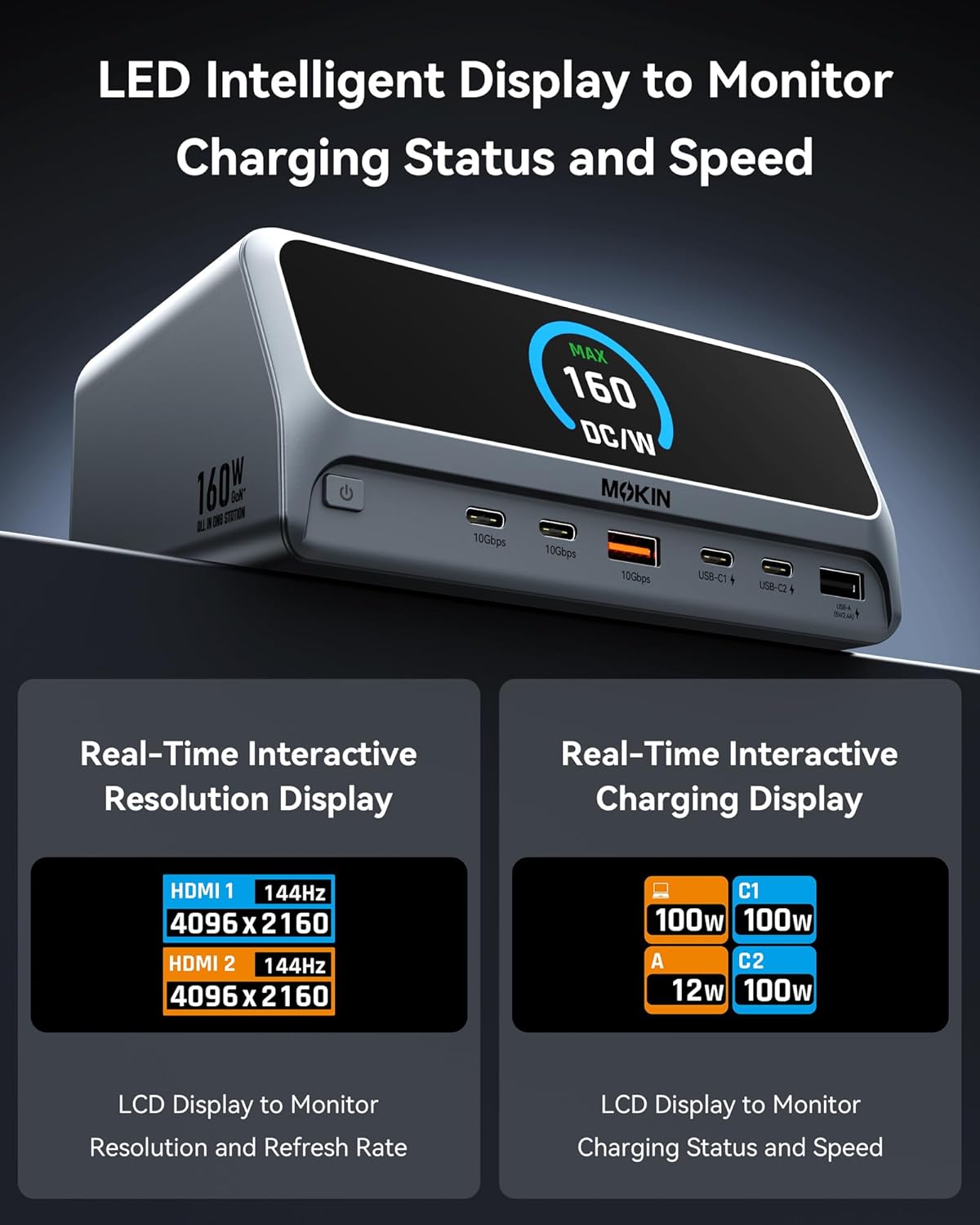
Close-up of the docking station's LCD smart display, showing real-time information such as charging status, power output, and display resolution.
The 2.26-inch LCD smart display provides real-time information:
- حالة الشحن: Displays the power output (in Watts) for each connected charging port (USB-C1, USB-C2, USB-A).
- دقة العرض: Shows the resolution and refresh rate of connected HDMI monitors (e.g., HDMI 1: 144Hz 4096x2160).
- إجمالي انتاج الطاقة: Indicates the maximum total power being drawn from the docking station.
Screen-Lock Button
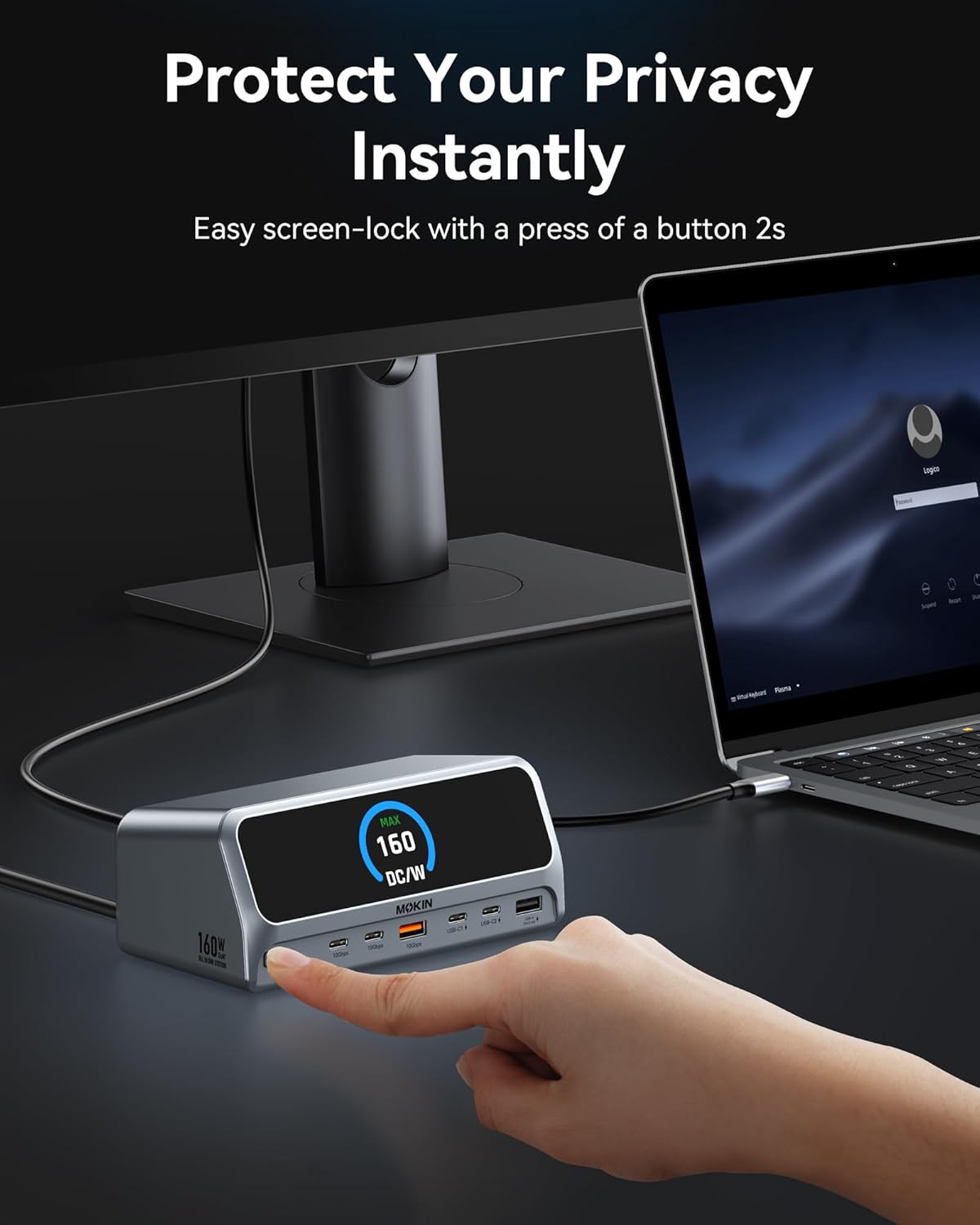
A hand pressing the screen-lock button on the docking station, demonstrating the privacy feature.
Press and hold the screen-lock button for approximately 2 seconds to instantly turn off the connected displays. This feature is useful for privacy or when you need to quickly disable external monitors without disconnecting them.
5. تكوين العرض

Visual guide demonstrating various dual 4K display configurations supported by the docking station for both Windows and macOS operating systems.
The docking station supports dual 4K displays. The behavior of extended displays varies slightly between Windows and macOS.
- أنظمة ويندوز: Support Multi-Stream Transport (MST) for dual independent displays (A+B, A+B+C, etc.).
- أنظمة macOS: Support dual-display mode, typically mirroring the primary display or extending it with a single additional desktop (A+A, A+B).
لضبط إعدادات الشاشة، قم بالوصول إلى إعدادات العرض في نظام التشغيل الخاص بك:
- الويندوز: انقر بزر الماوس الأيمن على سطح المكتب > إعدادات العرض.
- ماك: إعدادات النظام > الشاشات.
6. إمكانيات الشحن

Image showing the MOKiN Docking Station charging multiple devices simultaneously, highlighting its 160W total power output capability.
The docking station delivers a total of 160W power output, distributed across its charging ports:
- Host Port (USB-C): Up to 100W Power Delivery to your laptop.
- Dedicated USB-C Charging Ports: Each supports up to 100W max output.
- Dedicated USB-A Charging Port: Supports up to 12W max output.
Note: The dedicated charging ports do not support data transmission or display extension functions.
7. نقل البيانات
The docking station is equipped with high-speed data transfer ports:
- USB 3.2 Gen 2 Ports (2x USB-C, 1x USB-A): Provide data transfer speeds of up to 10Gbps, allowing for rapid file التحويلات.
- USB 2.0 Port (1x USB-A): Suitable for connecting standard peripherals like keyboards, mice, or printers.
8. اتصال الشبكة
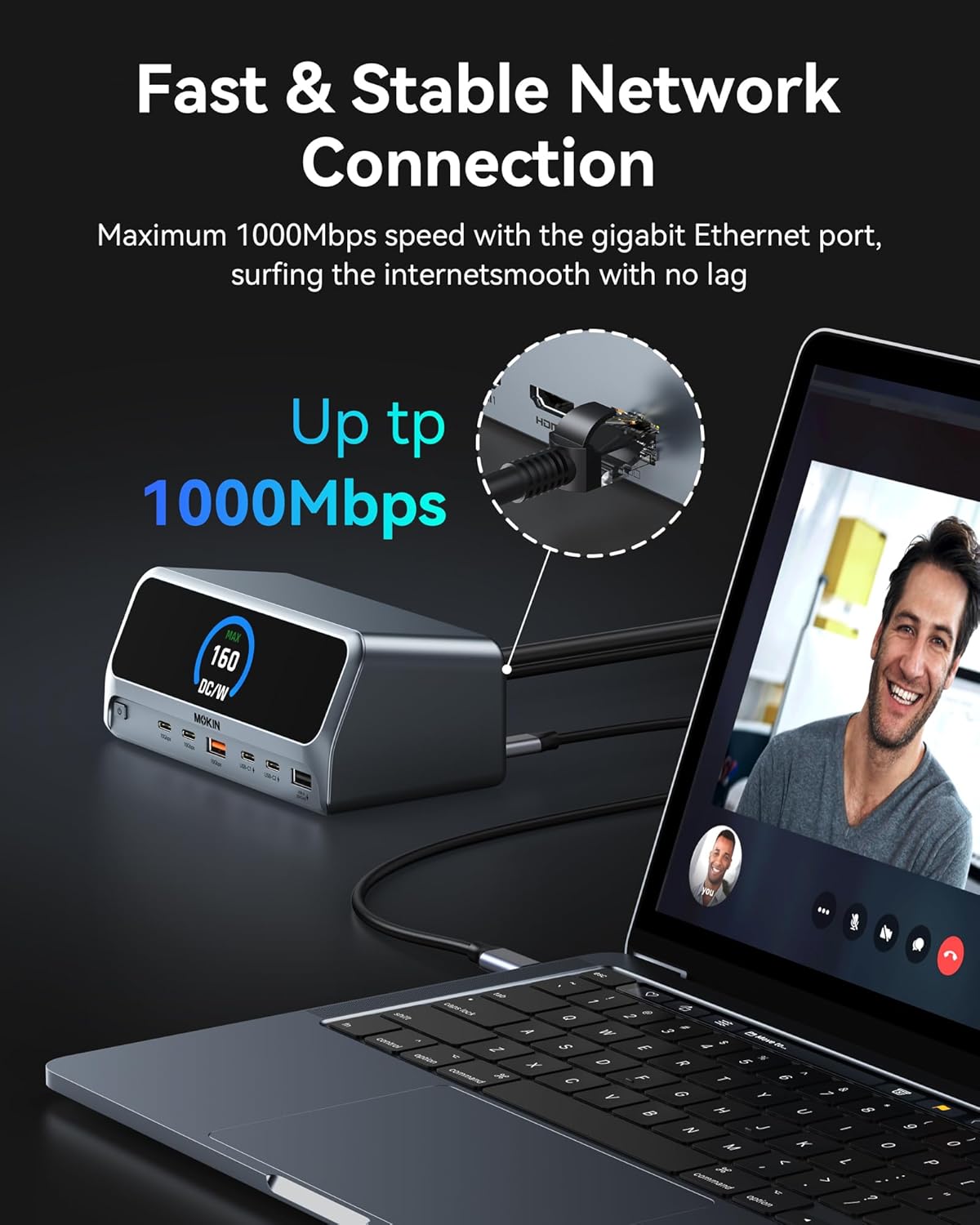
A laptop connected to the docking station via an Ethernet cable, illustrating the stable gigabit network connection.
The integrated Gigabit Ethernet port provides a stable and fast wired network connection, supporting speeds up to 1000Mbps. This is ideal for reliable internet access and large file transfers, especially in environments where Wi-Fi may be unstable or slow.
9. المواصفات
| ميزة | مواصفة |
|---|---|
| نموذج | 13 في 1 قاعدة شحن |
| ماركة | موكين |
| اتصال المضيف | USB Type-C (USB-C, USB4, Thunderbolt compatible) |
| إجمالي منافذ USB | 7 (3x 10Gbps data, 1x USB 2.0 data, 3x charging) |
| مخرج الفيديو | 2 منافذ HDMI (حتى 4K@60Hz) |
| إيثرنت | جيجابت إيثرنت (10/100/1000 ميجابت في الثانية) |
| خرج الطاقة (الإجمالي) | شنومكسو ماكس |
| Power Output (Host) | توصيل طاقة تصل إلى 100 واط |
| Power Output (Charging Ports) | USB-C: 100W Max each; USB-A: 12W Max |
| سرعة نقل البيانات | 10Gbps (USB 3.2 Gen 2 ports) |
| عرض | 2.26" LCD Smart Display |
| نظام التشغيل المتوافق | Windows 10/11, macOS, ChromeOS |
| وزن العنصر | 2.48 رطل |
| أبعاد الحزمة | 7.83 × 7.28 × 3.11 بوصة |
10. استكشاف الأخطاء وإصلاحها
المشاكل الشائعة والحلول
- لا يوجد إخراج للعرض:
- Ensure the docking station is powered on and connected to your laptop's USB-C port.
- Verify that your laptop's USB-C port supports DisplayPort Alternate Mode (DP Alt Mode).
- Check HDMI cable connections to both the docking station and the monitor.
- Confirm that the monitor input source is set correctly (e.g., HDMI 1, HDMI 2).
- Try updating your laptop's graphics drivers.
- أعد تشغيل الكمبيوتر المحمول ومحطة الإرساء.
- أجهزة USB غير معترف بها:
- تأكد من توصيل قاعدة التوصيل بجهاز الكمبيوتر المحمول الخاص بك بشكل صحيح.
- حاول توصيل جهاز USB بمنفذ مختلف على محطة الإرساء.
- قم بتوصيل جهاز USB مباشرة بجهاز الكمبيوتر المحمول الخاص بك للتأكد من أنه يعمل بشكل مستقل.
- Check your laptop's Device Manager (Windows) or System Information (macOS) for any unrecognized USB devices.
- الشحن البطيء أو عدم الشحن:
- Verify that the docking station's power adapter is securely connected and receiving power.
- تأكد من أن منفذ USB-C الخاص بجهاز الكمبيوتر المحمول يدعم تقنية توصيل الطاقة (PD).
- Check the power requirements of your laptop; if it requires more than 100W, it may charge slower or not at all through the docking station.
- Note that the USB-C downstream data ports do not support charging. Use the dedicated charging ports.
- مشاكل اتصال الإيثرنت:
- تأكد من توصيل كابل Ethernet بشكل آمن بكل من محطة الإرساء وجهاز التوجيه/المودم الخاص بك.
- Check network settings on your laptop.
- حاول استخدام كابل إيثرنت مختلف.
- Docking Station Not Detected by Laptop:
- Disconnect and reconnect the USB-C host cable.
- أعد تشغيل الكمبيوتر المحمول الخاص بك.
- Ensure your laptop's operating system is up to date.
11. الصيانة
To ensure the longevity and optimal performance of your MOKiN Docking Station, follow these maintenance guidelines:
- تنظيف: Use a soft, dry cloth to wipe the exterior of the docking station. Do not use liquid cleaners or abrasive materials.
- تخزين: عند عدم الاستخدام لفترات طويلة، قم بتخزين محطة الإرساء في مكان بارد وجاف بعيدًا عن أشعة الشمس المباشرة.
- تهوية: Ensure the docking station has adequate airflow around it to prevent overheating. Do not block ventilation openings.
12. الضمان والدعم
MOKiN products are designed for reliability and performance. For warranty information and technical support, please refer to the warranty card included with your product or visit the official MOKiN webيرجى تجهيز طراز المنتج ومعلومات الشراء عند الاتصال بالدعم.


