مقدمة
This manual provides detailed instructions for the setup, operation, maintenance, and troubleshooting of your EvoFox Elite X2 Pro Gaming Controller. Please read this manual thoroughly before using the product to ensure proper functionality and to maximize your gaming experience.
محتويات الحزمة
- EvoFox Elite X2 Pro Gaming Controller
- كابل شحن/بيانات USB-C
- 2.4 GHz Wireless Dongle
- Additional Replaceable Joysticks (2 heights)
- دليل المستخدم (هذا المستند)
تخطيط تحكم
Familiarize yourself with the buttons and features of your EvoFox Elite X2 Pro Gaming Controller.

الصورة: الجبهة view of the EvoFox Elite X2 Pro Gaming Controller, showing the joysticks, D-pad, action buttons (A, B, X, Y), Home, Back, Start buttons, and 2.4G/BT mode buttons. The controller features dynamic RGB lighting around the joysticks and along the grips.
- عصا التحكم التناظرية اليسرى: للتحكم في الحركة والكاميرا.
- عصا التحكم التناظرية اليمنى: للتحكم بالكاميرا وتوجيهها.
- D- الوسادة: الإدخال الاتجاهي.
- أزرار الإجراءات (A، B، X، Y): الإجراءات الأساسية للعبة.
- زر الصفحة الرئيسة: الوصول إلى قوائم النظام.
- زر الرجوع/الاختيار: وظائف خاصة باللعبة.
- زر البدء: Pause or start games.
- 2.4G/BT Buttons: Mode selection for wireless connectivity.
- أزرار الكتف (L1، R1): الأزرار المثبتة في الأعلى.
- أزرار الزناد (L2، R2): أزرار تحكم تناظرية لإدخال دقيق.
- أزرار M1/M2: Programmable back paddles.
- منفذ USB-C: للتوصيل السلكي والشحن.
- Audio Jack Port: For wired mode only.
يثبت
شحن وحدة التحكم
Before first use, fully charge the controller. Connect the supplied USB-C cable to the controller's USB-C port and the other end to a USB power source (e.g., PC, wall adapter).
- The LED indicators will show charging status.
- تستغرق عملية الشحن الكامل عادةً ما يقرب من 2 إلى 3 ساعات.
- The 800 mAh battery provides up to 16 hours of gameplay.
توصيل وحدة التحكم
The EvoFox Elite X2 Pro supports three connection modes: 2.4 GHz Wireless, Bluetooth 5.0, and Wired USB-C.
2.4 GHz Wireless Mode (PC, Nintendo Switch via adapter)
- Insert the 2.4 GHz wireless dongle into an available USB port on your PC or Nintendo Switch dock.
- Press the "2.4G" button on the controller. The controller will automatically connect to the dongle.
- The LED indicators will stabilize once connected.
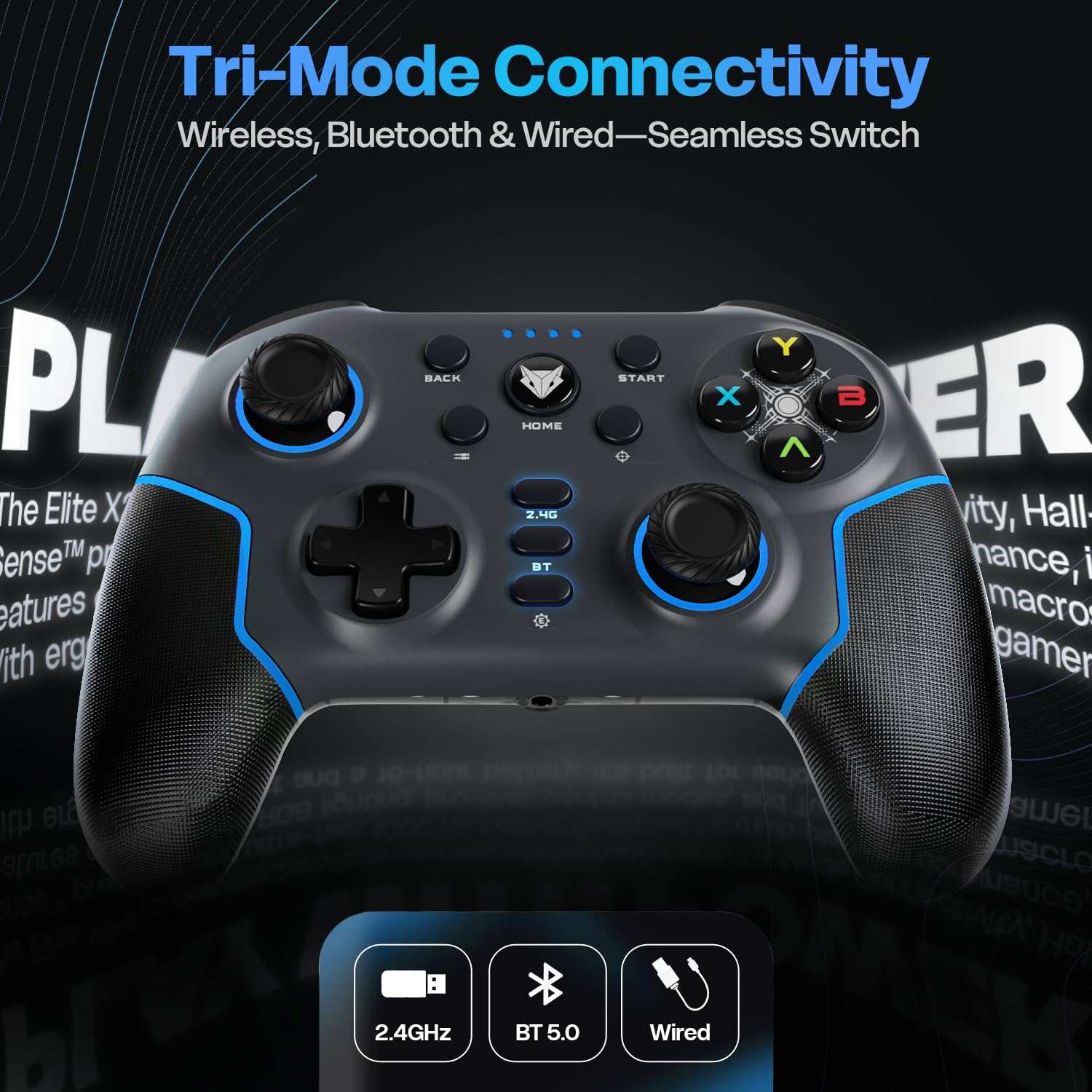
Image: Diagram illustrating the three connectivity modes: 2.4GHz wireless, Bluetooth 5.0, and wired USB-C, highlighting the seamless switching capability of the controller.
Bluetooth 5.0 Mode (PC, Android, iOS, Nintendo Switch)
- Press and hold the "BT" button on the controller until the LED indicators start flashing rapidly, indicating pairing mode.
- On your device (PC, Android, iOS, Nintendo Switch), go to Bluetooth settings and search for new devices.
- Select "EvoFox Elite X2 Pro" from the list of available devices to pair.
- The LED indicators will stabilize once successfully paired.
Wired USB-C Mode (PC)
- قم بتوصيل كابل USB-C بوحدة التحكم والطرف الآخر بمنفذ USB على جهاز الكمبيوتر الخاص بك.
- سيتم التعرف على وحدة التحكم تلقائيًا بواسطة جهاز الكمبيوتر الخاص بك.
- In wired mode, the audio jack port on the controller becomes active.
تشغيل وحدة التحكم
HallSense Magnetic Triggers & 3D Joysticks
The controller features magnetic HallSense triggers and 3D joysticks for drift-free precision and instantaneous input feedback.

الصورة: عن قرب view of the transparent back of the EvoFox Elite X2 Pro controller, highlighting the internal magnetic HallSense triggers and 3D joysticks, emphasizing their drift-free precision.
معدل تصويت 1000 Hz
Experience ultra-fast response times with the 1000 Hz polling rate, ensuring minimal latency for competitive gaming.

Image: The EvoFox Elite X2 Pro controller with an overlay indicating a 1000 Hz polling rate, signifying lightning-quick response and zero latency during gameplay.
Precision & Accuracy Modes
The controller offers specialized modes for enhanced control:
- وضع الدقة: Halves joystick sensitivity (0.5x) for pinpoint targeting and micro-adjustments. Activate via a dedicated button (refer to controller layout).
- Accuracy Mode: Activates square movements on the X and Y axes to eliminate diagonal drift, providing clean, linear inputs. Activate via a dedicated button (refer to controller layout).
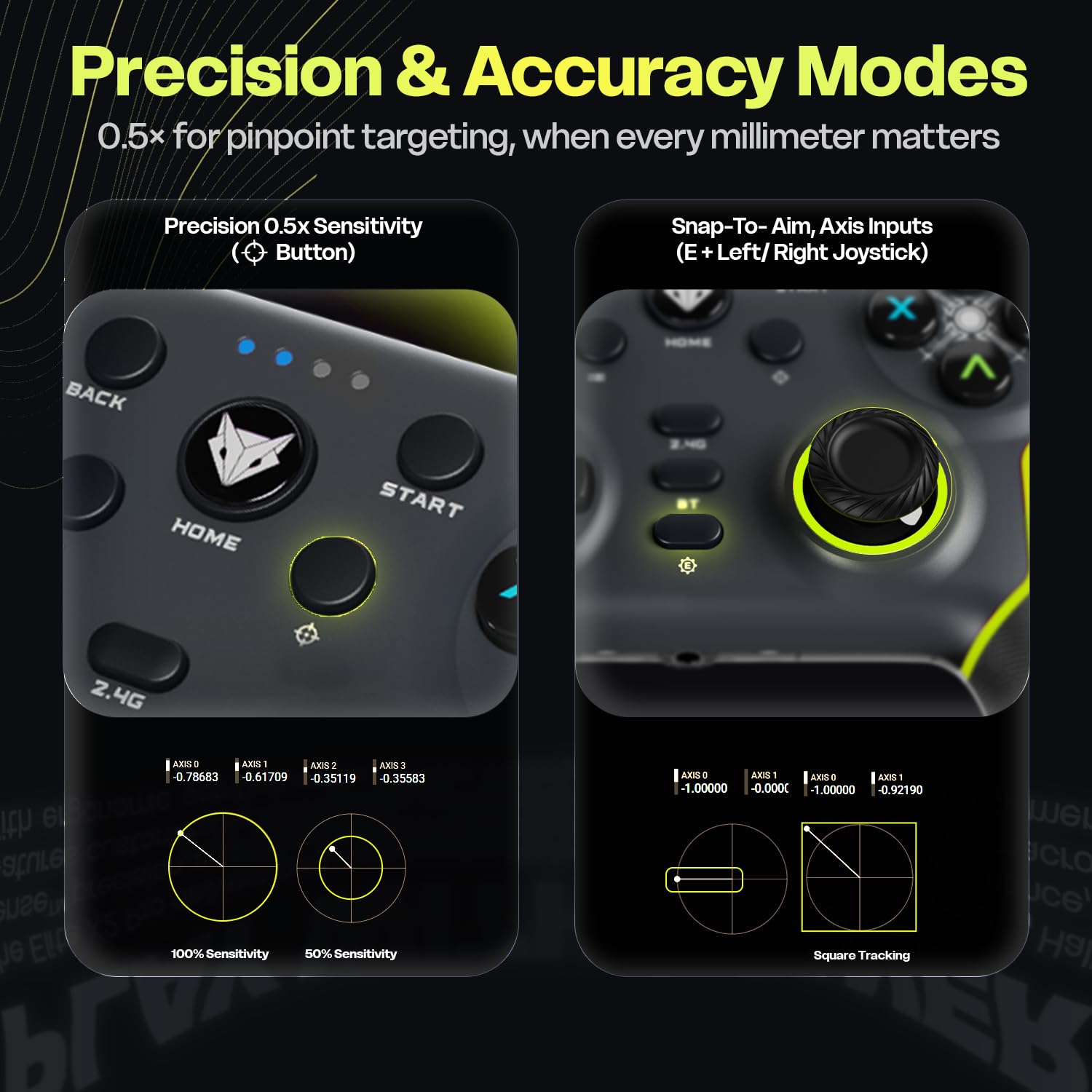
Image: Two panels demonstrating the Precision Mode (0.5x sensitivity) and Accuracy Mode (Snap-to-Aim, Axis Inputs) of the EvoFox Elite X2 Pro controller, showing how these modes affect joystick input for enhanced control.
Customizable Controls & Turbo Mode
Program macros and utilize the Turbo function for optimized gameplay.
- 16-Button Macros: Program complex button combinations to the M1/M2 back paddles. Refer to the controller's software (if applicable) or specific button combinations for programming instructions.
- وضعية التوربو: Activate rapid-fire for selected buttons. Press the Turbo button and the desired action button simultaneously to enable/disable.
- Analog-to-Digital Switch: Flip between analog and digital inputs for different game genres (FPS, racing, fighting).

الصورة: مفصلة views of the EvoFox Elite X2 Pro controller, showcasing the Analog-to-Digital switch, the M1/M2 programmable back paddles for 16-button macros, and the Turbo button for rapid-fire functionality.
إضاءة RGB الديناميكية
Customize the vibrant RGB lighting to match your setup or mood. Lighting can be adjusted on-the-fly using dedicated controls (refer to controller layout or quick start guide for specific button combinations).
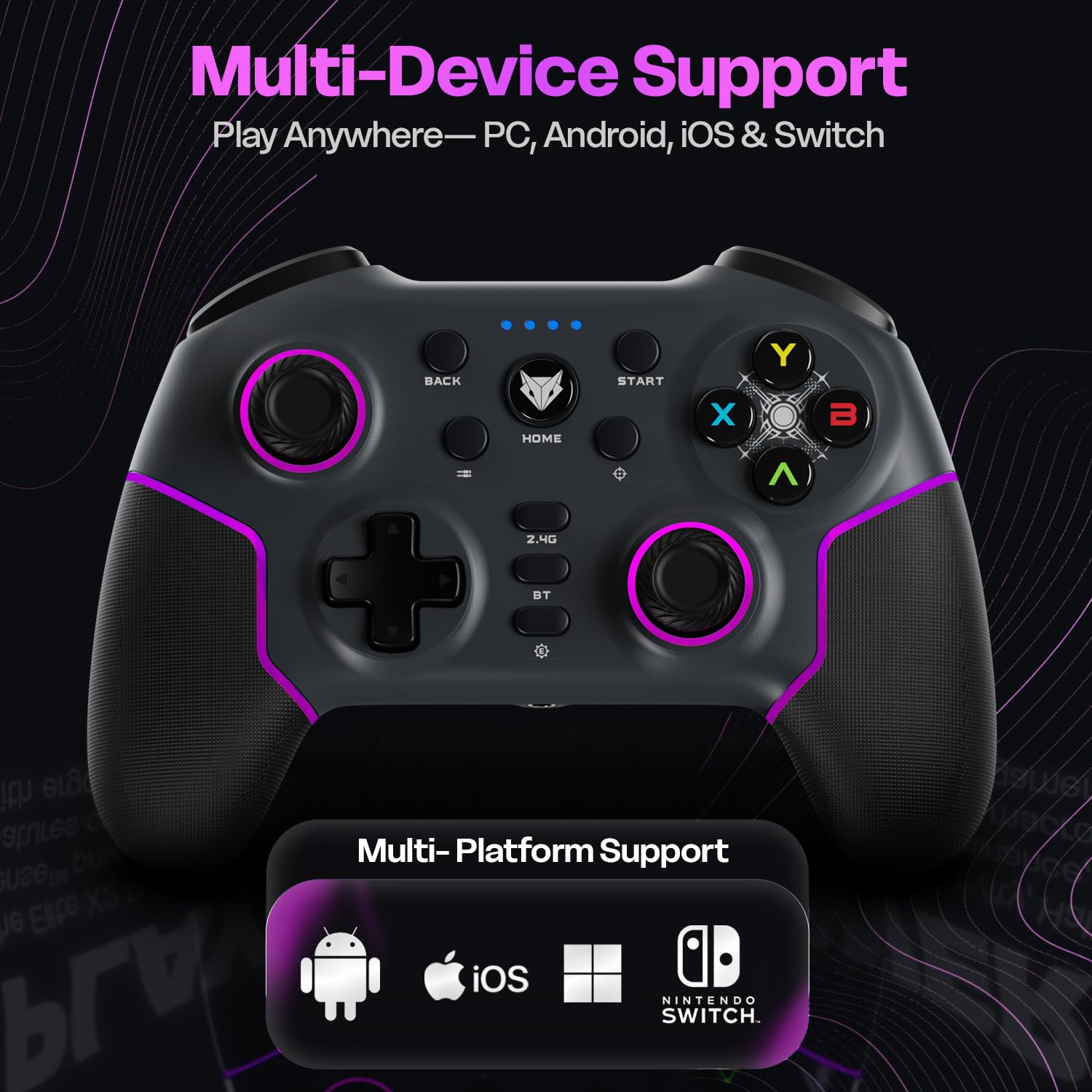
Image: The EvoFox Elite X2 Pro controller displaying its dynamic RGB lighting, with customizable strips and joystick glow, enhancing the aesthetic appeal.
مقود قابل للاستبدال
The controller comes with replaceable, textured joysticks of two different heights, allowing for personalized grip profiles.
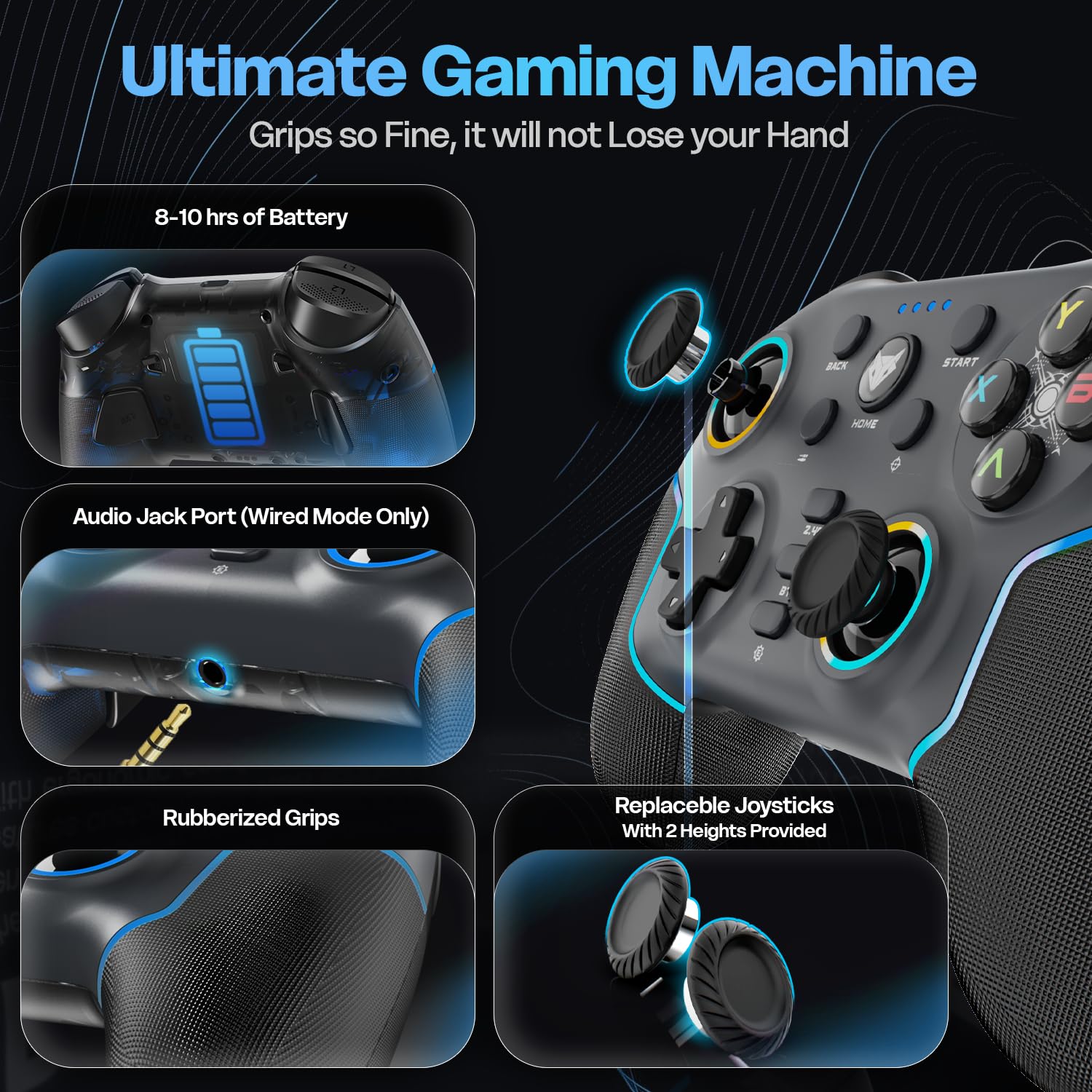
الصورة: تفصيلية view of the EvoFox Elite X2 Pro controller, highlighting the replaceable joysticks and showing the two different heights provided for customization.
صيانة
- تنظيف: استخدم قطعة قماش ناعمة وجافة لتنظيف وحدة التحكم. لا تستخدم المنظفات الكاشطة أو المذيبات.
- تخزين: قم بتخزين وحدة التحكم في مكان بارد وجاف بعيدًا عن أشعة الشمس المباشرة ودرجات الحرارة القصوى.
- العناية بالبطارية: لإطالة عمر البطارية، تجنب تفريغ وحدة التحكم بالكامل بشكل متكرر. اشحنها بانتظام، حتى في حال عدم استخدامها لفترات طويلة.
- Joystick Replacement: To replace joysticks, gently pull the existing joystick straight up to remove it. Align the new joystick with the base and push down firmly until it clicks into place.
استكشاف الأخطاء وإصلاحها
| مشكلة | السبب المحتمل | حل |
|---|---|---|
| لا يتم تشغيل وحدة التحكم. | بطارية منخفضة. | Charge the controller fully using the supplied USB-C cable. |
| لا يتصل جهاز التحكم لاسلكيًا. | Incorrect mode selected; out of range; pairing issue. | Ensure correct mode (2.4G/BT) is selected. Move closer to the receiver. Re-initiate pairing process. Check if dongle is properly inserted for 2.4G. |
| Input lag or unresponsive buttons/joysticks. | Interference; low battery; driver issue. | Ensure no strong wireless interference. Charge the controller. Update controller drivers on PC if necessary. Try wired connection. |
| Vibration not working or too strong/weak. | Vibration level setting. | Adjust the four-level vibration intensity using the dedicated button or software (if available). |
| Controller not recognized by PC in wired mode. | Faulty cable; USB port issue; driver issue. | Try a different USB-C cable. Use a different USB port on your PC. Update PC USB drivers. |
If you encounter issues not listed here, please refer to the official EvoFox support webالموقع أو الاتصال بخدمة العملاء.
تحديد
- رقم الموديل: 387
- الاتصال: 2.4 جيجاهرتز لاسلكي، بلوتوث 5.0، USB-C سلكي
- التوافق: PC, Android, iOS, Nintendo Switch (Xbox not supported)
- معدل التصويت: 1000 هرتز
- Triggers & Joysticks: Magnetic HallSense
- بطارية: 800 ماه بطارية ليثيوم أيون
- عمر البطارية: تصل إلى 16 ساعة
- منفذ الشحن: يو اس بي-سي
- أبعاد: 15.5 × 11 × 5.7 سم
- وزن: 222 جرام
- بلد المنشأ: الصين
الضمان والدعم
EvoFox products are designed for durability and performance. For warranty information and technical support, please visit the official EvoFox webالموقع أو تواصل مع خدمة العملاء. احتفظ بإيصال الشراء لطلبات الضمان.
الشركة المصنعة: Allied Electronics & Magnetics Private Limited C-64/4, Okhla Phase - 2, New Delhi - 110020, Allied Electronics & Magnetics Pvt. Ltd.
المستورد: Allied Electronics & Magnetics Private Limited C-64/4, Okhla Phase - 2, New Delhi - 110020
لمزيد من المساعدة، يمكنك زيارة EvoFox Store on Amazon.
معلومات هامة حول السلامة
- لا تعرض جهاز التحكم لدرجات الحرارة العالية أو الرطوبة أو أشعة الشمس المباشرة.
- Do not disassemble or attempt to repair the controller yourself. This will void the warranty.
- يحفظ بعيدًا عن متناول الأطفال الصغار.
- Dispose of the battery and controller according to local regulations.


