1. المقدمة
This manual provides essential information for the safe and efficient operation of your Anern 4200W Hybrid Solar Inverter. Please read this manual thoroughly before installation and use. Keep it for future reference.
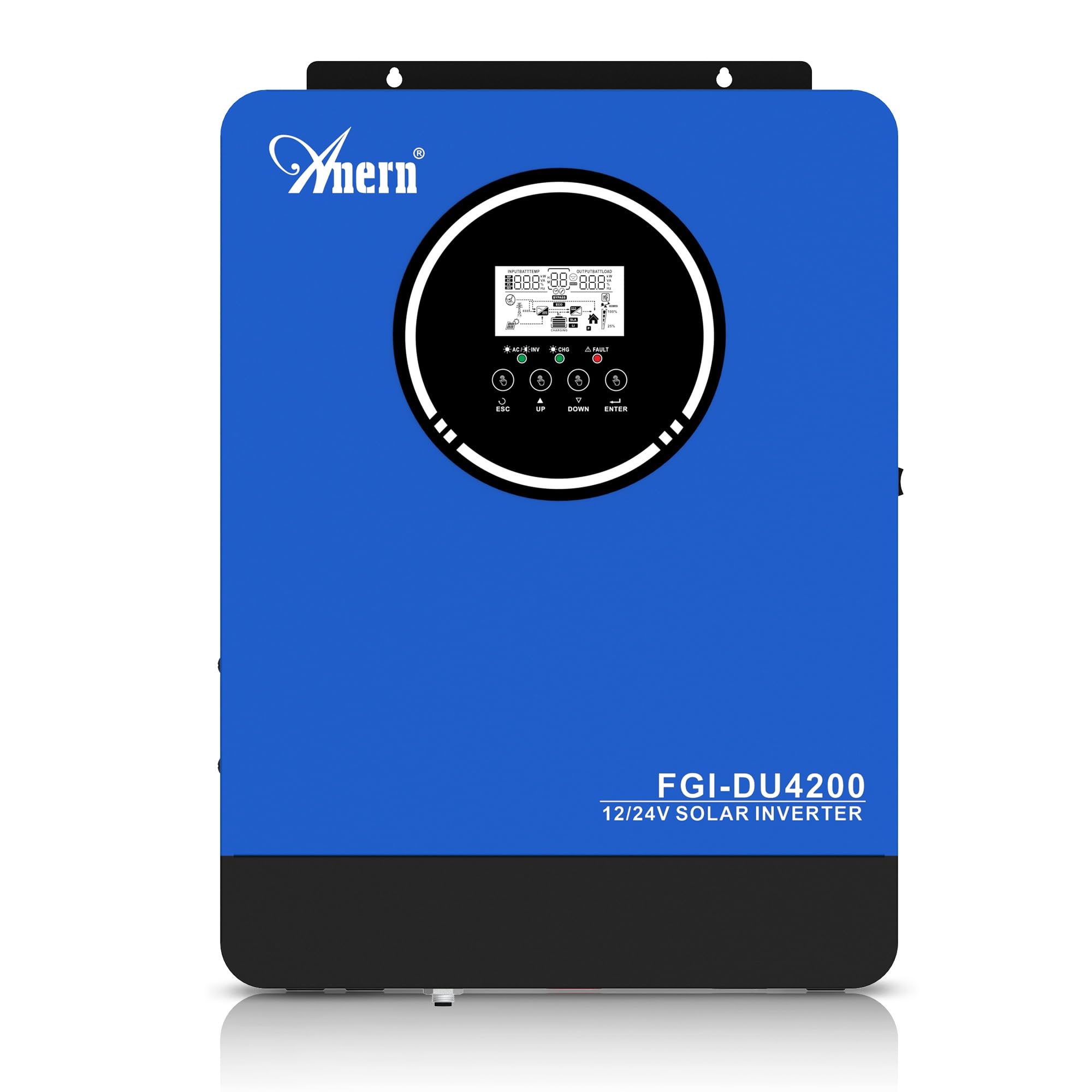
Figure 1: Anern 4200W Hybrid Solar Inverter. This image displays the main unit of the inverter, highlighting its key specifications such as 100A AC charging current, 4200W rated output power, and 500 VDC maximum PV array voltage.
2. تعليمات السلامة
اتبع دائمًا احتياطات السلامة التالية لتقليل خطر الصدمة الكهربائية أو الحريق أو الإصابة:
- يجب أن يتم التثبيت بواسطة موظفين مؤهلين.
- Ensure all wiring is correctly connected and equipped with appropriate protective switches.
- لا تقم بفكّ العاكس. لا يحتوي على أي أجزاء قابلة للصيانة.
- Avoid exposing the inverter to rain, snow, spray, or any liquids.
- تأكد من وجود تهوية كافية حول العاكس لمنع ارتفاع درجة الحرارة.
- افصل جميع مصادر الطاقة (الخلايا الكهروضوئية، والبطارية، وشبكة الكهرباء العامة) قبل إجراء أي صيانة أو توصيل أسلاك.
3. انتهى المنتجview
The Anern 4200W Hybrid Solar Inverter is designed to convert DC power from solar panels and batteries into AC power for household use. It features an integrated 100A MPPT solar charge controller and supports both 12V and 24V battery systems with automatic detection.
المميزات الرئيسية:
- خرج موجة جيبية نقية بقدرة 4200 واط: يوفر طاقة مستقرة ونظيفة للأجهزة الإلكترونية الحساسة.
- وحدة تحكم شحن الطاقة الشمسية MPPT 100A: يزيد من إنتاج الطاقة من الألواح الشمسية.
- 12V/24V Battery Auto-Detection: Automatically adjusts output based on connected battery voltage.
- BMS Interface: Supports communication with lithium batteries for enhanced monitoring and protection.
- Real-time LED Display: Shows system status, operating data, and error codes.
- Configurable Charging & Output Modes: Offers flexibility for various application needs.
- Optional WiFi/GPRS Monitoring: Remote monitoring capability (module sold separately).

Figure 2: Inverter Display and Controls. This image illustrates the inverter's LCD display, function buttons for configuration, and the optional WiFi module for remote monitoring.
4. الإعداد والتثبيت
4.1 مخطط الأسلاك
Refer to the electrical schematic for proper system wiring. Ensure all connections are secure and correctly polarized.

Figure 3: Electrical Schematic. This diagram shows the complete wiring for a solar inverter system, including solar panels, combiner box, DC/AC breakers, inverter, utility grid connection, and loads.
4.2 توصيل البطارية
The inverter supports 12V and 24V battery configurations. It automatically detects the battery voltage and adjusts its output accordingly (2300W for 12V, 4200W for 24V). For 24V systems, connect two 12V batteries in series. For 12V systems, connect batteries in parallel if increasinسعة بالجرام.

Figure 4: Battery Connection Options. This image illustrates how to connect batteries for 12V (parallel connection for 2300W output) and 24V (series connection for 4200W output) systems.
The inverter also supports lithium batteries and includes a BMS (Battery Management System) interface for monitoring and protection. Ensure the BMS is properly connected if using lithium batteries.

Figure 5: Communication Interfaces. This image highlights the dual communication interfaces for BMS (Battery Management System) and optional WiFi module, enabling remote monitoring and battery communication.
4.3 Startup and Shutdown Sequence
تسلسل بدء التشغيل:
- قم بتوصيل البطارية.
- قم بتشغيل العاكس.
- Activate the protective switches for PV, Utility, and Loads.
تسلسل إيقاف التشغيل:
- Deactivate the protective switches for Loads, Utility, and PV.
- قم بإيقاف تشغيل العاكس.
- افصل البطارية.
Important Note: Inductive loads (e.g., motors, refrigerators) may require up to 3 times their rated power for startup. Ensure the inverter's capacity is sufficient to handle these surge loads. Exceeding the inverter's surge capacity can cause damage.
5. التشغيل
5.1 شاشة LCD والإعدادات
The inverter features an LED display that provides real-time system data and operating status. Use the function buttons below the display to navigate menus and configure settings. Settings include battery charging current, AC/solar charging priority, and charging current priority.
5.2 أوضاع شحن
The inverter offers four configurable charging modes:
- الأولوية للطاقة الشمسية: تُعطى الأولوية للطاقة الشمسية في عمليات الشحن.
- الطاقة الشمسية فقط: يتم استخدام الطاقة الشمسية فقط للشحن.
- أولوية المرافق: Utility grid power is prioritized for charging.
- Solar + Utility Hybrid: يجمع بين الطاقة الشمسية وطاقة المرافق للشحن.
5.3 أوضاع إخراج
Three output modes are available to adapt to various application needs:
- الأولوية الشمسية (فرعية): Solar power is prioritized for loads.
- أولوية الأداة المساعدة (USB): Utility grid power is prioritized for loads.
- وحدة الأمن: Solar, Battery, Utility priority.

Figure 6: Charging and Output Modes. This diagram visually explains the four available charging modes (Solar Charge, Utility Priority, Solar Priority, Hybrid Charge) and three load output modes (PV Priority, Utility Priority, SBU Priority).
5.4 المراقبة عن بعد
The inverter supports remote monitoring via an optional WiFi/GPRS module (sold separately). This allows users to monitor system performance and status from a distance.
6. الصيانة
تضمن الصيانة الدورية الأداء الأمثل وطول عمر جهاز العاكس الخاص بك:
- حافظ على نظافة جهاز العاكس وخلوه من الغبار. استخدم قطعة قماش جافة للتنظيف.
- تأكد من عدم انسداد فتحات التهوية.
- قم بفحص جميع توصيلات الأسلاك بشكل دوري للتأكد من إحكامها وخلوها من علامات التآكل.
- Monitor the battery status, especially if using lithium batteries with the BMS interface, to prevent overcharge or deep discharge.
- Inspect solar panels for dirt or damage that could reduce efficiency.
7. استكشاف الأخطاء وإصلاحها
The LED display will show error codes if issues arise. Refer to the inverter's display for specific error codes to diagnose and resolve problems. Common issues and their potential solutions include:
- لا يوجد مخرج للطاقة: Check battery connections, DC/AC breakers, and inverter power switch.
- انخفاض حجم البطاريةtage: Ensure batteries are adequately charged. Check charging sources (solar, utility).
- تحذير من التحميل الزائد: Reduce the connected load. Inductive loads may cause temporary overloads during startup.
- ارتفاع درجة الحرارة: Ensure proper ventilation. Clean any dust from the inverter's vents.
- PV Input Error: تحقق من توصيلات الألواح الشمسية والجهدtage. Ensure PV array voltagيقع ضمن النطاق المحدد (55-500 فولت تيار مستمر).
For persistent issues or error codes not listed, contact customer support.
8. المواصفات الفنية
| ميزة | مواصفة |
|---|---|
| ماركة | Anern |
| رقم الموديل | AN-FGI-DU 4200 |
| الطاقة الكهربائية | 4200 واط |
| طاقة الإخراج | 4500 واط |
| Max. Output Power (Watts) | 4200 |
| شكل الموجة الناتجة | موجة جيبية نقية |
| مصدر الطاقة | تعمل بالطاقة الشمسية ، تعمل بالبطارية |
| استخدامات المنتج الموصى بها | بيت |
| المكونات المضمنة | دليل التعليمات |
| امتثال | CE |
| أبعاد المنتج | 30 × 10 × 40 سم؛ 8.86 كجم |
9. الضمان والدعم
For warranty information and technical support, please refer to the documentation provided with your purchase or contact Anern customer service. Keep your purchase receipt as proof of purchase.


