1. المقدمة
Welcome to the GOBOULT Pyro Smartwatch user manual. This guide provides essential information for setting up, operating, and maintaining your new smartwatch. The GOBOULT Pyro combines advanced technology with a sleek design, offering features such as a vibrant AMOLED display, Bluetooth calling, comprehensive health monitoring, and various sports modes.
Please read this manual thoroughly to ensure proper use and to maximize your experience with the device.

Image 1.1: The GOBOULT Pyro Smartwatch in Charcoal Black. This image displays the watch face and strap, highlighting its overall design.
2. الميزات الرئيسية
The GOBOULT Pyro Smartwatch is equipped with a range of features designed to enhance your daily life and fitness routine:
- شاشة AMOLED مقاس 1.43 بوصة: Enjoy an ultra-clear and vibrant display with 600 nits brightness and Always-On Display functionality.
- Rotating Dial Navigation: Effortlessly browse menus and switch between applications.
- Bluetooth Calling 5.3: Make and receive calls directly from your wrist with enhanced audio quality.
- مقاومة الماء والغبار بمعيار IP68: Designed to withstand dust, sweat, and water immersion.
- 150+ Cloud-Based Watch Faces: Personalize your smartwatch to match your style.
- أكثر من 120 وضع رياضي: Track various fitness activities with real-time insights.
- مساعد صوتي بالذكاء الاصطناعي: Control tasks hands-free using voice commands.
- مراقبة الصحة: Includes SpO2, heart rate, blood pressure, stress, sleep, and menstrual cycle tracking.
- Smart Productivity Features: Remote camera control, flashlight, world clock, weather updates, and 'Find My Phone' functionality.

الصورة 2.1: فوقview عرضasing key features of the GOBOULT Pyro Smartwatch, including the working dial, Always-On Display, 600 nits brightness, 120+ sports modes, Bluetooth calling, health monitoring, and IP68 water resistance.
3. الإعداد
3.1. فك الصندوق والفحص الأولي
عند فتح العبوة، تأكد من وجود جميع المكونات وسلامتها. يجب أن يحتوي الصندوق على:
- GOBOULT Pyro Smartwatch
- كابل الشحن
- دليل المستخدم (هذا المستند)
- بطاقة الضمان
3.2. شحن الساعة الذكية
Before first use, fully charge your GOBOULT Pyro Smartwatch. Connect the provided charging cable to the charging port on the back of the smartwatch and to a standard USB power adapter (not included). A full charge typically takes approximately 150 minutes.
ملحوظة: Use a compatible charger to avoid damage. The smartwatch requires 1 AAA battery (included) for internal functions, but the main power is supplied via the charging cable.
3.3. الاقتران بهاتفك الذكي
To unlock the full functionality of your smartwatch, pair it with your smartphone via Bluetooth:
- Download the official GOBOULT companion app from your smartphone's app store (available for Android and iOS).
- تأكد من تمكين Bluetooth على هاتفك الذكي.
- افتح تطبيق GOBOULT واتبع التعليمات التي تظهر على الشاشة لإضافة جهاز جديد.
- Select 'GOBOULT Pyro' from the list of available devices.
- قم بتأكيد طلب الاقتران على كل من هاتفك الذكي وساعتك الذكية.
Once paired, the smartwatch will synchronize data and notifications with your phone.
4. التشغيل
4.1. العرض والتنقل
The GOBOULT Pyro features a 1.43-inch AMOLED display with 600 nits brightness, ensuring clear visibility even in bright sunlight. The Always-On Display (AOD) feature allows you to see essential information without fully activating the screen.

Image 4.1: The 1.43-inch AMOLED display of the GOBOULT Pyro Smartwatch, showcasing its vibrant colors and clarity, along with the Always-On Display feature and 600 nits brightness.
Navigate through menus and apps using the touchscreen and the intuitive rotating dial. Rotate the dial to scroll through lists or zoom, and press it to select items or return to the home screen.

Image 4.2: Close-up of the GOBOULT Pyro Smartwatch demonstrating the rotating action bezel for navigation through menus and options.
4.2. تخصيص واجهات الساعة
Personalize your smartwatch with over 150 cloud-based watch faces. You can change watch faces directly from the smartwatch settings or through the companion app. The app also allows for custom watch face options.

Image 4.3: A visual representation of the 150+ cloud-based watch faces available for the GOBOULT Pyro Smartwatch, including options for custom watch faces.
4.3. مكالمات البلوتوث
With Bluetooth 5.3, you can make and receive calls directly from your smartwatch. The device features a dedicated microphone and speaker for clear, hands-free communication. Ensure your smartwatch is connected to your phone via Bluetooth for this feature to work.

Image 4.4: The GOBOULT Pyro Smartwatch displaying an incoming call, illustrating the Bluetooth calling feature with its dedicated microphone and speaker.
4.4. أوضاع الرياضة وتتبع النشاط
The smartwatch supports over 120 sports modes, allowing you to track a wide range of physical activities. Select your desired sport from the menu to monitor real-time data such as duration, calories burned, and heart rate.

Image 4.5: The GOBOULT Pyro Smartwatch displaying a running activity summary, highlighting the availability of 120+ sports modes for tracking various physical activities.
4.5. مراقبة الصحة
The GOBOULT Pyro provides 24/7 health monitoring capabilities:
- مراقب معدل ضربات القلب: يتتبع معدل ضربات قلبك بشكل مستمر.
- مراقبة SpO2: يقيس مستويات الأكسجين في الدم.
- مراقبة ضغط الدم: يوفر تقديرات لضغط دمك.
- Sleep & Stress Monitoring: Analyzes sleep patterns and stress levels.
- تتبع الدورة الشهرية لدى النساء: يساعد على تتبع وتوقع دورات الحيض.
For accurate readings, ensure the smartwatch is worn snugly on your wrist. Consult a medical professional for any health concerns; the smartwatch is not a medical device.

الصورة 4.6: الجزء الخلفي view of the GOBOULT Pyro Smartwatch, showing the optical PPG tech sensors used for health monitoring features like heart rate, SpO2, and blood pressure tracking.
4.6. AI Voice Assistant and Smart Features
Access your AI voice assistant (Siri or Google Assistant) for hands-free commands. The smartwatch also offers additional smart features:
- SMS & Push Notifications: Receive alerts for messages and app notifications.
- التحكم عن بعد بالكاميرا: استخدم ساعتك كجهاز تحكم عن بعد لكاميرا هاتفك.
- مصباح يدوي: Activate a simple flashlight function.
- الساعة العالمية: View أوقات في مناطق زمنية مختلفة.
- Weather Details: احصل على آخر تحديثات الطقس.
- العثور على هاتفي: حدد موقع الهاتف الذكي المقترن بك.
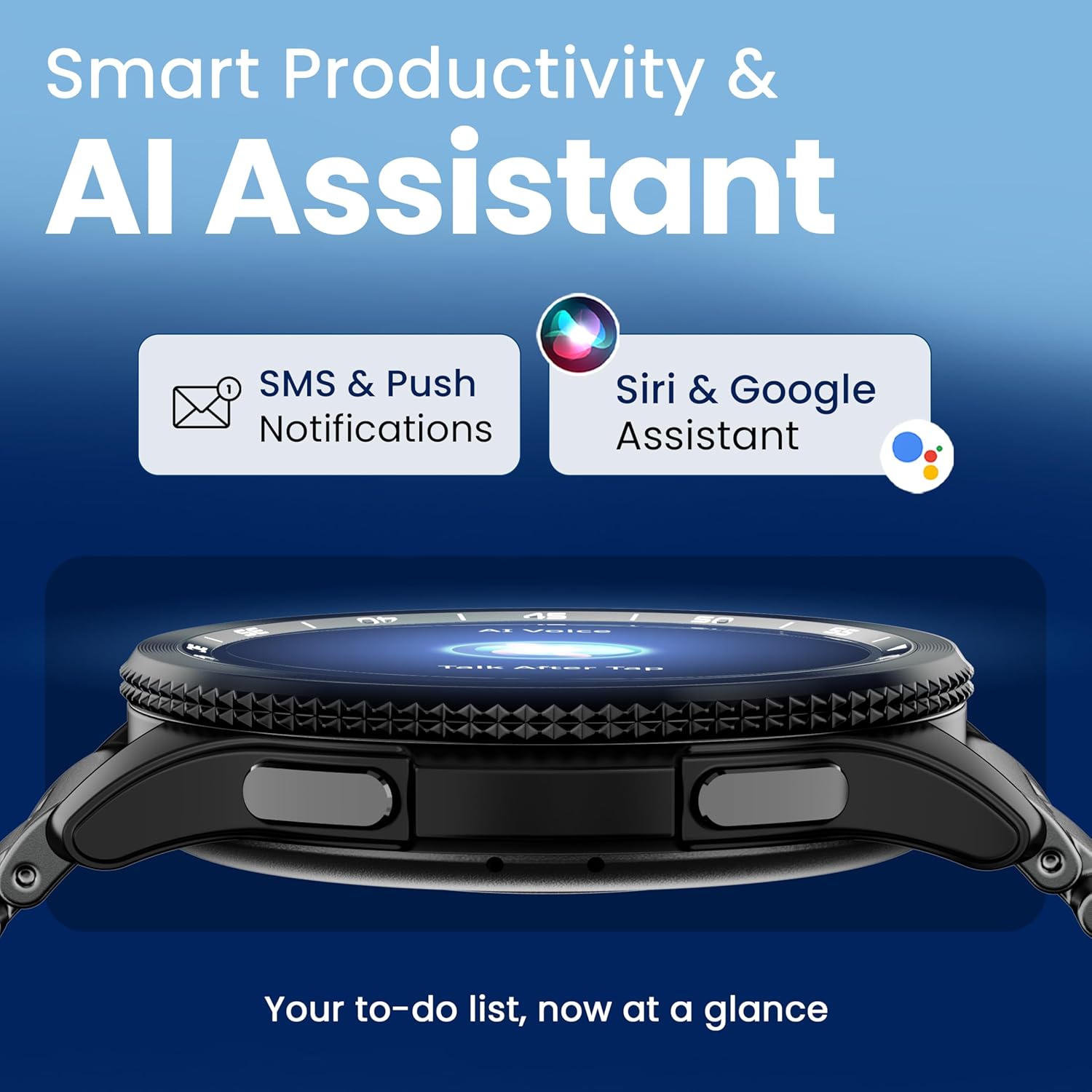
Image 4.7: The GOBOULT Pyro Smartwatch displaying the AI Voice Assistant interface, alongside icons for SMS and push notifications, indicating smart productivity features.

Image 4.8: The GOBOULT Pyro Smartwatch displaying the 'Find Phone' feature, with additional icons for remote camera control, flashlight, world clock, and weather details.
5. الصيانة
5.1. مقاومة الماء والغبار (IP68)
The GOBOULT Pyro Smartwatch is IP68 rated, meaning it is resistant to dust and can withstand immersion in water up to 1.5 meters for 30 minutes. This makes it suitable for daily wear, including during workouts and in rainy conditions. However, it is not recommended for diving, high-pressure water activities, or prolonged submersion.
مهم: Water resistance is not a permanent condition and may decrease over time with normal wear. Avoid exposing the watch to hot water, steam, or detergents, as these can compromise the seals.
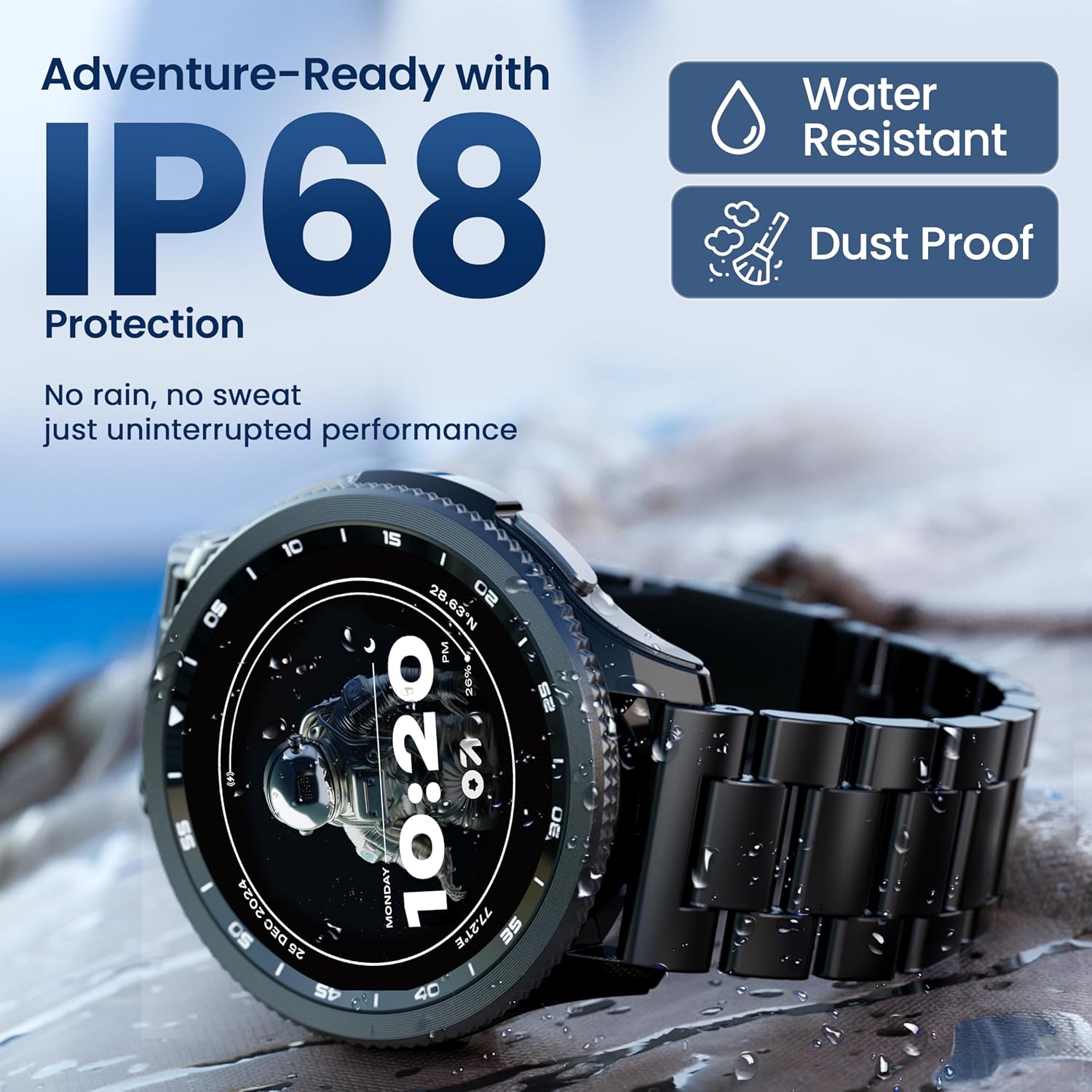
Image 5.1: The GOBOULT Pyro Smartwatch shown with water droplets, illustrating its IP68 water and dust resistance for uninterrupted performance in various conditions.
5.2. تنظيف ساعتك الذكية
To keep your smartwatch clean and functioning optimally:
- امسح الشاشة والجسم بقطعة قماش ناعمة وخالية من الوبر.
- إذا لزم الأمر، دampبللي قطعة القماش قليلاً بالماء. تجنبي استخدام المواد الكيميائية القاسية أو المواد الكاشطة.
- نظف نقاط التلامس الخاصة بالشحن بانتظام لضمان الشحن الفعال.
- If the strap is removable, clean it separately according to its material type.
5.3. العناية بالبطارية
لإطالة عمر البطارية:
- تجنب درجات الحرارة القصوى.
- لا تترك البطارية تنفد تمامًا قبل إعادة شحنها بشكل متكرر.
- إذا كنت ستقوم بتخزين الساعة لفترة طويلة، فقم بشحنها إلى حوالي 50% ثم قم بإيقاف تشغيلها.
6. استكشاف الأخطاء وإصلاحها
If you encounter issues with your GOBOULT Pyro Smartwatch, refer to the following common solutions:
| مشكلة | الحل المحتمل |
|---|---|
| Smartwatch not turning on | تأكد من شحن الساعة بالكامل. وصلها بالشاحن لمدة 30 دقيقة على الأقل. |
| تعذر الاقتران بالهاتف الذكي | Check if Bluetooth is enabled on your phone. Ensure the smartwatch is in pairing mode. Restart both devices and try again. Make sure the companion app is installed and updated. |
| قراءات صحية غير دقيقة | تأكد من ارتداء الساعة بشكل مريح على معصمك، لا ضيقة جدًا ولا فضفاضة جدًا. نظّف المستشعرات الموجودة على ظهر الساعة. تجنّب الحركة المفرطة أثناء القراءة. |
| عدم ظهور الإشعارات | Verify that notification permissions are granted to the GOBOULT app on your smartphone. Check the app's settings to ensure notifications are enabled for desired applications. Ensure Bluetooth connection is stable. |
| تستنزف البطارية بسرعة | Reduce screen brightness. Disable Always-On Display if not needed. Limit background app refresh. Ensure no apps are constantly running in the background. Frequent Bluetooth calling can also consume more power. |
| Charging issues (e.g., not connecting to charger) | Ensure the charging cable is correctly aligned with the magnetic contacts on the watch. Clean the charging contacts on both the cable and the watch. Try a different USB power source. |
| Rotating dial not working | Check for any physical obstruction or debris around the dial. Gently clean the area. If the issue persists, a software glitch might be present; try restarting the watch. |
7. المواصفات
Below are the technical specifications for the GOBOULT Pyro Smartwatch:
| ميزة | التفاصيل |
|---|---|
| ماركة | جوبولت |
| سلسلة الموديل | بايرو |
| حجم العرض | 1.43 بوصة |
| نوع العرض | أموليد |
| سطوع | 600 Nits |
| الاتصال | بلوتوث 5.3 |
| توافق نظام التشغيل | أندرويد، آي أو إس |
| مقاومة الماء | IP68 |
| سعة البطارية | 300 مليamp ساعات |
| متوسط عمر البطارية | حتى 7 يومًا |
| وقت شحن البطارية | حوالي 150 دقيقة |
| وزن العنصر | 68 جرام |
| المكونات المضمنة | Smartwatch, Charging Cable, User Manual, Warranty Card |
8. الضمان والدعم
8.1. معلومات الضمان
Your GOBOULT Pyro Smartwatch comes with a manufacturer's warranty. Please refer to the included Warranty Card for detailed information regarding warranty terms, conditions, and duration. Keep your proof of purchase for warranty claims.
8.2. دعم العملاء
For technical assistance, troubleshooting beyond this manual, or warranty service, please contact GOBOULT customer support. Contact details can typically be found on the Warranty Card or the official GOBOULT website. When contacting support, please have your product model (Pyro) and purchase details ready.


