1. المقدمة
This manual provides essential information for the proper setup, operation, and maintenance of your SANSUI 24 Inch Gaming Monitor. Please read this manual thoroughly before using the product to ensure optimal performance and safety.
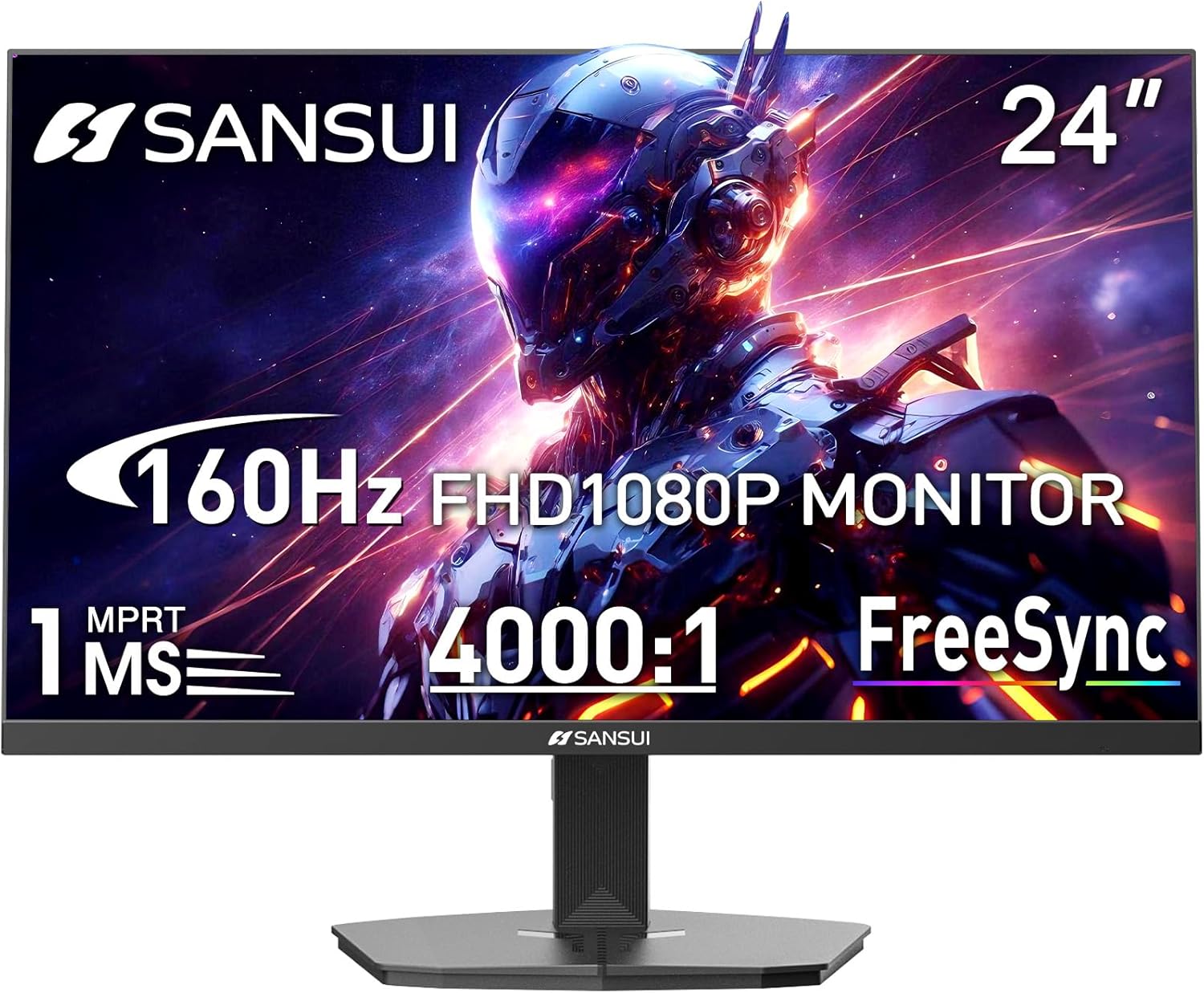
Image 1.1: SANSUI 24 Inch Gaming Monitor (Model ES-G24F4M)
2. معلومات السلامة
- تأكد من وضع الشاشة على سطح مستوٍ وثابت لمنع السقوط العرضي.
- لا تعرض الشاشة للمطر أو الرطوبة أو درجات الحرارة القصوى.
- تجنب سد فتحات التهوية لمنع ارتفاع درجة الحرارة.
- استخدم فقط محول الطاقة المرفق مع الشاشة.
- افصل كابل الطاقة من المقبس قبل التنظيف أو إذا لم يتم استخدام الشاشة لفترة طويلة.
3. محتويات العبوة
تأكد من وجود جميع العناصر في العبوة:
- SANSUI 24 Inch Gaming Monitor
- كابل HDMI x 1
- محول الطاقة × 1
- دليل التثبيت السريع
- بطاقة الضمان
4. مواصفات المنتج
- حجم العرض: 24 بوصة
- دقة: دقة عالية كاملة 1080 بكسل (1920 × 1080 بكسل)
- معدل التحديث: 160 هرتز
- وقت الاستجابة: 1 مللي ثانية زمن استجابة سريع
- نسبة التباين: 4000:1
- سطوع: 300 شمعة/م²
- مجموعة الألوان: 72% إس آر جي بي
- تكنولوجيا: FreeSync, HDR, Anti-flicker, Anti-Glare, Low Blue Light Eye Care
- الموانئ: HDMI & DP Ports (HDMI Cable Included)
- التركيب: VESA Support (75x75mm)
- أبعاد: 21.2 × 7.95 × 16.28 بوصة
- وزن: 3.54 رطل
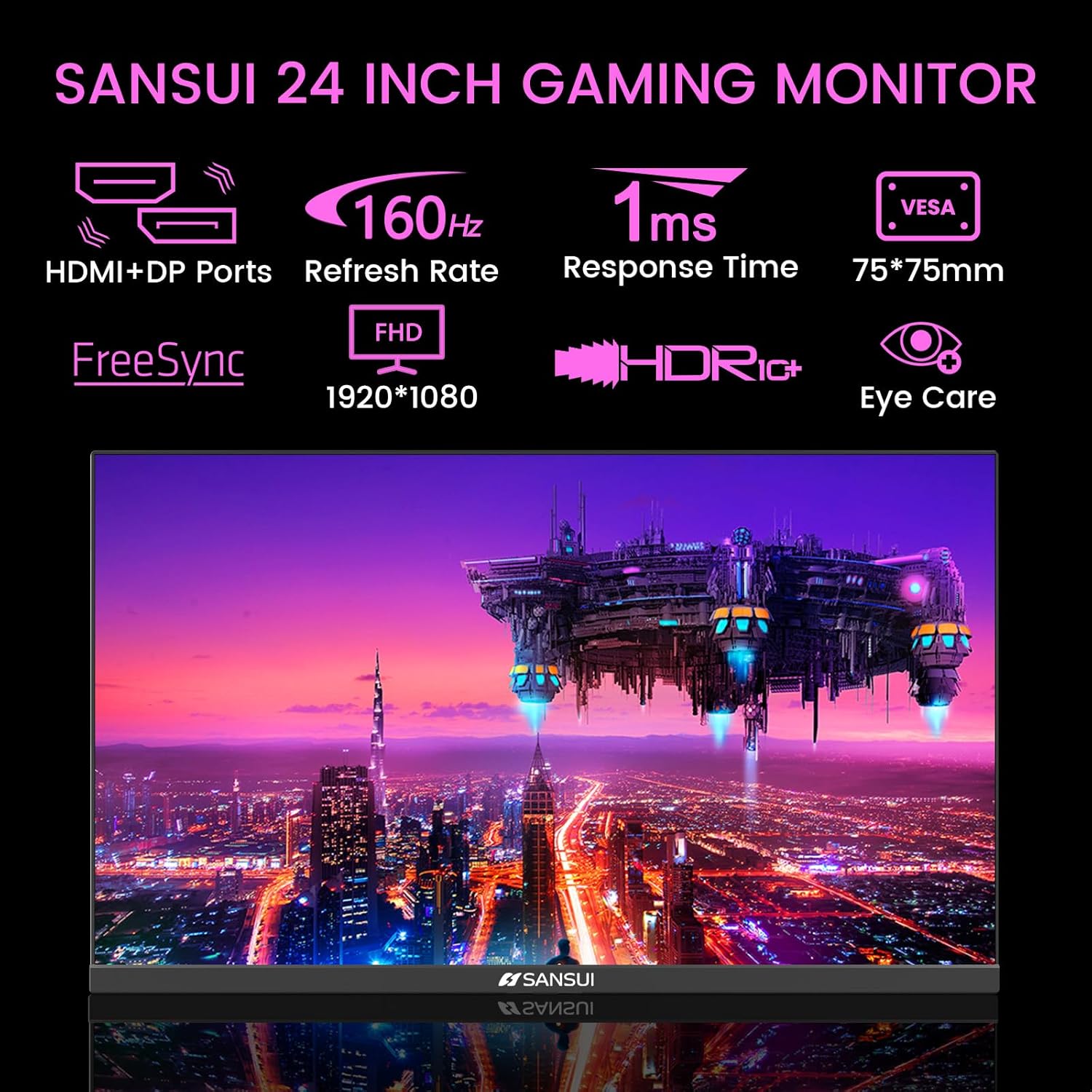
Image 4.1: Key Features of the SANSUI 24 Inch Gaming Monitor.
5. الإعداد
5.1. تجميع الحامل
- قم بإزالة مكونات الشاشة والحامل من العبوة بعناية.
- قم بتثبيت قاعدة الحامل على رقبة الحامل باستخدام البراغي المرفقة.
- Secure the assembled stand to the back of the monitor. Ensure it clicks into place or is fastened securely with screws, depending on the design.
5.2. تركيب VESA (اختياري)
The monitor supports VESA 75x75mm mounting. If using a VESA mount, remove the pre-attached stand and follow the instructions provided with your VESA mounting kit.
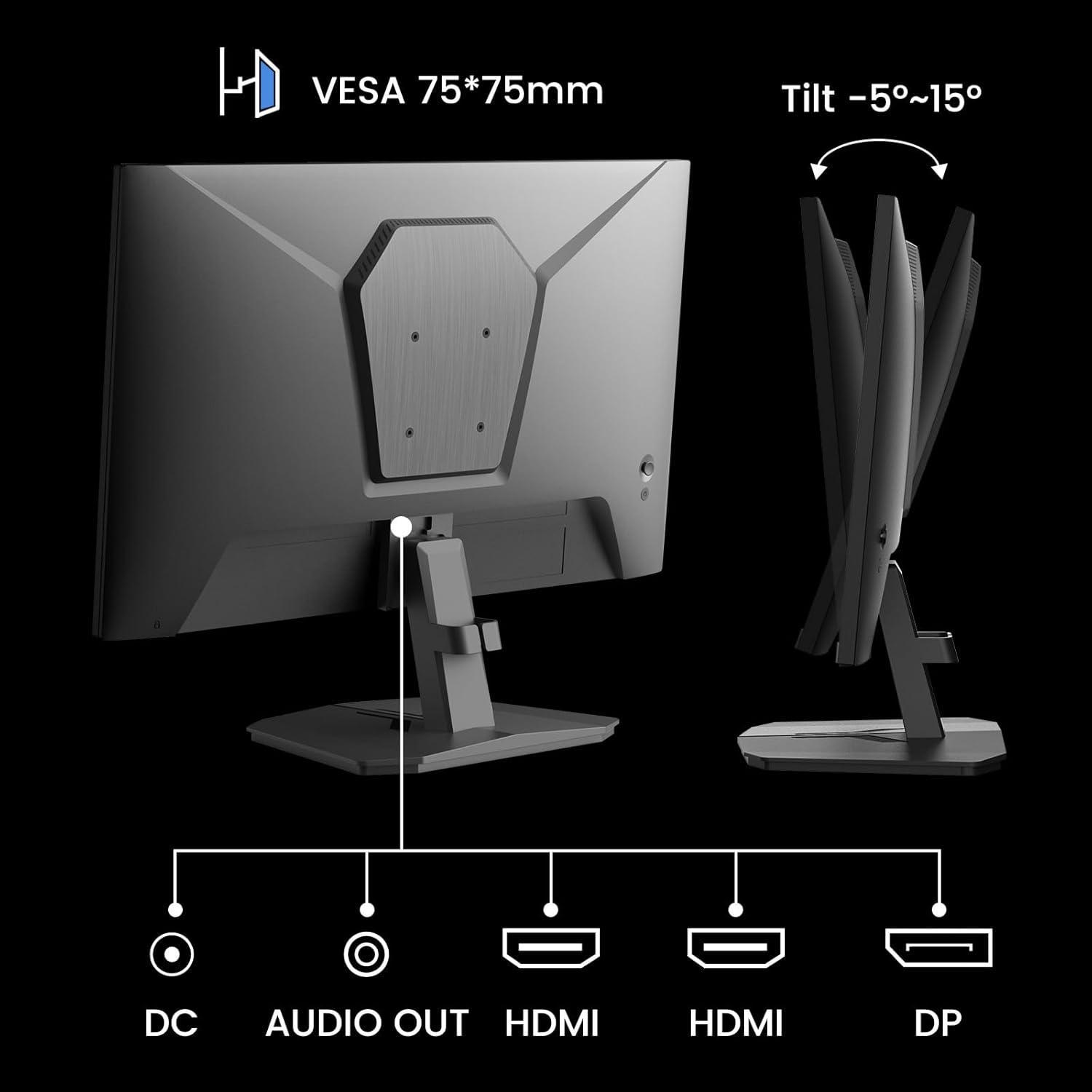
الصورة 5.1: خلفي view showing VESA mount and input ports.
5.3. الاتصال بجهاز
- Connect one end of the HDMI cable (included) or a DisplayPort (DP) cable to the corresponding port on your computer or gaming console.
- Connect the other end of the cable to the HDMI or DP input port on the SANSUI monitor.
- For audio output, connect external speakers or headphones to the 'AUDIO OUT' port on the monitor.
- Connect the power adapter to the 'DC IN' port on the monitor, then plug the adapter into a power outlet.
5.4. التشغيل الأولي
Press the power button located on the underside of the monitor to turn it on. The monitor will automatically detect the active input source. If not, manually select the input source using the OSD menu.
6. تعليمات التشغيل
6.1. OSD (On-Screen Display) Menu Navigation
The OSD menu allows you to adjust various monitor settings. The control buttons are located on the underside of the monitor:
- زر القائمة: اضغط لفتح قائمة العرض على الشاشة أو للدخول إلى قائمة فرعية.
- الأسهم لأعلى/لأسفل: التنقل عبر خيارات القائمة.
- زر الدخول: Confirm selection or adjust values.
- زر الطاقة: قم بتشغيل / إيقاف تشغيل الشاشة.
6.2. إعدادات الصورة
Access the 'Picture' section in the OSD menu to adjust:
- سطوع: ضبط الإضاءة العامة للشاشة.
- مقابلة: يضبط الفرق بين المناطق الأكثر سطوعًا والأكثر ظلمة.
- أوفردرايف: Enhances pixel response time for reduced motion blur.
- المدى الديناميكي العالي (HDR): When enabled, HDR provides a wider range of colors and contrast. Note: Some settings may be locked when HDR is active.
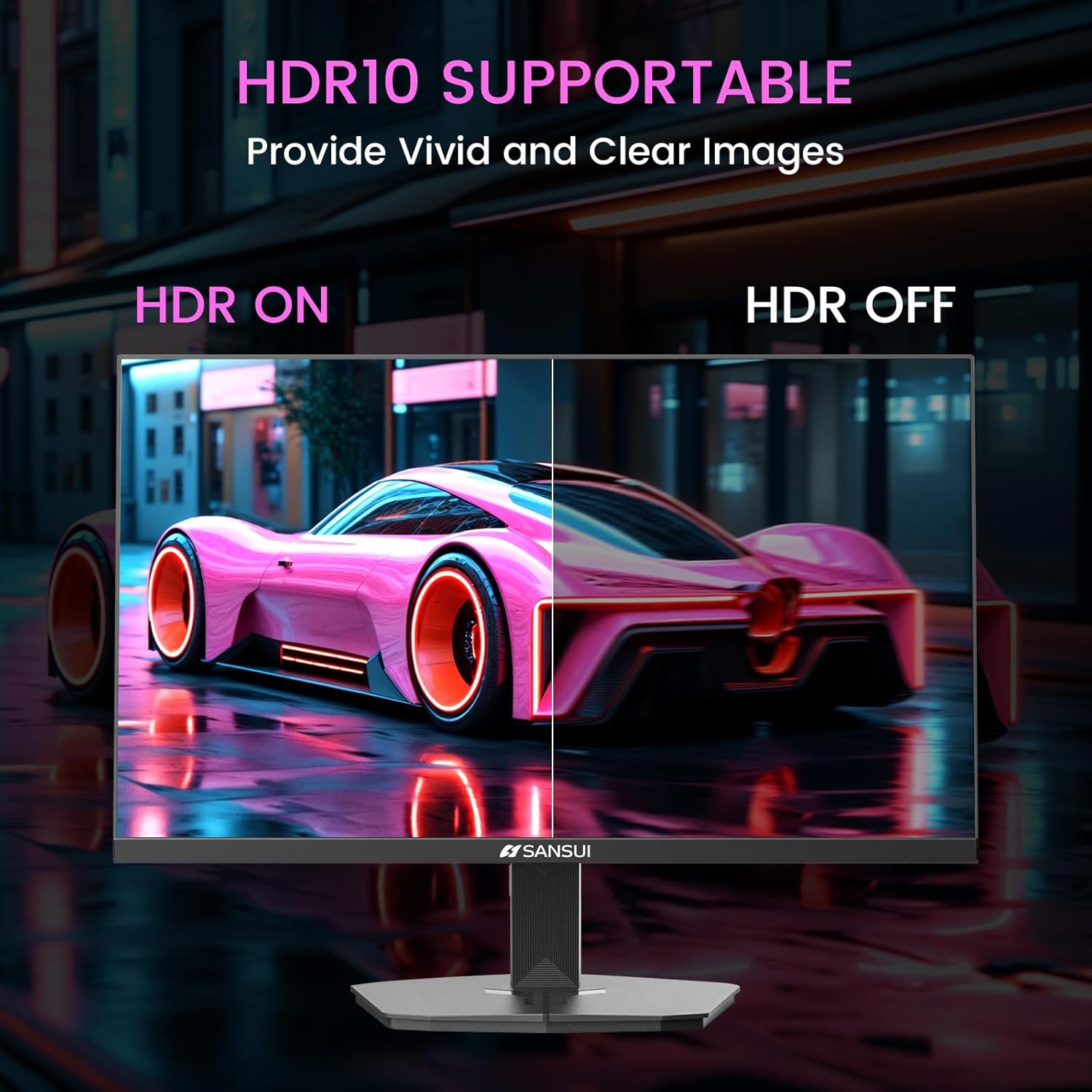
Image 6.1: HDR10 Support for vivid and clear images.
6.3. إعدادات اللون
In the 'Color Setup' menu, you can adjust color temperature and other color-related parameters when HDR is not active.
6.4. Game Modes and Assistants
The monitor includes exclusive gaming modes and assistants to enhance your gaming experience:
- CrossHair: يوفر مؤشر تصويب على الشاشة لتحسين عملية التصويب.
- المؤقت: Displays an on-screen timer.
- RTS/FPS/RACING: Pre-calibrated display modes optimized for specific game genres.
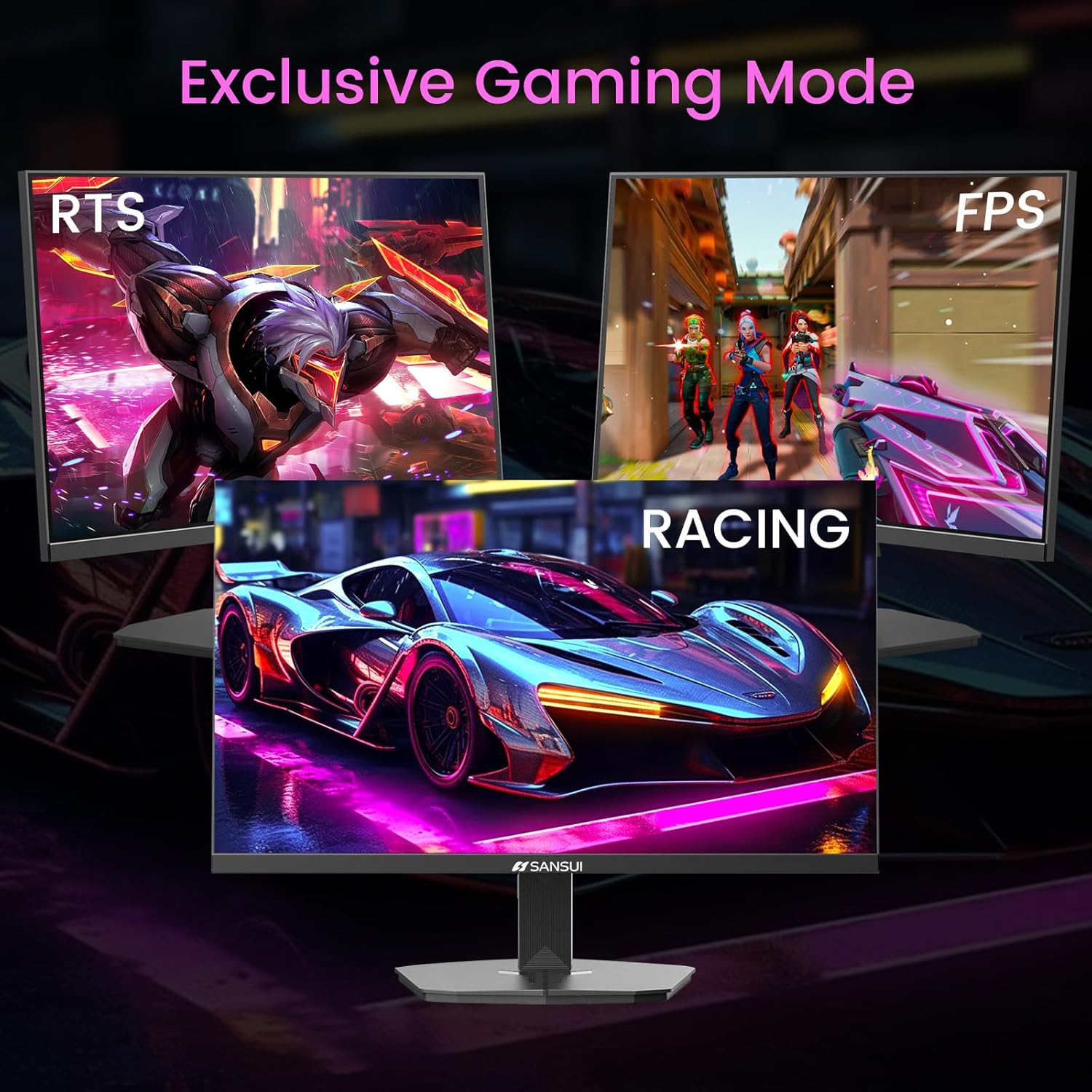
Image 6.2: Exclusive Gaming Modes for optimized visuals.
6.5. FreeSync Technology
FreeSync technology synchronizes the monitor's refresh rate with your graphics card's frame rate, eliminating screen tearing and stuttering for a smoother gaming experience. Enable or disable FreeSync through the OSD menu.
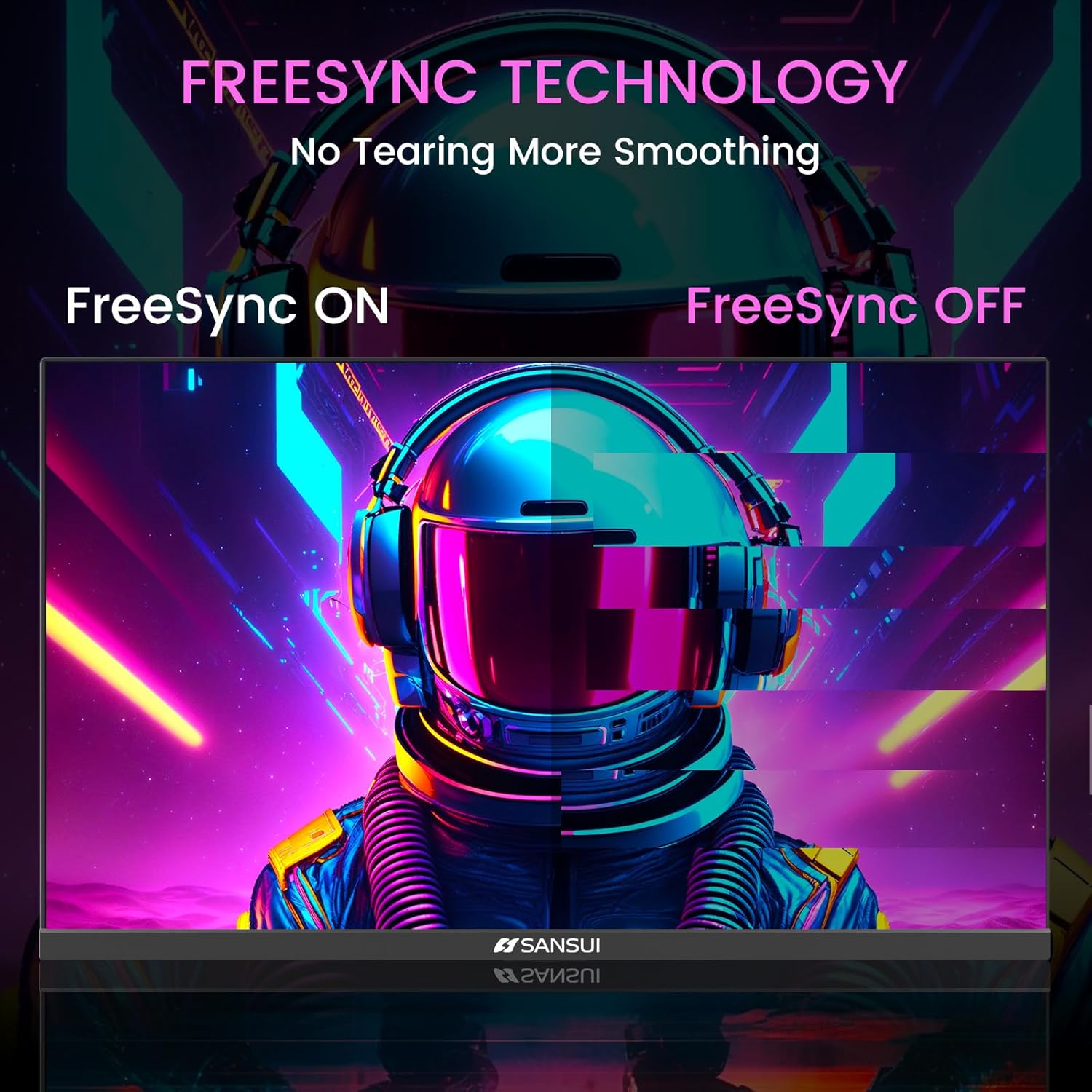
Image 6.3: FreeSync Technology for no tearing and smoother visuals.
6.6. اختيار المدخلات
Use the OSD menu to manually select the input source (HDMI or DP) if the monitor does not automatically detect it.
Video 6.1: SANSUI FreeSync - 24-inch Gaming Monitor, 160Hz, FHD. This video demonstrates the monitor's features and performance, including its 160Hz refresh rate and FreeSync technology.
7. الصيانة
- تنظيف الشاشة: استخدم قطعة قماش ناعمة وخالية من الوبر وامسحها برفق.ampاغسلها بالماء أو منظف الشاشة. لا ترش المنظف مباشرة على الشاشة.
- تنظيف Casing: استخدم قطعة قماش ناعمة وجافة لمسح الشاشة.asinز. تجنب استخدام المنظفات الكاشطة.
- تخزين: إذا كنت ترغب في تخزين الشاشة لفترة طويلة، فافصل جميع الكابلات وقم بتخزينها في مكان بارد وجاف، ويفضل أن يكون في عبوتها الأصلية.
8. استكشاف الأخطاء وإصلاحها
- لا يوجد طاقة: تأكد من توصيل كابل الطاقة بإحكام بكل من الشاشة ومأخذ الطاقة. تحقق من أن مأخذ الطاقة يعمل.
- لا توجد تغطية: Verify that the video cable (HDMI/DP) is correctly connected to both the monitor and the source device. Ensure the correct input source is selected in the OSD menu.
- شاشة متذبذبة: Check the video cable connection. Ensure the refresh rate is set correctly in your device's display settings.
- تشويه الصورة: Reset the monitor to factory settings via the OSD menu. Check your device's display resolution settings.
- الأزرار غير مستجيبة: Disconnect the power for a few minutes, then reconnect. If the issue persists, contact customer support.
9. المواصفات
| ميزة | مواصفة |
|---|---|
| أبعاد المنتج | 21.2 × 7.95 × 16.28 بوصة |
| وزن العنصر | 3.54 رطل |
| الشركة المصنعة | شركة إكسبريس لاك الصناعية (تشونغشان) المحدودة |
| رقم موديل العنصر | ES-G24F4M |
| حجم شاشة العرض الدائمة | 24 بوصة |
| نسبة العرض إلى الارتفاع | 16:9 |
| دقة | 1920 × 1080 بكسل (FHD 1080p) |
| سطوع الصورة | 300 شمعة/م² |
| وصف سطح الشاشة | مطفي |
10. الضمان والدعم
SANSUI offers a money-back and free replacement warranty from the order date within 30 days. Additionally, lifetime technical support is provided for the SANSUI 24 inch 160Hz 1ms gaming monitor. For any questions or support needs, please contact SANSUI's after-sales support team.


