1. المقدمة
This manual provides comprehensive instructions for the safe and effective operation, maintenance, and troubleshooting of your ROCAM CR1030 Emergency Crank Radio. Please read this manual thoroughly before using the device and retain it for future reference. The ROCAM CR1030 is designed as a multi-functional emergency device, featuring AM/FM radio reception, multiple power sources including solar and hand crank, a flashlight, a reading lamp, and a power bank function.
2. تعليمات السلامة
- Do not expose the device to extreme temperatures, direct sunlight for prolonged periods (beyond charging), or high humidity.
- تجنب إسقاط الجهاز أو تعريضه لصدمات شديدة.
- Keep the device away from water and liquids, despite its IPX6 water resistance, to prevent internal damage.
- لا تحاول تفكيك الجهاز أو تعديله. يجب أن يُجري الإصلاحات فنيون مؤهلون فقط.
- Ensure proper ventilation when charging or operating the device.
- يحفظ بعيدًا عن متناول الأطفال.
- تخلص من الجهاز وبطاريته بطريقة مسؤولة وفقًا للوائح المحلية.
3. محتويات العبوة
تأكد من وجود جميع العناصر في العبوة:
- 1 x ROCAM CR1030 Emergency Radio
- 1 × كابل شحن من النوع C
- 1 x Portable Belt
- 1 × دليل المستخدم (هذه الوثيقة)
4. انتهى المنتجview
Familiarize yourself with the various components and controls of your ROCAM CR1030 radio.
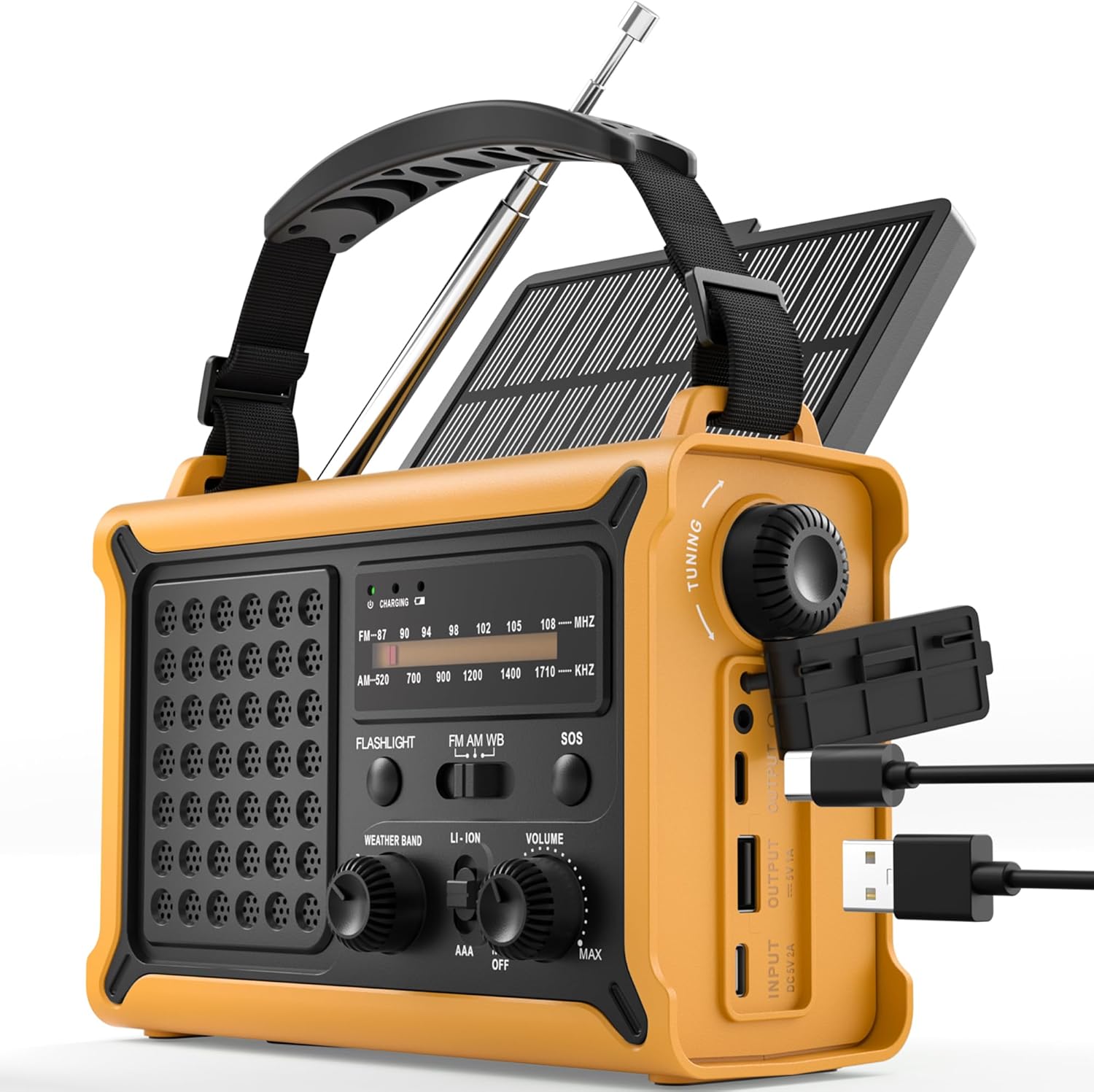
الشكل 4.1: الامام والجانب view of the ROCAM CR1030 Emergency Crank Radio, showing the main controls, solar panel, hand crank, and USB charging ports.
- هوائي تلسكوبي: For AM/FM reception.
- لوحة الطاقة الشمسية: لشحن الطاقة الشمسية.
- كرنك اليد: لتوليد الطاقة يدوياً.
- مصباح يدوي: Front-facing light source.
- القراءة لamp: Top-mounted LED light.
- موجة الضبط: To select radio frequencies.
- مقبض التحكم في الصوت/مفتاح الطاقة: To adjust volume and turn the radio on/off.
- مفتاح اختيار النطاق: To choose between FM, AM, and Weather Band (if applicable).
- زر الاستغاثة: Activates emergency alarm and flashing light.
- منفذ إخراج USB: لشحن الأجهزة الخارجية.
- منفذ الإدخال من النوع C: For charging the radio via USB-C cable.
- حجرة البطارية: For optional AAA batteries.
- مقبس سماعة الرأس: 3.5mm port for private listening.

الشكل 4.2: The ergonomic design of the ROCAM CR1030, featuring large knobs and a robust casing for easy handling.
5. الإعداد
5.1 الشحن الأولي
Before first use, it is recommended to fully charge the internal 12000 mAh battery. Connect the provided Type-C charging cable to the radio's Type-C input port and the other end to a USB power adapter (not included) or a computer USB port. The charging indicator light will illuminate during charging and turn off when fully charged.
5.2 AAA Battery Installation (Optional)
The radio can also be powered by 3 AAA batteries (not included) as an alternative power source. Open the battery compartment cover on the back of the radio, insert 3 AAA batteries according to the polarity markings, and close the cover securely. Ensure the power source switch is set to "AAA" when using these batteries.
6. تعليمات التشغيل
6.1 تشغيل الراديو (AM/FM)
- قم بتمديد الهوائي التلسكوبي للحصول على استقبال مثالي.
- Turn the Volume knob clockwise to power on the radio and adjust the desired volume level.
- Use the Band Selector switch to choose between "FM", "AM", or "WB" (Weather Band, if available on your model).
- Rotate the Tuning knob to scan for radio stations. The frequency display will indicate the current station.
- For best reception, adjust the antenna position and length.
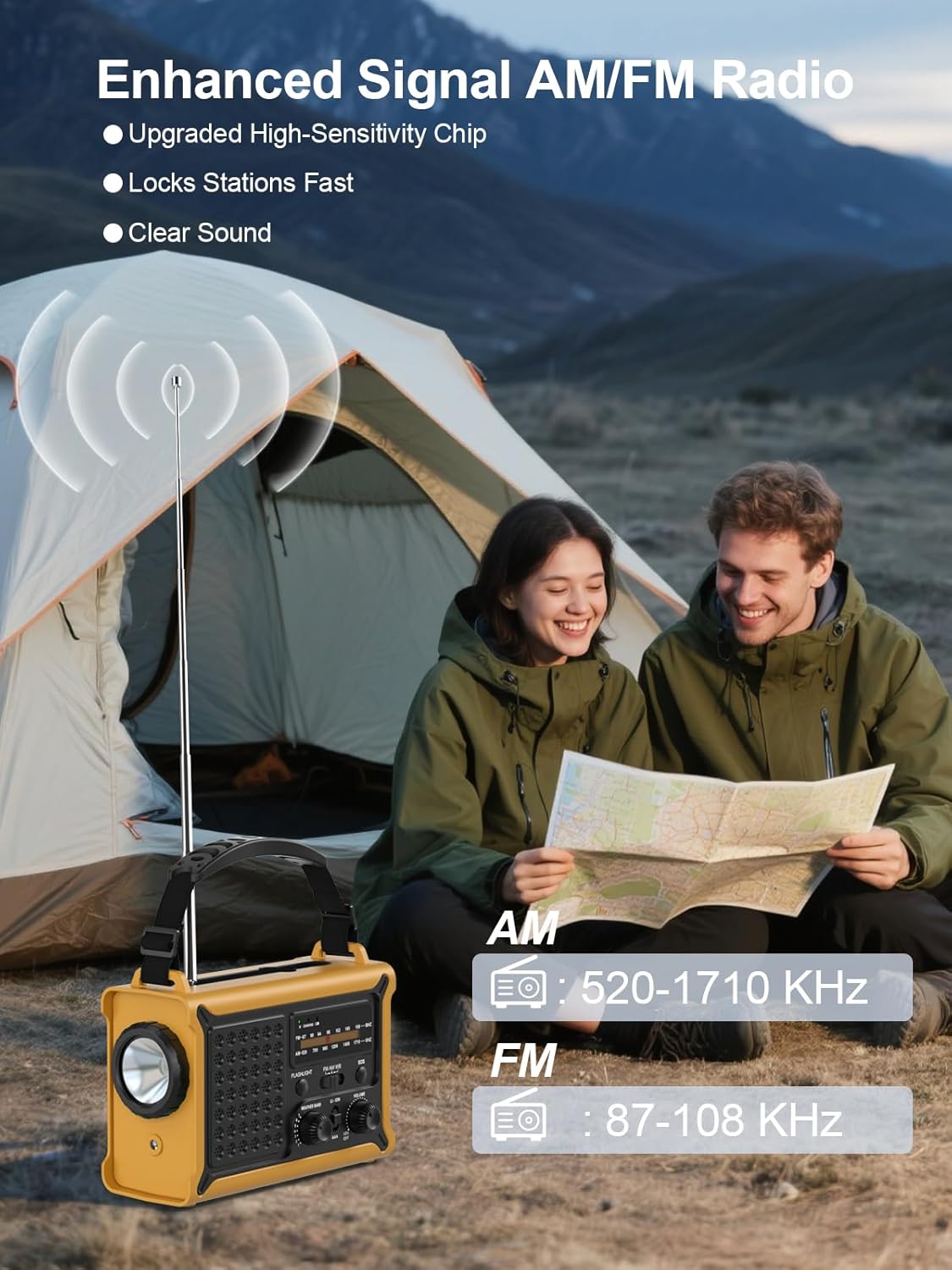
الشكل 6.1: The radio in operation, demonstrating the extended antenna and frequency display for AM and FM bands.

الشكل 6.2: Illustration of the radio's clear and powerful audio output.
6.2 مصادر الطاقة
The ROCAM CR1030 offers multiple ways to power the device and charge its internal battery:
- Internal Rechargeable Battery (12000 mAh): The primary power source, charged via USB-C, solar, or hand crank.
- كرنك اليد: Rotate the hand crank clockwise or counter-clockwise at a steady pace (approximately 120-150 RPM) to generate power. A few minutes of cranking can provide power for radio operation or a short burst of light.
- لوحة الطاقة الشمسية: Place the radio with the solar panel facing direct sunlight. The solar panel charges the internal battery. Charging efficiency depends on sunlight intensity.
- مدخل من النوع C: Connect the radio to a USB power source using the provided Type-C cable.
- بطاريات AAA: As described in Section 5.2, 3 AAA batteries can be used as an alternative power source.

الشكل 6.3: The radio's dual power generation capabilities: solar panel and hand crank.
6.3 Flashlight and Reading Lamp
The ROCAM CR1030 features two independent light sources:
- مصباح يدوي: Press the "FLASHLIGHT" button to turn on the front-facing 5W flashlight. Press again to turn it off.
- القراءة لamp: Locate the reading lamp switch (often integrated with the flashlight switch or a separate button). Activate it to turn on the top-mounted LED reading lamp.

الشكل 6.4: The radio providing illumination with its reading lamp ومصباح يدوي.
6.4 إنذار SOS
In an emergency, the SOS alarm can be activated to attract attention:
- Press and hold the "SOS" button for approximately 2 seconds. The radio will emit a loud 120dB siren and a flashing light.
- To deactivate the SOS alarm, press the "SOS" button again.
6.5 وظيفة بنك الطاقة
The ROCAM CR1030 can charge external USB-powered devices using its internal 12000 mAh battery:
- Connect your device's USB charging cable to the radio's USB Output port.
- The radio will begin charging your device. The charging speed may vary depending on the radio's battery level and the connected device.
- This function is intended for emergency charging of small electronic devices.

الشكل 6.5: The radio's SOS alarm and power bank capabilities, including charging a smartphone.
7. الصيانة
- تنظيف: امسح الراديو بقطعة ناعمة ، دamp القماش. لا تستخدم المنظفات أو المذيبات الكاشطة.
- تخزين: Store the radio in a cool, dry place away from direct sunlight when not in use. If storing for extended periods, ensure the internal battery is charged to at least 50% and recharge every 3-6 months to maintain battery health.
- مقاومة الماء: While IPX6 rated, avoid submerging the radio in water. Ensure all port covers are securely closed when exposed to moisture.

الشكل 7.1: The radio's design for outdoor use, highlighting its portability and water-resistant features.
8. استكشاف الأخطاء وإصلاحها
| مشكلة | السبب المحتمل | حل |
|---|---|---|
| الراديو لا يعمل. | نفدت طاقة البطارية. Power source switch is incorrect. | Charge the internal battery via USB-C, solar, or hand crank. Ensure the power source switch is set to "LI-ION" for the internal battery or "AAA" if using AAA batteries. |
| استقبال راديو ضعيف. | Antenna not extended or positioned incorrectly. إشارة ضعيفة في المنطقة. | قم بتمديد الهوائي التلسكوبي بالكامل وضبطه. Try moving to a different location, preferably outdoors or near a window. |
| Hand crank not charging. | التدوير ببطء شديد أو بشكل غير منتظم. | Ensure a steady cranking motion at a moderate speed. |
| اللوحة الشمسية لا تشحن. | ضوء الشمس غير الكافي. Panel is obstructed. | Place the radio in direct, strong sunlight. Ensure the solar panel is clean and unobstructed. |
| External device not charging via USB. | Radio's internal battery is low. كابل USB معيب أو غير متوافق. | تأكد من أن البطارية الداخلية للراديو مشحونة بشكل كافٍ. جرب كابل USB أو جهازًا آخر. |
9. المواصفات
| ميزة | التفاصيل |
|---|---|
| نموذج | سي آر 1030 |
| استقبال راديو | AM (520-1710 KHz), FM (87.5-108 MHz) |
| سعة البطارية | 12000 mAh (Internal Li-ion) |
| توليد الطاقة باستخدام ذراع التدوير اليدوي | 650 مللي أمبير |
| حجم اللوحة الشمسية | 8500 مم² |
| Solar Energy Power Generation | 350 مللي أمبير |
| مدخل الشحن | 5 فولت/1 أمبير (النوع C) |
| مصادر الطاقة | Rechargeable Battery, Hand Crank, Solar Panel, Type-C Input, 3x AAA Batteries |
| قوة المصباح | 5W |
| مستوى صوت إنذار الطوارئ | 120 ديسيبل |
| مستوى مقاومة الماء | IPX6 |
| مقبس سماعة الرأس | 3.5 ملم |
| أبعاد | 12.1 لترًا × 17.3 عرضًا × 7.4 ارتفاعًا سم |
| وزن | 850 جرام |
| مادة | بلاستيك |
10. الضمان والدعم
ROCAM products are manufactured to high-quality standards. For warranty information, technical support, or service inquiries, please refer to the contact information provided with your purchase or visit the official ROCAM website. Please have your model number (CR1030) and purchase details ready when contacting support.


