1. المقدمة
The EDIFIER MP330 is a portable Bluetooth speaker designed to deliver a high-quality audio experience with its retro aesthetic and advanced features. It supports Hi-Res audio and offers versatile connectivity options.

Image: The EDIFIER MP330 portable Bluetooth speaker, showcasing its brown finish and integrated leather handle.
2. محتويات العبوة
يرجى تحديد المربع للعناصر التالية:
- EDIFIER MP330 Speaker x 1
- كابل USB-C إلى USB-C × 1
- دليل البدء السريع × 1
- Important Safety Information x 1

Image: A visual representation of the EDIFIER MP330 speaker and its included accessories: USB-C cable, quick start guide, and safety information.
3. انتهى المنتجview
3.1 عناصر التحكم والمنافذ
The EDIFIER MP330 features intuitive controls and essential ports for various audio sources.
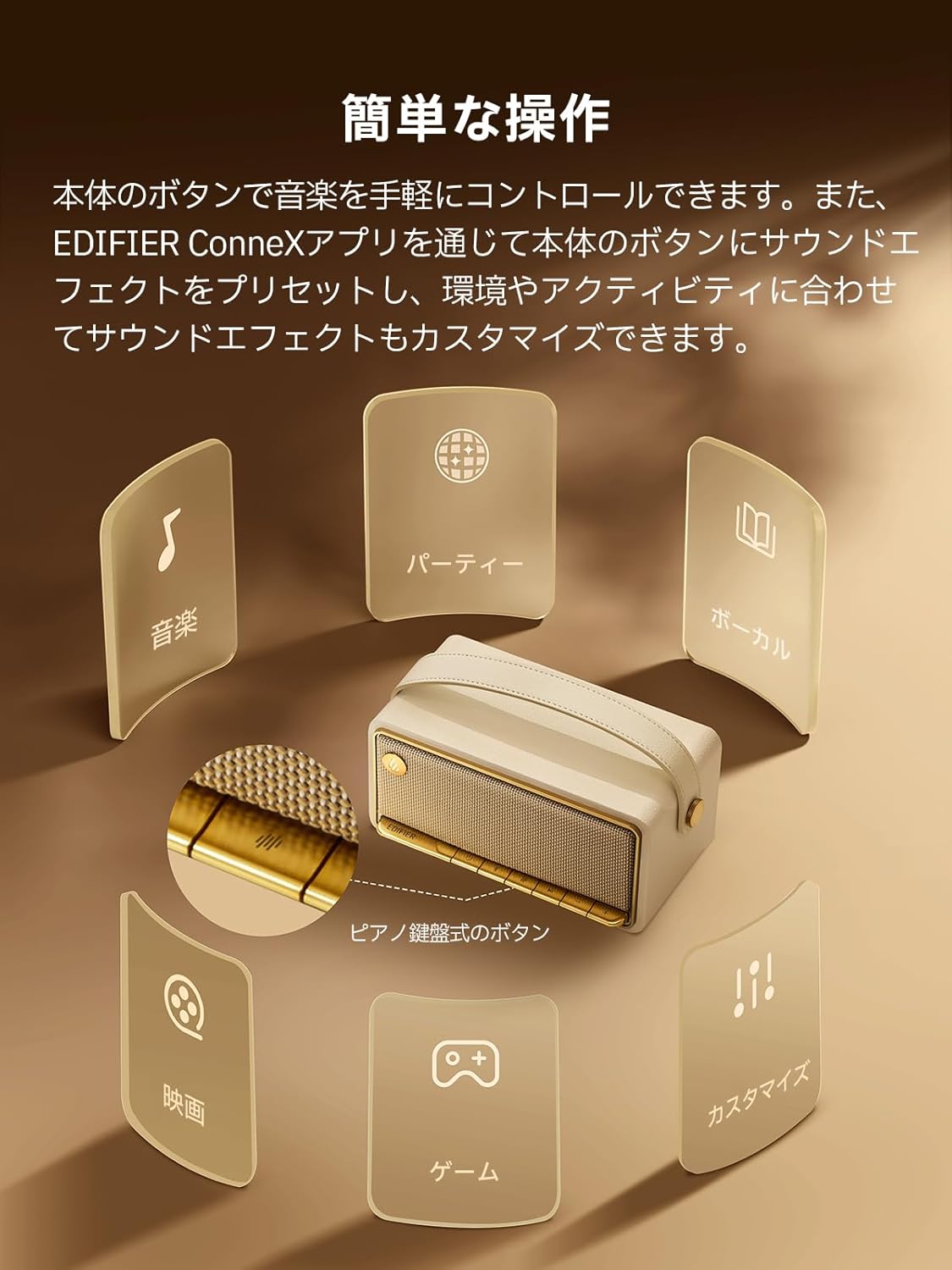
Image: A diagram illustrating the control buttons and indicator lights on the EDIFIER MP330 speaker, showing their functions for power, mode selection, playback, and volume.
- زر الطاقة: اضغط مع الاستمرار للتشغيل / إيقاف التشغيل.
- زر الوضع: Short press to cycle through Bluetooth, USB-C, and microSD card input modes.
- زر التشغيل/الإيقاف المؤقت: اضغط لفترة قصيرة لتشغيل الصوت أو إيقافه مؤقتًا.
- زر رفع الصوت/المسار التالي: اضغط لفترة قصيرة لرفع مستوى الصوت، واضغط لفترة طويلة للانتقال إلى المسار التالي.
- زر خفض الصوت/المسار السابق: اضغط لفترة قصيرة لخفض مستوى الصوت، واضغط لفترة طويلة للانتقال إلى المسار السابق.
- منفذ USB-C: للشحن وإدخال الصوت.
- منفذ كارت الذاكرة الصغيرة: لتشغيل الصوت files directly from a microSD card.
4. الإعداد
4.1 شحن السماعة
Before first use, fully charge the speaker using the provided USB-C cable and a compatible power adapter (not included). The indicator light will show charging status.
4.2 تشغيل/إيقاف التشغيل
- لتشغيل الجهاز: اضغط مع الاستمرار على زر التشغيل حتى يضيء ضوء المؤشر.
- لإيقاف التشغيل: اضغط مع الاستمرار على زر الطاقة حتى ينطفئ ضوء المؤشر.
4.3 اقتران بلوتوث
لتوصيل جهازك عبر البلوتوث:
- Power on the MP330 speaker. The Bluetooth indicator will flash, indicating it is in pairing mode.
- على جهازك (الهاتف الذكي، الجهاز اللوحي، وما إلى ذلك)، قم بتمكين البلوتوث وابحث عن الأجهزة المتاحة.
- Select "EDIFIER MP330" from the list of devices.
- بمجرد الاتصال، سيظل مؤشر البلوتوث ثابتًا.
4.4 اتصال متعدد النقاط
The MP330 supports connecting to two Bluetooth devices simultaneously. After connecting the first device, put the speaker back into pairing mode and connect the second device. You can then switch between audio sources by pausing playback on one device and starting it on the other.

Image: Two mobile phones displaying music playback interfaces, indicating a multipoint Bluetooth connection to the EDIFIER MP330 speaker.
4.5 الاقتران الاستريو (TWS)
For an enhanced stereo sound experience, you can pair two MP330 speakers together:
- Ensure both MP330 speakers are powered on and not connected to any Bluetooth device.
- On one speaker, press and hold the Bluetooth button until it enters TWS pairing mode (indicator light will flash a specific pattern).
- The two speakers will automatically connect to each other. One speaker will become the left channel and the other the right.
- بعد الاقتران، قم بتوصيل جهازك بالسماعة الرئيسية عبر البلوتوث كما هو موضح في القسم 4.3.

Image: Two EDIFIER MP330 speakers, one black and one ivory, positioned to illustrate stereo pairing, with a Bluetooth logo and arrows indicating connection.
5. تعليمات التشغيل
5.1 تبديل أوضاع الإدخال
Short press the Mode button to switch between Bluetooth, USB-C, and microSD card input modes. The indicator light will change color to reflect the active mode.
5.2 USB-C Audio Playback
Connect the MP330 to your computer using the provided USB-C cable. The speaker will automatically switch to USB-C audio mode. Select "EDIFIER MP330" as the audio output device on your computer.

Image: A diagram showing the EDIFIER MP330 speaker connected to a computer via a USB-C cable, indicating USB-C audio playback.
5.3 microSD Card Playback
أدخل بطاقة microSD تحتوي على الصوت files into the microSD card slot. The MP330 will automatically switch to microSD card mode and begin playback.

Image: A diagram illustrating how to insert a microSD card into the dedicated slot on the EDIFIER MP330 speaker.
5.4 Using the EDIFIER Connex App
Download the EDIFIER Connex app to unlock extended features and customize your listening experience. The app allows you to:
- تبديل مصادر الإدخال.
- التحكم في التشغيل.
- Customize sound effects (equalizer presets or custom settings).
- Access the electronic user manual and other settings.

Image: Multiple smartphone screens displaying the EDIFIER Connex app interface, highlighting various control and customization options for the speaker.
6. الصيانة
To ensure the longevity and optimal performance of your EDIFIER MP330 speaker, follow these maintenance guidelines:
- تنظيف: Use a soft, dry cloth to clean the speaker's surface. Avoid using abrasive cleaners, solvents, or strong chemicals, as they may damage the finish.
- تخزين: قم بتخزين السماعة في مكان بارد وجاف بعيدًا عن أشعة الشمس المباشرة ودرجات الحرارة القصوى والرطوبة العالية.
- التعرض للماء: The speaker is not waterproof. Avoid exposing it to water, rain, or excessive moisture.
- التعامل: تعامل مع السماعة بحرص. تجنب إسقاطها أو تعريضها لصدمات قوية.
- العناية بالبطارية: For optimal battery life, avoid fully discharging the battery frequently. If storing for an extended period, charge the battery to about 50% every few months.
7. استكشاف الأخطاء وإصلاحها
If you encounter issues with your EDIFIER MP330 speaker, refer to the following common troubleshooting steps:
- لا يوجد طاقة:
- تأكد من أن مكبر الصوت مشحون بالكامل.
- Check if the power button is pressed and held correctly to turn on the device.
- لا يوجد صوت:
- Verify the volume level on both the speaker and your connected device.
- Ensure the correct input mode (Bluetooth, USB-C, microSD) is selected.
- If using Bluetooth, ensure the speaker is properly paired and connected to your device.
- If using a microSD card, ensure the card is inserted correctly and contains playable audio files.
- مشكلات الاقتران بالبلوتوث:
- تأكد من أن السماعة في وضع الاقتران عبر البلوتوث (ضوء المؤشر الوامض).
- قم بتعطيل وإعادة تمكين البلوتوث على جهازك.
- Move the speaker closer to your device and away from potential interference sources.
- Try unpairing and re-pairing the speaker from your device's Bluetooth settings.
- لا يعمل اقتران الاستريو:
- Ensure both speakers are not connected to any other Bluetooth device before initiating TWS pairing.
- اتبع خطوات إقران سماعات TWS بعناية (القسم 4.5).
- مشكلات اتصال التطبيق:
- Ensure Bluetooth is enabled and the speaker is connected to your device.
- Update the EDIFIER Connex app to the latest version.
- أعد تشغيل كل من مكبر الصوت وجهازك.
If the problem persists after trying these steps, please contact Edifier customer support for further assistance.
8. المواصفات
Detailed technical specifications for the EDIFIER MP330 speaker:

Image: A comparison chart highlighting key specifications of the EDIFIER MP330 and MP230 models, including output power, Bluetooth version, battery capacity, playback time, and Hi-Res audio support.
| ميزة | مواصفة |
|---|---|
| اسم الموديل | إم بي 330 |
| نوع السماعة | رئيس المحمولة |
| مادة | الخشب (MDF) |
| لون | بني |
| طاقة الإخراج | 40 وات جذر متوسط التربيع |
| نسخة البلوتوث | 6.0 |
| سعة البطارية | 4800 مللي أمبير |
| وقت التشغيل | ما يصل إلى 19 ساعات (بحجم 50%) |
| استجابة التردد | 53 هرتز - 40 كيلو هرتز |
| صوت عالي الدقة | Supported (up to 24bit/96kHz) |
| الاتصال | Bluetooth, USB-C, microSD card |
| الأبعاد (العرض × العمق × الارتفاع) | 20.7 × 11.6 × 10.1 سم |
| وزن | 1.13 كجم |
| طريقة التحكم | التطبيق، زر الضغط |
| نسبة الإشارة إلى الضوضاء (S / N) | 85 ديسيبل |

Image: A technical drawing showing the dimensions (width, depth, height) and weight of the EDIFIER MP330 speaker.
9. الضمان والدعم
For warranty information, please refer to the warranty card included in your product packaging or visit the official Edifier website. If you require technical support or have questions about your EDIFIER MP330 speaker, please contact Edifier customer service through their official channels.
Edifier Official Webموقع: www.edifier.com


