1. المقدمة
This manual provides essential information for the installation, operation, and maintenance of your ZOTAC Gaming GeForce RTX 5060 Twin Edge OC graphics card. Designed for high-performance gaming, this card features the NVIDIA Blackwell architecture, DLSS 4, 8GB GDDR7 memory, and PCIE 5.0 support, all within a compact, SFF-ready design. Please read this manual thoroughly before installation and use to ensure optimal performance and longevity of your product.
2. ماذا يوجد في الصندوق
تأكد من وجود جميع العناصر في العبوة:
- ZOTAC GAMING GeForce RTX 5060 Twin Edge OC graphics card
- دليل المستخدم (هذا المستند)
- دليل البدء السريع
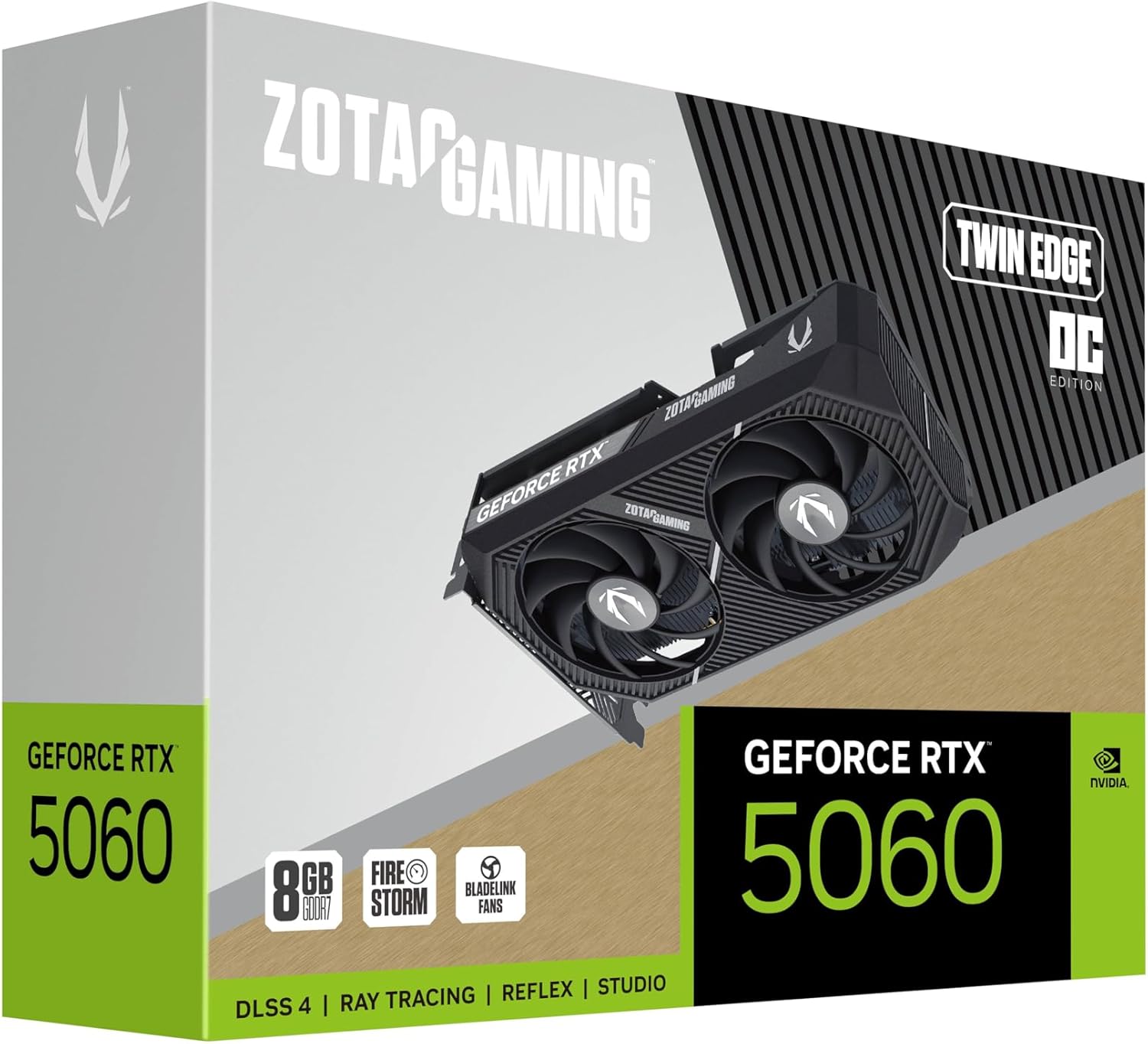
Image: The retail packaging for the ZOTAC Gaming GeForce RTX 5060 Twin Edge OC graphics card.
3. انتهى المنتجview
Familiarize yourself with the physical components of your graphics card.

الصورة: الجبهة view من بطاقة الرسومات، عرضasing the dual 90mm BladeLink fans and ZOTAC GAMING branding.

الصورة: الخلفية view of the graphics card, showing the 3 DisplayPort 2.1b and 1 HDMI 2.1b output ports.

الصورة: الجانب view of the graphics card, highlighting its compact two-slot design.
4. المواصفات
Key technical specifications of the ZOTAC Gaming GeForce RTX 5060 Twin Edge OC graphics card:
| ميزة | مواصفة |
|---|---|
| معالج الرسوميات المساعد | جيفورس RTX 5060 |
| شرائح العلامة التجارية | نفيديا |
| ذاكرة الفيديو | 8 جيجابايت GDDR7 |
| واجهة الذاكرة | 128 بت |
| سرعة الذاكرة | 28 جيجابت في الثانية |
| واجهة PCIe | PCIE 5.0 |
| مخرجات العرض | 3 x DisplayPort 2.1b, 1 x HDMI 2.1b |
| اقصي دقة | 7680x4320 (8K Ready) |
| دعم الشاشات المتعددة | 4 شاشات العرض |
| نظام التبريد | Dual 90mm BladeLink fans, Composite Heatpipes, Pass-thru Airflow Design |
| موصل الطاقة | 8-pin PCIe |
| الأبعاد (الطول × العرض × الارتفاع) | 8.7 × 1.6 × 0.1 بوصة (220.5 × 41.6 × 120.25 مم) |
| وزن | 1.57 رطل |
5. الإعداد والتثبيت
5.1 قائمة التحقق من التثبيت المسبق
- تأكد من أن وحدة تزويد الطاقة (PSU) الخاصة بك تلبي متطلبات الطاقة الموصى بهاtage for your system, including the new graphics card.
- Turn off your computer and disconnect the power cable from the wall outlet.
- Ground yourself to discharge any static electricity before handling components.
5.2 تركيب الأجهزة
- افتح علبة الكمبيوتر الخاص بك.
- حدد مكان فتحة PCI Express 5.0 x16 المتوفرة على اللوحة الأم لديك.
- Remove any expansion slot covers that correspond to the graphics card's two-slot width.
- قم بمحاذاة بطاقة الرسومات بعناية مع فتحة PCIe واضغط عليها بقوة حتى تستقر في مكانها. تأكد من تثبيت مشبك التثبيت الموجود على فتحة PCIe في مكانه.
- قم بتأمين بطاقة الرسوميات بالعلبة باستخدام البراغي.
- Connect the 8-pin PCIe power connector from your PSU to the graphics card. Ensure a firm connection.
- أغلق علبة الكمبيوتر.
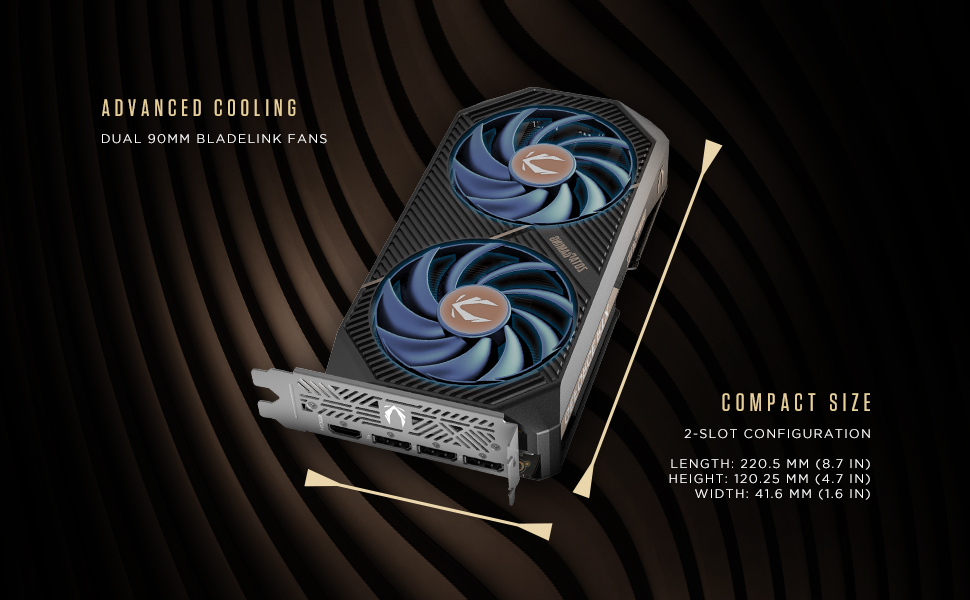
Image: Illustration of the graphics card's compact dimensions and dual fan cooling system, aiding in installation planning.
5.3 تثبيت برنامج التشغيل
- أعد توصيل كابل الطاقة وقم بتشغيل جهاز الكمبيوتر الخاص بك.
- قم بتوصيل كابل العرض (HDMI أو DisplayPort) من بطاقة الرسومات إلى شاشتك.
- Once the operating system loads, download the latest NVIDIA drivers for your GeForce RTX 5060 from the official NVIDIA webموقع (www.nvidia.com/drivers).
- اتبع التعليمات التي تظهر على الشاشة لإكمال تثبيت برنامج التشغيل. قد يلزم إعادة تشغيل النظام.
6. تشغيل بطاقة الرسومات الخاصة بك
6.1 تحديثات برامج التشغيل
Regularly update your graphics drivers to ensure optimal performance, stability, and access to the latest features and game optimizations. NVIDIA releases new drivers frequently, which can be downloaded from their official website or through the GeForce Experience application.
6.2 ZOTAC GAMING Utilities
ZOTAC provides utility software, such as FireStorm, which allows you to monitor your graphics card's performance, adjust fan speeds, and customize lighting (if applicable). Refer to the ZOTAC webموقع لمزيد من المعلومات والتنزيلات.
6.3 تكوين العرض
Utilize the NVIDIA Control Panel to configure display settings, including resolution, refresh rate, and multi-monitor setups. This software is installed with the graphics drivers.
7. الصيانة
7.1 التنظيف
- Periodically clean the fans and heatsink of your graphics card to prevent dust buildup, which can impede cooling performance.
- Use compressed air to gently blow dust out of the heatsink fins and fan blades. Hold the fan blades in place to prevent them from spinning excessively during cleaning.
- Ensure your computer is powered off and unplugged before performing any cleaning.
7.2 تدفق الهواء
Maintain good airflow within your PC case. Ensure that case fans are properly configured to draw cool air in and expel hot air out. Avoid obstructing the graphics card's fans or exhaust vents.

Image: Visual representation of the card's pass-through airflow design for faster heat release and the metal backplate for enhanced rigidity.
8. استكشاف الأخطاء وإصلاحها
يتناول هذا القسم المشكلات الشائعة التي قد تواجهها مع بطاقة الرسوميات الخاصة بك.
| مشكلة | السبب المحتمل | حل |
|---|---|---|
| لا يوجد إخراج للعرض | Incorrect cable connection, unseated card, no power, driver issue | Ensure display cables are securely connected. Reseat the graphics card. Verify the 8-pin PCIe power connector is fully inserted. Install or update drivers. |
| عدم استقرار النظام أو تعطلّه | Outdated drivers, overheating, insufficient PSU power | Update graphics drivers. Monitor temperatures using ZOTAC FireStorm or other tools. Ensure PSU meets requirements. |
| Fans not spinning or excessive noise | Dust buildup, fan control settings, faulty fan | Clean fans and heatsink. Check fan speed settings in ZOTAC FireStorm. Contact support if a fan is faulty. |
| Low performance in games | Outdated drivers, incorrect game settings, CPU bottleneck | Ensure latest drivers are installed. Adjust in-game graphics settings. Verify other system components are not limiting performance. |
9. الضمان والدعم
ZOTAC provides dedicated customer support and warranty coverage for its products.
9.1 تغطية الضمان
Your ZOTAC Gaming GeForce RTX 5060 Twin Edge OC graphics card typically comes with a 3-year coverage. Please register your product on the official ZOTAC website to activate and verify your warranty terms and conditions, as they may vary by region.
9.2 دعم العملاء
For technical assistance, troubleshooting, or warranty claims, please utilize ZOTAC's support resources:
- دردشة على الإنترنت: Access 24/7 online chat support via the ZOTAC webموقع.
- RMA Program: For hardware issues requiring repair or replacement, refer to the Return Merchandise Authorization (RMA) program details on the ZOTAC support page.
- المجتمعات عبر الإنترنت: Engage with other users and find solutions on ZOTAC's official forums and social media channels.
قم بزيارة موقع ZOTAC الرسمي webالموقع للحصول على أحدث معلومات الدعم: www.zotac.com/support

الصورة: أكثر منview of ZOTAC's online communities and dedicated customer support services, including warranty coverage and RMA program.


