1. المقدمة
This manual provides essential information for the safe and efficient use of your TCL TAB 11 Gen2 tablet. Please read this manual thoroughly before operating the device and retain it for future reference. The TCL TAB 11 Gen2 is an 11-inch tablet designed for everyday tasks, media consumption, and communication, featuring a vibrant display, robust performance, and a long-lasting battery.

الصورة: الجبهة view of the TCL TAB 11 Gen2 tablet displaying the home screen with time and date.
2. محتويات العبوة
Upon unpacking your TCL TAB 11 Gen2, please verify that all items listed below are present:
- TCL TAB 11 Gen2 Tablet
- كابل USB-C
- دليل البدء السريع
- معلومات السلامة والضمان
- حافظة واقية (قد تختلف حسب المنطقة/الحزمة)
- SIM Eject Tool (for microSD card slot access)
Note: A power adapter is typically not included and must be purchased separately.

Image: TCL TAB 11 Gen2 tablet securely placed in a black protective case, positioned to stand upright.
3. انتهى الجهازview
Familiarize yourself with the physical components of your TCL TAB 11 Gen2 tablet.
3.1 الجبهة View
- عرض: شاشة ال سي دي 11 بوصة.
- الكاميرا الأمامية: Located at the top center when held in landscape orientation.
- أجهزة الاستشعار: Ambient light sensor, proximity sensor.
3.2 خلفي View
- الكاميرا الخلفية: Main camera module.
- TCL Logo: تحديد العلامة التجارية.

الصورة: الخلفية view of the TCL TAB 11 Gen2 tablet, highlighting the circular camera module and the TCL brand logo.
3.3 الجانب Views (Ports and Buttons)
- زر الطاقة: يتم استخدامه لتشغيل الجهاز أو إيقاف تشغيله أو إيقاظ الشاشة أو وضعها في وضع السكون.
- أزرار التحكم في الصوت: ضبط مستوى صوت الجهاز.
- منفذ USB-C: للشحن ونقل البيانات.
- منفذ كارت الذاكرة الصغيرة: Expandable storage.
- المتحدثون: مخرج الصوت.
4. الإعداد
4.1 التشغيل المبدئي
- اضغط مع الاستمرار على زر الطاقة until the TCL logo appears.
- اتبع التعليمات التي تظهر على الشاشة لتحديد اللغة والاتصال بشبكة Wi-Fi وإعداد حساب Google الخاص بك.
4.2 شحن البطارية
Connect the provided USB-C cable to the tablet's USB-C port and the other end to a compatible USB power adapter (not included) or a computer. The battery indicator on the screen will show charging status.
4.3 إدخال بطاقة MicroSD
- حدد موقع فتحة بطاقة microSD على جانب الجهاز اللوحي.
- Use the SIM eject tool to open the tray.
- قم بوضع بطاقة microSD في الدرج مع توجيه جهات الاتصال الذهبية لأسفل.
- ادفع الدرج برفق إلى الفتحة مرة أخرى حتى يستقر في مكانه.
5. تعليمات التشغيل
5.1 Display Features (NXTVISION)
The TCL TAB 11 Gen2 features an 11-inch display with NXTVISION technology, offering a resolution of 1920x1200 pixels. This technology enhances color, clarity, and contrast for an improved viewing experience, making it suitable for video calls, web التصفح، واستهلاك الوسائط.

Image: The TCL TAB 11 Gen2 tablet showcasing its vibrant display with NXTVISION technology, presenting rich colors and sharp details.
أداء 5.2
Powered by a MediaTek Helio G80 processor and equipped with 6GB of RAM, the tablet delivers smooth performance for streaming videos, browsing the web, and handling daily applications. The 256GB internal storage provides ampلو مساحة لك files, photos, and apps, with further expansion possible via a microSD card.
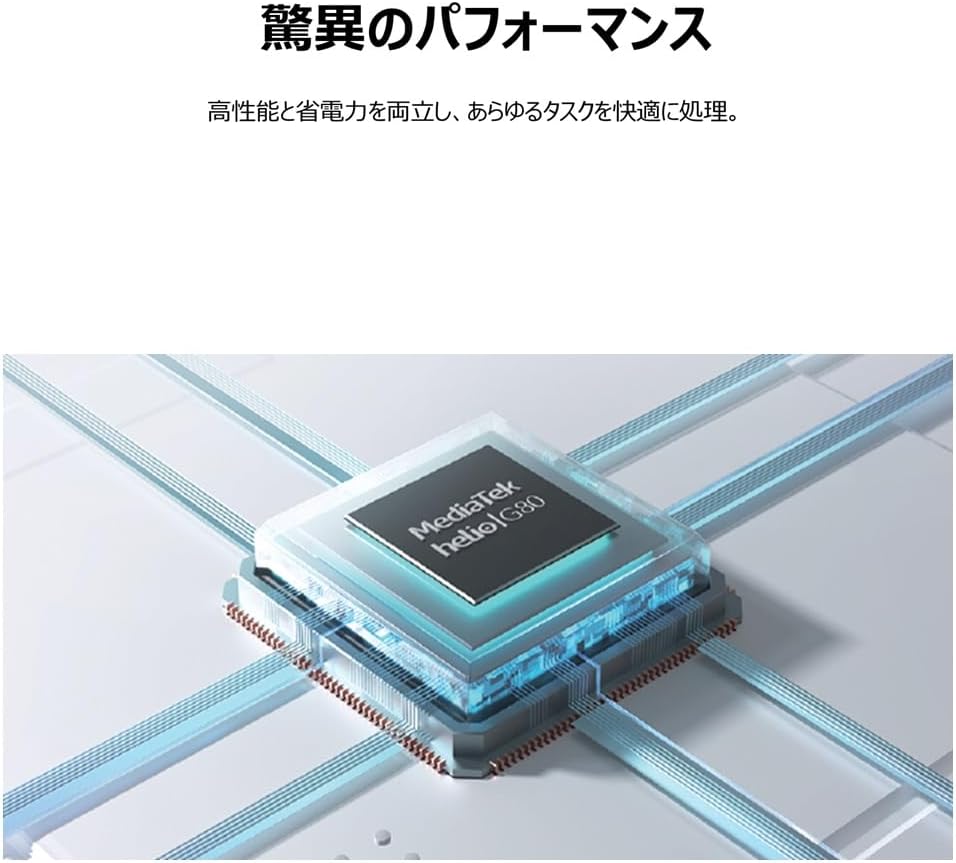
Image: An illustrative depiction of the MediaTek Helio G80 processor, symbolizing the tablet's processing capabilities.

Image: The TCL TAB 11 Gen2 tablet displaying a photo gallery, with a prominent '256GB' graphic, indicating its large storage capacity.
5.3 عمر البطارية
The tablet is equipped with an 8000mAh battery, designed to provide extended usage throughout the day. This large capacity also allows the tablet to function as a mobile power source for other devices, if supported by appropriate cables (sold separately).

Image: A cutaway diagram of the TCL TAB 11 Gen2 tablet, highlighting the large 8000mAh battery component.
نظام التشغيل 5.4
The TCL TAB 11 Gen2 runs on the Android operating system, providing access to a wide range of applications through the Google Play Store and a familiar user interface.
6. الصيانة
- تنظيف: استخدم قطعة قماش ناعمة وخالية من الوبر لتنظيف شاشة الجهاز اللوحي وجسمه. تجنب المواد الكاشطة أو المواد الكيميائية القاسية.
- تخزين: يُحفظ الجهاز اللوحي في مكان بارد وجاف بعيداً عن أشعة الشمس المباشرة ودرجات الحرارة القصوى.
- العناية بالبطارية: لإطالة عمر البطارية، تجنب تفريغها بالكامل بشكل متكرر. اشحن الجهاز بانتظام.
- تحديثات البرامج: قم بالتحقق من تحديثات البرامج وتثبيتها بانتظام لضمان الأداء والأمان الأمثل.
7. استكشاف الأخطاء وإصلاحها
If you encounter issues with your TCL TAB 11 Gen2, refer to the following common solutions:
- الجهاز لا يعمل: Ensure the battery is charged. Connect the tablet to a power source and try again.
- الشاشة لا تستجيب: Try restarting the tablet by holding the Power Button for approximately 10-15 seconds.
- مشاكل الاتصال بشبكة Wi-Fi: تأكد من تفعيل الواي فاي في الإعدادات. أعد تشغيل جهاز التوجيه والجهاز اللوحي. تأكد من أنك ضمن نطاق إشارة الواي فاي.
- تعطل التطبيقات: Close and reopen the application. Clear the app's cache in settings. If the issue persists, uninstall and reinstall the app.
- الأداء البطيء: أغلق تطبيقات الخلفية غير الضرورية. امسح ذاكرة التخزين المؤقت والذاكرة المؤقتة. files. Consider a factory reset if performance issues continue after other troubleshooting steps (back up your data first).
8. المواصفات
| ميزة | مواصفة |
|---|---|
| ماركة | تي سي إل |
| اسم الموديل | TAB 11 Gen2 (9465X5) |
| حجم العرض | 10.95 بوصة |
| دقة | 1920 × 1200 بكسل |
| العلامة التجارية وحدة المعالجة المركزية | MediaTek (Helio G80) |
| كبش | 6 جيجا بايت |
| سعة تخزين الذاكرة | 256 جيجا بايت |
| نظام التشغيل | أندرويد |
| نوع الاتصال | واي فاي |
| سعة البطارية | 8000mAh (23.1 Watt Hours) |
| وزن العنصر | 1.01 كيلوغرام |
| لون | رمادي |
9. الضمان والدعم
For warranty information, please refer to the warranty card included in your product packaging or visit the official TCL support website. If you require technical assistance or have questions not covered in this manual, please contact TCL customer support through their official channels.
يمكنك العثور على مزيد من المعلومات وموارد الدعم على متجر TCL على أمازون.


