1. المقدمة وما فوقview
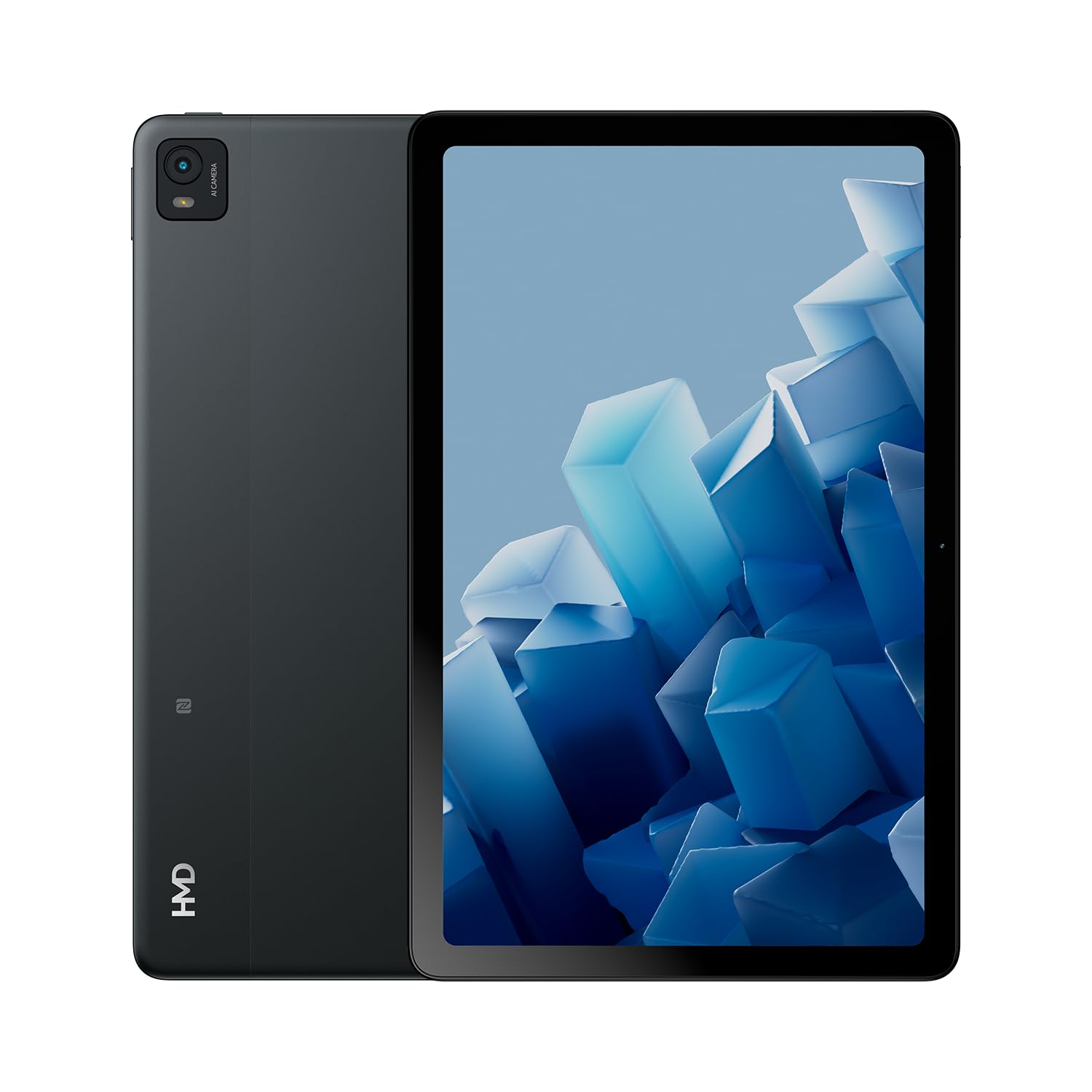
The HMD T21 tablet is designed for entertainment and productivity, featuring a clear 10.36-inch HD display and immersive audio. It supports an active pen for creative tasks and offers extended screen real estate for computer integration. Enjoy long-lasting battery performance with monthly security updates until summer 2027.
- Fortress of Security: Bank, surf, and shop online fearlessly with monthly security updates until the summer of 2027.
- الترفيه التفاعلي: Dive deep into entertainment on the clear 10.36-inch cover glass display with immersive audio.
- عمر بطارية ممتد: Stay powered up with an 8200 mAh battery, offering up to 3 days of usage and 18W fast charge support with 800 full charging cycles.
- Creative and Productive: Unleash your creativity with active pen support and enhance productivity by using the tablet as additional screen real estate for your computer.
- Crystal Clear Audio-Visuals: Enjoy HD video for calls and streaming, complemented by stereo speakers with OZO playback.

2. ماذا يوجد في الصندوق
Your HMD T21 package includes the following items:
- HMD T21 Tablet
- كابل يو اس بي
- محول الطاقة
- دبوس سيم
- دليل المستخدم
- دليل البدء السريع
- كتيب السلامة

3. الإعداد
3.1 التشغيل المبدئي
- Press and hold the Power button (located on the side) until the HMD logo appears on the screen.
- اتبع التعليمات التي تظهر على الشاشة لتحديد اللغة والاتصال بشبكة Wi-Fi وإعداد حساب Google الخاص بك.
3.2 شحن الجهاز
Before first use, it is recommended to fully charge your HMD T21 tablet.
- قم بتوصيل كابل USB بمنفذ USB-C الخاص بالجهاز اللوحي.
- قم بتوصيل الطرف الآخر من كابل USB بمحول الطاقة.
- قم بتوصيل محول الطاقة بمأخذ الحائط.
- The battery icon on the screen will indicate charging status. The tablet supports 18W fast charging.
3.3 Inserting a SIM Card (if applicable)
If your model supports cellular connectivity, follow these steps:
- حدد مكان درج بطاقة SIM على جانب الجهاز اللوحي.
- Insert the provided SIM pin into the small hole on the tray to eject it.
- ضع بطاقة Nano-SIM و/أو بطاقة microSD في الدرج مع توجيه جهات الاتصال الذهبية لأسفل.
- قم بإعادة إدخال الدرج داخل الجهاز اللوحي بعناية.
4. تعليمات التشغيل
4.1 التنقل عبر العرض
The HMD T21 features a 10.36-inch HD display. Navigate the interface using touch gestures:
- مقبض: حدد عنصرًا أو افتح تطبيقًا.
- انتقاد: التمرير عبر الشاشات أو القوائم.
- التكبير والتصغير: تكبير أو تصغير الصور و web الصفحات.
- ضغطة طويلة: الوصول إلى القوائم السياقية أو نقل أيقونات التطبيق.

4.2 استخدام الكاميرا
The tablet is equipped with an 8MP rear camera and an 8MP front camera for photos and video calls.
- افتح تطبيق الكاميرا من الشاشة الرئيسية.
- اضغط على زر الغالق لالتقاط صورة.
- يمكنك التبديل بين الكاميرا الأمامية والخلفية باستخدام رمز تبديل الكاميرا.
- حدد وضع الفيديو لتسجيل مقاطع الفيديو.
4.3 الصوت والاتصال
Enjoy clear audio through the stereo speakers with OZO playback. Connect to the internet via Wi-Fi (802.11a/b/g/n/ac) or cellular data (if supported by your model).
- واي فاي: انتقل إلى الإعدادات > الشبكة والإنترنت > Wi-Fi للاتصال بالشبكات المتاحة.
- بلوتوث: انتقل إلى الإعدادات > الأجهزة المتصلة > بلوتوث للاقتران مع ملحقات البلوتوث.
- مقبس سماعة الرأس: Use the 3.5mm audio jack for wired headphones.
5. الصيانة
5.1 العناية بالبطارية
لزيادة عمر البطارية وطول عمرها:
- تجنب درجات الحرارة القصوى.
- استخدم الشاحن المرفق للحصول على أفضل النتائج في عملية الشحن.
- اسمح للبطارية بشكل دوري بالتفريغ إلى أقل من 20% قبل إعادة شحنها.
5.2 تحديثات البرامج
HMD provides monthly security updates until summer 2027 to keep your device secure and up-to-date.
- انتقل إلى الإعدادات > النظام > تحديث النظام للتحقق من وجود تحديثات متاحة وتثبيتها.
5.3 تنظيف جهازك
استخدم قطعة قماش ناعمة وخالية من الوبر لتنظيف شاشة الجهاز اللوحي وجسمه. تجنب المواد الكيميائية القاسية أو المواد الكاشطة.
6. استكشاف الأخطاء وإصلاحها
If you encounter issues with your HMD T21, try the following basic troubleshooting steps:
- أعد تشغيل الجهاز: اضغط مع الاستمرار على زر الطاقة، ثم انقر فوق إعادة التشغيل.
- التحقق من تحديثات البرامج: تأكد من أن جهازك يعمل بإصدار البرنامج الأحدث.
- مسح ذاكرة التخزين المؤقت للتطبيق: If an app is misbehaving, go to Settings > Apps > [App Name] > Storage & cache > Clear cache.
- إعادة ضبط المصنع (الملاذ الأخير): If problems persist, you may need to perform a factory reset. Back up your data first. Go to Settings > System > Reset options > Erase all data (factory reset).
7. المواصفات
| ميزة | مواصفة |
|---|---|
| اسم الموديل | T21 (TA-1597) |
| نظام التشغيل | أندرويد 13 |
| حجم الشاشة | 10.36 بوصة |
| دقة الشاشة | 2000 × 1200 بكسل |
| المعالج | 1.8 GHz Unisoc |
| الذاكرة (RAM) | 4 جيجا بايت |
| سعة التخزين | 64 جيجابايت (قابلة للتوسعة عبر microSD) |
| مؤخرة Webقرار الكاميرا | 8 ميجا بكسل |
| دقة الكاميرا الأمامية | 8 ميجا بكسل |
| عمر البطارية (متوسط) | 24 Hours (up to 3 days with typical usage) |
| Fast Charge Support | 18 واط |
| نوع لاسلكي | 802.11a، 802.11ac، 802.11b، 802.11g، 802.11n |
| وزن العنصر | 1.04 رطل |
| أبعاد المنتج | 6.19 × 9.75 × 0.3 بوصة |
| لون | الفولاذ الأسود |

8. الضمان والدعم
Your HMD T21 tablet comes with a manufacturer's warranty. Please refer to the warranty card included in your package for specific terms and conditions.
For technical support, troubleshooting assistance, or warranty claims, please visit the official HMD support website or contact customer service through the details provided in your product documentation.


