1. المقدمة
شكرا لك على الشراءasing the ZEBRONICS Juke BAR 200A Soundbar. This manual provides essential information for the safe and correct operation of your device. Please read it thoroughly before use and retain it for future reference.
محتويات الحزمة
- مكبر صوت - وحدة واحدة
- Subwoofer - 1 unit
- دليل رمز الاستجابة السريعة - وحدة واحدة
- Power Adapter - 1 unit
- جهاز تحكم عن بعد - وحدة واحدة
2. تعليمات السلامة
لضمان التشغيل الآمن ومنع التلف، يرجى مراعاة احتياطات السلامة التالية:
- لا تعرض الجهاز للمطر أو الرطوبة.
- لا تسد أي فتحات تهوية.
- ضع الجهاز على سطح ثابت ومستوٍ.
- استخدم فقط محول الطاقة المرفق من قبل الشركة المصنعة.
- لا تفتح الصندوقasinج؛ إحالة جميع الخدمات إلى الموظفين المؤهلين.
- احتفظ بالجهاز بعيدًا عن أشعة الشمس المباشرة ومصادر الحرارة والمجالات المغناطيسية القوية.
- نظف فقط بقطعة قماش جافة.
3. انتهى المنتجview
The ZEBRONICS Juke BAR 200A is a compact soundbar system designed to enhance your audio experience. It features a soundbar with dual drivers and a dedicated subwoofer for powerful bass.
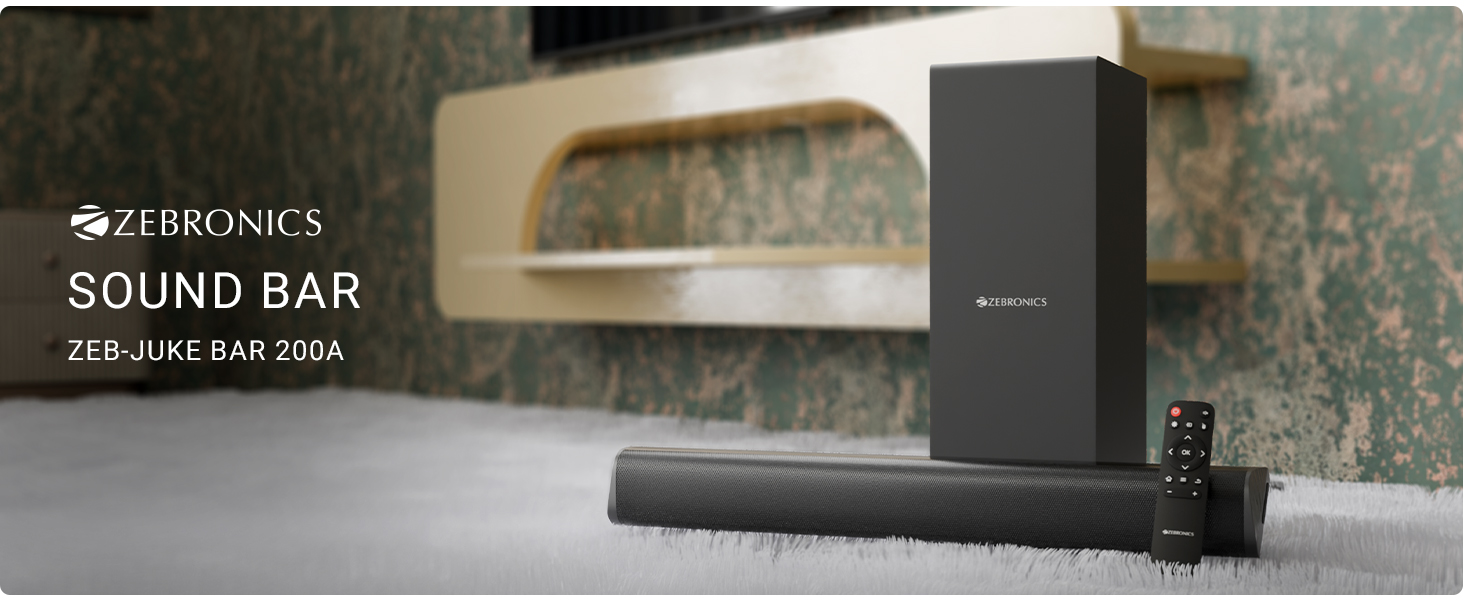
الشكل 3.1: ZEBRONICS Juke BAR 200A Soundbar, Subwoofer, and Remote Control. This image displays the complete sound system, including the main soundbar unit, the separate subwoofer, and the remote control, providing a visual representation of all primary components.
الميزات الرئيسية
- خرج الطاقة RMS: 90 واط يوفر صوتًا قويًا وواضحًا.
- Dual Driver Soundbar: Equipped with 5.08cm x 2 drivers for balanced sound.
- مضخم صوت 11.43 سم: Provides deep, rich bass.
- الاتصال المتعدد: Supports Bluetooth v5.1, HDMI ARC, and USB.
- Dolby Audio Decoding: Built-in Dolby Digital and Dolby Digital+ decoding for versatile audio.
- جدار قابل للنقل: Designed for flexible placement options.
- جهاز التحكم عن بعد: Full control over audio settings.

الشكل 3.2: Soundbar Media and Volume Controls and Remote Control. This image highlights the physical control buttons on the soundbar for power, volume up, and volume down, alongside a detailed view of the included remote control, illustrating all available buttons for comprehensive audio management.

الشكل 3.3: Soundbar Rear Panel with Connectivity Ports. This image provides a close-up view of the soundbar's rear panel, clearly labeling the HDMI ARC, USB, DC IN, and SW OUT ports, essential for understanding connection options.
4. الإعداد
4.1 التنسيب
Place the soundbar on a stable surface in front of your television or mount it on the wall below your TV. Position the subwoofer on the floor, ideally near the soundbar, for optimal bass performance.
4.2 توصيل مكبر الصوت الفرعي
Connect the subwoofer to the soundbar using the provided SW OUT cable. Ensure a secure connection.
4.3 توصيل الطاقة
- قم بتوصيل محول الطاقة بمنفذ DC IN الموجود على مكبر الصوت.
- قم بتوصيل محول الطاقة بمأخذ الحائط المناسب.
4.4 اتصالات الصوت
اختر إحدى الطرق التالية لتوصيل مصدر الصوت الخاص بك:
- اتش دي ام اي ارك: For optimal audio quality and control, connect an HDMI cable from your TV's HDMI ARC port to the HDMI ARC port on the soundbar. This allows your TV remote to control the soundbar's volume.
- بلوتوث: For wireless connection, refer to the "Bluetooth Pairing" section in Operating Instructions.
- USB: أدخل محرك أقراص USB يحتوي على الصوت fileقم بتوصيلها بمنفذ USB للتشغيل المباشر.
5. تعليمات التشغيل
5.1 تشغيل/إيقاف التشغيل
- اضغط على قوة زر على مكبر الصوت أو جهاز التحكم عن بعد لتشغيل الوحدة أو إيقاف تشغيلها.
- The LED indicator on the soundbar will illuminate when powered on.
5.2 اختيار وضع الإدخال
اضغط على مدخل button on the remote control to cycle through available input modes: Bluetooth (BT), HDMI ARC, and USB.
5.3 اقتران بلوتوث
- Turn on the soundbar and select Bluetooth mode. The LED indicator will flash, indicating pairing mode.
- Enable Bluetooth on your mobile device or computer and search for "ZEB-JUKE BAR 200A".
- Select the device to pair. Once connected, the LED indicator will glow steadily.
5.4 التحكم في مستوى الصوت
- استخدم رفع الصوت (+) و اخفض الصوت (-) buttons on the soundbar or remote control to adjust the volume.
- اضغط على صامت button on the remote to mute or unmute the audio.
5.5 تشغيل USB
Insert a USB flash drive into the USB port. The soundbar will automatically switch to USB mode and begin playing compatible audio files. Use the remote control for playback functions (Play/Pause, Next/Previous Track).
6. التثبيت على الحائط
The ZEBRONICS Juke BAR 200A is designed to be wall-mountable. Ensure you use appropriate screws and wall plugs for your wall type. It is recommended to consult a professional for wall mounting to prevent damage or injury.
- Measure the distance between the mounting holes on the back of the soundbar.
- Mark the corresponding positions on the wall.
- قم بحفر الثقوب وإدخال المقابس الجدارية (إذا لزم الأمر).
- Secure the soundbar to the wall using suitable screws.
7. الصيانة
- تنظيف: استخدم قطعة قماش ناعمة وجافة لتنظيف أسطح مكبر الصوت الرئيسي ومضخم الصوت الفرعي. لا تستخدم المنظفات السائلة أو المواد الكاشطة.
- تخزين: إذا كنت ستقوم بتخزين الوحدة لفترة طويلة، فافصلها عن الطاقة وقم بتخزينها في مكان بارد وجاف.
- تهوية: تأكد من عدم انسداد فتحات التهوية لمنع ارتفاع درجة الحرارة.
8. استكشاف الأخطاء وإصلاحها
| مشكلة | السبب المحتمل | حل |
|---|---|---|
| لا يوجد طاقة | محول الطاقة غير متصل أو المنفذ معيب. | تحقق من توصيلات الطاقة. جرّب مقبسًا آخر. |
| لا يوجد صوت | Incorrect input mode, low volume, or incorrect cable connection. | Select the correct input mode. Increase volume. Check audio cables. |
| البلوتوث غير متصل | Soundbar not in pairing mode, device too far, or previously paired. | Ensure soundbar is in BT pairing mode. Move device closer. Forget device on your phone and re-pair. |
| جهاز التحكم عن بعد لا يعمل | انخفاض مستوى البطارية أو وجود عائق. | Replace remote batteries. Ensure no obstructions between remote and soundbar. |
9. المواصفات
| ميزة | التفاصيل |
|---|---|
| اسم الموديل | Zeb - Juke Bar 200A |
| نوع السماعة | شريط الصوت مع مكبر الصوت الفرعي |
| إجمالي الطاقة الناتجة | 90 Watts RMS (Soundbar: 20W x 2, Subwoofer: 50W) |
| قطر الصبووفر | 11.43 سم |
| حجم محرك شريط الصوت | 5.08 سم × 2 |
| الاتصال | Bluetooth v5.1, HDMI ARC, USB |
| قناة الصوت المحيط | 2.1 |
| فك تشفير الصوت | Dolby Digital, Dolby Digital+ |
| طريقة التحكم | Remote, Control Buttons |
| أبعاد المنتج | 6.3 سم عمق × 50 سم عرض × 6.3 سم ارتفاع (مكبر صوت) |
| وزن العنصر | 2.5 كجم |
| المكونات المضمنة | Sound Bar, Subwoofer, QR Code Guide, Power Adapter, Remote |
10. معلومات الضمان
This product is covered by a manufacturer's warranty. Please refer to the QR Code Guide included in your package or visit the official ZEBRONICS website for detailed warranty terms and conditions. Retain your purchase receipt as proof of purchase for warranty claims.
For extended warranty options, please check with your retailer or the ZEBRONICS official channels.
11. الدعم
For technical assistance, product inquiries, or service requests, please contact ZEBRONICS customer support:
- رسمي Webموقع: www.zebronics.com
- خدمة العملاء: Refer to the QR Code Guide or the official website for the latest contact information (phone numbers, email support).
Please have your product model number (Juke BAR 200A) and purchase details ready when contacting support.


