مقدمة
This manual provides essential information for the setup, operation, and maintenance of your Bose QuietComfort Ultra Earbuds (2nd Gen). Please read thoroughly before use.
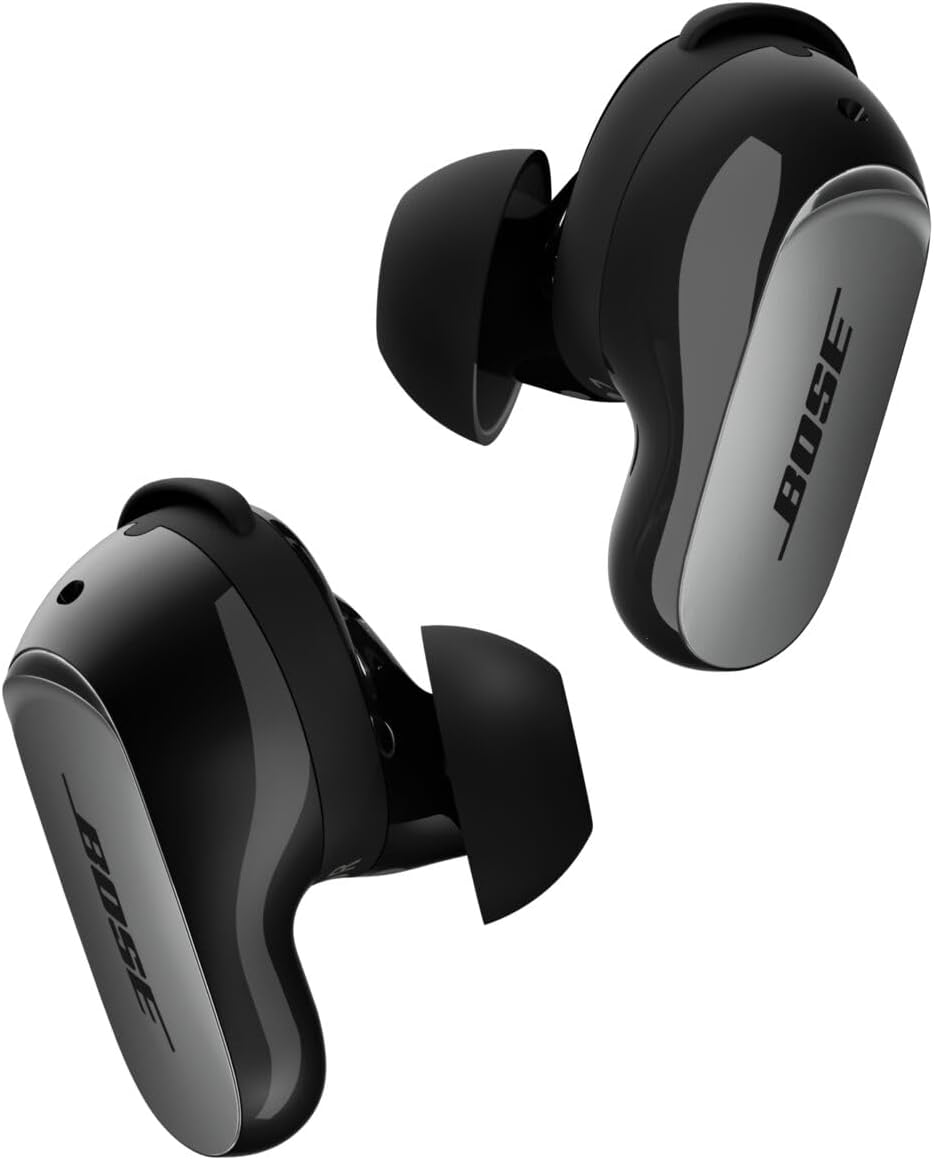
Image: Bose QuietComfort Ultra Earbuds (2nd Gen) in Black, showcasinتصميمهم الأنيق.
ماذا يوجد في الصندوق
- 2 Bose QuietComfort Ultra Earbuds (2nd Gen)
- Bose Fit Kit: 3 pairs of eartips (S, M, L) and 3 pairs of stability bands (1, 2, 3)
- حافظة الشحن اللاسلكي
- 12-inch USB-C (A to C) cable
- ورقة السلامة

Image: A pair of Bose QuietComfort Ultra Earbuds (2nd Gen) and their charging case held in hands, representing the product contents.
يثبت
شحن العلبة وسماعات الأذن
Before initial use, fully charge the charging case and earbuds. Connect the provided USB-C cable to the charging case and a power source. The case also supports wireless charging.

Image: The Bose QuietComfort Ultra Earbuds (2nd Gen) charging case in black, with earbuds inside, indicating charging status.
Finding Your Perfect Fit
The Bose Fit Kit includes three sizes of eartips (S, M, L) and three sizes of stability bands (1, 2, 3). Experiment with different combinations to find the most secure and comfortable fit for your ears. A proper seal is crucial for optimal audio performance and noise cancellation.

Image: Close-up bottom view of the earbuds, highlighting the eartips and charging contacts.
الاقتران بجهازك
- افتح علبة الشحن. ستدخل سماعات الأذن في وضع الاقتران.
- On your device, go to Bluetooth settings and select "Bose QC Ultra Earbuds (2nd Gen)".
- اتبع أي مطالبات تظهر على الشاشة لإكمال الاقتران.

Image: A person wearing Bose QuietComfort Ultra Earbuds (2nd Gen), demonstrating proper fit.
Official Product Video: QuietComfort Ultra Earbuds (2nd Gen)
Video: An official Bose video showcasing the features and design of the QuietComfort Ultra Earbuds (2nd Gen).
تعليمات التشغيل
عناصر التحكم باللمس
The earbuds feature intuitive touch controls for managing audio playback, calls, and noise control modes. Customize these controls via the Bose app.

الصورة: أعلى view of the earbuds, highlighting the touch-sensitive surface for controls.
أوضاع التحكم في الضوضاء
The earbuds offer various noise control modes to adapt to your environment:
- الوضع الهادئ: Provides full noise cancellation for an immersive listening experience.
- الوضع الواعي: Allows you to hear your surroundings with maximum transparency while enjoying your audio. ActiveSense technology smooths sudden loud noises.
- وضع الانغماس: Blends noise cancellation with Bose Immersive Audio for a spatialized listening experience.
- وضع السينما: Spatializes audio for video content, balancing background sounds and effects for a theater-like experience.
صوت غامر
Bose Immersive Audio spatializes your listening experience, placing sound beyond the earbuds to create a more expansive and realistic soundstage. This feature enhances both music and video content.
استدعاء إدارة
The earbuds feature SpeechClarity technology with noise-rejecting microphones to filter out background noise and wind, focusing on your voice for clear phone calls. You can take calls using both earbuds or a single earbud.
معلومات البطارية
- عمر بطارية سماعة الأذن: Up to 6 hours in Quiet or Aware Mode (up to 4 hours with Immersive Audio).
- علبة الشحن: Provides up to three full charges, extending total listening time to 24 hours.
- وقت الشحن: حوالي ساعتين للشحن الكامل.
الشحن اللاسلكي
The charging case supports wireless charging via any Qi-certified charging pad, in addition to USB-C charging.
صيانة
تنظيف سماعات الأذن
Regularly clean your earbuds and charging case to maintain optimal performance. Use a soft, dry cloth to wipe the surfaces. For eartips, gently remove them and clean with mild soap and water, then dry thoroughly before reattaching.
مقاومة الماء
The earbuds have an IPX4 rating, meaning they are resistant to splashing water from any direction. They are not designed to be submerged in water.
استكشاف الأخطاء وإصلاحها
If you encounter any issues with your Bose QuietComfort Ultra Earbuds (2nd Gen), try the following steps:
- تأكد من شحن كل من سماعات الأذن وعلبة الشحن بالكامل.
- Verify Bluetooth connection on your device.
- Restart your device and attempt to re-pair the earbuds.
- Perform an earbud seal test via the Bose app to ensure proper fit.
- For further assistance, refer to the Bose app or visit the official Bose support webموقع.
تحديد
| اسم الموديل | Bose QuietComfort Ultra Earbuds (2nd Gen), Black |
| رقم موديل العنصر | 896637-0010 |
| تكنولوجيا الاتصال | لاسلكي (بلوتوث 5.3) |
| ميزات التحكم في الضوضاء | Active Noise Cancellation, Aware Mode, Immersion Mode |
| عمر البطارية (سماعات الأذن) | حتى 6 ساعات (4 ساعات مع الصوت الغامر) |
| عمر البطارية (مع العلبة) | حتى ساعتين |
| وقت الشحن | 2 ساعة |
| مستوى مقاومة الماء | IPX4 (مقاوم للماء) |
| وزن العنصر | 80 جرام (2.82 أونصة) |
| أبعاد المنتج | 1.06 × 2.35 × 2.6 بوصة |
| نوع التحكم | التحكم في التطبيق |
| المكونات المضمنة | Earbuds, Fit Kit (eartips & stability bands), Wireless Charging Case, USB-C cable, Safety sheet |
يدعم
For the latest software updates, additional features, and personalized settings, download the Bose app from your device's app store.
For warranty information and further technical support, please visit the official Bose webالموقع أو الاتصال بخدمة العملاء.


