معلومات هامة حول السلامة
Please read this manual thoroughly before assembly and use. Retain this manual for future reference. Incorrect assembly or use may result in product damage or personal injury.
- قدرة الوزن: لا تتجاوز الحد الأقصى للوزن المسموح به 77 رطل (35 كجم).
- توافق حجم التلفزيون: This stand is designed for televisions between 21 و 60 بوصة.
- التوافق مع VESA: Ensure your TV's VESA mounting pattern is between 100×100 ملم و400×400 ملم.
- سطح مستقر: ضع حامل التلفزيون دائمًا على سطح مستوٍ وثابت.
- الأطفال والحيوانات الأليفة: Keep children and pets away from the stand during assembly and ensure the TV is securely mounted to prevent tipping.
- شد جميع أدوات الربط: Periodically check and retighten all screws and bolts to ensure stability.
محتويات الحزمة
تأكد من وجود جميع المكونات وسلامتها قبل البدء بالتجميع. في حال وجود أي أجزاء مفقودة أو تالفة، يرجى التواصل مع خدمة العملاء.
- Main support pole
- X-shaped base with pre-installed casters
- TV mounting bracket assembly
- جميع الأجهزة اللازمة (البراغي والغسالات والفواصل)
- أدوات التجميع

الصورة: أكثر منview of the TV stand's dimensions, weight capacity, and VESA compatibility.
تعليمات التجميع (الإعداد)
Follow these steps carefully for proper assembly. It is recommended to have a second person assist with mounting the television.
- فك مكونات الحزمة: قم بإزالة جميع الأجزاء من العبوة بعناية وضعها على سطح ناعم ونظيف لمنع الخدوش.
- تجميع القاعدة: The X-shaped base comes with casters pre-installed. Ensure all casters are securely attached.
- قم بتثبيت عمود الدعم الرئيسي: Secure the main support pole to the center of the X-shaped base using the provided fasteners. Ensure it is firmly tightened for stability.
- Prepare TV Mounting Brackets: Attach the vertical mounting brackets to the back of your television. Select the appropriate screws, washers, and spacers from the hardware kit that fit your TV's VESA holes. Do not overtighten.
- قم بتثبيت التلفزيون على الحامل: With assistance, carefully lift the television and hook the brackets onto the main support pole's mounting plate. Ensure the TV is centered and level.
- Secure the TV: Engage the safety locks on the TV mounting brackets to prevent accidental dislodgement.
- إدارة الكابلات: Utilize the integrated cable management features within the support pole to route and conceal TV cables for a tidy appearance and to prevent tripping hazards.
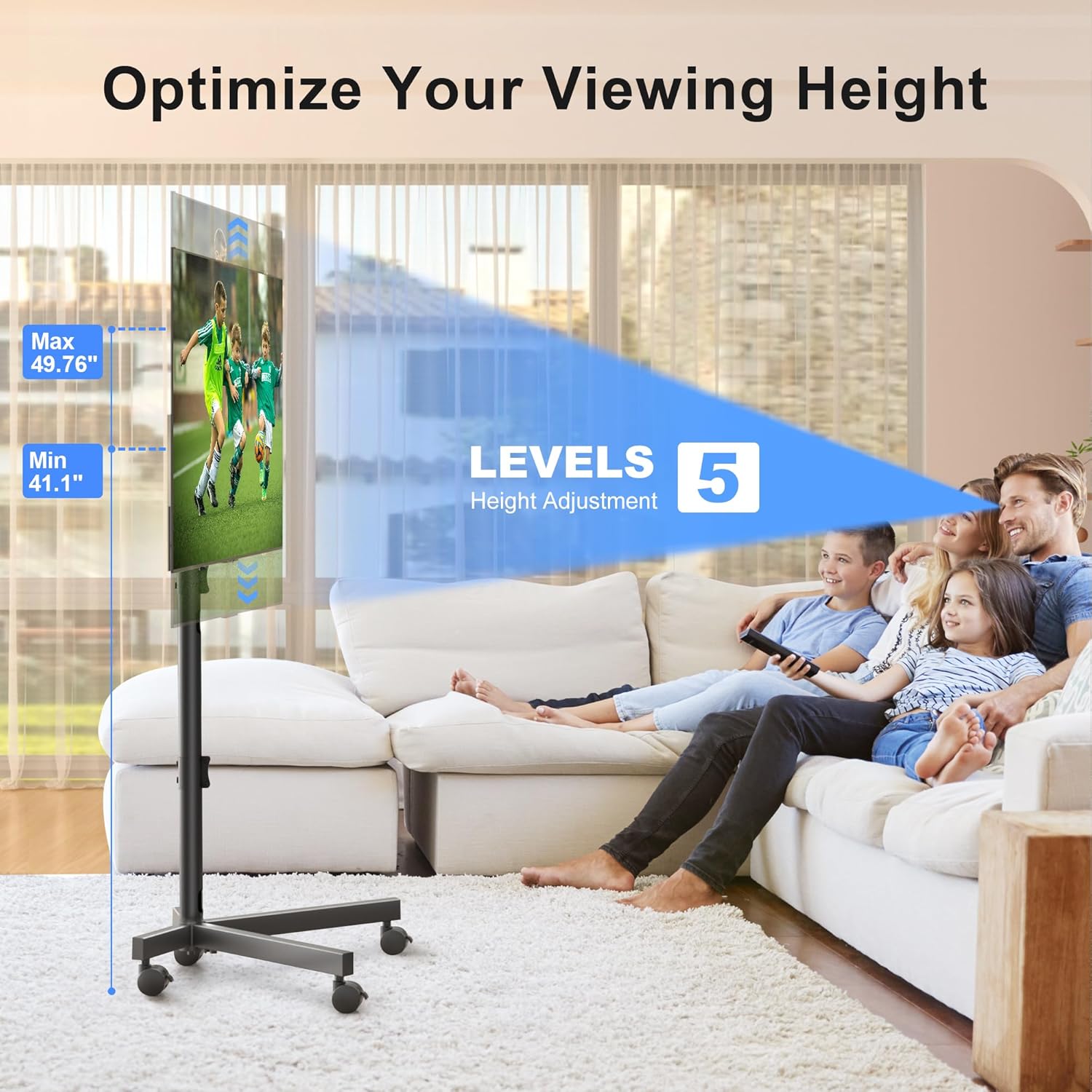
Image: The sturdy X-shaped base design, engineered to minimize tip-over risk.

Image: Key features including anti-drop design, safety lock, cable management, and lockable casters.
تعليمات التشغيل
The XINLEI Mobile TV Stand offers versatile adjustments for optimal viewعمل.
- ضبط الارتفاع: The TV stand features 5 levels of height adjustment, allowing you to position your TV screen between 41.1 بوصات و 49.76 بوصات from the floor. To adjust, loosen the securing bolts on the main support pole, raise or lower the TV to the desired height, and then firmly retighten the bolts.
- تعديل الميل: The TV mounting plate can be tilted +5° upwards to -10° downwards. This allows you to reduce glare and optimize your viewing angle. To adjust the tilt, loosen the tilt adjustment knobs on the side of the mounting plate, set the desired angle, and then firmly retighten the knobs.
- التنقل: The 360° lockable casters provide smooth movement across various floor types. To move the stand, unlock all casters. To secure the stand in place, press down on the locking mechanism on each caster until it clicks.
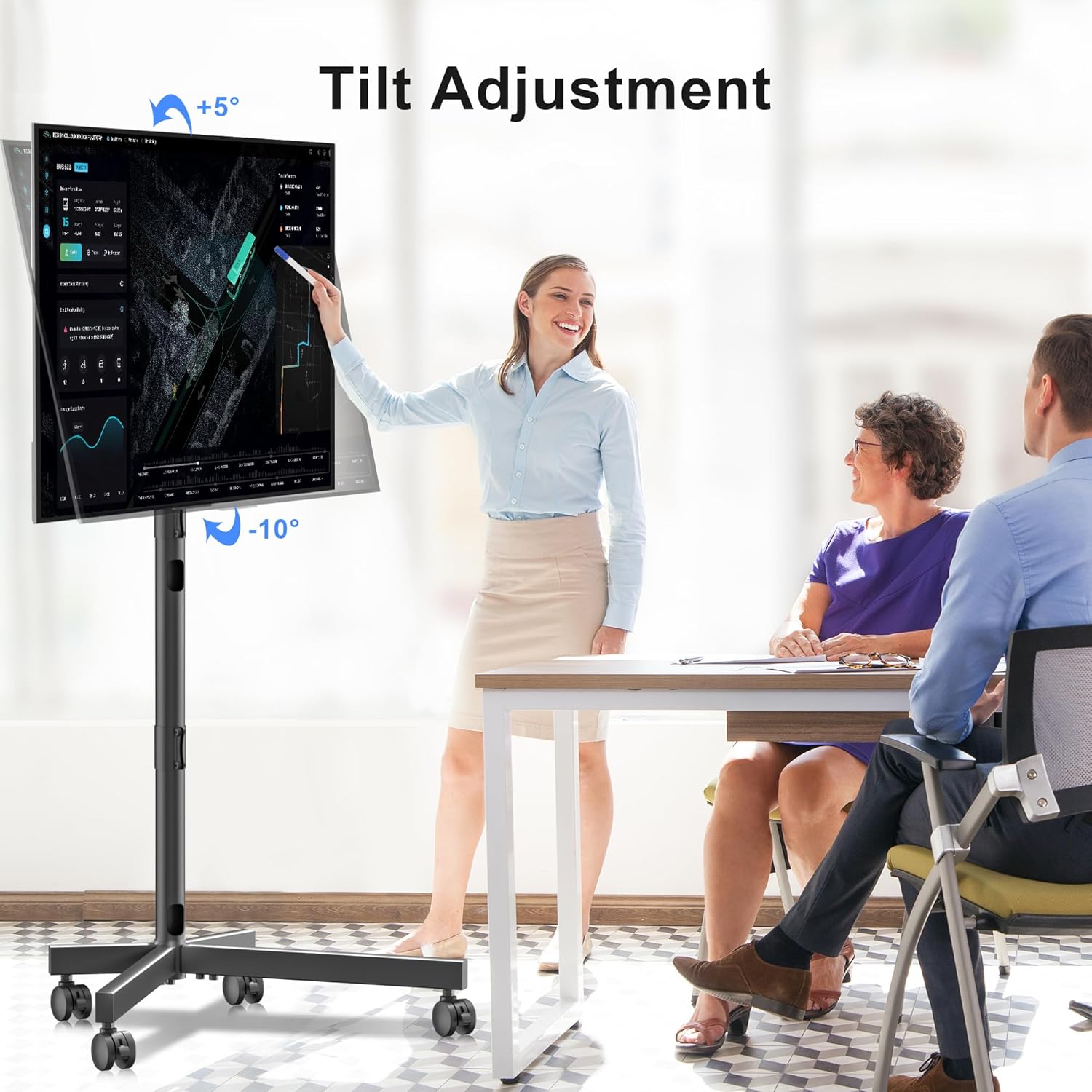
Image: Illustration of the TV stand's adjustable height feature.

Image: Demonstration of the TV stand's tilt adjustment capability.
صيانة
Regular maintenance ensures the longevity and safe operation of your TV stand.
- تنظيف: امسح الحامل بقطعة قماش ناعمة وجافة. لإزالة البقع الصعبة، امسحه برفق بقطعة قماش جافة.amp يمكن استخدام قطعة قماش، ثم تجفيفها فورًا. تجنب استخدام المنظفات أو المذيبات الكاشطة.
- فحص المثبتات: Periodically (e.g., every 3-6 months) inspect all bolts and screws to ensure they are tight. Retighten as necessary.
- فحص العجلات: Check casters for any debris or hair that might impede smooth movement. Clean as needed.
استكشاف الأخطاء وإصلاحها
If you encounter issues with your XINLEI Mobile TV Stand, refer to the following common solutions.
- الحامل غير مستقر:
- تأكد من إحكام ربط جميع مسامير التجميع.
- Verify the stand is on a flat, level surface.
- Confirm the TV weight does not exceed 77 lbs (35 kg).
- صعوبة ضبط الارتفاع/الميل:
- Loosen the adjustment knobs/bolts sufficiently before attempting to move the TV.
- تأكد من عدم وجود أي كابلات عالقة أو تعيق الحركة.
- العجلات لا تدور بسلاسة:
- Check if casters are locked. Unlock them for movement.
- Remove any debris (e.g., hair, lint) from the caster wheels.
For further assistance, please contact XINLEI customer support. We provide reliable after-sale service and professional technical support.
تحديد
| رقم الموديل | ML55SE |
| ماركة | شينلي |
| أحجام التلفزيون المتوافقة | 21 - 60 بوصة |
| الحد الأقصى لوزن السعة | 77 رطل (35 كجم) |
| التوافق مع VESA | Min 100x100mm, Max 400x400mm |
| نطاق تعديل الارتفاع | 41.1 inches - 49.76 inches (5 levels) |
| ضبط الإمالة | +5° / -10° |
| مادة | معدن |
| لون | أسود |
| وزن العنصر | 10.89 رطل |
| أبعاد الحزمة | 17.44 × 11.02 × 4.96 بوصة |
الضمان والدعم
XINLEI stands behind the quality of its products. For specific warranty details, please refer to the warranty card included with your purchase or visit the official XINLEI website. If you require technical support, have questions about assembly, or need replacement parts, please contact our customer service team. Contact information can typically be found on our webالموقع أو على عبوة المنتج.


