مقدمة
This manual provides detailed instructions for the safe and efficient operation of your Kuephom PM24 Portable CD Player with Speakers. Please read this manual thoroughly before using the device and retain it for future reference.
The Kuephom PM24 is a versatile audio device offering multiple playback options including CD, Bluetooth, FM Radio, USB, and TF card. It features built-in stereo speakers, a rechargeable battery for portability, and a remote control for convenient operation.

Image: The Kuephom PM24 Portable CD Player, showcasing its design with an open CD lid, remote control, and an indicator for its rechargeable battery.
محتويات الحزمة
تأكد من وجود جميع العناصر في العبوة:
- Kuephom PM24 Portable CD Player with Speakers x 1
- كابل شحن × 1
- جهاز التحكم عن بعد × 1
- دليل المستخدم × 1
المنتج انتهىview
The PM24 offers a range of features for diverse audio playback. Familiarize yourself with the device's components and capabilities.

Image: A visual representation of the PM24's key features, including CD/MP3 playback, Bluetooth connectivity, USB and TF card support, FM radio, audio input, headphone jack, remote control, rechargeable battery, and sleep timer.
المميزات الرئيسية:
- CD/MP3 Playback: Supports standard audio CDs and MP3 files from CD-R/RW discs.
- الاتصال عبر البلوتوث: بث الصوت لاسلكيًا من الأجهزة المتوافقة.
- USB & TF Card Support: Play MP3/WMA audio files directly from USB flash drives or TF cards (up to 32GB).
- راديو FM: Built-in FM tuner with retractable antenna and programmable presets.
- المدخل المساعد: قم بتوصيل مصادر الصوت الخارجية عبر كابل صوت 3.5 ملم.
- مقبس سماعة الرأس: للاستماع الخاص.
- جهاز التحكم عن بعد: Full function remote for convenient operation.
- بطارية قابلة لإعادة الشحن: Provides portable power for extended use.
- مؤقت النوم: Automatically turns off the device after a set period.
- مكبرات صوت ستيريو: مكبرات صوت مدمجة لإخراج صوت واضح.
يثبت
1. شحن الجهاز
Before first use, fully charge the PM24. Connect the provided charging cable to the DC 5V input port on the device and the other end to a standard USB power adapter (not included) or a computer USB port.
- سيضيء مؤشر الشحن أثناء الشحن.
- تستغرق عملية الشحن الكامل عادةً حوالي 4 ساعة.
- The device provides approximately 5-8 hours of playback on a full charge, depending on volume and mode.

Image: Visual representation of the PM24's rechargeable nature, highlighting its play time and charge time.
2. تشغيل/إيقاف التشغيل
اضغط مع الاستمرار على قوة button on the device or remote control to turn the unit on or off.
3. تركيب بطارية التحكم عن بعد
يحتاج جهاز التحكم عن بعد إلى بطاريتين AAA (غير مرفقتين). افتح حجرة البطاريات الموجودة في الجزء الخلفي من جهاز التحكم عن بعد وأدخل البطاريات مع مراعاة القطبية الصحيحة (+/-).
تعليمات التشغيل
1. استخدام جهاز التحكم عن بعد
The remote control allows for convenient operation of all functions from a distance.

Image: A user interacting with the PM24 using the remote control, illustrating various functions accessible from the remote.
- زر الطاقة: يقوم بتشغيل الجهاز أو إيقاف تشغيله.
- زر الوضع: Switches between CD, Bluetooth, FM, USB, TF, and AUX modes.
- زر التشغيل/الإيقاف المؤقت: يبدأ التشغيل أو يوقفه مؤقتًا.
- أزرار المسار السابق/التالي: ينتقل إلى المسار/المحطة السابقة أو التالية.
- أزرار التحكم في مستوى الصوت +/-: ضبط مستوى الصوت.
- Repeat/Shuffle Button: Changes playback repeat modes (e.g., repeat one, repeat all, shuffle).
- زر النوم: Activates and sets the sleep timer.
2. تشغيل القرص المضغوط
- افتح غطاء حجرة الأقراص المضغوطة.
- Carefully place a CD (audio CD or MP3 CD) onto the spindle with the label side facing up.
- أغلق غطاء حجرة القرص المضغوط.
- اضغط على وضع button until "CD" mode is selected.
- سيبدأ تشغيل القرص المضغوط تلقائيًا. إذا لم يبدأ، فاضغط على تشغيل/إيقاف مؤقت زر.

Image: Icons illustrating various CD playback options such as sequential play, random play, repeating a single track, repeating all tracks, and the play memory function.
3. وضع بلوتوث
- اضغط على وضع button until "BT" (Bluetooth) mode is selected. The display will show "bt" and flash, indicating it's in pairing mode.
- على جهازك الممكّن بتقنية Bluetooth (الهاتف الذكي، والكمبيوتر اللوحي، وما إلى ذلك)، قم بتمكين Bluetooth وابحث عن الأجهزة المتوفرة.
- Select "PM24" from the list of devices.
- Once paired, the "bt" indicator will stop flashing, and you can stream audio wirelessly to the PM24.

Image: A smartphone screen showing a successful Bluetooth connection to the PM24, with the player's display confirming 'bt' mode.
4. وضع راديو FM
- قم بتمديد الهوائي التلسكوبي الموجود في الجزء الخلفي من الوحدة للحصول على استقبال مثالي.
- اضغط على وضع button until "FM" mode is selected.
- اضغط مع الاستمرار على تشغيل/إيقاف مؤقت button to initiate an automatic station scan. The radio will scan and save available stations.
- استخدم السابق / التالي المسار أزرار للتنقل عبر المحطات المحفوظة.

Image: A user enjoying FM radio on the PM24, with visual cues indicating different radio frequencies.
5. تشغيل بطاقة USB/TF
- Insert a USB flash drive into the USB port or a TF card into the TF card slot. Ensure the card is inserted correctly.
- اضغط على وضع button until "USB" or "TF" mode is selected.
- The device will automatically detect and begin playing MP3/WMA audio files من وحدة التخزين المُدخلة.
- استخدم السابق / التالي المسار buttons to navigate between files.

الصورة: عن قرب view of the USB and TF card slots on the PM24, indicating their function for playing media from external storage.
6. المدخل الإضافي (AUX)
- Connect one end of a 3.5mm audio cable (not included) to the AUX IN port on the PM24.
- Connect the other end to the headphone jack or audio output of an external audio device (e.g., smartphone, MP3 player).
- اضغط على وضع button until "AUX" mode is selected.
- يمكنك التحكم في التشغيل ومستوى الصوت من جهاز الصوت الخارجي الخاص بك.
7. وظيفة مؤقت النوم
The sleep timer allows the device to automatically turn off after a set period.
- While the device is playing, press the ينام الزر الموجود على جهاز التحكم عن بعد.
- اضغط بشكل متكرر على ينام button to cycle through available timer settings (e.g., 10, 20, 30, 60, 90 minutes).
- The selected time will be displayed. The device will automatically power off once the timer expires.

Image: A visual demonstration of the sleep timer function, showing the PM24 on a nightstand while a person sleeps.
8. استخدام سماعات الرأس
For private listening, connect 3.5mm headphones (not included) to the مدخل سماعة الأذن on the device. The built-in speakers will automatically mute when headphones are connected.
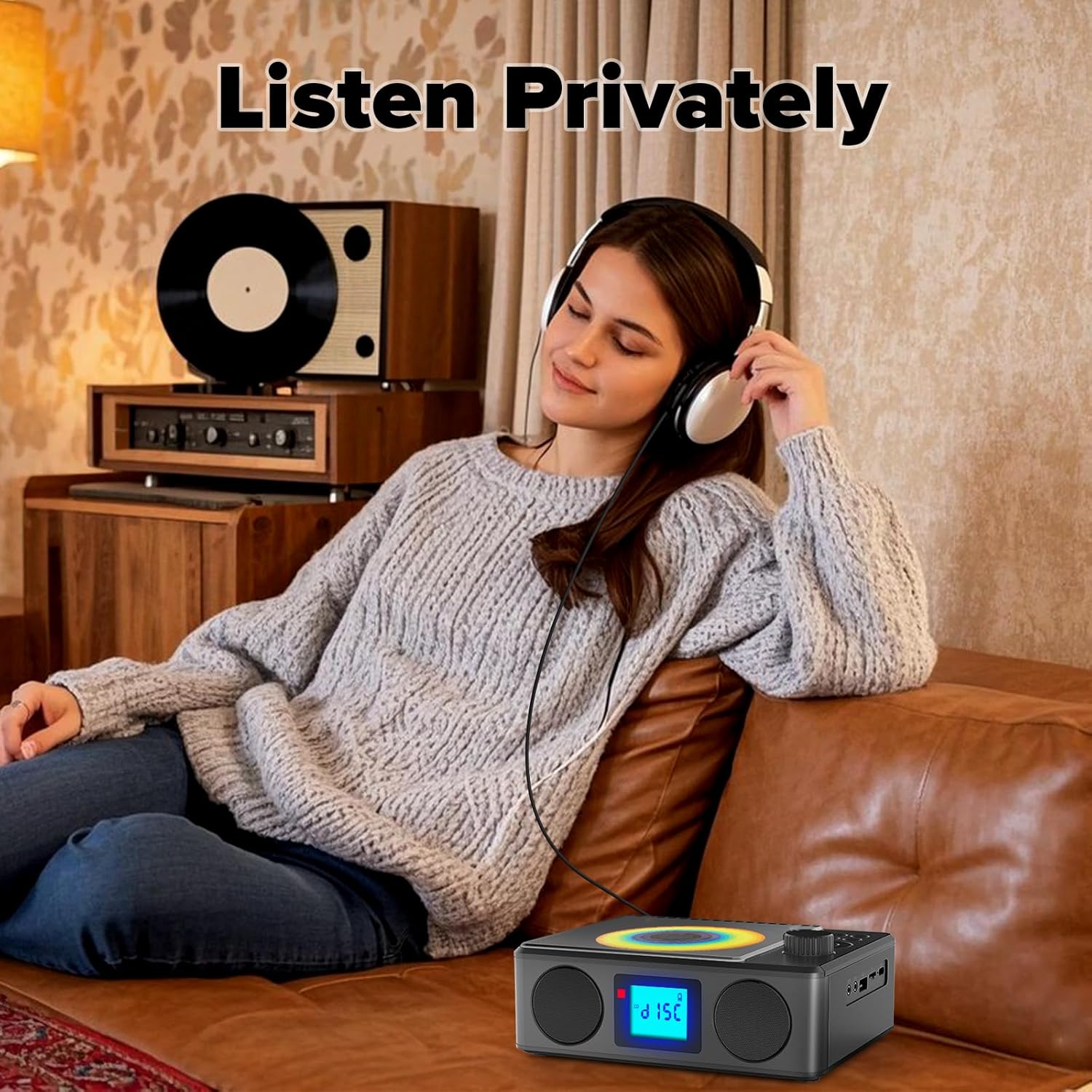
Image: A user enjoying private audio through headphones connected to the PM24.
صيانة
- تنظيف: استخدم قطعة قماش ناعمة وجافة لتنظيف الجزء الخارجي من الجهاز. لا تستخدم المنظفات الكاشطة أو المذيبات.
- العناية بالقرص المضغوط: أمسك الأقراص المضغوطة من حوافها. نظّف الأقراص المضغوطة المتسخة بقطعة قماش ناعمة وخالية من الوبر، وامسحها من المنتصف إلى الخارج.
- تخزين: عند عدم استخدام الجهاز لفترات طويلة، قم بتخزينه في مكان بارد وجاف بعيدًا عن أشعة الشمس المباشرة ودرجات الحرارة القصوى.
- بطارية: لإطالة عمر البطارية، تجنب تفريغها بالكامل بشكل متكرر. اشحن الجهاز بانتظام، حتى في حالة عدم استخدامه.
استكشاف الأخطاء وإصلاحها
| مشكلة | السبب المحتمل | حل |
|---|---|---|
| الجهاز لا يعمل. | نفدت طاقة البطارية. | Connect the charging cable and allow the device to charge. |
| لا يوجد صوت من مكبرات الصوت. | مستوى الصوت منخفض جدًا أو مكتوم. سماعات الرأس متصلة. | Increase volume. Disconnect headphones. |
| يتخطى القرص المضغوط أو لا يتم تشغيله. | القرص المضغوط متسخ أو مخدوش أو تم إدخاله بشكل غير صحيح. | Clean the CD. Ensure it is placed correctly. Try another CD. |
| فشل اقتران البلوتوث. | Device is too far, not in pairing mode, or already paired. | Ensure PM24 is in BT mode and flashing. Move devices closer. Disconnect from other devices. |
| استقبال راديو FM ضعيف. | الهوائي غير ممتد أو منطقة الإشارة ضعيفة. | Fully extend the telescopic antenna. Reposition the device for better signal. |
| جهاز التحكم عن بعد لا يعمل. | Batteries are depleted or inserted incorrectly. Obstruction between remote and device. | Replace batteries, check polarity. Remove obstructions. Ensure remote is pointed at the device. |
تحديد
- نموذج: ب م 24
- ماركة: كويفوم
- أبعاد المنتج: 7.5 × 6.3 × 2.5 بوصة (19.05 × 16.00 × 6.35 سم)
- وزن السلعة: 1.96 رطل (0.89 كجم)
- تقنية الاتصال: مساعد، بلوتوث، USB
- لون: أسود
- نوع السماعة: ستيريو
- البطاريات: 1 بطارية غير قياسية (متضمنة)
- وقت اللعب: 5-8 ساعة (تقريبًا)
- وقت الشحن: 4 ساعة (تقريبًا)
الضمان والدعم
Kuephom products are designed for reliability and performance. For warranty information or technical support, please refer to the contact details provided on the product packaging or visit the official Kuephom webموقع.
يرجى الاحتفاظ بإثبات الشراء الخاص بك لمطالبات الضمان.


