مقدمة
Thank you for choosing Bluedee Computer Speakers. These speakers are designed to provide clear, balanced audio for your desktop PC, laptop, or projector. Featuring 10W high-power drivers, they deliver crisp vocals and rich sound, enhancing your gaming, movie-watching, and music listening experiences. With a simple plug-and-play USB/Type-C connection and dynamic RGB lighting, these speakers offer both convenience and aesthetic appeal.
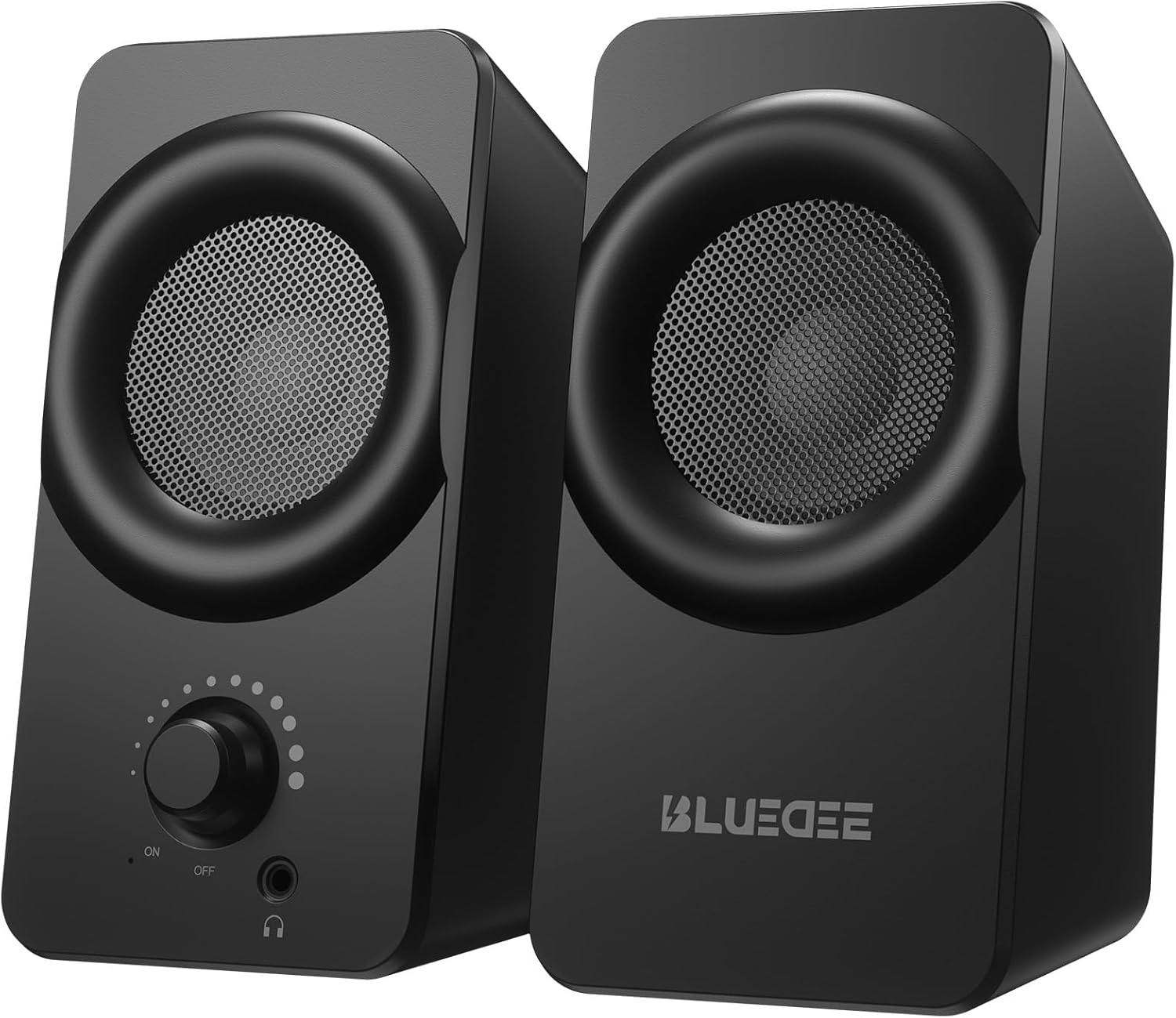
الصورة: الجبهة view of the two Bluedee computer speakers, showcasing their compact black design with circular speaker grilles and a volume knob on the right speaker.
ماذا يوجد في الصندوق
Upon opening your Bluedee Computer Speakers package, you will find the following items:
- Two (2) Bluedee Computer Speakers
- Integrated USB/Type-C Cable (Undetachable)
- دليل المستخدم (هذا المستند)
Video: An unboxing and setup guide for the Bluedee computer speakers, demonstrating what's included in the package and how to connect the speakers.
يثبت
Setting up your Bluedee Computer Speakers is quick and straightforward, thanks to their plug-and-play design.
- الموقع: Position the two speakers on your desk or desired surface. Ensure they are stable and the non-slip pads on the bottom are making full contact to minimize vibrations.
- Connect to Power/Audio: The speakers are powered and receive audio via a single USB/Type-C cable.
- If your device has a USB-C port, connect the Type-C end of the cable directly.
- If your device has a standard USB-A port, use the included USB-A adapter to connect the cable.
- تشغيل الطاقة: Rotate the volume knob on the front of the right speaker clockwise until you hear a click to turn the speakers ON.

Image: A close-up of the USB/Type-C cable connecting to a laptop, illustrating the versatile connectivity options for the speakers.
For a visual guide on connecting your speakers, please refer to the "What's in the Box & How to Use" video in the previous section, specifically from the 0:18 mark.
تعليمات التشغيل
Your Bluedee speakers are designed for intuitive control.
- التحكم في مستوى الصوت: The large knob on the front of the right speaker controls both power and volume.
- قم بالتدوير في اتجاه عقارب الساعة لزيادة الحجم.
- قم بالتدوير عكس اتجاه عقارب الساعة لتقليل مستوى الصوت.
- Rotate fully counter-clockwise until it clicks to turn the speakers OFF.
- إضاءة RGB: The speakers feature dynamic RGB lights that can be controlled with a touch-sensitive symbol on top of the right speaker.
- Tap the light symbol once to turn the RGB lights ON or OFF.
- The lights will pulse with your music or game audio, creating an immersive atmosphere.
- مقبس سماعة الرأس: A 3.5mm headphone jack is located on the front of the right speaker.
- Plug in your headphones for a private listening experience.
- Connecting headphones will automatically mute the speakers.

الصورة: تفصيلية view of the right speaker's controls, highlighting the volume knob, headphone jack, and the touch-sensitive RGB light control symbol.
For a demonstration of the controls, including power, volume, and RGB light operation, please refer to the "What's in the Box & How to Use" video from the 0:29 mark.
صيانة
To ensure the longevity and optimal performance of your Bluedee Computer Speakers, follow these simple maintenance guidelines:
- تنظيف: Use a soft, dry cloth to wipe down the speaker surfaces. Avoid using abrasive cleaners, solvents, or strong chemicals, as these can damage the finish.
- إزالة الغبار: Gently brush away any dust from the speaker grilles using a soft brush or a can of compressed air.
- تخزين: عند عدم الاستخدام لفترات طويلة، قم بتخزين مكبرات الصوت في مكان بارد وجاف بعيدًا عن أشعة الشمس المباشرة ودرجات الحرارة القصوى.
- تجنب السوائل: Do not expose the speakers to water or other liquids. They are not waterproof.
استكشاف الأخطاء وإصلاحها
If you encounter any issues with your Bluedee Computer Speakers, please refer to the following troubleshooting steps:
| مشكلة | السبب المحتمل | حل |
|---|---|---|
| لا يوجد صوت من مكبرات الصوت |
|
|
| الصوت مشوش أو غير واضح |
|
|
| أضواء RGB لا تعمل |
|
|
If the problem persists after trying these steps, please contact Bluedee Customer Support for further assistance.
تحديد
Detailed specifications for your Bluedee Computer Speakers:
| ميزة | التفاصيل |
|---|---|
| اسم الموديل | بد-SK800 |
| نوع السماعة | الكمبيوتر سماعات |
| تكنولوجيا الاتصال | USB (includes Type-C adapter) |
| الحد الأقصى لقوة خرج السماعة | 10 واط |
| أبعاد المنتج (الطول × العرض × الارتفاع) | 3.74 بوصة عمق × 3.15 بوصة عرض × 6.11 بوصة ارتفاع |
| وزن العنصر | 1.6 رطل |
| مادة | المعدن والبلاستيك |
| طريقة التحكم | Touch (for RGB lights) |
| نوع وحدة التحكم | Knob (for volume/power) |
| وضع إخراج الصوت | ستيريو |
| مصدر الطاقة | كهرباء سلكية (عبر USB) |
| رمز المنتج الموحد | 732133620731 |

Image: The two speakers shown with their dimensions (length, width, height) overlaid, emphasizing their compact size.
الضمان والدعم
Bluedee stands behind the quality of its products. Your Bluedee Computer Speakers are backed by an ضمان الجودة لمدة 18 أشهر.
If you encounter any issues or have questions regarding your product, please do not hesitate to contact Bluedee Customer Support. We are committed to resolving any concerns within 24 hours.
For support, please reach out to the seller, HanMeng Direct, through the platform where you made your purchase.
Additional protection plans may be available for purchase separately. Please refer to your purchase details for more information on extended warranty options.


