مقدمة
This manual provides detailed instructions for the setup, operation, maintenance, and troubleshooting of your Samsung 55-inch OLED 4K S95F Smart TV (2025). This television features a NQ4 AI Gen3 Processor for enhanced picture and sound, OLED HDR Pro for vibrant contrast, and Glare-Free technology for an optimal viewing experience. Please read this manual thoroughly to ensure proper use and to maximize your television's capabilities.
فتح العلبة ومحتويات الحزمة
Carefully unpack your new Samsung S95F OLED TV. Ensure all components listed below are present before proceeding with setup.
- Samsung OLED 4K S95F Vision AI Smart TV (2025)
- SolarCell Remote (Model: TM2560E)
- ربط مربع واحد
- كابل الطاقة
- دليل المستخدم (هذا المستند)
- مكونات الحامل
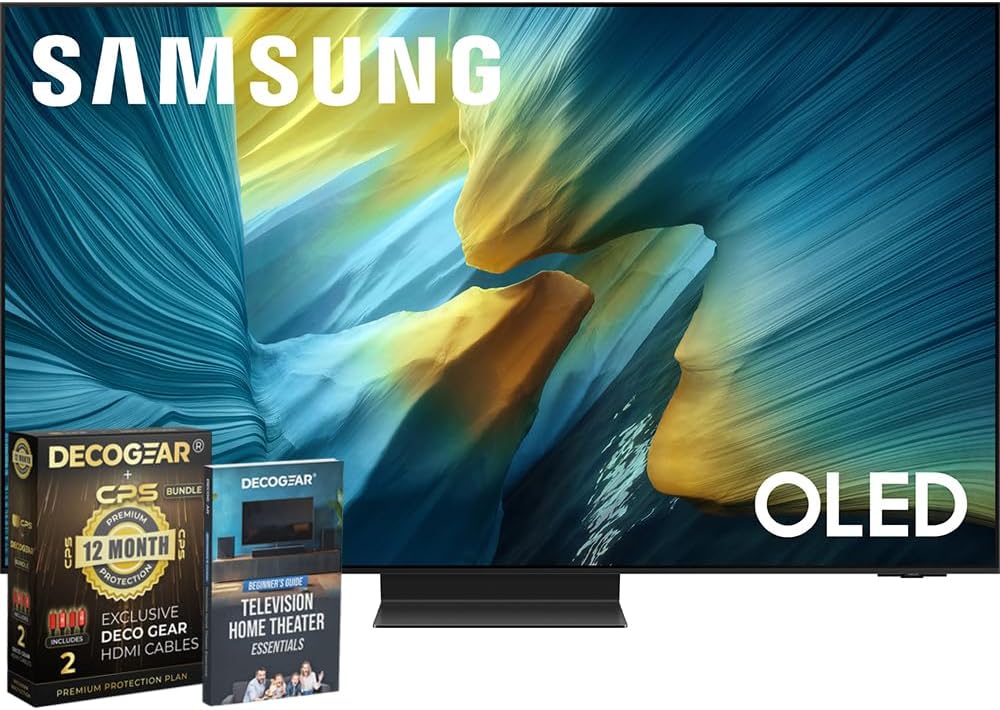
Figure 1: Samsung S95F OLED TV and included accessories.
الإعداد والتثبيت
1. تجميع الحامل (اختياري)
If you are not wall-mounting the television, attach the stand according to the instructions provided in the separate stand assembly guide. Ensure all screws are securely fastened.
2. توصيل صندوق التوصيل الواحد
The One Connect Box centralizes all your connections. Connect the One Connect Cable from the TV to the One Connect Box. Then, connect your external devices (cable box, gaming console, Blu-ray player, etc.) to the appropriate HDMI ports on the One Connect Box.

الشكل 2: خلفي view of the One Connect Box showing various input ports.
3. توصيل الطاقة
Connect the power cable to the One Connect Box, and then plug the other end into a wall outlet. The TV will automatically power on or enter standby mode.
4. الإعداد الأولي
Follow the on-screen instructions to complete the initial setup, including network connection, channel scanning, and smart features configuration. Use the SolarCell Remote for navigation.
تعليمات التشغيل
ميزات جودة الصورة
The Samsung S95F OLED TV incorporates advanced technologies to deliver a superior visual experience.
- معالج NQ4 AI Gen3: This processor utilizes 128 neural networks to upscale content to 4K resolution, optimizing both picture and sound.
- OLED HDR Pro: Experience deep blacks and bright highlights for dramatic contrast and vivid detail.
- Glare-Free Technology: The screen is designed to minimize reflections, allowing for clear viewing even in brightly lit rooms.
- تحسين جودة الصورة إلى 4K AI: Content that is not native 4K is intelligently upscaled to near-4K quality.

Figure 3: Glare-Free screen technology minimizes reflections for improved viewعمل.
Sound Quality Features
The television's audio system is designed to complement its visual performance.
- Vision AI for Sound: The NQ4 AI Gen3 Processor also optimizes sound based on the content you are watching.
- كيو سيمفوني: When paired with a compatible Samsung soundbar, Q-Symphony allows the TV speakers and soundbar to operate simultaneously for a more immersive audio experience.

Figure 4: Q-Symphony enhances audio by synchronizing TV and soundbar speakers.
Smart Features and Tizen OS
The Samsung S95F runs on the Tizen OS, providing access to a wide range of streaming services, apps, and smart home integration.
- تلفزيون سامسونج بلس: Access free live TV channels and on-demand content.
- تكامل SmartThings: Connect and control compatible smart home devices directly from your TV.
مميزات الألعاب
For gamers, the S95F offers features designed for responsive and smooth gameplay.
- مسرع الحركة 165 هرتز: Supports up to 4K 165Hz for ultra-smooth motion and reduced blur.
- معدل التحديث المتغير (VRR): Compatible with VRR technologies for tear-free and stutter-free gaming.
المنتج انتهىview فيديو
شاهد هذا المنتج الرسميview video for a visual demonstration of the Samsung S95F OLED TV's key features and design.
Video 1: Official Samsung S95D Product Overview, highlighting design and features.
صيانة
تنظيف الشاشة
امسح الشاشة برفق بقطعة قماش ناعمة وجافة من الألياف الدقيقة. لإزالة البقع الصعبة، امسح برفق.ampen the cloth with distilled water. Avoid using harsh chemicals or abrasive materials.
Cleaning the Frame and Stand
Use a soft, dry cloth to wipe dust from the TV frame and stand. Do not use liquid cleaners directly on the TV.
تحديثات البرامج
Ensure your TV's software is up-to-date for optimal performance and security. Navigate to Settings > Support > Software Update to check for and install available updates.
استكشاف الأخطاء وإصلاحها
| مشكلة | الحل المحتمل |
|---|---|
| لا يوجد طاقة | Check if the power cable is securely connected to the TV/One Connect Box and the wall outlet. Ensure the outlet is functional. |
| لا توجد صورة/صوت | Verify that the correct input source is selected. Check all cable connections between the TV/One Connect Box and external devices. Restart connected devices. |
| جهاز التحكم عن بعد لا يعمل | Check the remote's battery level. Ensure there are no obstructions between the remote and the TV. Re-pair the remote if necessary. |
| جودة الصورة رديئة | Adjust picture settings (brightness, contrast, sharpness). Check the quality of the input source. Ensure the TV's software is updated. |
| مشاكل الاتصال بالشبكة | أعد تشغيل جهاز التوجيه والمودم. تحقق من كلمة مرور شبكة الواي فاي. حاول الاتصال عبر كابل إيثرنت إن أمكن. |
تحديد
| ميزة | التفاصيل |
|---|---|
| ماركة | سامسونج |
| رقم الموديل | E1SAMQN55S95F |
| حجم الشاشة | 54.6 بوصة (فئة 55 بوصة) |
| تكنولوجيا العرض | شاشة OLED |
| دقة | 4K (3840 × 2160) |
| معدل التحديث | 120 Hz (up to 165Hz with Motion Xcelerator) |
| المعالج | معالج NQ4 AI Gen3 |
| المميزات الخاصة | Eye Comfort Mode, Glare Free, Motion Xcelerator 165Hz, OLED HDR Pro |
| الاتصال | Bluetooth, Wi-Fi, HDMI 2.1 (4 ports) |
| وزن العنصر | 52.7 رطل |
| أبعاد المنتج | 10.5 بوصة عمق × 48.2 بوصة عرض × 30.4 بوصة ارتفاع |
الضمان والدعم
Your Samsung S95F OLED TV comes with a manufacturer's protection plan. Additionally, this bundle includes a 1-Year Extended Protection Plan. For detailed warranty information, please refer to the documentation provided with your purchase or visit the official Samsung support webموقع.
For technical assistance, troubleshooting, or service requests, please contact Samsung Customer Support. Contact information can typically be found on the Samsung webالموقع أو في وثائق منتجك.


