1. المقدمة
شكرا لك على الشراءasing the IRRADIO IR-M5 Classic Portable Speaker. This manual provides essential information for the safe and efficient operation of your device. Please read it thoroughly before use and keep it for future reference.
2. معلومات السلامة
- لا تعرض مكبر الصوت لدرجات حرارة عالية أو لأشعة الشمس المباشرة لفترات طويلة.
- تجنب إسقاط السماعة أو تعريضها لصدمات قوية.
- Do not disassemble, repair, or modify the device yourself. Refer to qualified service personnel.
- احتفظ بالسماعة بعيدًا عن الأجهزة الطبية، لأنها تحتوي على مغناطيس.
- تأكد من أن منفذ الشحن جاف قبل توصيل كابل الشحن.
- This device is IPX7 water-resistant, meaning it can be submerged in up to 1 meter of water for 30 minutes. Do not intentionally submerge it for longer periods or deeper than specified.
3. محتويات العبوة
يرجى التحقق من الحزمة للعناصر التالية:
- IRRADIO IR-M5 Classic Portable Speaker
- كابل شحن USB
- دليل المستخدم
4. انتهى المنتجview
تعرف على مكونات مكبر الصوت وأدوات التحكم فيه.

الشكل 4.1: الجبهة view of the IRRADIO IR-M5 Classic speaker, showing the speaker grille, IRRADIO logo, and RGB LED light bar.
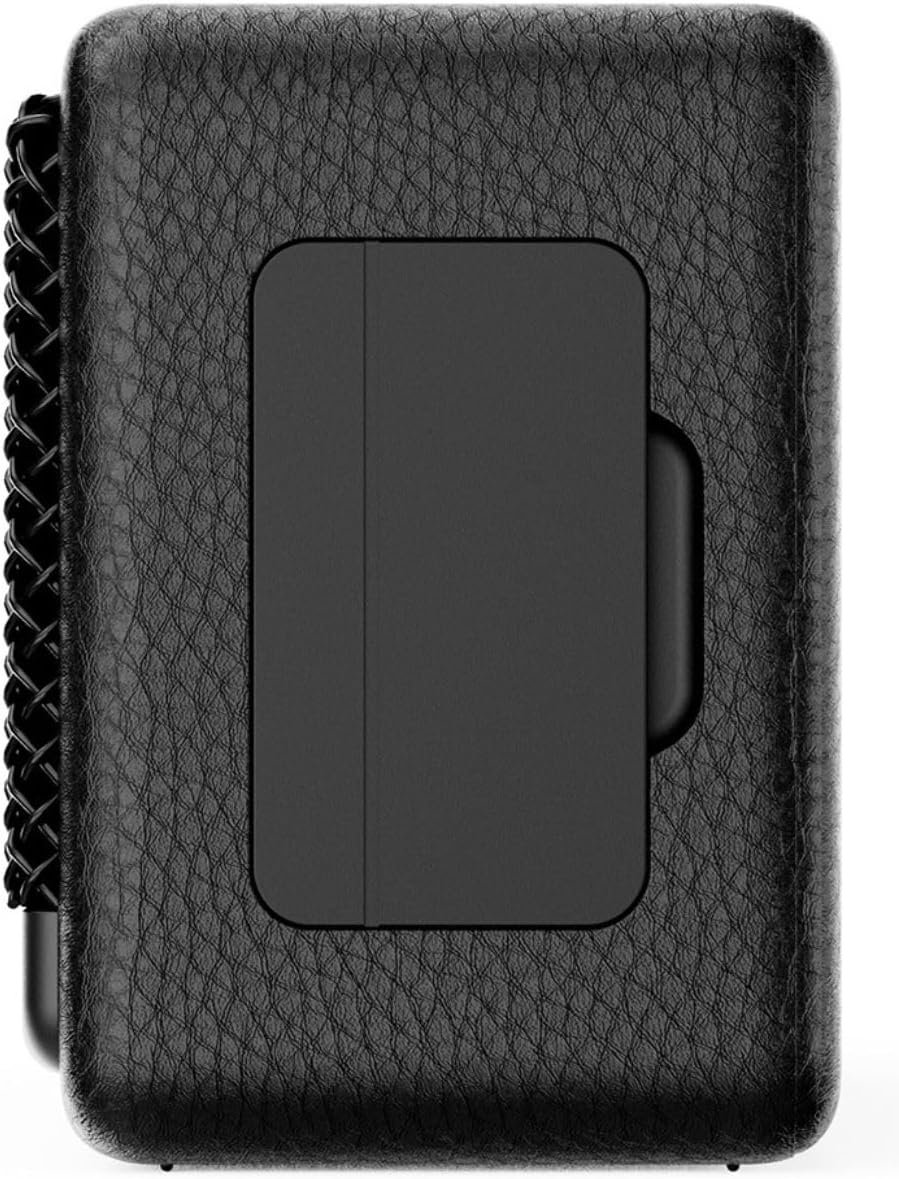
الشكل 4.2: العودة view of the IRRADIO IR-M5 Classic speaker, highlighting the passive subwoofer panel.

الشكل 4.3: الجانب view of the IRRADIO IR-M5 Classic speaker, showing the integrated strap for portability.
الضوابط والمنافذ:
- زر الطاقة: اضغط مع الاستمرار للتشغيل/الإيقاف.
- رفع الصوت / المسار التالي: اضغط لفترة قصيرة لرفع مستوى الصوت، واضغط لفترة طويلة للانتقال إلى المسار التالي.
- خفض الصوت / المسار السابق: اضغط لفترة قصيرة لخفض مستوى الصوت، واضغط لفترة طويلة للانتقال إلى المسار السابق.
- زر التشغيل/الإيقاف المؤقت/الاتصال: Press to play/pause music or answer/end calls.
- زر الوضع (M): Press to switch between Bluetooth and USB playback modes.
- RGB LED Button: Press to cycle through RGB lighting modes or turn off the lights.
- منفذ شحن USB-C: لشحن مكبر الصوت.
- منفذ USB-A: For external USB music playback.
- AUX Input (3.5mm Mini Jack): للاتصال الصوتي السلكي.
5. الإعداد
5.1 شحن السماعة
Before first use, fully charge the speaker. Connect the provided USB charging cable to the USB-C port on the speaker and the other end to a compatible USB power adapter (not included).
- سيظهر مؤشر LED حالة الشحن.
- تستغرق الشحنة الكاملة حوالي 3.5 ساعات.
5.2 تشغيل/إيقاف التشغيل
- لتشغيل الجهاز، اضغط مع الاستمرار على زر الطاقة حتى تسمع صوتًا مسموعًا.
- لإيقاف التشغيل، اضغط مع الاستمرار على زر الطاقة مرة أخرى حتى يتم إيقاف تشغيل مكبر الصوت.
5.3 اقتران بلوتوث
- قم بتشغيل السماعة. ستدخل تلقائيًا في وضع الاقتران عبر البلوتوث، ويُشار إلى ذلك بواسطة مؤشر LED وامض.
- على جهازك (الهاتف الذكي، الجهاز اللوحي، الكمبيوتر المحمول)، قم بتمكين البلوتوث وابحث عن الأجهزة المتاحة.
- Select "IR-M5 Classic" from the list of devices.
- Once paired, the LED indicator will stop flashing and remain solid. You are now ready to play music.
6. تعليمات التشغيل
6.1 تشغيل الموسيقى
- وضع البلوتوث: بعد نجاح عملية الاقتران، قم بتشغيل الموسيقى من جهازك المتصل.
- تشغيل USB: Insert a USB drive with MP3/WAV files into the USB-A port. The speaker will automatically switch to USB mode and begin playback. Use the Mode button to switch if necessary.
- وضع AUX: Connect an audio device using a 3.5mm AUX cable to the AUX input. The speaker will automatically switch to AUX mode.
6.2 التحكم في مستوى الصوت
- Press the Volume Up (+) button to increase volume.
- Press the Volume Down (-) button to decrease volume.
6.3 تتبع المسار
- Long press the Volume Up (+) button for the next track.
- Long press the Volume Down (-) button for the previous track.
6.4 وظيفة الاستريو اللاسلكي الحقيقي (TWS)
To pair two IR-M5 Classic speakers for a stereo experience:
- تأكد من تشغيل كلا السماعتين وعدم توصيلهما بأي جهاز بلوتوث.
- On one speaker, double-press the Play/Pause button. It will enter TWS pairing mode.
- The speakers will automatically connect to each other. You will hear a confirmation sound.
- Once TWS paired, connect your device to one of the speakers via Bluetooth as described in section 5.3. Both speakers will now play in stereo.
6.5 إضاءة LED RGB
Press the RGB LED button to cycle through different lighting modes or to turn the lights off.
7. الصيانة
- نظّف السماعة بقطعة قماش ناعمة وجافة. لا تستخدم منظفات أو مذيبات كاشطة.
- قم بتخزين مكبر الصوت في مكان بارد وجاف عند عدم استخدامه.
- If the speaker will not be used for an extended period, charge it every 3 months to maintain battery health.
8. استكشاف الأخطاء وإصلاحها
| مشكلة | السبب المحتمل | حل |
|---|---|---|
| مكبر الصوت لا يعمل. | بطارية منخفضة. | اشحن السماعة بالكامل. |
| لا يمكن الاقتران عبر البلوتوث. | مكبر الصوت ليس في وضع الاقتران أو متصل بالفعل بجهاز آخر. | Ensure speaker is in pairing mode. Disconnect from other devices. Restart speaker and device. |
| لا يوجد صوت. | مستوى الصوت منخفض جدًا؛ وضع الإدخال غير صحيح؛ الجهاز لا يعمل. | Increase volume. Check input mode (Bluetooth/USB/AUX). Ensure source device is playing. |
| فشل اقتران TWS. | Speakers are already connected to a device or each other. | تأكد من فصل كلا السماعتين عن جميع الأجهزة قبل بدء عملية الاقتران اللاسلكي. |
9. المواصفات
| ميزة | التفاصيل |
|---|---|
| اسم الموديل | IR-M5 كلاسيك |
| ماركة | راديو |
| طاقة الإخراج | 20W (Rated), 28W (Music) |
| السائقين | 2 x 50mm Full-Range, 1 x Passive Subwoofer |
| استجابة التردد | 85 هرتز - 20 كيلو هرتز |
| نسخة البلوتوث | 5.4 |
| لاسلكي المدى | حتى 10 مترًا (بدون عوائق) |
| سعة البطارية | 2000mAh (3.7V, 7.4 Wh) |
| وقت التشغيل | تقريبا. 8 ساعات (بحجم 50٪) |
| وقت الشحن | حوالي 3.5 ساعات |
| مقاومة الماء | IPX7 |
| الأبعاد (الطول × العرض × الارتفاع) | 17.4 x 8 x 5.3 cm (6.8 x 3.15 x 2.1 inches) |
| وزن | 506 جرامًا (0.506 كجم) |
| تنسيقات الصوت المدعومة | مبشنومك، واف |
10. الضمان والدعم
This product comes with a standard manufacturer's warranty. For detailed warranty terms and conditions, please refer to the warranty card included in your package or contact your local distributor. For technical support or service inquiries, please visit the official IRRADIO webالموقع أو الاتصال بخدمة العملاء الخاصة بهم.
ملاحظة: تخضع مواصفات المنتج وتصميمه للتغيير دون إشعار مسبق بهدف التحسين.


