1. المقدمة
This manual provides essential information for the safe and efficient operation of your TELEFUNKEN TE24900B53I2D 24-inch Smart TV. Please read these instructions thoroughly before using the television and retain them for future reference.
معلومات هامة حول السلامة: Always follow basic safety precautions to reduce the risk of fire, electric shock, and injury. Do not expose the TV to rain or moisture. Do not open the TV casinز. إحالة جميع أعمال الصيانة إلى موظفين مؤهلين.
2. محتويات العبوة
Please check that the following items are included in your product packaging:
- TELEFUNKEN TE24900B53I2D 24-inch Smart TV
- جهاز التحكم عن بعد
- حامل تلفزيون (القاعدة والبراغي)
- كابل الطاقة
- دليل المستخدم (هذا المستند)
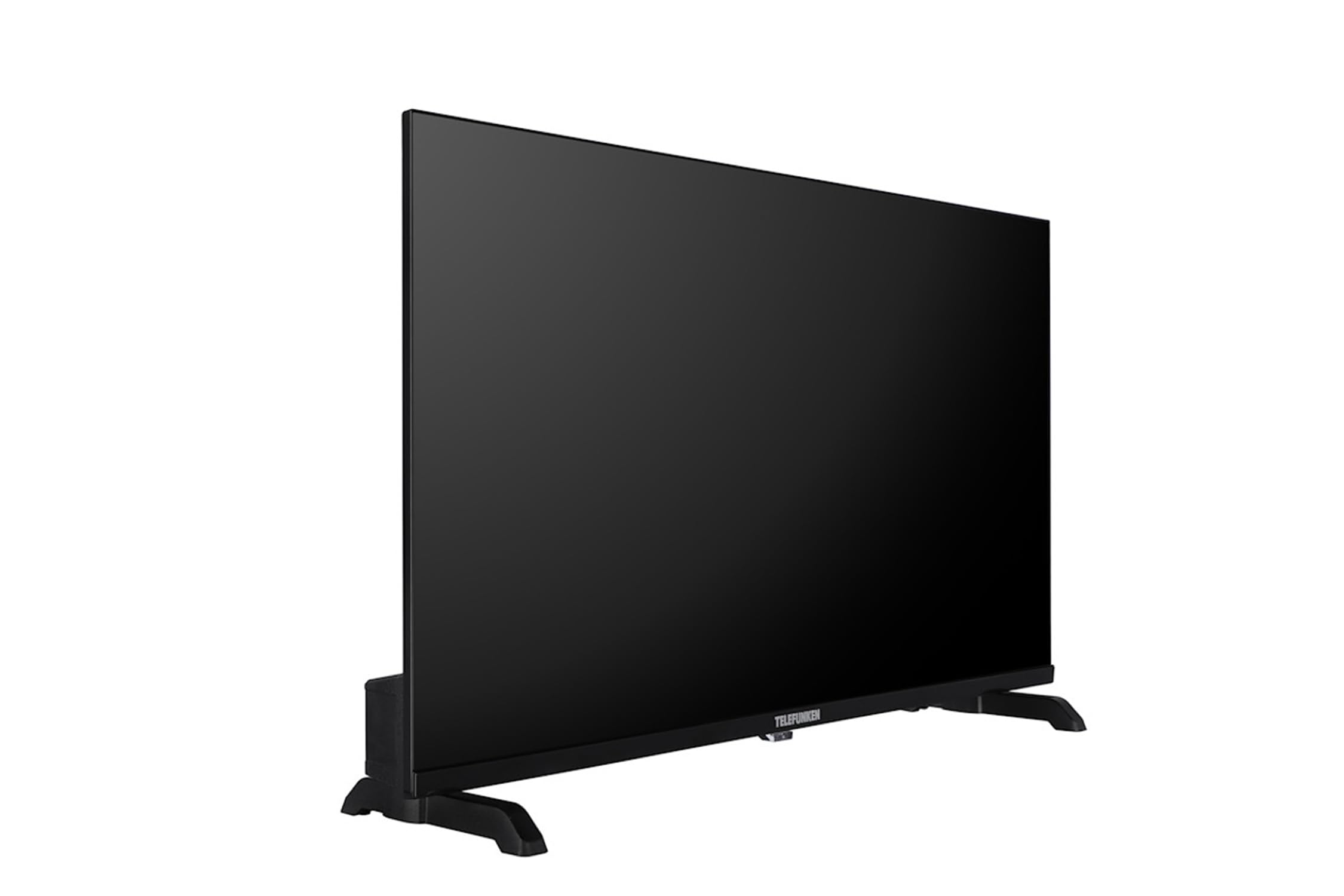
An image of the TELEFUNKEN TE24900B53I2D 24-inch Smart TV, showcasinبفضل شاشته وتصميمه الأنيق.
3. الإعداد
3.1 تركيب الحامل
- قم بوضع التلفاز بعناية على سطح ناعم ومستوٍ بحيث يكون وجهه لأسفل لمنع تلف الشاشة.
- قم بمحاذاة قاعدة الحامل مع فتحات التثبيت الموجودة في الجزء السفلي من التلفزيون.
- ثبّت الحامل باستخدام البراغي المرفقة. تأكد من تثبيته بإحكام.
3.2 توصيل الأجهزة الطرفية
Connect your external devices to the appropriate ports on the TV:
- هوائي / كابل: Connect your DVB-T2/C/S2 antenna or cable to the 'ANT IN' or 'SAT IN' port.
- أجهزة HDMI: Use HDMI cables to connect devices like Blu-ray players, game consoles, or set-top boxes to the HDMI ports.
- جهاز USB:٪ s: قم بإدخال محركات أقراص USB لتشغيل الوسائط في منفذ USB.
- إيثرنت: For wired internet access, connect an Ethernet cable to the 'LAN' port.
- سماعات الرأس: Connect headphones to the 3.5mm audio output jack.
3.3 التشغيل الأول
- قم بتوصيل كابل الطاقة بالتلفزيون ثم بمأخذ الحائط.
- اضغط على زر الطاقة الموجود على التلفزيون أو جهاز التحكم عن بعد لتشغيل التلفزيون.
- اتبع التعليمات التي تظهر على الشاشة للإعداد الأولي، بما في ذلك اختيار اللغة، والاتصال بالشبكة، ومسح القنوات.
4. التشغيل
4.1 التحكم عن بعد أكثرview
The remote control allows you to access all TV functions. Familiarize yourself with buttons for power, volume, channel selection, input source, Smart TV access, and menu navigation.
4.2 ضبط القناة
After initial setup, if you need to rescan for channels:
- Press the 'Menu' button on your remote.
- Navigate to 'Channel' or 'Setup' settings.
- Select 'Auto Scan' or 'Automatic Channel Search' for DVB-T2/C/S2.
- The TV will search and store available channels.
4.3 ميزات التلفزيون الذكي
Your TELEFUNKEN TE24900B53I2D is a Smart TV with TiVo OSD and advanced electronic program guide. Connect your TV to the internet via Wi-Fi or Ethernet to access streaming services, apps, and online content.
- Press the 'Smart TV' or 'Home' button on your remote to access the Smart TV interface.
- Navigate through the available applications and services.
- Use the on-screen keyboard or remote control to search for content.
4.4 تشغيل الوسائط عبر USB
لتشغيل الوسائط fileمن جهاز تخزين USB:
- أدخل محرك أقراص USB الخاص بك في منفذ USB الخاص بالتلفزيون.
- The TV may automatically detect the USB and prompt you to open the Media Player. If not, select 'Media Player' from the Smart TV interface or input source menu.
- تصفح واختر ما تريد files (MP3, WMA, MPG, MPEG, MP4, MOV, AVI, JPG, PNG, GIF are supported).
5. الصيانة
5.1 تنظيف التلفزيون
- شاشة: امسح الشاشة برفق بقطعة قماش ناعمة وخالية من الوبر. وللبقع الصعبة، استخدم محلول تنظيف شاشات مصمم خصيصًا لأجهزة التلفاز، وضعه على قطعة القماش وليس مباشرة على الشاشة.
- Casing: استخدم قطعة قماش ناعمة وجافة لمسح شاشة التلفزيونasinز. لا تستخدم المنظفات أو المذيبات الكاشطة.
- افصل دائمًا التلفاز عن الكهرباء قبل التنظيف.
5.2 التخزين
If storing the TV for an extended period, ensure it is unplugged, clean, and stored in a dry, dust-free environment. Use original packaging if available.
6. استكشاف الأخطاء وإصلاحها
يرجى الرجوع إلى الجدول التالي للتعرف على المشكلات الشائعة وحلولها:
| مشكلة | الحل المحتمل |
|---|---|
| لا يوجد طاقة | تأكد من توصيل كابل الطاقة بالتلفزيون ومقبس الحائط بشكل صحيح. تأكد من أن المقبس يعمل. |
| لا توجد صورة، ولكن الصوت موجود | تحقق من مصدر الإدخال. تأكد من تشغيل الأجهزة الخارجية وتوصيلها بشكل صحيح. |
| لا يوجد صوت ولكن الصورة موجودة | Check volume levels. Ensure 'Mute' is not activated. Check audio settings and external speaker connections. |
| جهاز التحكم عن بعد لا يعمل | استبدل البطاريات. تأكد من عدم وجود عوائق بين جهاز التحكم عن بُعد ومستشعر الأشعة تحت الحمراء الخاص بالتلفزيون. |
| لا يمكن الاتصال بشبكة Wi-Fi | Check your router and internet connection. Re-enter the Wi-Fi password. Try restarting the TV and router. |
7. المواصفات الفنية
| ميزة | مواصفة |
|---|---|
| اسم الموديل | TE24900B53I2D |
| حجم الشاشة | 24 بوصة (61 سم) |
| دقة | 1366 x 768 (HD Ready / 720p) |
| نوع اللوحة | دي-إل إي دي |
| وظائف التلفزيون الذكي | Yes, with TiVo OSD and advanced EPG |
| نسبة التباين | 1200:1 |
| سطوع | 250 (نموذجي) |
| وقت الاستجابة | 8 مللي ثانية |
| نوع الموالف | HD DVB-T2 / C / S2 |
| جهاز فك الشفرة HEVC (H.265) | نعم |
| دليل البرامج الإلكترونية (إبغ) | نعم |
| منافذ HDMI | نعم |
| منافذ USB | 1 |
| Component Input (YPbPr) | Via VGA |
| Composite Video/Audio Input | نعم |
| إيثرنت (شبكة محلية) | نعم |
| طاقة إخراج الصوت (RMS) | 2 x 2.5 W (10% THD) |
| صوت دولبي | Yes (Dolby Digital Plus) |
| وحدة فك ترميز DTS | لا |
| مُعادل الصوت | فرقة 5 |
| مخرج سماعة الرأس | نعم |
| مشغل الوسائط | نعم |
| يدعم USB Files | MP3, WMA, MPG, MPEG, MP4, MOV, AVI, JPG, PNG, GIF |
| مؤقت النوم | نعم |
| TeleText (Fast Text) | نعم |
| قفل الوالدين | نعم |
| Hotel Mode (Passive) | نعم |
| وضع التكبير | نعم |
| مزود الطاقة | 220-240V AC ، 50 Hz |
| Dimensions without Stand (LxDxH) | 53.7 x (approx. 4-7) x 31.6 cm |
| Dimensions with Stand (LxDxH) | 53.7 × 14.7 × 34 سم |
| الوزن الصافي | 2.15 كجم |
| تركيب VESA | M4 75x75 |
8. الضمان ودعم العملاء
Your TELEFUNKEN TE24900B53I2D Smart TV comes with a standard manufacturer's warranty. Please refer to the warranty card included in your packaging for specific terms and conditions, including warranty period and coverage details.
For technical assistance, troubleshooting beyond this manual, or warranty claims, please contact TELEFUNKEN customer support. Contact details can typically be found on the official TELEFUNKEN webيمكنك الاطلاع على المعلومات المتوفرة على الموقع أو على وثائق ضمان المنتج الخاص بك.


