مقدمة
This manual provides essential information for setting up, operating, maintaining, and troubleshooting your HP 250 G9 Laptop. Please read this guide thoroughly to ensure proper use and to maximize the lifespan of your device.
ماذا يوجد في الصندوق
تأكد من وجود جميع العناصر في العبوة:
- كمبيوتر محمول HP 250 G9
- محول الطاقة
- التوثيق (دليل البدء السريع، معلومات السلامة)
يثبت
1. التشغيل الأولي
- قم بتوصيل محول الطاقة: Plug the power adapter into the laptop's AC power port and then into a wall outlet.
- افتح الكمبيوتر المحمول: افتح غطاء الكمبيوتر المحمول بعناية.
- تشغيل الطاقة: Press the power button, usually located on the keyboard deck, to turn on the laptop.
- اتبع التعليمات التي تظهر على الشاشة: سيرشدك الكمبيوتر المحمول خلال عملية إعداد Windows 11 Pro الأولية، بما في ذلك تحديد اللغة، واتصال الشبكة، وإنشاء حساب المستخدم.
2. توصيل الأجهزة الطرفية
Your HP 250 G9 Laptop offers various ports for connecting external devices:
- USB نوع-C: لنقل البيانات وتوصيل الأجهزة المتوافقة.
- USB من النوع A: لتوصيل أجهزة USB مثل الفأرة أو لوحة المفاتيح أو محركات الأقراص الخارجية.
- HDMI: للاتصال بالشاشات أو أجهزة العرض الخارجية.
- مقبس سماعة الرأس/الميكروفون المشترك: لإدخال/إخراج الصوت.
- RJ-45 (إيثرنت): للاتصال بالشبكة السلكية.

صورة: زيادةview of the HP 250 G9 Laptop's connectivity ports. This image illustrates the location and type of ports available on the laptop, including USB Type-C, HDMI, USB Type-A, headphone jack, DC-in for power, and an Ethernet port for wired network connections.
تعليمات التشغيل
1. التشغيل الأساسي
- تشغيل/إيقاف التشغيل: Press the power button to turn on. To shut down, click the Start button, then Power, and select "Shut down."
- عرض: The 15.6-inch Full HD anti-glare display provides clear visuals. Adjust brightness using the function keys (Fn + Fx keys, specific to model).
- لوحة المفاتيح ولوحة اللمس: Use the full-size keyboard for typing and the integrated touchpad for navigation. External mice can be connected via USB.
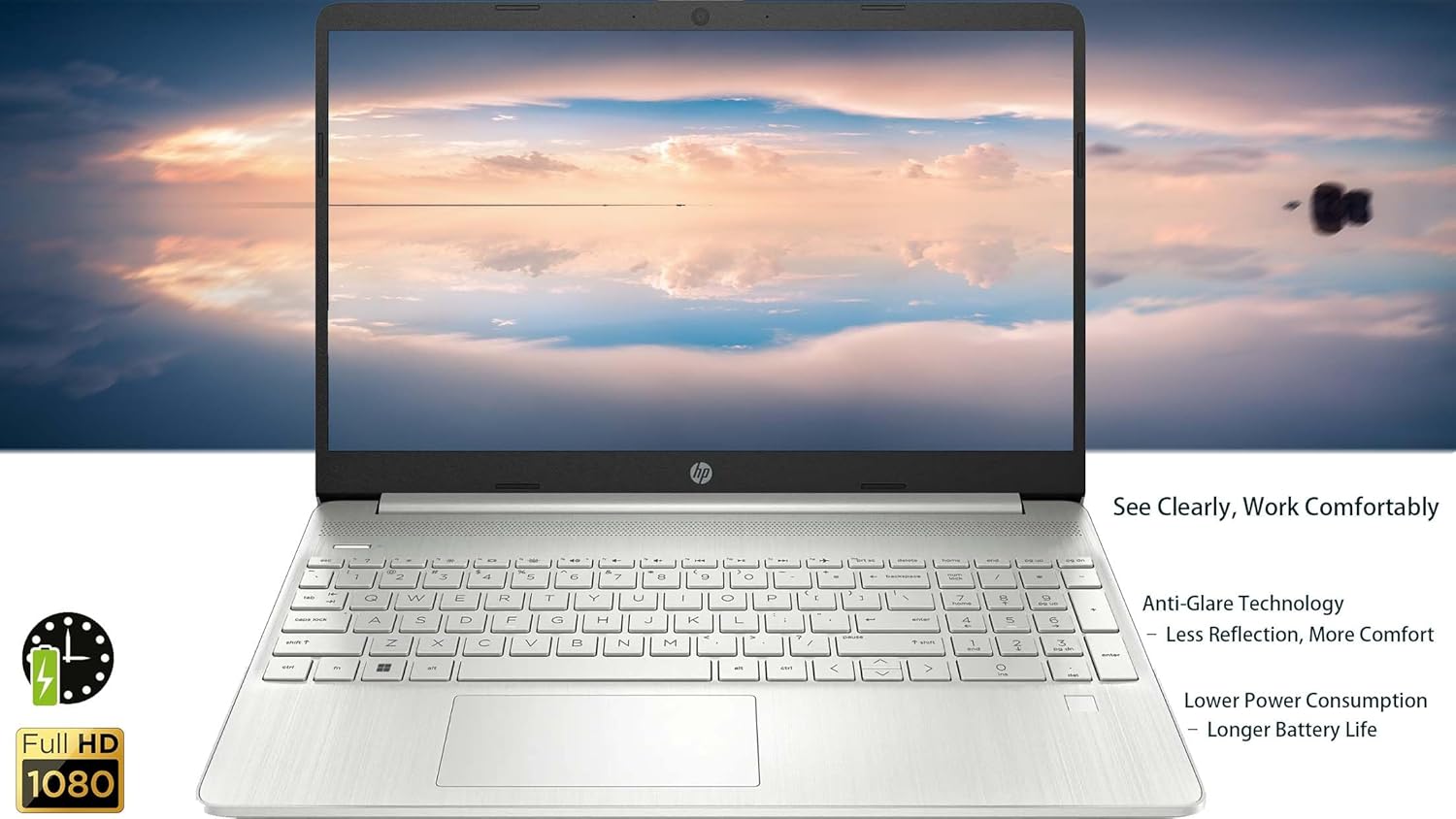
صورة: The HP 250 G9 Laptop in an open position, displaying its 15.6-inch screen and full-size keyboard. This image highlights the anti-glare display and the overall design of the laptop for comfortable use.
2. الاتصال
- واي فاي: Connect to wireless networks via the Realtek Wi-Fi 5 card. Access Wi-Fi settings through the Windows taskbar network icon.
- بلوتوث: Pair Bluetooth devices like headphones or speakers using the integrated Bluetooth 5.0. Manage Bluetooth settings in Windows Settings > Devices.
- إيثرنت: For a stable wired internet connection, plug an Ethernet cable into the RJ-45 port.
3. Webالكاميرا والصوت
- Webكام: The 720p HD camera is suitable for video calls. Ensure proper lighting for best results.
- الميكروفونات: Dual-array microphones provide clear audio input.
- المتحدثون: Dual stereo speakers deliver audio output. Adjust volume using function keys or Windows sound settings.
4. إدارة البطارية
- The 3-cell, 41Wh Li-ion battery provides power for extended use.
- For optimal battery life, avoid extreme temperatures and fully discharge/recharge periodically.
- Monitor battery status via the Windows taskbar icon.
صيانة
1. التنظيف
- شاشة: استخدم قطعة قماش ناعمة وخالية من الوبر برفق دampاغسلها بالماء أو منظف الشاشة. لا ترش السائل مباشرة على الشاشة.
- لوحة المفاتيح والهيكل: استخدم قطعة قماش ناعمة لمسح الأسطح. لإزالة الأوساخ العنيدة، افركها برفق.amp القماش مقبول. تجنب استخدام المواد الكيميائية القاسية.
- الموانئ: Keep ports free of dust and debris. Use compressed air if necessary, but sparingly.
2. تحديثات البرامج
- Regularly check for and install Windows updates to ensure system stability and security. Go to Settings > Windows Update.
- Keep device drivers updated. HP Support Assistant can help manage driver updates.
استكشاف الأخطاء وإصلاحها
المشاكل الشائعة والحلول:
- الكمبيوتر المحمول لا يعمل:
- تأكد من توصيل محول الطاقة بشكل آمن بالكمبيوتر المحمول ومأخذ الطاقة العامل.
- حاول استخدام منفذ طاقة مختلف.
- إذا تم استنزاف البطارية بالكامل، فقد يستغرق الأمر بضع دقائق من الشحن قبل أن يتمكن الكمبيوتر المحمول من التشغيل.
- لا يوجد اتصال واي فاي:
- تحقق مما إذا كان تم تمكين Wi-Fi في إعدادات Windows.
- أعد تشغيل جهاز التوجيه والمودم.
- تأكد من أنك ضمن نطاق شبكة واي فاي.
- الشاشة فارغة أو تومض:
- اضبط سطوع الشاشة باستخدام مفاتيح الوظائف.
- Connect an external monitor to check if the issue is with the laptop's display or graphics driver.
- أعد تشغيل الكمبيوتر المحمول.
- الأداء البطيء:
- أغلق التطبيقات غير الضرورية التي تعمل في الخلفية.
- التحقق من وجود تحديثات Windows وتثبيتها.
- Run a disk cleanup and defragmentation (for HDD, SSDs do not need defragmentation).
- فحص بحثًا عن البرامج الضارة أو الفيروسات.
تحديد
| ميزة | التفاصيل |
|---|---|
| نموذج | إتش بي 250 جي 9 |
| المعالج | Intel Celeron N4500 (2 Cores, up to 2.8 GHz) |
| عرض | 15.6-inch Full HD (1920 x 1080), Anti-glare |
| الرسومات | بطاقة رسومات Intel UHD مدمجة |
| كبش | 32 جيجا بايت DDR4 |
| تخزين | قرص SSD PCIe NVMe M.2 بسعة 2 تيرابايت |
| نظام التشغيل | ويندوز 11 برو |
| الاتصال اللاسلكي | Realtek Wi-Fi 5, Bluetooth 5.0 |
| الموانئ | 1x USB Type-C, 2x USB Type-A, 1x HDMI 1.4b, 1x Headphone/Mic Combo, 1x RJ-45, 1x AC Power |
| Webكاميرا | 720p HD camera with dual-array microphones |
| صوتي | مكبرات صوت ستيريو مزدوجة |
| بطارية | بطارية ليثيوم أيون ثلاثية الخلايا، سعة 41 واط ساعة |
| الأبعاد (الطول × العرض × الارتفاع) | 14.09 × 9.53 × 0.78 بوصة |
| وزن | 3.83 رطل |
| لون | Asteroid Silver |

صورة: Physical dimensions and weight of the HP 250 G9 Laptop. This image provides a visual representation of the laptop's size, including its screen diagonal, height, depth, width, and overall weight, emphasizing its portability.
الضمان والدعم
Your HP 250 G9 Laptop comes with a 1-Year Warranty from the Seller. For warranty claims or technical support, please contact the seller directly or visit the official HP support website for additional resources and driver downloads.
دعم HP Webموقع: الدعم.hp.com