1. المقدمة
يُقدّم هذا الدليل تعليماتٍ مُفصّلة لإعداد وتشغيل وصيانة فأرة 8BitDo Retro R8 مع قاعدة الشحن. يُرجى قراءة هذا الدليل جيدًا قبل استخدام المنتج لضمان الأداء الأمثل وطول عمره.

الصورة 1.1: فأرة 8BitDo Retro R8 مع قاعدة الشحن الخاصة بها.
2. محتويات العبوة
تأكد من وجود جميع العناصر في الحزمة الخاصة بك:
- فأرة 8BitDo Retro R8 - إصدار N عدد 1
- قاعدة شحن × 1
- محول 2.4 جيجا هرتز × 1
- كابل USB × 1
- دليل التعليمات × 1
3. انتهى المنتجview
صُممت فأرة 8BitDo Retro R8 لتوفير الدقة والتنوع، وهي مزودة بمستشعر بصري PAW 3395 ومفاتيح Kailh Sword GM X Micro. كما توفر خيارات اتصال متعددة وعناصر تحكم قابلة للتخصيص.
3.1 ميزات الماوس
- مستشعر بصري PAW 3395: يوفر 6 مستويات حساسية تتراوح من 50 نقطة في البوصة إلى 26,000 نقطة في البوصة لتتبع دقيق.
- مفاتيح Kailh Sword GM X الصغيرة: مصمم لتحمل ما يصل إلى 100 مليون نقرة، ويوفر ردود فعل لمسية.
- الأزرار القابلة للبرمجة: أزرار جانبية قابلة للتخصيص للتحكم الشخصي.
- تبديل وضع اليد اليسرى/اليمنى: تصميم متناظر للاستخدام المريح من قبل مستخدمي اليد اليسرى واليمنى على حد سواء.
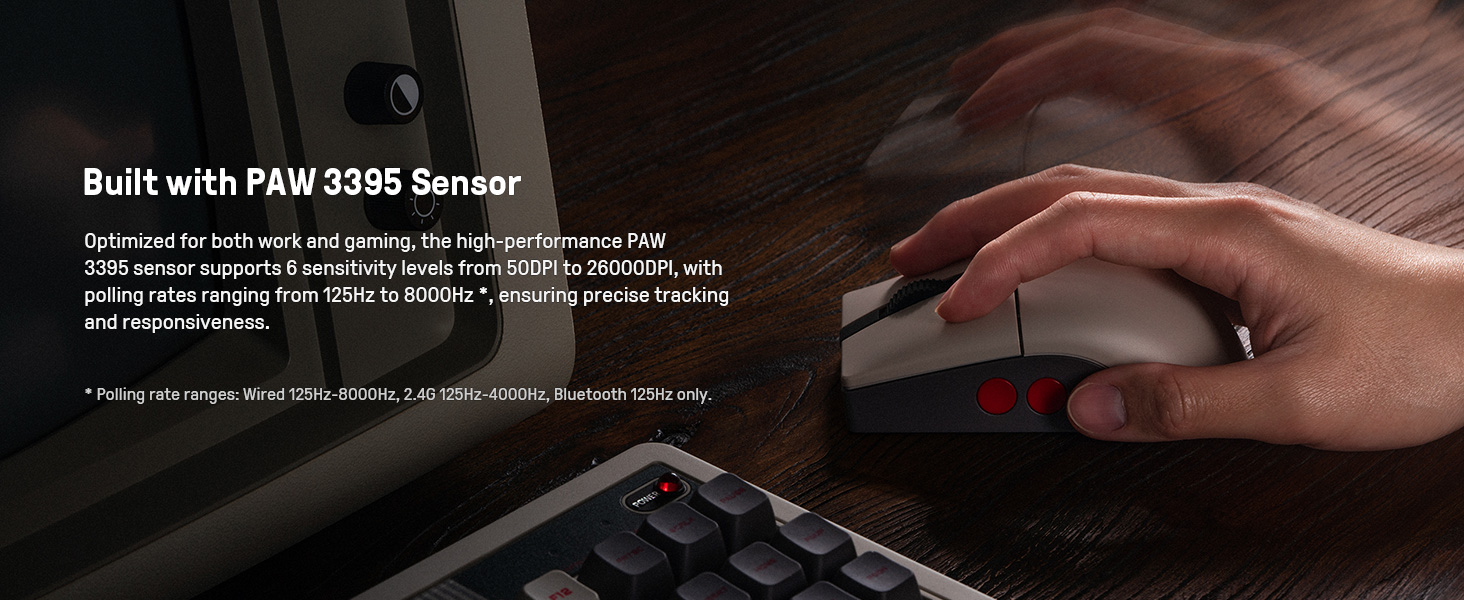
الصورة 3.1: الفأرة التي تبرز مستشعر PAW 3395 الخاص بها للتتبع الدقيق.
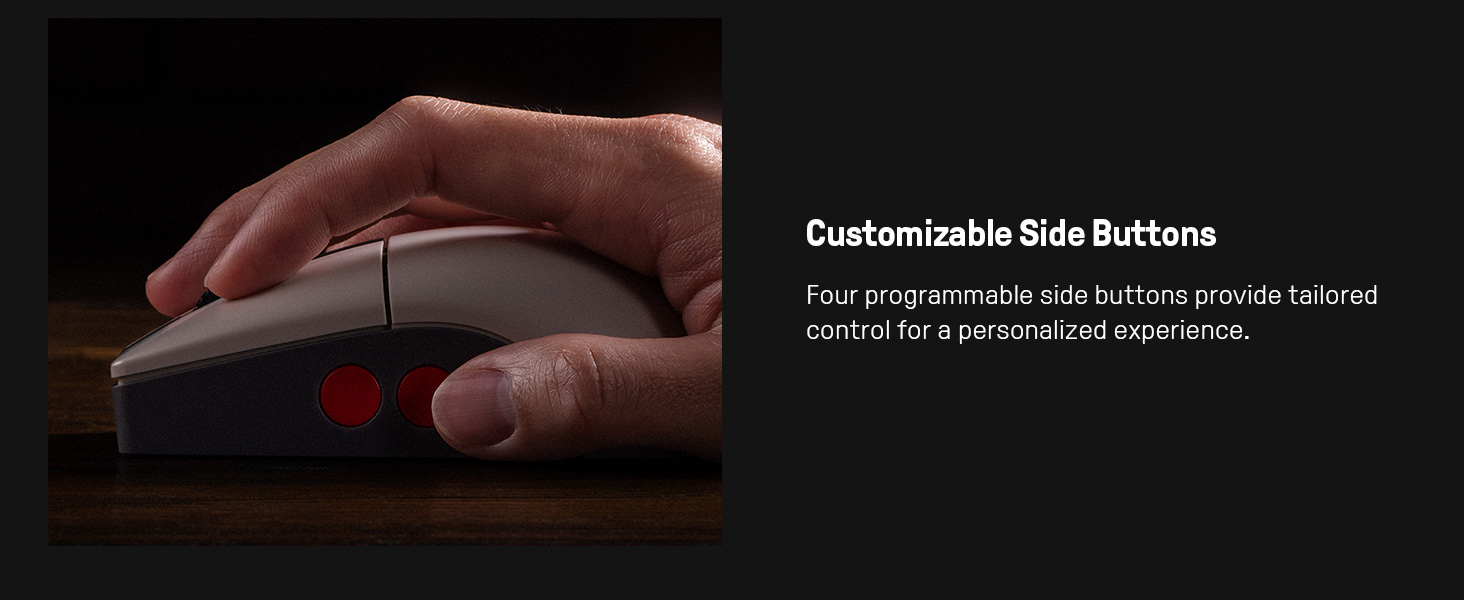
الصورة 3.2: صورة مقربة للفأرة توضح الأزرار الجانبية القابلة للتخصيص.
3.2 مميزات قاعدة الشحن
- وظيفة الشحن: يحافظ على تشغيل الماوس.
- تخزين محول 2.4 جيجا هرتز: يُستخدم أيضاً كحجرة تخزين لمحول التردد اللاسلكي 2.4 جيجا هرتز.
- تمديد الإشارة: يعمل على توسيع نطاق الإشارة اللاسلكية لتوفير اتصال قوي.
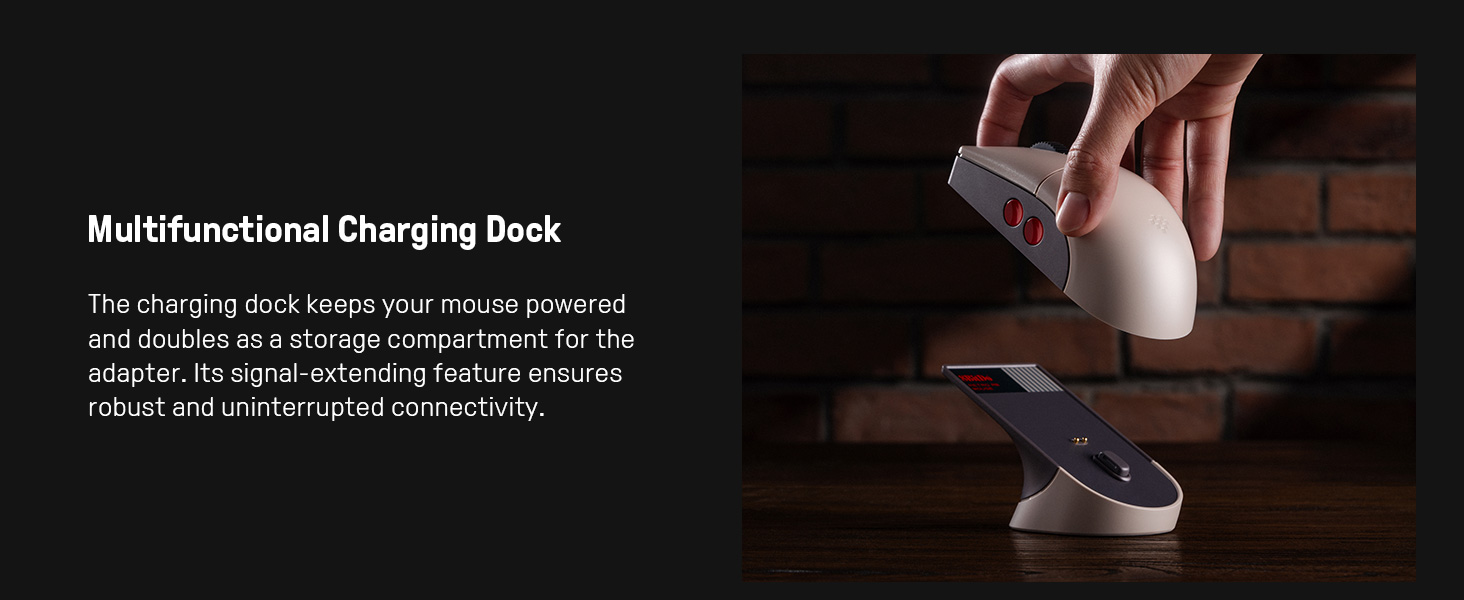
الصورة 3.3: قاعدة الشحن متعددة الوظائف، والتي تعمل أيضًا كموسع إشارة ومخزن للمحولات.
4. الإعداد
4.1 شحن الماوس
- قم بتوصيل كابل USB بقاعدة الشحن ومصدر الطاقة (مثل منفذ USB للكمبيوتر أو محول USB الجداري).
- ضع فأرة 8BitDo Retro R8 على قاعدة الشحن. تأكد من محاذاة نقاط التلامس. ستبدأ الفأرة بالشحن.
4.2 توصيل الماوس
يدعم الماوس ثلاثة أوضاع اتصال: لاسلكي بتردد 2.4 جيجا هرتز، وبلوتوث، وسلكي USB-C.
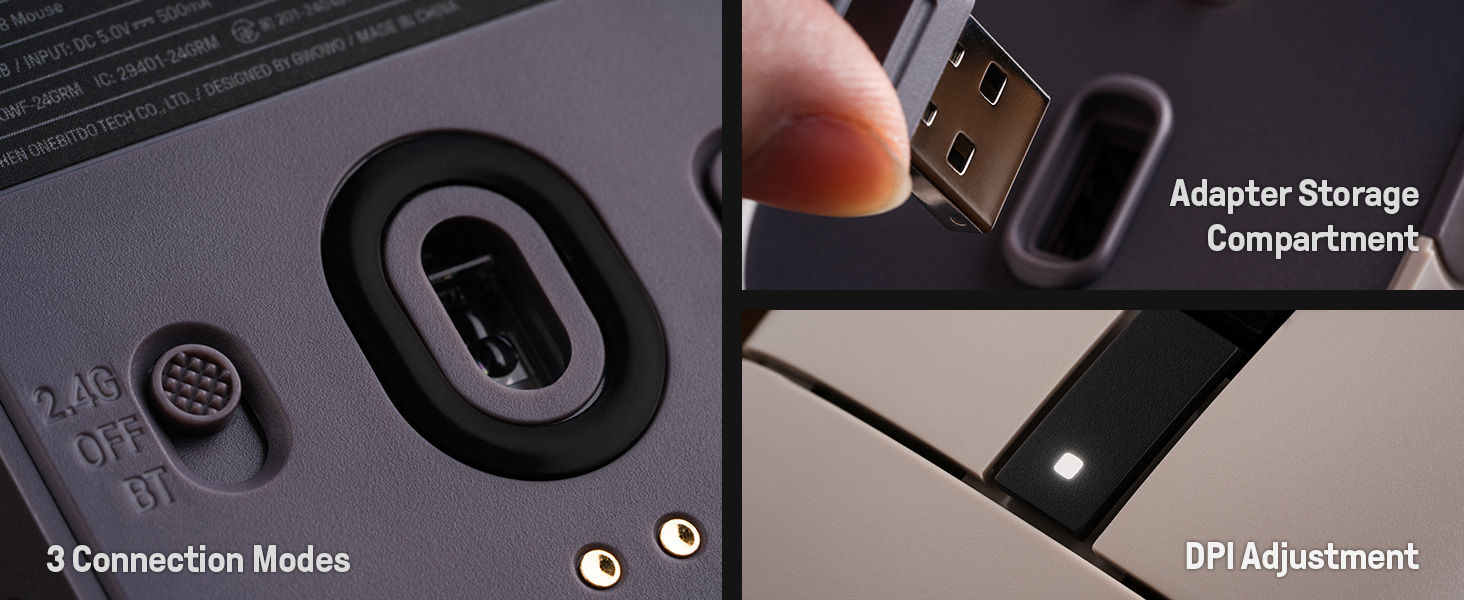
الصورة 4.1: الجزء السفلي من الماوس يظهر مفتاح وضع الاتصال وحجرة تخزين المحول.
4.2.1 اتصال لاسلكي 2.4G
- حدد موقع محول التردد اللاسلكي 2.4 جيجا هرتز، والذي يتم تخزينه عادةً في قاعدة الشحن أو في الحجرة السفلية للفأرة.
- أدخل محول 2.4G في منفذ USB متاح على جهاز الكمبيوتر الخاص بك.
- حرك المفتاح الموجود أسفل الماوس إلى وضع "2.4G".
- يجب أن يتصل الماوس بالكمبيوتر تلقائيًا.

الصورة 4.2: محول USB 2.4G يتم إدخاله في فتحة التخزين الخاصة به على قاعدة الشحن.
4.2.2 اتصال البلوتوث
- حرك المفتاح الموجود أسفل الماوس إلى وضع "BT".
- اضغط مع الاستمرار على زر "PAIR" الموجود أسفل الماوس لمدة 3 ثوانٍ حتى يبدأ مؤشر LED بالوميض بسرعة.
- على جهاز الكمبيوتر الخاص بك أو جهازك، انتقل إلى إعدادات البلوتوث وابحث عن أجهزة جديدة.
- حدد "8BitDo Retro R8 Mouse" من قائمة الأجهزة المتاحة للاقتران.
4.2.3 اتصال USB-C سلكي
- قم بتوصيل طرف USB-C من الكابل المرفق بالماوس وطرف USB-A بجهاز الكمبيوتر الخاص بك.
- سيتحول الماوس تلقائيًا إلى الوضع السلكي وسيعمل دون الحاجة إلى شحن البطارية.
5. تعليمات التشغيل
5.1 ضبط DPI
يدعم الماوس 6 مستويات لضبط حساسية DPI. يمكنك التنقل بين هذه المستويات باستخدام زر DPI المخصص أو من خلال برنامج 8BitDo Ultimate Software V2.
5.2 أزرار قابلة للبرمجة
تتميز فأرة 8BitDo Retro R8 بأزرار جانبية قابلة للبرمجة. ويمكن تخصيص هذه الأزرار باستخدام برنامج 8BitDo Ultimate Software V2 لتعيين وظائف أو وحدات ماكرو محددة.
5.3 تبديل وضع اليد اليسرى/اليمنى
يُتيح التصميم المتناظر للفأرة سهولة التبديل بين وضعَي اليد اليسرى واليمنى. ويمكن ضبط ذلك عبر برنامج 8BitDo Ultimate Software V2.
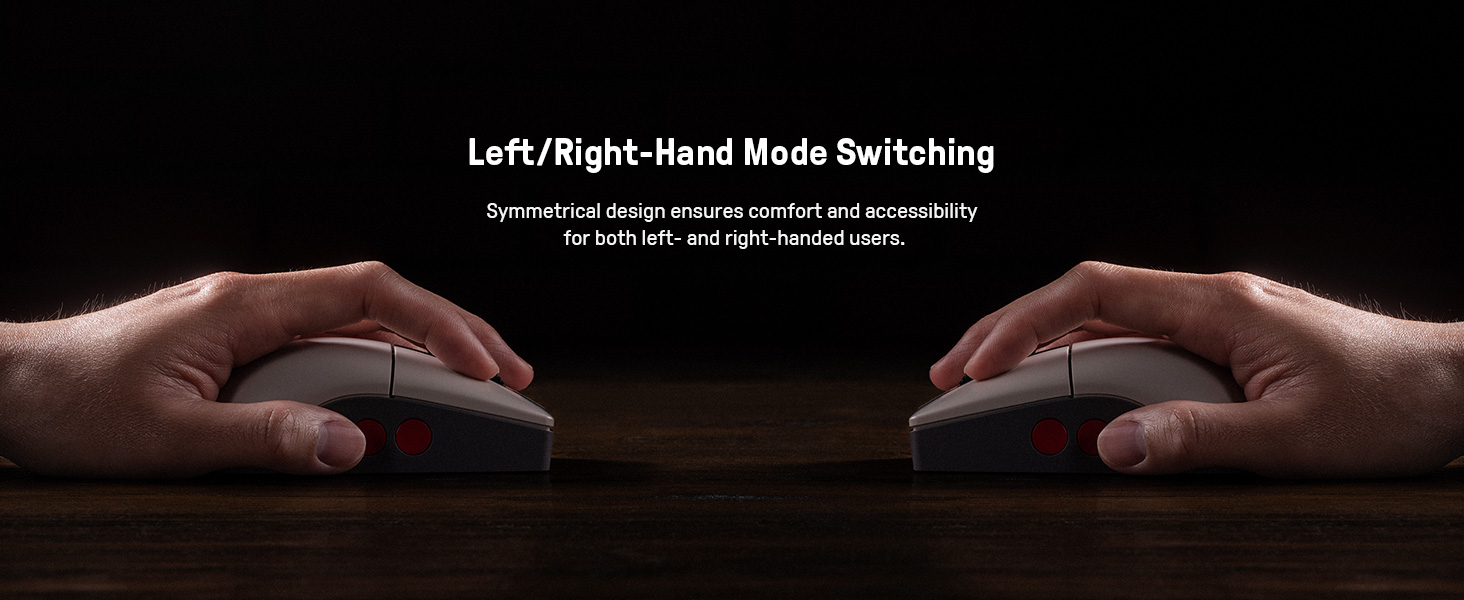
الصورة 5.1: رسم توضيحي للتصميم المتناظر للفأرة للاستخدام باليد اليسرى/اليمنى.
5.4 برنامج 8BitDo Ultimate الإصدار الثاني
للحصول على تخصيص متقدم، قم بتنزيل وتثبيت برنامج 8BitDo Ultimate Software V2 على جهاز الكمبيوتر الخاص بك. يتيح لك هذا البرنامج ما يلي:
- قم بتعيين الأزرار لوظائف مختلفة.
- إنشاء وحدات الماكرو وتعيينها.
- ضبط مستويات حساسية DPI.
- اضبط معدل الاستطلاع واتجاه التمرير ومسافة الرفع بدقة.
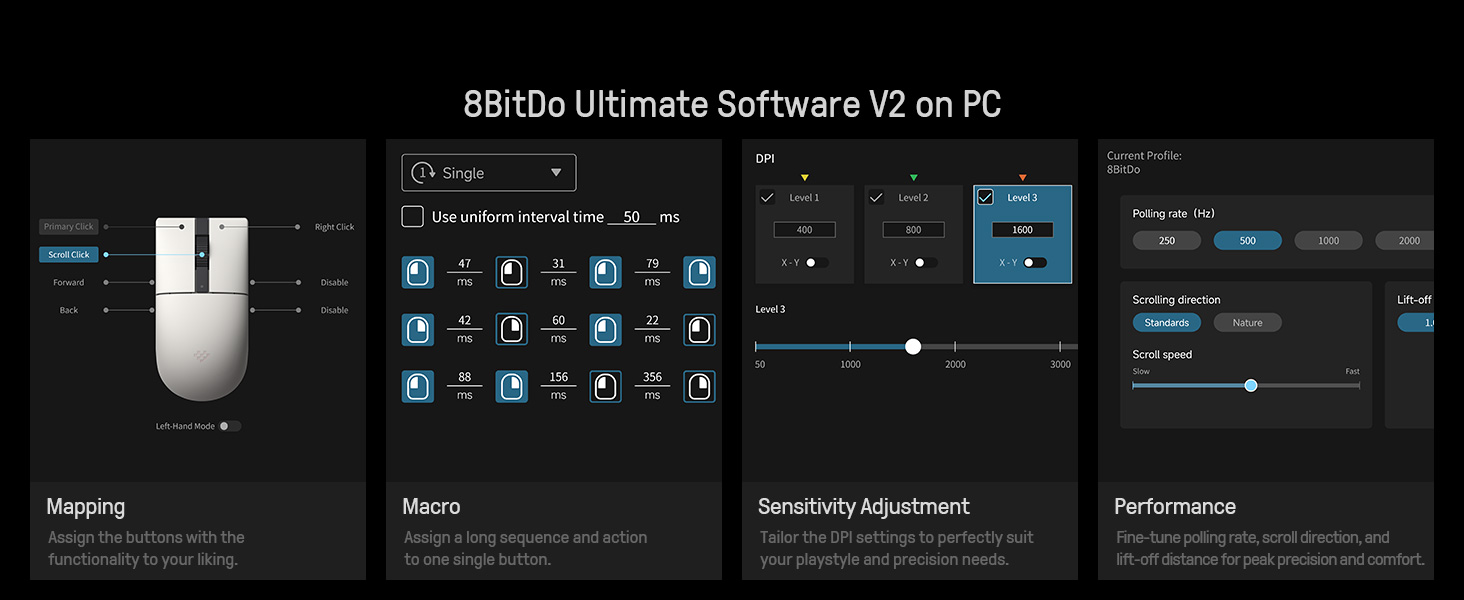
الصورة 5.2: واجهة برنامج 8BitDo Ultimate V2 للتخصيص المتقدم.
5.5 تعديل معدل الاقتراع
يمكن تعديل معدل الاستطلاع عبر برنامج Ultimate Software V2. نطاقات معدل الاستطلاع هي: سلكي 250 هرتز - 8000 هرتز، 2.4 جيجا هرتز 250 هرتز - 4000 هرتز، بلوتوث 125 هرتز فقط.
6. الصيانة
- تنظيف: استخدم قطعة قماش ناعمة وجافة لتنظيف الفأرة وقاعدة الشحن. تجنب استخدام المواد الكيميائية القاسية أو المواد الكاشطة.
- تخزين: قم بتخزين الماوس وقاعدة الشحن في مكان بارد وجاف عند عدم الاستخدام.
- العناية بالبطارية: لإطالة عمر البطارية، تجنب تفريغ الماوس بالكامل بشكل متكرر. اشحنه بانتظام.
7. استكشاف الأخطاء وإصلاحها
- الفأرة لا تستجيب: تأكد من شحن الماوس وأن مفتاح وضع الاتصال (2.4 جيجا هرتز، بلوتوث، إيقاف) في الوضع الصحيح. بالنسبة لشبكة 2.4 جيجا هرتز، تأكد من توصيل المحول بإحكام. بالنسبة للبلوتوث، تأكد من إقرانه بشكل صحيح. جرب الاتصال السلكي لاستبعاد مشاكل الاتصال اللاسلكي.
- التأخير أو انقطاع الاتصال: للاتصالات اللاسلكية، تأكد من أن الماوس ضمن نطاق المحول/الجهاز. قلل من التداخل الناتج عن الأجهزة اللاسلكية الأخرى. تعمل قاعدة الشحن كموسع إشارة لتردد 2.4 جيجاهرتز.
- قضايا الشحن: تأكد من كابل USB ومصدر الطاقة. تأكد من تثبيت الماوس بشكل صحيح على قاعدة الشحن.
- البرنامج لا يتعرف على الماوس: تأكد من توصيل الماوس بالكمبيوتر (يفضل أن يكون سلكيًا أو 2.4 جيجا هرتز للإعداد الأولي) وأن برنامج 8BitDo Ultimate Software V2 محدث.
8. المواصفات
| ميزة | التفاصيل |
|---|---|
| رقم الموديل | 6922621507093 |
| الاتصال | بلوتوث منخفض الطاقة 5.3، لاسلكي بتردد 2.4 جيجا هرتز، منفذ USB سلكي |
| المستشعر | مستشعر بصري PAW 3395 |
| نطاق DPI | 50 - 26,000 نقطة في البوصة (6 مستويات) |
| التبديل الجزئي | سيف كايل جي إم إكس (عمر افتراضي يصل إلى 100 مليون نقرة) |
| معدل الاقتراع (وايرد) | شنومكسهز - شنومكسهز |
| معدل الاستطلاع (2.4 جيجا هرتز) | شنومكسهز - شنومكسهز |
| معدل الاستطلاع (بلوتوث) | 125 هرتز |
| مصدر الطاقة | تعمل بالبطارية (بطارية ليثيوم أيون واحدة متضمنة) |
| وزن العنصر | 1.19 رطل |
| أبعاد المنتج | 11.81 × 9.84 × 15.75 بوصة |
9. فيديو المنتج الرسمي
الفيديو 9.1: مقدمة قصيرةview فيديو يوضح ميزات واستخدام فأرة 8BitDo Retro R8، بما في ذلك مكان تخزين المحول والأزرار القابلة للتخصيص.
10. الضمان والدعم
للحصول على معلومات الضمان والدعم الفني، يرجى الرجوع إلى موقع 8BitDo الرسمي webيمكنك زيارة الموقع الإلكتروني أو الاتصال بخدمة العملاء. قد تتوفر خطط الحماية للشراء بشكل منفصل.
- خطة الحماية لمدة عامين: متاح للشراء.
- خطة الحماية لمدة عامين: متاح للشراء.
- حماية كاملة: خطة شهرية تغطي المشتريات السابقة والمستقبلية المؤهلة.


