مقدمة
This manual provides essential instructions for setting up, operating, maintaining, and troubleshooting your HP Envy TE01-5000t Desktop PC. Please read this manual thoroughly before using your new computer to ensure proper functionality and longevity.
1. الإعداد
Follow these steps to set up your HP Envy TE01-5000t Desktop PC.
1.1 تفريغ النظام
أزل جميع المكونات من العبوة بعناية. تأكد من وجود العناصر التالية:
- HP Envy TE01-5000t Desktop PC
- لوحة المفاتيح اللاسلكية
- ماوس لاسلكي
- DKZ USB Port Expander
- كابل الطاقة

Image 1.1: HP Envy TE01-5000t Desktop PC with its wireless keyboard, wireless mouse, and the DKZ USB Port Expander.
1.2 توصيل الأجهزة الطرفية
- توصيل الشاشة: Connect your monitor to the HDMI port on the back of the desktop.
- ربط لوحة المفاتيح والماوس: Insert the wireless receiver for the keyboard and mouse into an available USB port on the desktop.
- Connect DKZ USB Port Expander: Plug the DKZ USB Port Expander into an available USB port for additional connectivity.
- توصيل الطاقة: قم بتوصيل كابل الطاقة بمدخل الطاقة الخاص بجهاز الكمبيوتر المكتبي ثم بمأخذ الحائط.

Image 1.2: Front panel of the HP Envy TE01-5000t Desktop PC, featuring various USB ports, an SD card reader, and audio jacks.
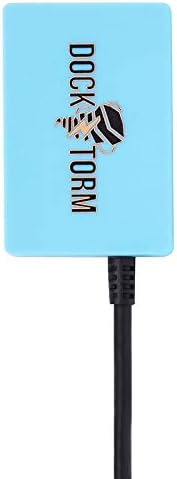
Image 1.3: The DKZ USB Port Expander, an accessory for additional USB connectivity.
1.3 التشغيل الأولي
Press the power button on the front of the desktop. Follow the on-screen instructions to complete the Windows 11 Home setup process.
2. التشغيل
This section covers basic operational aspects of your desktop PC.
2.1 ويندوز 11 هوم
Your desktop comes pre-installed with Windows 11 Home. Familiarize yourself with the operating system's interface and features. Microsoft provides extensive online documentation for Windows 11.
2.2 الاتصال بالشبكة
- واي فاي: للاتصال بشبكة لاسلكية، انقر فوق أيقونة Wi-Fi في شريط المهام، وحدد شبكتك، وأدخل كلمة المرور.
- إيثرنت (RJ-45): For a wired connection, plug an Ethernet cable into the RJ-45 port on the back of the desktop and connect the other end to your router or modem.
2.3 استخدام منافذ USB
The desktop features various USB ports for connecting external devices:
- USB 3.0 النوع A: لنقل البيانات بسرعة عالية مع الأجهزة المتوافقة.
- يو اس بي 2.0: For standard peripherals like keyboards, mice, and printers.
- يو اس بي 3.2 النوع سي: A versatile port for newer devices, supporting data transfer and potentially video output with an adapter.
The included DKZ USB Port Expander provides additional USB ports for convenience.
2.4 اتصالات الصوت
The Headphone/Microphone Combo Jack on the front panel allows you to connect a headset for audio input and output.
3. الصيانة
Proper maintenance ensures the longevity and optimal performance of your desktop PC.
3.1 التنظيف
- الخارج: استخدم قطعة قماش ناعمة وخالية من الوبر وامسحها برفق.ampاغسل الأسطح الخارجية بالماء أو بمحلول تنظيف خفيف. تجنب المواد الكيميائية القاسية.
- الفتحات: Regularly check and clean the ventilation openings to prevent dust buildup, which can impede airflow and cause overheating. Use compressed air to gently clear dust.
3.2 تحديثات البرامج
Keep your operating system and drivers updated. Windows Update automatically manages system updates. Regularly check the HP support webموقع للحصول على آخر تحديثات برامج التشغيل الخاصة بطرازك المحدد.
3.3 النسخ الاحتياطي للبيانات
قم بعمل نسخ احتياطية منتظمة لبياناتك المهمة على محرك أقراص خارجي أو تخزين سحابي لمنع فقدان البيانات في حالة تعطل النظام.
4. استكشاف الأخطاء وإصلاحها
يتناول هذا القسم المشكلات الشائعة التي قد تواجهها.
4.1 لا يوجد طاقة
- تأكد من توصيل كابل الطاقة بشكل آمن بكل من سطح المكتب ومقبس الحائط.
- تأكد من أن مقبس الحائط يعمل عن طريق توصيل جهاز آخر.
- تحقق من تشغيل مروحة وحدة إمداد الطاقة (PSU).
4.2 لا يوجد عرض
- Confirm the monitor is powered on and the video cable (HDMI) is securely connected to both the desktop and the monitor.
- Try connecting the monitor to a different video port if available, or test with another monitor.
4.3 الأجهزة الطرفية لا تستجيب
- Ensure wireless receivers are properly inserted into USB ports.
- Check battery levels for wireless devices.
- حاول توصيل الجهاز المحيطي بمنفذ USB مختلف.
بالنسبة للمشكلات الأكثر تعقيدًا، راجع دعم HP webالموقع أو الاتصال بالدعم الفني.
5. المواصفات
| عنصر | التفاصيل |
|---|---|
| اسم الموديل | HP Envy TE01-5000t |
| المعالج | Intel Core i7-14700 (up to 5.4GHz, 20-Cores, 28-Threads) |
| الذاكرة (RAM) | 16GB DDR4 DIMM |
| تخزين | محرك أقراص الحالة الصلبة PCIe NVMe بسعة 1 تيرابايت |
| الرسومات | Intel UHD Graphics 770 (متكامل) |
| نظام التشغيل | ويندوز 11 هوم (64 بت) |
| وحدة إمداد الطاقة (PSU) | 400 واط |
| الاتصال اللاسلكي | واي فاي 6، بلوتوث 5.3 |
| الاتصال السلكي | إيثرنت RJ-45 |
| مخرج الفيديو | منفذ HDMI |
| منافذ USB | 2x USB 3.0 Type-A, 4x USB 2.0, 1x USB 3.2 Type-C |
| موانئ أخرى | SD Reader, Headphone/Microphone Combo Jack |
| الأبعاد (الارتفاع × العرض × العمق) | 13.75 × 6.05 × 12.25 بوصة |
| وزن | 10.1 رطل |
6. الضمان والدعم
6.1 ضمان المنتج
This HP Envy TE01-5000t Desktop PC comes with a 1-year manufacturer warranty provided by GreatPriceTech. Please retain your proof of purchase for warranty claims.
6.2 الدعم الفني
للحصول على المساعدة الفنية أو تنزيلات برامج التشغيل أو مزيد من المعلومات حول المنتج، يرجى زيارة موقع دعم HP الرسمي website. You can also contact GreatPriceTech for support related to your specific configuration.