مقدمة
This manual provides essential instructions for setting up, operating, and maintaining your Epson EcoTank L1270 WiFi printer. Please read this guide thoroughly to ensure proper use and to maximize the performance and longevity of your device. The Epson EcoTank L1270 is an inkjet printer designed for efficient printing with a rechargeable ink tank system and Wi-Fi connectivity.
1. الإعداد
1.1 فك عبوة الطابعة
أخرج الطابعة من عبوتها بحرص. تأكد من إزالة جميع الأشرطة والمواد الواقية من داخل الطابعة وخارجها. احتفظ بمواد التغليف لاستخدامها في النقل أو التخزين مستقبلاً.
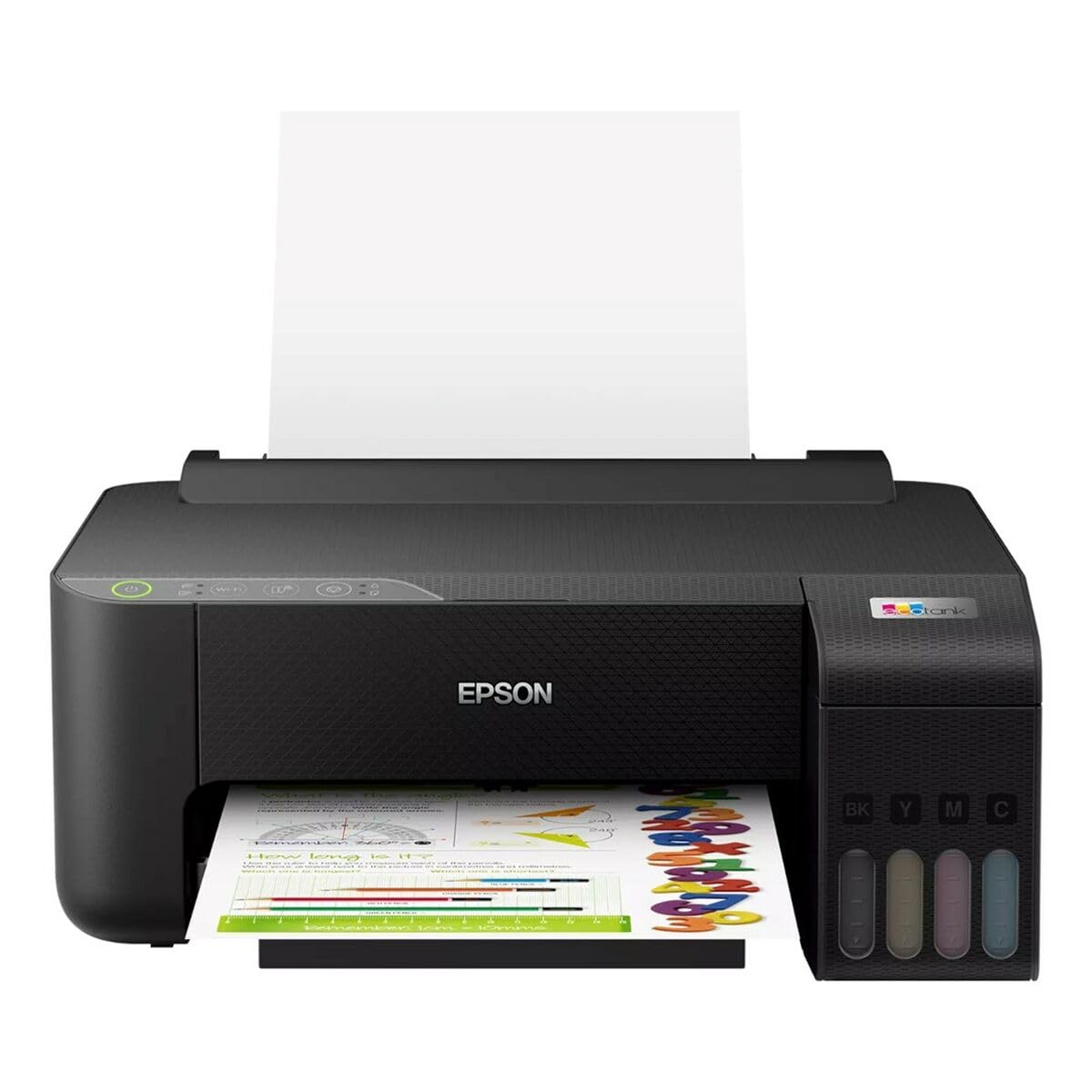
Image 1.1: Epson EcoTank L1270 WiFi Printer. This image shows the printer ready for initial setup after unpacking.
1.2 ملء خزانات الحبر
The EcoTank L1270 uses a refillable ink tank system. Follow these steps to fill the ink tanks:
- Open the ink tank unit cover on the printer.
- Uncap the ink bottle for the corresponding color. Each bottle is keyed to fit only the correct tank.
- أدخل زجاجة الحبر في فتحة التعبئة. سيبدأ الحبر تلقائيًا في ملء الخزان. لا تضغط على الزجاجة.
- بمجرد امتلاء الخزان، قم بإزالة الزجاجة وأعد إغلاقها. أغلق غطاء وحدة خزان الحبر.
- كرر العملية لجميع الألوان.
ملحوظة: Use only genuine Epson ink bottles to prevent damage and ensure optimal print quality.
1.3 توصيل الطاقة
Connect the power cord to the printer and then to a wall outlet. Press the power button to turn on the printer. The printer will perform an initial setup process, which may take a few minutes.
1.4 تثبيت البرامج وبرامج التشغيل
To use your printer, you need to install the necessary drivers and software on your computer. Visit the official Epson support website for the EcoTank L1270 model to download the latest drivers and utilities. Follow the on-screen instructions provided by the installer.
- اذهب الى دعم إبسون.
- بحث عن "EcoTank L1270".
- Download and run the recommended driver package.
1.5 إعداد Wi-Fi
The Epson EcoTank L1270 supports Wi-Fi connectivity. You can connect the printer to your wireless network using one of the following methods:
- Using the Printer's Control Panel: Navigate to the Wi-Fi settings on the printer's control panel, select your network, and enter the password.
- Using EpsonNet Setup: If installed, use the EpsonNet Setup utility on your computer to configure the wireless connection.
- WPS (إعداد Wi-Fi المحمي): If your router supports WPS, press the WPS button on your router, then follow the instructions on the printer's control panel to establish a connection.
2. تشغيل الطابعة
2.1 تحميل الورق
Load paper into the rear paper feeder. Ensure the paper guides are adjusted to the width of the paper. The printer supports various paper types and sizes, up to A4.
- Fan the paper stack before loading to prevent misfeeds.
- Do not overload the paper feeder; refer to the maximum capacity (100 sheets for plain paper).
2.2 طباعة المستندات
لطباعة مستند من جهاز الكمبيوتر الخاص بك:
- افتح المستند الذي ترغب في طباعته.
- اختر "طباعة" من قائمة التطبيق (على سبيل المثال، File >طباعة).
- Choose "Epson EcoTank L1270" as your printer.
- اضبط إعدادات الطباعة مثل حجم الورق وجودة الطباعة وعدد النسخ.
- انقر فوق "طباعة".
2.3 الطباعة على الوجهين (الطباعة على الوجهين)
The EcoTank L1270 supports manual duplex printing. To print on both sides of the paper:
- In your print settings, select the option for "Manual Duplex Printing" or "Print on Both Sides".
- قم بطباعة الصفحات ذات الأرقام الفردية أولاً.
- When prompted, reload the printed pages into the paper feeder according to the on-screen instructions to print the even-numbered pages on the reverse side.
3. الصيانة
3.1 فحص مستويات الحبر
Visually inspect the ink tanks on the front of the printer to check current ink levels. The tanks are transparent, allowing for easy monitoring. Refill ink when levels are low to avoid running out during a print job.
3.2 إعادة تعبئة خزانات الحبر
When an ink tank is low, purchase genuine Epson replacement ink bottles. Follow the same procedure as described in Section 1.2 "Filling the Ink Tanks".
3.3 تنظيف رأس الطباعة
If print quality declines (e.g., missing lines, faded colors), perform a print head cleaning. This can be done through the printer's utility software on your computer or via the printer's control panel. Refer to the software's help guide for detailed steps.
3.4 تنظيف مسار الورق
If you experience paper jams or streaks on prints, the paper path may need cleaning. Consult the printer's software utility or the online manual for instructions on how to perform a paper path cleaning.
4. استكشاف الأخطاء وإصلاحها
يتناول هذا القسم المشكلات الشائعة التي قد تواجهها مع طابعة Epson EcoTank L1270 الخاصة بك.
4.1 Printer Not Printing / Blank Pages
- التحقق من مستويات الحبر: Ensure all ink tanks have sufficient ink.
- Print Head Clogged: Perform a print head cleaning (see Section 3.3).
- Paper Loaded Correctly: Verify paper is loaded properly and not jammed.
- تثبيت برنامج التشغيل: Ensure printer drivers are correctly installed and up to date. Reinstall if necessary.
4.2 مشاكل الاتصال بشبكة Wi-Fi
- Router Range: تأكد من أن الطابعة موجودة ضمن نطاق جهاز توجيه Wi-Fi الخاص بك.
- كلمة مرور الشبكة: Double-check that the correct Wi-Fi password has been entered.
- إعادة تشغيل الأجهزة: Try restarting your printer, computer, and Wi-Fi router.
- Reconfigure Wi-Fi: Attempt to set up the Wi-Fi connection again (see Section 1.5).
4.3 جودة الطباعة رديئة
- تنظيف رأس الطباعة: قم بتنظيف رأس الطباعة وفحص الفوهات.
- نوع الورق: تأكد من استخدام نوع الورق الصحيح لإعدادات الطباعة الخاصة بك.
- جودة الحبر: Use genuine Epson inks for best results.
For more complex issues, refer to the comprehensive online manual on the Epson support webقم بزيارة الموقع أو اتصل بدعم عملاء إبسون.
5. المواصفات
| ميزة | التفاصيل |
|---|---|
| ماركة | إبسون |
| اسم الموديل | EcoTank L1270 WiFi |
| تكنولوجيا الطباعة | نفث الحبر |
| الاتصال | واي فاي |
| أقصى دقة طباعة (ملونة) | 5760 × 1440 نقطة في البوصة |
| أقصى دقة طباعة (أبيض وأسود) | 5760 نقطة في البوصة |
| أقصى سرعة للطباعة (أحادية اللون) | 15 صفحة في الدقيقة |
| Max Paper Capacity | 100 ورقة (ورق عادي) |
| الطباعة على الوجهين | نعم (يدوي) |
| ميزة خاصة | Rechargeable Ink Tank |
| الأبعاد (الطول × العرض × الارتفاع) | 26 سم عرض × 42,5 سم طول × 46 سم ارتفاع (تقريبًا) |
6. معلومات الضمان
The Epson EcoTank L1270 WiFi printer comes with a limited warranty. For specific terms, conditions, and duration of your warranty, please refer to the warranty documentation included with your product or visit the official Epson support webالموقع. احتفظ بإثبات الشراء الخاص بك لتقديم مطالبات الضمان.
7. الدعم
للحصول على مزيد من المساعدة أو الدعم الفني أو لتنزيل أحدث برامج التشغيل والأدلة، يرجى زيارة موقع دعم إبسون الرسمي. webموقع:
You may also find helpful resources and FAQs on their webموقع.


