المنتج انتهىview
The RadioShack AM/FM 2-Band Vintage Radio with Bluetooth Function and USB/TF Ports (Black) is a versatile audio device designed for both classic radio listening and modern digital media playback. It features a vintage aesthetic combined with contemporary functionalities like Bluetooth connectivity and USB/TF card support.

أمام view of the RadioShack Vintage Radio, showcasing its classic design and LED display.
ماذا يوجد في الصندوق
- 1 x RadioShack Vintage Radio (Model 1202265)
- 1 × كابل شحن USB من النوع C

The package includes the RadioShack Vintage Radio and its Type-C charging cable.
مميزات المنتج
- AM/FM 2-Band Radio with LED Display: For clear reception of radio stations.
- وظيفة البلوتوث: بث الصوت لاسلكيًا من الأجهزة المتوافقة.
- تشغيل الوسائط المتنوعة: يدعم MP3 files via USB/TF ports and AUX-in.
- High Power Dual Speakers: Delivers rich sound with preset EQ function.
- تصميم محمول: Features a rechargeable battery, built-in antenna, and carry handle.

Key features of the radio include a rechargeable battery, Bluetooth connectivity, AM/FM radio, and AUX input.
يثبت
1. شحن البطارية
Before first use, fully charge the radio's internal rechargeable battery. Connect the supplied Type-C USB cable to the radio's charging port and the other end to a compatible USB power adapter (not included) or a computer USB port. The LED indicator will show charging status.
2. إعداد الهوائي
For optimal radio reception, extend the telescopic antenna fully. Adjust its direction to improve signal clarity for both AM and FM bands.
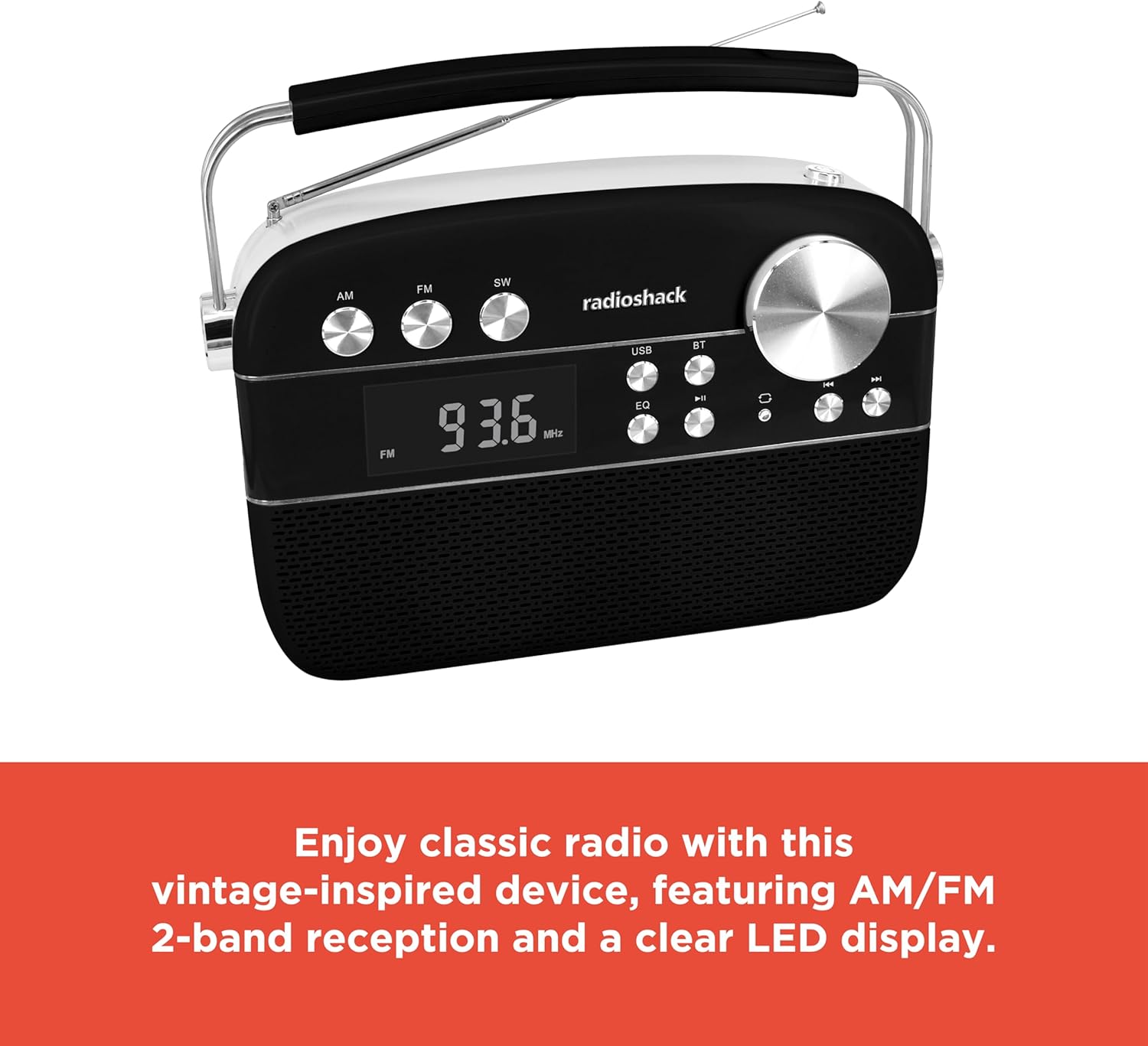
The radio features an extendable antenna for improved reception and a clear LED display for tuning.
تعليمات التشغيل
تشغيل/إيقاف الطاقة
اضغط على زر الطاقة لتشغيل الراديو أو إيقاف تشغيله.
اختيار الوضع
Use the Mode button to switch between FM, AM, Bluetooth (BT), USB/TF, and AUX input modes. The LED display will indicate the current mode.
تشغيل الراديو (AM/FM)
- Switch to FM or AM mode using the Mode button.
- Rotate the Tuning knob to scan for available radio stations. The frequency will be displayed on the LED screen.
- Adjust the Volume knob to your desired listening level.
بلوتوث الاقتران
- Switch the radio to Bluetooth (BT) mode. The display will show "BLUE" and the Bluetooth indicator will flash, indicating it's ready for pairing.
- على هاتفك الذكي أو جهازك اللوحي، قم بتمكين Bluetooth وابحث عن الأجهزة المتاحة.
- Select "RadioShack" from the list of devices. Once paired, the Bluetooth indicator will stop flashing and remain solid.
- You can now stream audio wirelessly from your device to the radio.
تشغيل بطاقة USB/TF
- أدخل ذاكرة فلاش USB أو بطاقة TF (microSD) تحتوي على ملفات صوتية MP3 fileإلى المنفذ المعني.
- Switch the radio to USB/TF mode. The radio will automatically detect and begin playing the audio files.
- استخدم زري السابق/التالي للتنقل بين المقاطع الصوتية.
- اضغط على زر التشغيل/الإيقاف المؤقت لإيقاف التشغيل مؤقتًا أو استئنافه.
- The "ONE/ALL/RND" button allows you to cycle through playback modes (single track repeat, all tracks repeat, random playback).
- The "FOLDER" button allows navigation through folders on the storage device.
وضع مدخل AUX
Connect an external audio device (e.g., MP3 player, smartphone) to the radio's AUX-in port using a 3.5mm audio cable (not included). Switch the radio to AUX mode to play audio from the connected device.
وظيفة المعادل (EQ)
Press the EQ button to cycle through preset equalizer modes, adjusting the audio output to suit different music genres or personal preferences.

مفصل view of the control panel, highlighting the various buttons and the tuning knob for different playback options.
فيديو توضيحي للمنتج
This video demonstrates the key features and operation of the RadioShack Vintage Radio, including tuning to FM stations and connecting via Bluetooth.
صيانة
تنظيف
Wipe the exterior of the radio with a soft, dry cloth. Do not use abrasive cleaners, waxes, or solvents as they may damage the finish. Avoid getting moisture into any openings.
العناية بالبطارية
To prolong battery life, avoid fully discharging the battery frequently. If the radio will not be used for an extended period, charge it periodically (e.g., every 3 months) to maintain battery health.
استكشاف الأخطاء وإصلاحها
| مشكلة | السبب المحتمل | حل |
|---|---|---|
| لا يوجد طاقة | تم تفريغ البطارية. | Charge the radio using the supplied Type-C USB cable. |
| لا يوجد صوت | مستوى الصوت منخفض جدًا أو مكتوم. تم اختيار وضع غير صحيح. | Increase the volume. Ensure the correct input mode (FM, AM, BT, USB/TF, AUX) is selected. |
| استقبال الراديو ضعيف | Antenna not extended or positioned incorrectly. Weak signal area. | قم بتمديد الهوائي التلسكوبي بالكامل وضبطه. حاول نقل الراديو إلى موقع مختلف. |
| البلوتوث غير متصل | Radio not in pairing mode. Device too far. Previously paired device connected. | Ensure radio is in BT mode and "BLUE" is flashing. Move device closer. Disconnect from other Bluetooth devices. |
| USB/TF playback not working | غير صحيح file format. USB/TF card not inserted correctly or corrupted. | يضمن files are in MP3 format. Reinsert the USB/TF card. Try a different USB/TF card. |
تحديد
| ميزة | التفاصيل |
|---|---|
| ماركة | راديوشاك |
| رقم الموديل | 1202265 |
| أبعاد المنتج | 4.53 × 11.42 × 7.36 بوصة |
| وزن العنصر | 3.41 رطل |
| مصدر الطاقة | Rechargeable Battery (included), Corded Electric |
| نطاقات الراديو المدعومة | AM/FM 2-Band |
| تكنولوجيا الاتصال | Bluetooth, USB, TF Card, AUX-in |
| لون | أسود |
الضمان والدعم
For warranty information and customer support, please refer to the documentation provided with your purchase or visit the official RadioShack webالموقع. احتفظ بإثبات الشراء الخاص بك لاستخدامه في أي مطالبات بالضمان.


