1. انتهى المنتجview
The WVX Gaming Laptop R9-6900HX (Model A02) is a high-performance portable computer designed for demanding tasks such as gaming, content creation, and multitasking. It features an AMD Ryzen 9 6900HX processor, AMD Radeon 680M integrated graphics, and fast DDR5 memory.
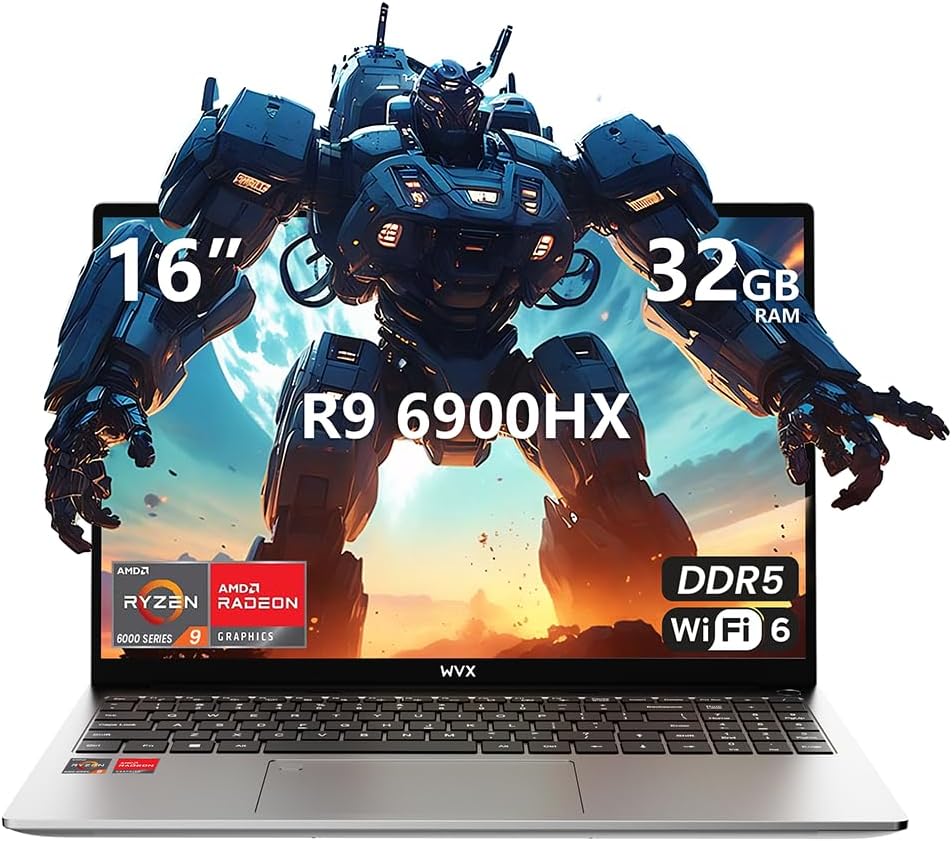
Image 1.1: WVX Gaming Laptop R9-6900HX
المميزات الرئيسية:
- High-Performance CPU: AMD Ryzen 9 6900HX with 8 cores and 16 threads, up to 4.9 GHz.
- الرسومات المتكاملة: AMD Radeon 680M, delivering strong visual performance.
- Fast Memory: 32GB DDR5 RAM, expandable up to 64GB.
- Ampالتخزين: 512GB SSD, expandable up to 2TB.
- شاشة نابضة بالحياة: شاشة كاملة الوضوح (1920x1200) مقاس 16 بوصة.
- الاتصال المتقدم: واي فاي 6 وبلوتوث 5.2.
- نظام التشغيل: مثبت عليه نظام التشغيل Windows 11 Pro مسبقاً.
2. الإعداد
2.1 فك الصندوق والفحص الأولي
Carefully remove the laptop and its accessories from the packaging. Ensure all components listed in the 'What's in the Box' section are present and undamaged.
- R9-6900HX laptop
- PD100W adapter (charger)
2.2 توصيل محول الطاقة
Connect the PD100W adapter to the laptop's power input port and then plug it into a power outlet. It is recommended to fully charge the laptop before its first use.
2.3 بدء التشغيل الأولي وإعداد نظام التشغيل ويندوز
Press the power button located on the laptop. The system will guide you through the initial Windows 11 Pro setup process. Follow the on-screen instructions to configure your language, region, network, and user account.
3. تعليمات التشغيل
3.1 لوحة المفاتيح ولوحة اللمس
The laptop features a full-size keyboard with a numeric keypad and a responsive touchpad. The keyboard is backlit for comfortable use in low-light conditions. The touchpad supports multi-touch gestures for enhanced navigation.

Image 3.1: Laptop keyboard and touchpad layout.
3.2 العرض والرسومات
The 16-inch FHD display offers a resolution of 1920x1200 pixels, providing clear and vibrant visuals. The AMD Radeon 680M graphics processor handles demanding visual tasks efficiently.

Image 3.2: Display features including 300 nits brightness, IPS, and low blue light.
3.3 المنافذ والاتصال
The laptop is equipped with various ports for external devices and connectivity:
- 4 منفذ USB 3.0
- منفذ HDMI
- Full-function Type-C Port (supports charging, data transfer, external 4K monitor)
- شنومكسم سماعة جاك
- قارئ بطاقة SD
For wireless connectivity, the laptop supports Wi-Fi 6 for high-speed internet and Bluetooth 5.2 for connecting peripherals.
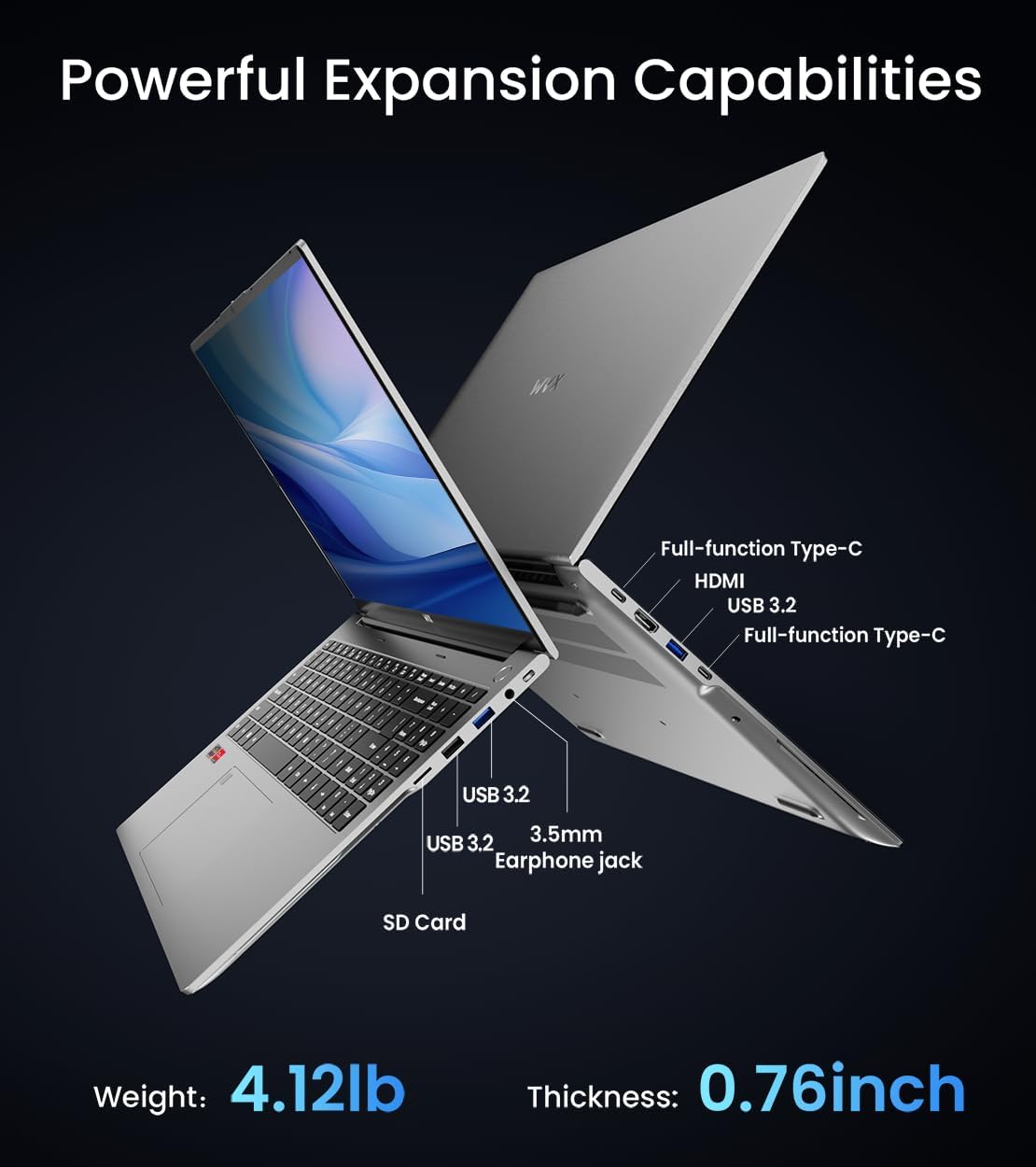
الصورة 3.3: انتهىview of available ports and physical dimensions.
4. الصيانة
4.1 التنظيف
To maintain optimal performance and appearance, regularly clean your laptop. Use a soft, lint-free cloth for the screen and exterior. For stubborn smudges, a slightly dampened cloth with water or a specialized screen cleaner can be used. Avoid harsh chemicals.
4.2 تحديثات البرامج
Regularly update your Windows operating system and drivers to ensure system stability, security, and optimal performance. Windows Update can be accessed through the Settings menu.
4.3 ترقيات التخزين والذاكرة
The laptop's RAM can be upgraded to a maximum of 64GB, and the SSD storage can be expanded up to 2TB. Consult a qualified technician for hardware upgrades to avoid voiding your warranty.

Image 4.1: Illustration of memory and storage upgrade capabilities.
5. استكشاف الأخطاء وإصلاحها
5.1 مشاكل الطاقة
- الكمبيوتر المحمول لا يعمل: تأكد من توصيل محول الطاقة بإحكام وأن البطارية مشحونة بشكل كافٍ. جرب منفذ طاقة آخر.
- البطارية لا تشحن: Verify the power adapter is functioning correctly. Check the charging port for any obstructions.
5.2 مشاكل العرض
- شاشة فارغة: قم بتوصيل شاشة خارجية للتحقق مما إذا كانت المشكلة في شاشة الكمبيوتر المحمول. أعد تشغيل الكمبيوتر المحمول.
- شاشة متذبذبة: قم بتحديث برامج تشغيل بطاقة الرسومات. اضبط معدل تحديث الشاشة في إعدادات ويندوز.
5.3 مشاكل الأداء
- الأداء البطيء: Close unnecessary applications. Check for malware. Ensure sufficient free storage space.
- ارتفاع درجة الحرارة: Ensure ventilation vents are clear. Consider using a cooling pad.

Image 5.1: Illustration of the laptop's cooling system with pure copper heat pipes and fan speed.
6. المواصفات
| ميزة | مواصفة |
|---|---|
| ماركة | WVX |
| اسم الموديل | R9-6900HX (A02) |
| المعالج | AMD Ryzen 9 6900HX (4.9 GHz, 8 Cores, 16 Threads) |
| معالج الرسوميات المساعد | أيه إم دي راديون 680M |
| كبش | 32 جيجا بايت DDR5 (الحد الأقصى 64 جيجا بايت) |
| القرص الصلب | 512 GB SSD (Max 2TB) |
| حجم الشاشة | 16 بوصة |
| أقصى دقة للشاشة | 1920 × 1200 بكسل |
| نظام التشغيل | ويندوز 11 برو |
| نوع لاسلكي | 802.11ax (واي فاي 6) |
| بلوتوث | 5.2 |
| عدد منافذ USB 3.0 | 4 |
| أبعاد المنتج | 14 × 9.7 × 0.78 بوصة |
| وزن العنصر | 5.89 رطل |
| بطارية | 58 واط/ساعة |
| المميزات الخاصة | Backlit Keyboard, Fingerprint Reader, HD Audio |
7. الضمان والدعم
WVX offers comprehensive support for your laptop:
- الدعم الفني: Enjoy unlimited technical support.
- خدمة الصيانة: 12 months of repair service for all customers.
- وقت الاستجابة: Online connection within 24 hours for inquiries.
For any questions or concerns, please reach out to the WVX support team.

الصورة 7.1: انتهىview of WVX customer support services.
8. فيديو المنتج الرسمي
الفيديو 8.1: عرض فيديو رسميasing the WVX R9 6900HX Laptop, highlighting its features and design.


