1. المقدمة
Thank you for choosing the Turtlebox Original Gen 3 Portable Outdoor Bluetooth Speaker. This speaker is engineered for exceptional durability and sound performance in outdoor environments. It features an ultra-loud output, IP67 waterproof rating, impact resistance, and an extended battery life. This manual provides essential information for setting up, operating, maintaining, and troubleshooting your device to ensure optimal performance and longevity.
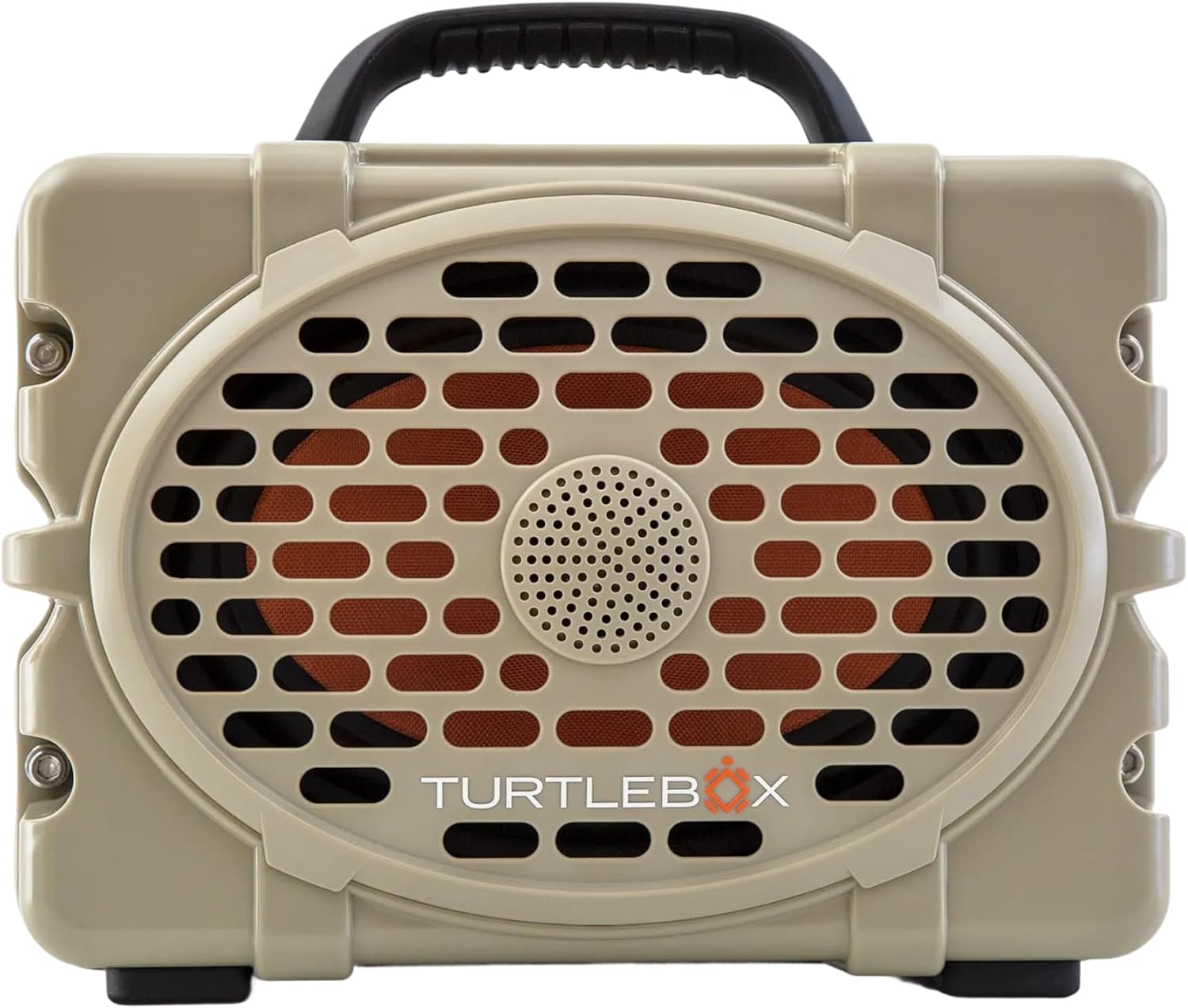
الشكل 1: الجبهة view of the Turtlebox Original Gen 3 speaker.
2. معلومات السلامة
- لا تحاول تفكيك السماعة أو إصلاحها أو تعديلها. قد يؤدي ذلك إلى إلغاء الضمان ويشكل خطراً على السلامة.
- Ensure all port covers are securely closed before exposing the speaker to water to maintain its IP67 waterproof rating.
- Use only the provided charger or a certified equivalent to prevent damage to the battery.
- Avoid prolonged exposure to extreme temperatures (hot or cold) as this can affect battery life and speaker performance.
- Do not operate the speaker while it is charging if it is exposed to water.
3. محتويات العبوة
تأكد من وجود جميع العناصر في الحزمة الخاصة بك:
- Turtlebox Original Gen 3 Speaker
- شاحن
4. انتهى المنتجview
4.1. لوحة التحكم
The control panel is located on the top of the speaker, providing easy access to essential functions.

Figure 2: Control Panel with labeled buttons.
- زر الطاقة: اضغط لتشغيل مكبر الصوت أو إيقاف تشغيله.
- أزرار التحكم في الصوت (-/+): ضبط مستوى الصوت.
- Track Control Buttons (|<|): انتقل إلى المسار السابق أو التالي.
- زر البلوتوث: يبدأ وضع الاقتران عبر البلوتوث.
- Party Mode Button: Activates Party Mode for multi-speaker synchronization.
4.2. المنافذ والوصلات
The rear panel features protected ports for charging and external audio connections.
الفيديو 1: انتهىview of the Turtlebox speaker's side and ports, demonstrating the waterproof cover.
- منفذ الشحن: لتوصيل محول الطاقة لشحن السماعة.
- مدخل AUX: مدخل صوت 3.5 ملم للتوصيلات السلكية.
- ميكروفون في: مدخل لتوصيل الميكروفون.
- مخرج USB-C: Output port for charging external devices.
4.3. السمات الجسدية
- مقبض متكامل: لسهولة الحمل.
- Stainless Steel Tie-Downs: Secure the speaker to a UTV or boat.
- متين سيasing: Provides drop, crush, and dust-proof protection.
5. الإعداد
5.1. الشحن الأولي
Before first use, fully charge your Turtlebox speaker. Connect the provided charger to the charging port on the rear panel and plug it into a power outlet. The battery indicator lights on the control panel will show charging progress.
5.2. تشغيل / إيقاف التشغيل
- To power on, press and hold the Power Button on the control panel until the indicator lights illuminate.
- لإيقاف التشغيل، اضغط مع الاستمرار على زر الطاقة مرة أخرى حتى تنطفئ أضواء المؤشر.
5.3. اقتران بلوتوث
لتوصيل جهازك عبر البلوتوث:
- Ensure the Turtlebox speaker is powered on.
- Press the Bluetooth Button on the control panel. The Bluetooth indicator light will flash, indicating pairing mode.
- On your audio device (e.g., smartphone, tablet), navigate to Bluetooth settings and select "Turtlebox Gen 3" from the list of available devices.
- Once connected, the Bluetooth indicator light on the speaker will become solid.
6. تعليمات التشغيل
6.1. تشغيل الصوت الأساسي
- ضبط مستوى الصوت: Use the '+' and '-' buttons on the control panel.
- تتبع الملاحة: Use the '|<' and '>|' buttons to skip tracks.
6.2. Party Mode (Multi-Speaker Pairing)
Party Mode allows you to connect multiple Turtlebox Original Gen 3 speakers for an expanded sound experience. Note: The Original Gen 3 does not pair with Gen 1 or Gen 2 Turtlebox speakers.
- Ensure all speakers are powered on and not currently connected to a Bluetooth device.
- On the primary speaker (the one you want to connect to your device), press the Bluetooth Button to enter pairing mode. Connect your audio device to this speaker.
- On the primary speaker, press the Party Mode button. The Party Mode indicator will flash.
- On each additional speaker, press the Party Mode button. They will automatically search for and connect to the primary speaker.
- Once connected, all speakers will play audio from your device.
6.3. استخدام مدخل AUX
For wired audio connections, open the rear port cover and connect a 3.5mm audio cable from your device to the AUX IN port. The speaker will automatically switch to AUX input mode.
6.4. Using Microphone Input
To use a microphone, open the rear port cover and connect your microphone to the MIC IN port. Adjust microphone volume as needed from the connected microphone or audio source.
6.5. شحن الأجهزة الخارجية
The USB-C OUT port can be used to charge compatible external devices. Open the rear port cover and connect your device's charging cable to the USB-C OUT port.
7. الصيانة
7.1. التنظيف
قم بتنظيف مكبر الصوت بالإعلانamp cloth. For stubborn dirt, use mild soap and water. Ensure all port covers are closed during cleaning. Do not use abrasive cleaners or solvents.
7.2. Waterproof Seal Check
Regularly inspect the rubber seals around the port cover for any signs of wear or damage. A compromised seal can affect the speaker's waterproof integrity. Always ensure the port cover is firmly closed with an audible "click" before exposing the speaker to water.
7.3. العناية بالبطارية
To maximize battery life, avoid fully discharging the battery frequently. Store the speaker in a cool, dry place when not in use for extended periods. Charge the battery at least once every three months to prevent deep discharge.
7.4. التخزين
When storing the speaker, especially for long durations, ensure it is clean, dry, and all port covers are securely fastened. Store in a location away from direct sunlight and extreme temperatures.
8. استكشاف الأخطاء وإصلاحها
- لا يوجد طاقة: Ensure the battery is charged. Connect the speaker to the charger and allow it to charge for at least 30 minutes before attempting to power on again.
- البلوتوث غير متصل: Ensure the speaker is in pairing mode (flashing Bluetooth light). Turn off and on your device's Bluetooth. Move the speaker closer to your device. If issues persist, try forgetting the device in your Bluetooth settings and re-pairing.
- لا يوجد صوت: تحقق من مستوى الصوت في كل من السماعة والجهاز المتصل. تأكد من تحديد مصدر الإدخال الصحيح (بلوتوث أو AUX).
- Party Mode Issues: Ensure all speakers are Gen 3 models. Confirm all speakers are in Party Mode pairing. Try resetting all speakers and re-initiating Party Mode from the primary speaker.
- الصوت المشوه: خفّض مستوى الصوت في كل من السماعة وجهازك. تأكد من أن مصدر الصوت ذو جودة جيدة.
9. المواصفات
| ميزة | مواصفة |
|---|---|
| اسم الموديل | Turtlebox Gen 3 |
| مادة | Fiberglass, Stainless Steel, Titanium |
| نوع السماعة | Tweeter, Bass Driver |
| المميزات الخاصة | 120 decibels of sound, 1” Titanium tweeter, 6” x 9” woofer, 85Wh Lithium-ion battery, Powerful Class D digital ampالقمامة |
| الأجهزة المتوافقة | آيفون، أندرويد |
| تكوين قناة الصوت المحيطي | 2.0 |
| لون | تان / أسود |
| أبعاد المنتج | 12 بوصة عمق × 8.75 بوصة عرض × 7 بوصة ارتفاع |
| مستوى مقاومة الماء | IP67 مقاوم للماء |
| بطارية | 1 Lithium Ion battery (included), up to 3 days playtime |
| طريقة التحكم | يلمس |
| تكنولوجيا الاتصالات اللاسلكية | بلوتوث |
| الحد الأقصى لقوة خرج السماعة | 100 واط |
| وزن العنصر | 11.88 رطل |
| رمز المنتج الموحد | 850024307742 |
10. الضمان والدعم
The Turtlebox Original Gen 3 speaker comes with a 1-Year Manufacturer Warranty. For warranty claims, technical support, or additional product information, please refer to the official Turtlebox webالموقع أو تواصل مع خدمة العملاء مباشرةً. احتفظ بإثبات الشراء للتحقق من صحة الضمان.


