مقدمة
Thank you for choosing the Mars Gaming MC-REV ATX Gaming Case. This manual provides essential information for the proper installation, operation, and maintenance of your new PC case. The MC-REV is designed for high-performance gaming systems, featuring a revolutionary airflow system, double tempered glass panels, and support for vertical GPU installation.
Please read this manual carefully before beginning the assembly process to ensure optimal performance and longevity of your components.
مميزات المنتج
- Dual Seamless Tempered Glass Panels: استمتع بالمناظر البانورامية view of your build with frameless, screwless tempered glass panels, allowing easy access and an impressive aesthetic.
- Revolutionary Airflow System: Three 120mm ARGB fans are strategically tilted at a 25° angle to direct cool air directly to the GPU and motherboard, ensuring efficient heat dissipation.
- Compatibility with Reverse Port Motherboards: Designed to support motherboards with reverse connectors for optimized cable management and improved internal aesthetics.
- Vertical GPU Mounting System: A dedicated steel structure allows for vertical installation of your graphics card, enhancing visual appeal and airflow (optional riser cable not included).
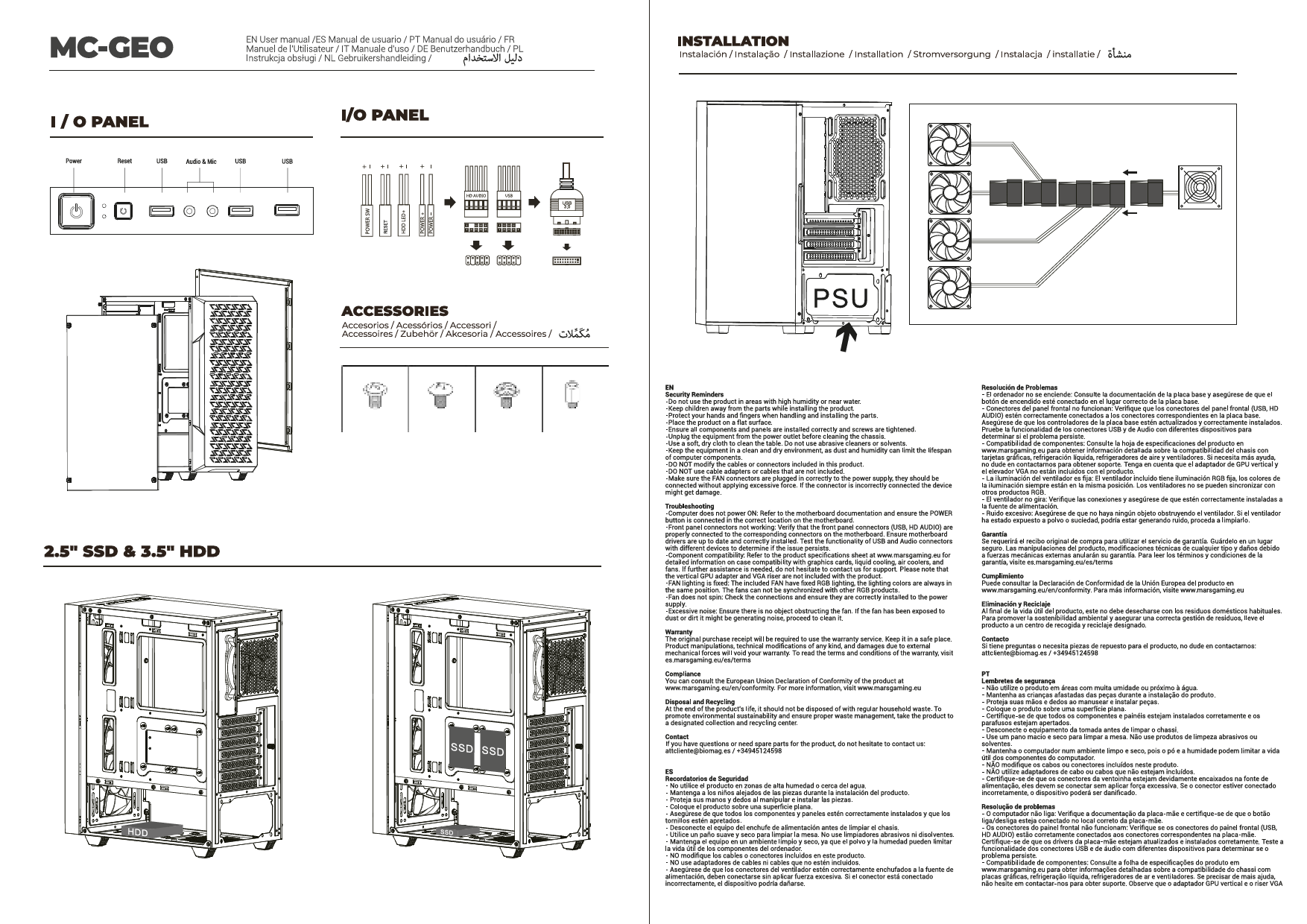
- Advanced Connectivity & ARGB Hub: Features a lower control panel with USB-C, USB 3.0, USB 2.0, HD audio, and microphone ports. An integrated ARGB hub with RF remote control allows for customizable lighting effects and fan speed adjustments, with motherboard synchronization capability.
- السعة القصوى: Supports ATX, MicroATX, and Mini-ITX motherboards, GPUs up to 420mm, CPU coolers up to 157mm, and liquid cooling up to 360mm. Includes internal bays for 2 x HDD 3.5" + 1 x SSD 2.5" or 1 x HDD 3.5" + 2 x SSD 2.5".
الإعداد والتثبيت
Safety First: Always disconnect the power supply from the wall outlet before installing or removing any components. Wear an anti-static wrist strap to prevent electrostatic discharge (ESD) damage to your components.
1. التفريغ والتفتيش
Carefully remove the MC-REV case from its packaging. Inspect the case for any signs of damage during transit. Report any damage to your retailer immediately.
2. إزالة الألواح الجانبية
The MC-REV features screwless tempered glass panels. Gently lift and remove the side panels to access the interior for component installation.
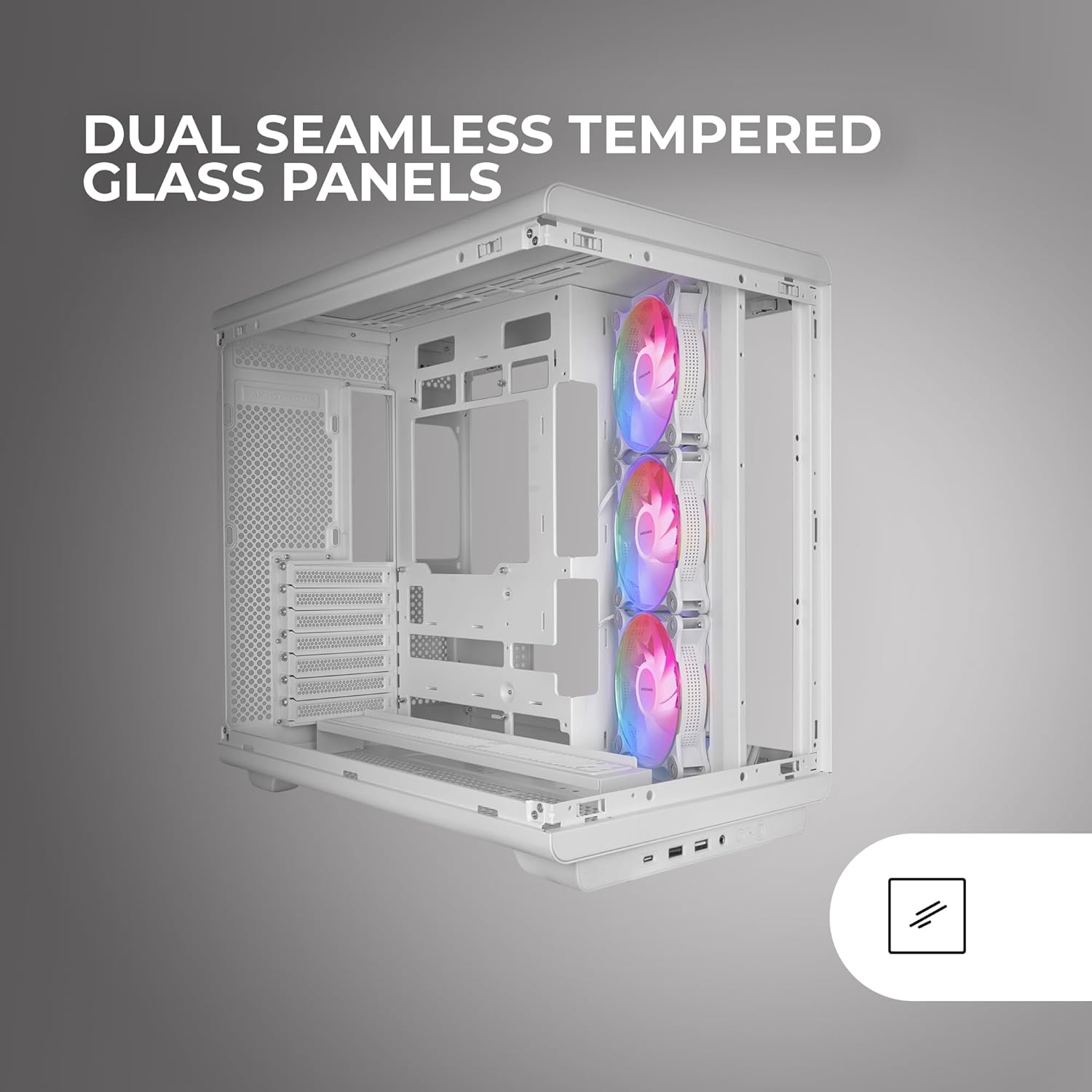
Image: The Mars Gaming MC-REV PC case with its dual seamless tempered glass panels removed, providing a clear view of the internal structure and component mounting areas.
3. تركيب اللوحة الأم
- Identify the correct standoffs for your ATX, MicroATX, or Mini-ITX motherboard. Install any necessary standoffs if they are not pre-installed.
- قم بوضع اللوحة الأم بعناية على الحوامل، مع محاذاة فتحات البراغي.
- قم بتأمين اللوحة الأم باستخدام البراغي المتوفرة.
- If using a reverse port motherboard, ensure all connectors are routed through the designated cutouts for optimal cable management.

الصورة: تفصيلية view of a motherboard installed in the MC-REV case, demonstrating the compatibility with back-connect motherboards and the clean routing of power and data cables behind the motherboard tray.
4. تثبيت بطاقة الرسومات (GPU)
- Standard Horizontal Installation: Remove the necessary PCIe slot covers. Insert your GPU into the primary PCIe slot on your motherboard and secure it with screws.
- التثبيت العمودي: The MC-REV supports vertical GPU mounting. Install your graphics card into the vertical mounting bracket. Note: A PCIe riser cable is required for vertical GPU installation and is not included with the case. Secure the bracket to the case.

Image: The interior of the Mars Gaming MC-REV PC case, featuring a graphics card mounted vertically, showcasing the dedicated vertical GPU mounting system and the illuminated ARGB fans.
5. تثبيت محرك التخزين
- Locate the internal drive bays for 3.5" HDDs and 2.5" SSDs.
- Mount your drives into the appropriate bays and secure them with screws.
6. تركيب وحدة إمداد الطاقة (PSU)
Install your PSU into the designated compartment, typically at the bottom rear of the case. Secure it with screws from the rear of the case. Route all necessary power cables through the cable management cutouts.
7. Fan and Liquid Cooling Installation
The MC-REV comes with three pre-installed 120mm ARGB fans. Additional fans (up to 10 total 120mm fans) or liquid cooling radiators (up to 360mm) can be installed in various locations. Refer to the case's specifications for supported mounting points.
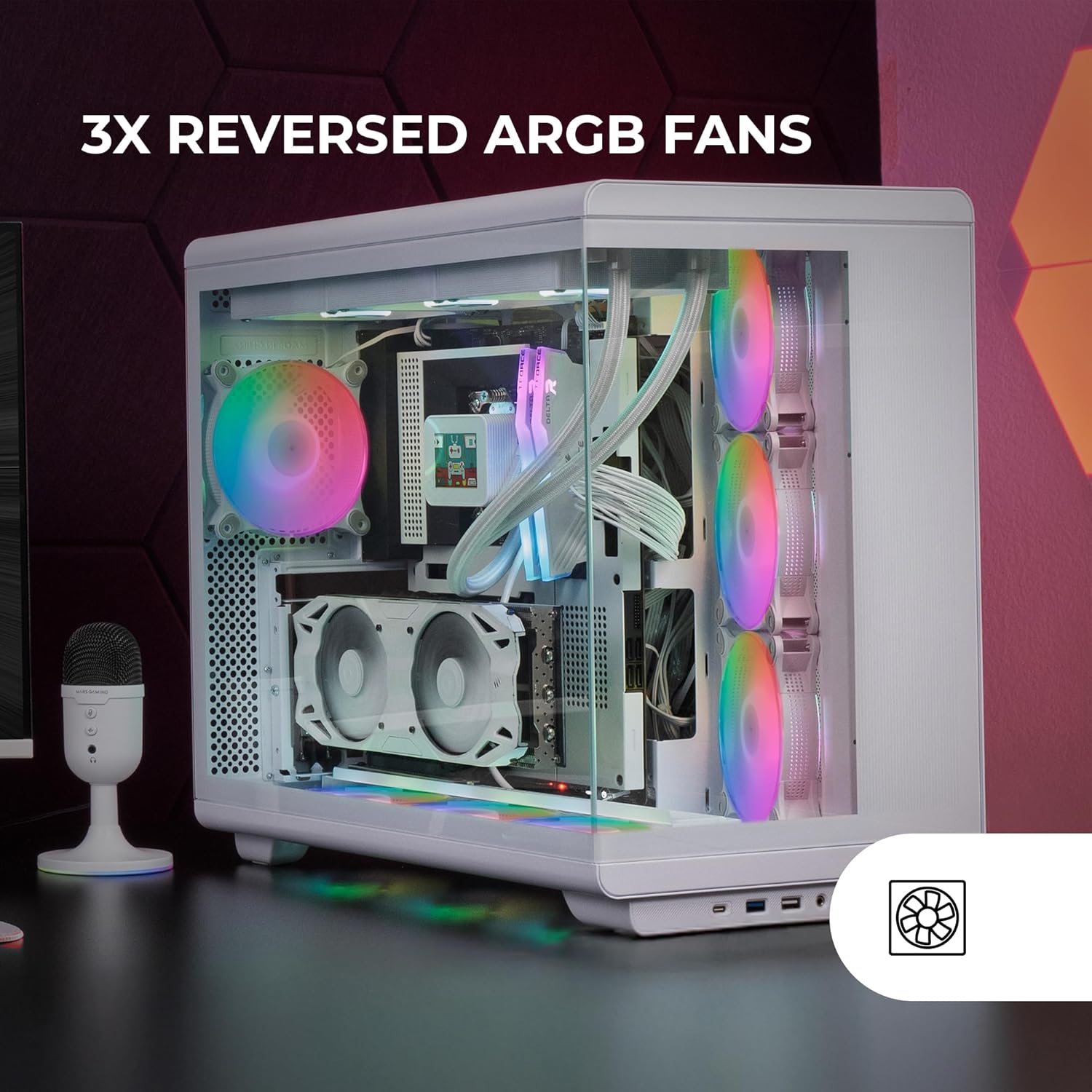
Image: The interior of the Mars Gaming MC-REV PC case, highlighting the three reversed ARGB fans with their vibrant illumination, designed for optimal airflow.
8. توصيل منافذ الإدخال/الإخراج للوحة الأمامية
Connect the cables from the case's front panel (USB-C, USB 3.0, USB 2.0, HD Audio, Microphone, Power, Reset) to the corresponding headers on your motherboard. Refer to your motherboard manual for header locations.
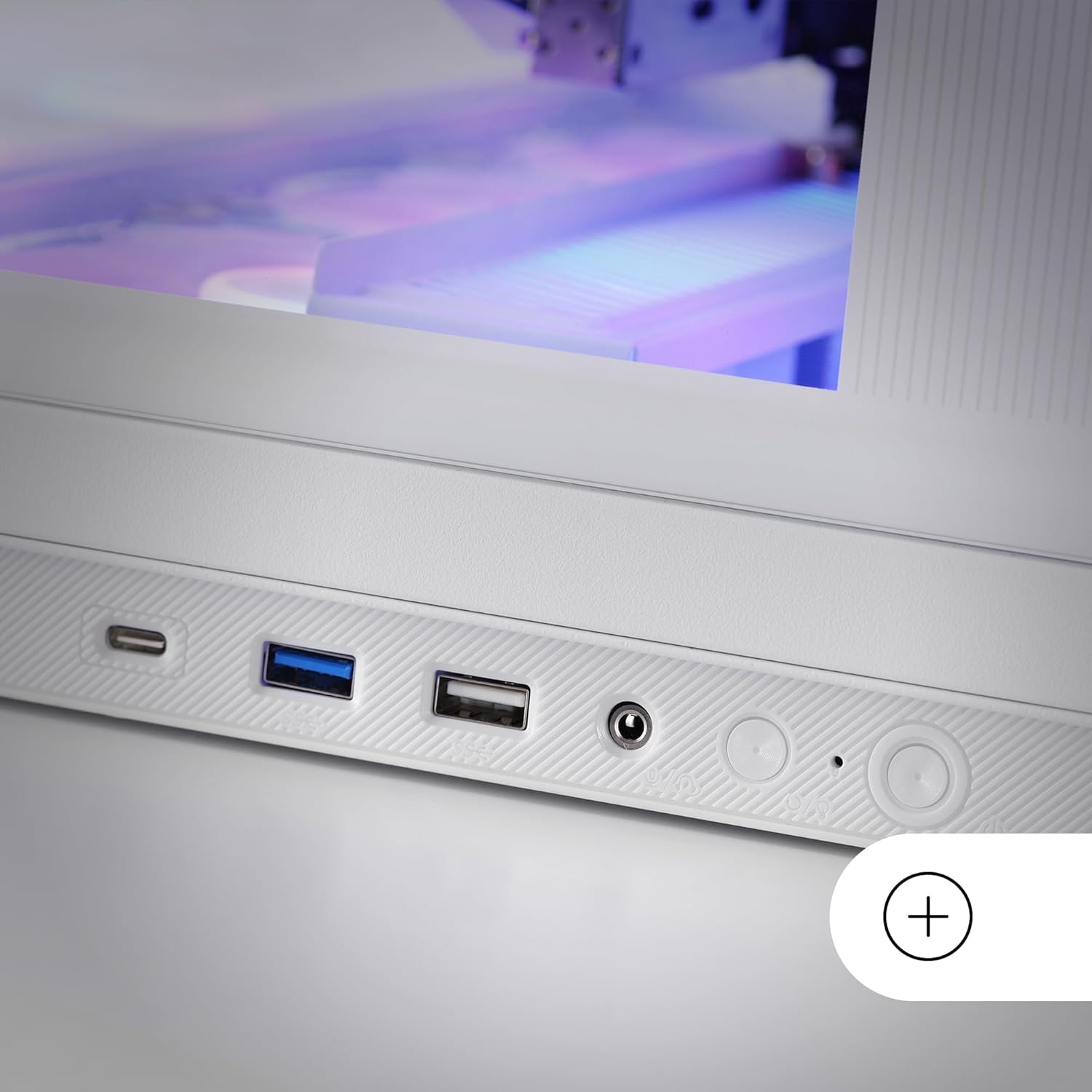
Image: A close-up of the lower control panel on the Mars Gaming MC-REV PC case, showing the USB-C, USB 3.0, USB 2.0, HD audio, and microphone ports.
9. ARGB Hub Connection
Connect the integrated ARGB hub to your power supply and, if desired, to your motherboard's ARGB header using the included connection cable for software synchronization.
10. إدارة الكابلات
Utilize the double chamber structure and cable routing channels behind the motherboard tray to organize and secure all cables. This improves airflow and maintains a clean interior aesthetic.
11. Reinstalling Side Panels
Once all components are installed and cables are managed, carefully reattach the tempered glass side panels.
تعليمات التشغيل
تشغيل الطاقة
After ensuring all connections are secure and the power supply is switched on, press the power button located on the front I/O panel to start your system.
التحكم في إضاءة ARGB
- جهاز التحكم عن بعد RF: Use the provided RF remote control to cycle through various ARGB lighting effects, adjust brightness, and change fan speeds for the connected fans.
- مزامنة اللوحة الأم: If the ARGB hub is connected to your motherboard's ARGB header, you can control the lighting effects and fan speeds through your motherboard's proprietary RGB software (e.g., ASUS Aura Sync, MSI Mystic Light, Gigabyte RGB Fusion).
صيانة
تنظيف العلبة
- الخارج: استخدمي قطعة قماش ناعمةamp استخدم قطعة قماش لمسح الأسطح الخارجية. تجنب استخدام المنظفات الكاشطة.
- ألواح زجاجية مقسّى: Clean with a glass cleaner and a microfiber cloth to avoid streaks.
- فلاتر الغبار: Periodically remove and clean the dust filters (if present) to maintain optimal airflow and prevent dust buildup inside the case.
التنظيف الداخلي
Every few months, or as needed, open the case and use compressed air to remove dust from fans, heatsinks, and other components. Ensure the system is powered off and unplugged before performing internal cleaning.
استكشاف الأخطاء وإصلاحها
- النظام لا يعمل:
- تحقق من جميع توصيلات الطاقة من وحدة إمداد الطاقة إلى اللوحة الأم والمكونات.
- Ensure the power button cable is correctly connected to the motherboard header.
- تأكد من أن مفتاح وحدة تزويد الطاقة في وضع "التشغيل".
- المراوح لا تدور / إضاءة ARGB لا تعمل:
- Ensure all fans are properly connected to the ARGB hub or motherboard headers.
- Verify the ARGB hub is receiving power.
- If using motherboard sync, check your motherboard's RGB software settings.
- Test the RF remote control's battery (1 AAAA battery included).
- منافذ USB لا تعمل:
- Check if the front panel USB cables are securely connected to the correct headers on your motherboard.
- منافذ الصوت لا تعمل:
- تأكد من توصيل كابل الصوت عالي الدقة من اللوحة الأمامية بشكل صحيح بموصل الصوت الموجود على اللوحة الأم.
For issues related to specific internal components (CPU, GPU, RAM, etc.), please refer to their respective manuals or manufacturer support.
تحديد
| ميزة | التفاصيل |
|---|---|
| اسم الموديل | MCREVW |
| ماركة | مارس للألعاب |
| نوع الحالة | برج ATX متوسط |
| التوافق مع اللوحة الأم | ATX، Micro ATX، Mini ITX |
| مادة | زجاج مقسّى، فولاذ |
| لون | أبيض |
| الأبعاد (الطول × العرض × الارتفاع) | 16.65 × 17.44 × 10.94 بوصة (423 × 443 × 278 مم) |
| وزن العنصر | 15.09 رطل (6.86 كجم) |
| خلوص طول وحدة معالجة الرسومات | حتى 420 ملم |
| GPU Width Clearance | حتى 147 ملم |
| ارتفاع مبرد وحدة المعالجة المركزية | حتى 157 ملم |
| فتحات التوسعة | 7 |
| حجرات القيادة | 2 x HDD 3.5" + 1 x SSD 2.5" or 1 x HDD 3.5" + 2 x SSD 2.5" |
| مراوح مثبتة مسبقًا | 3 x 120mm ARGB (Inverse Airflow) |
| دعم المشجعين | ما يصل إلى 10 مراوح مقاس 120 مم |
| دعم التبريد السائل | Up to 360mm radiator |
| منافذ الإدخال / الإخراج الأمامية | 1 x USB-C, 1 x USB 3.0, 1 x USB 2.0, HD Audio, Microphone |
| المميزات الخاصة | Double Tempered Glass, Vertical GPU Support, ARGB Hub with RF Remote, Reverse Port Motherboard Compatibility |
| بطارية جهاز التحكم عن بعد | 1 x AAAA battery (included) |
الضمان والدعم
Mars Gaming products are manufactured to high-quality standards. For warranty information and technical support, please refer to the official Mars Gaming webالموقع أو اتصل بالبائع المحلي الخاص بك.
احتفظ بإثبات الشراء الخاص بك لمطالبات الضمان.
العلامة التجارية الرسمية Webموقع: مارس للألعاب