1. المقدمة
Welcome to the TABWEE T80 Tablet user manual. This guide provides comprehensive instructions to help you get the most out of your new Android 15 tablet. The T80 is designed for a seamless and powerful user experience, featuring advanced AI capabilities, a vibrant display, and robust performance for both work and entertainment.
المميزات الرئيسية:
- نظام التشغيل Android 15: Experience the latest features and security enhancements.
- Gemini AI 2.0: Enhanced AI for smarter interactions and controls.
- 10.5-inch HD+ IPS Display: Enjoy clear and vibrant visuals with a wide viewزاوية جي.
- أداء قوي: Equipped with a 2.0GHz CPU, 12GB RAM, and 64GB ROM (expandable up to 2TB via TF card).
- بطارية طويلة الأمد: 6000mAh mega battery for extended use.
- الاتصال المتقدم: Supports 5G WiFi and Bluetooth 5.0.
- 5MP Google Lens Camera: For clear photos and smart scene recognition.

Figure 1.1: The TABWEE T80 Tablet, showcasinيتميز بتصميمه الأنيق وشاشته.
2. الإعداد
2.1 فك الصندوق والشحن الأولي
Carefully remove your TABWEE T80 Tablet from its packaging. Before first use, it is recommended to fully charge the device using the provided USB-C cable and power adapter. The charging port is located on the side of the tablet.
2.2 التشغيل والتكوين الأولي
- Press and hold the Power button (located on the side) until the TABWEE logo appears on the screen.
- اتبع التعليمات التي تظهر على الشاشة لتحديد اللغة والاتصال بشبكة Wi-Fi وإعداد حساب Google الخاص بك.
- Review and accept the terms and conditions to complete the setup process.

الشكل 2.1: أكثر منview of the TABWEE T80's core specifications and features.
3. تشغيل الجهاز اللوحي
3.1 مميزات نظام أندرويد 15
Your TABWEE T80 runs on the latest Android 15, offering enhanced user experience, improved privacy, and smart features.
Split-Screen Combo
The split-screen feature allows you to run two applications simultaneously, enhancing multitasking and productivity. You can easily save app pairs for quick access.
Video 3.1: Demonstrates how to use the split-screen feature to run two applications concurrently on the TABWEE T80 tablet.
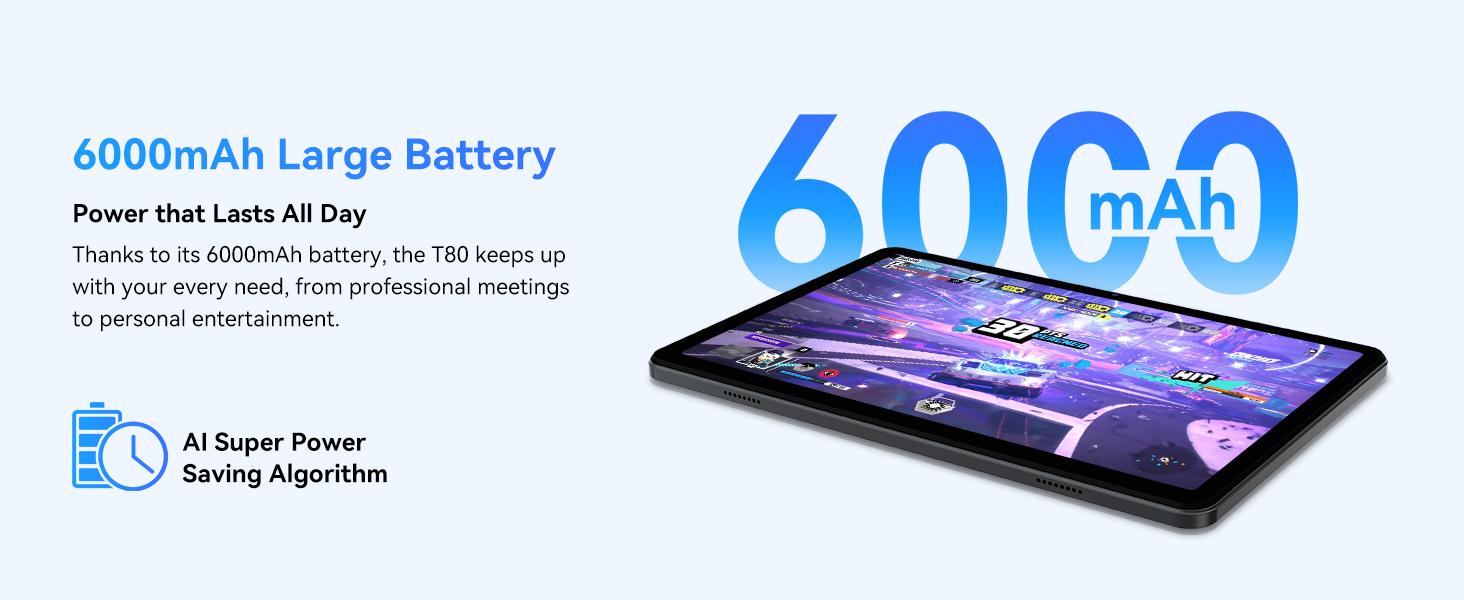
Figure 3.1: Visual representation of the split-screen functionality, allowing for efficient multitasking.
Desktop Customization and Widgets
Personalize your home screen by dragging and grouping apps freely. You can also add various widgets, such as the calendar, to quickly access information and tasks.
Video 3.2: Illustrates how to customize your desktop layout and add widgets for quick access to information.
التحكم في الخصوصية
Android 15 offers enhanced privacy controls, allowing you to manage app permissions and secure your data. You can block app access to sensitive information like location.
Video 3.3: Shows how to manage privacy settings and control app access to your data on the TABWEE T80.
Parental Controls with Gemini AI
Utilize Gemini AI parental controls to manage screen time, automatically lock games during homework, and ensure a safe digital environment for children.
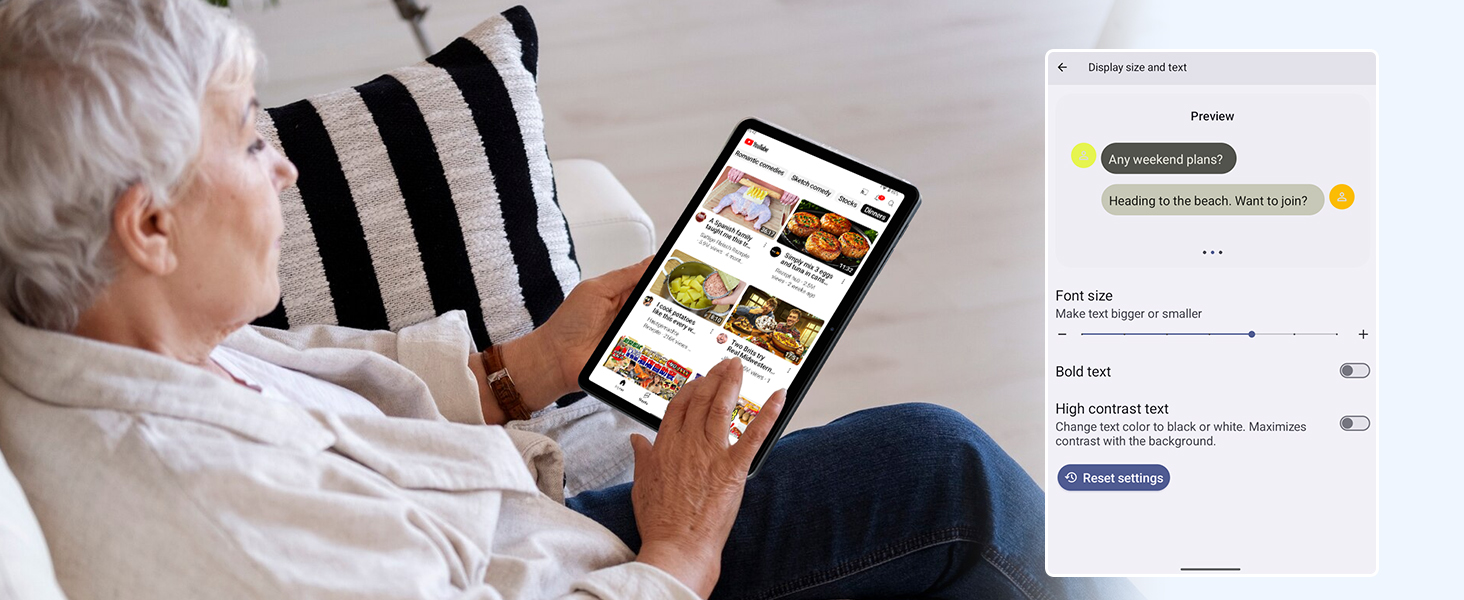
Figure 3.2: The Digital Wellbeing interface, demonstrating options for managing screen time and parental controls.
3.2 العرض والمرئيات
The 10.5-inch HD+ IPS display provides a clear and immersive viewing experience with a 1280x800 resolution and 84.9% screen-to-body ratio. It's ideal for watching videos, browsing, and reading.

Figure 3.3: Details of the tablet's display, highlighting its resolution and IPS full view القدرات.
3.3 الأداء والتخزين
Powered by a 2.0GHz Unisoc T310 CPU and 12GB RAM (expandable via software memory extension), the T80 ensures smooth multitasking and responsive performance. With 64GB of internal storage and support for up to 2TB TF cards, you have ampمساحة لجميع احتياجاتك fileالتطبيقات والوسائط.

Figure 3.4: Illustration of the tablet's processing power and memory, enabling seamless multitasking and productivity.
3.4 عمر البطارية
The 6000mAh mega battery provides extended usage, offering up to 8 hours of video streaming, 6 hours of gaming, or 30 hours of music playback. Smart power-saving modes further optimize battery longevity.

Figure 3.5: Depiction of the tablet's large 6000mAh battery and its USB-C charging port.
3.5 ميزات الكاميرا
The T80 features a 5MP Google Lens enabled camera. This allows for scene recognition, night mode optimization, and useful functions like text translation and object identification.

الشكل 3.6: أكثر منview of the tablet's camera and its integration with Google Lens for smart functions.
4. الصيانة
To ensure the longevity and optimal performance of your TABWEE T80 Tablet, follow these maintenance guidelines:
- تنظيف: استخدم قطعة قماش ناعمة وخالية من الوبر لتنظيف الشاشة وجسم الجهاز. تجنب المواد الكاشطة أو المواد الكيميائية القاسية.
- تحديثات البرامج: قم بالتحقق بانتظام من تحديثات النظام وتثبيتها للاستفادة من أحدث الميزات والتصحيحات الأمنية وتحسينات الأداء.
- العناية بالبطارية: تجنب درجات الحرارة القصوى. لا تدع البطارية تُفرغ بالكامل بشكل متكرر. للتخزين طويل الأمد، اشحن البطارية إلى حوالي 50%.
- ادارة التخزين: قم بإزالة غير الضروري بشكل دوري fileالتطبيقات والأدوات لتحرير مساحة التخزين والحفاظ على التشغيل السلس.
- حماية: فكر في استخدام حافظة واقية وواقي شاشة للحماية من السقوط والخدوش.
5. استكشاف الأخطاء وإصلاحها
This section addresses common issues you might encounter with your TABWEE T80 Tablet.
5.1 الجهاز لا يعمل
- التحقق من البطارية: Ensure the tablet has sufficient charge. Connect it to the charger and wait a few minutes before attempting to power on again.
- إعادة الضبط الشاملة: Press and hold the Power button for about 10-15 seconds until the device restarts.
5.2 مشاكل اتصال Wi-Fi
- تبديل Wi-Fi: قم بإيقاف تشغيل الواي فاي ثم أعد تشغيله مرة أخرى في الإعدادات.
- إعادة تشغيل جهاز التوجيه: أعد تشغيل جهاز توجيه الواي فاي الخاص بك.
- انسى الشبكة: انتقل إلى إعدادات الواي فاي، واحذف الشبكة التي بها مشكلة، ثم أعد الاتصال.
5.3 الأداء البطيء
- إغلاق تطبيقات الخلفية: أغلق التطبيقات غير المستخدمة التي تعمل في الخلفية.
- مسح ذاكرة التخزين المؤقت: Regularly clear app caches in Settings > Apps.
- تحرير مساحة التخزين: حذف غير ضروري files or uninstall rarely used apps.
- إعادة تشغيل الجهاز: A simple restart can often resolve temporary slowdowns.
5.4 تعطل التطبيقات أو عدم استجابتها
- إيقاف التطبيق بالقوة: Go to Settings > Apps, select the problematic app, and choose 'Force Stop'.
- Clear App Data/Cache: In the same app settings, try clearing its cache or data (note: clearing data will reset the app to its default state).
- إعادة تثبيت التطبيق: قم بإلغاء تثبيت التطبيق ثم أعد تثبيته من متجر جوجل بلاي.
6. المواصفات
Detailed technical specifications for the TABWEE T80 Tablet:
| ميزة | مواصفة |
|---|---|
| ماركة | TABWEE |
| اسم الموديل | ت80 |
| نظام التشغيل | أندرويد 15 |
| حجم الشاشة | 10.5 بوصة |
| دقة الشاشة | 1280 × 800 بكسل |
| المعالج | 2.0 GHz Unisoc T310 |
| الذاكرة (RAM) | 12 جيجا بايت |
| التخزين (ROM) | 64 جيجا بايت |
| تخزين قابل للتوسيع | بطاقة ذاكرة TF بسعة تصل إلى 2 تيرابايت |
| مؤخرة Webقرار الكاميرا | 5 ميجا بكسل |
| نوع لاسلكي | 802.11n, 802.11b, 802.11a, 802.11ac, 802.11g (5G WiFi) |
| بلوتوث | بلوتوث 5.0 |
| سعة البطارية | 6000 مللي أمبير |
| متوسط عمر البطارية | 550 ساعة (وضع الاستعداد) |
| وزن العنصر | 1.1 رطل (حوالي 523 جرامًا) |
| أبعاد المنتج | 9.5 × 6.4 × 0.3 بوصة |
| لون | رمادي |
7. الضمان والدعم
TABWEE is committed to quality and customer satisfaction. Your T80 Tablet comes with comprehensive support to ensure a worry-free experience.
7.1 معلومات الضمان
The TABWEE T80 Tablet is backed by a ضمان لمدة 2 سنوات. This warranty covers manufacturing defects and ensures free repair service for eligible issues. Please retain your proof of purchase for warranty claims.
7.2 دعم العملاء
For any questions, technical assistance, or warranty claims, please contact our dedicated support team:
- 24/7 Online Call Support: متاحون لتقديم المساعدة الفورية.
- الدعم الفني مدى الحياة: Expert help whenever you need it.
- Hassle-Free Service: Assistance available through the TABWEE Official Flagship Store.
We are dedicated to providing prompt and effective solutions to all your inquiries.

Figure 7.1: Our dedicated customer support team is ready to assist you.


