1. المقدمة
The MiLi MiTag Duo is a versatile Bluetooth tracker designed to help you locate your belongings. It offers compatibility with both Apple's Find My network and Google's Find Hub network, providing flexible tracking options for iOS and Android users. This manual provides essential information for setting up, operating, maintaining, and troubleshooting your MiTag ثنائي.

Image: Four MiLi MiTag Duo trackers, showcasinج- تصميم المنتج.
2. محتويات العبوة
يرجى التأكد من وجود جميع العناصر في الحزمة الخاصة بك:
- ميلي ميTag Duo Bluetooth Tracker(s)
- بطارية CR2032 (مثبتة مسبقًا أو مرفقة بشكل منفصل)
- دليل البدء السريع (إن وجد)
3. الإعداد
3.1 التنشيط الأولي والاقتران
ذا ميTag Duo is designed for easy setup. To activate and pair your device:
- تشغيل الطاقة: Press the front of the MiTag Duo to turn it on. You will hear a sound indicating activation.
- جهز جهازك: Ensure Bluetooth is enabled on your iOS or Android smartphone.
- افتح التطبيق: For iOS devices, open the Apple Find My app. For Android devices, open the Google Find Hub app.
- الاقتران: Bring the MiTag Duo close to your phone. A pop-up should appear on your screen, prompting you to connect the tag. Follow the on-screen instructions to complete the pairing process.
- سمِّ نفسك Tag: After connecting, you can name your tag (e.g., "Keys," "Wallet," "Luggage") to easily identify it in the app.
ملاحظة هامة:
- ذا ميTag Duo can only be paired with one device at a time (either iOS Find My or Google Find Hub). It cannot be paired with both simultaneously.
- If you wish to switch between iOS and Android, you must first reset the MiTag Duo and then pair it with the new phone.

Image: MiTag Duo compatible with both iOS Find My and Google Find Hub apps, shown on two different phone screens.

Image: Illustration of the one-click operation for easy setup and connection of the MiTag ثنائي.
4. تعليمات التشغيل
4.1 Locating Items by Sound
When your MiTag Duo is within Bluetooth range (approximately 150m/500ft), you can use the associated app to make it play a sound:
- Open the Apple Find My or Google Find Hub app.
- Select your MiTag Duo from the list of items.
- Tap the "Play Sound" option. The MiTag Duo will emit an audible alert, helping you pinpoint its location if it's hidden or out of sight.

Image: The 'Listen for the Sound' feature, demonstrating how to make the MiTag Duo ring via the app.
4.2 Worldwide Locating
ذا ميTag Duo leverages the extensive Apple Find My and Google Find Hub networks. If your item is out of Bluetooth range, its location can still be updated by other iOS or Android devices passing by. This provides continuous location updates, even if your item is left far behind.
- The location data is encrypted and anonymous, ensuring your privacy.
- The data and location history are not stored on the MiTag Duo itself.
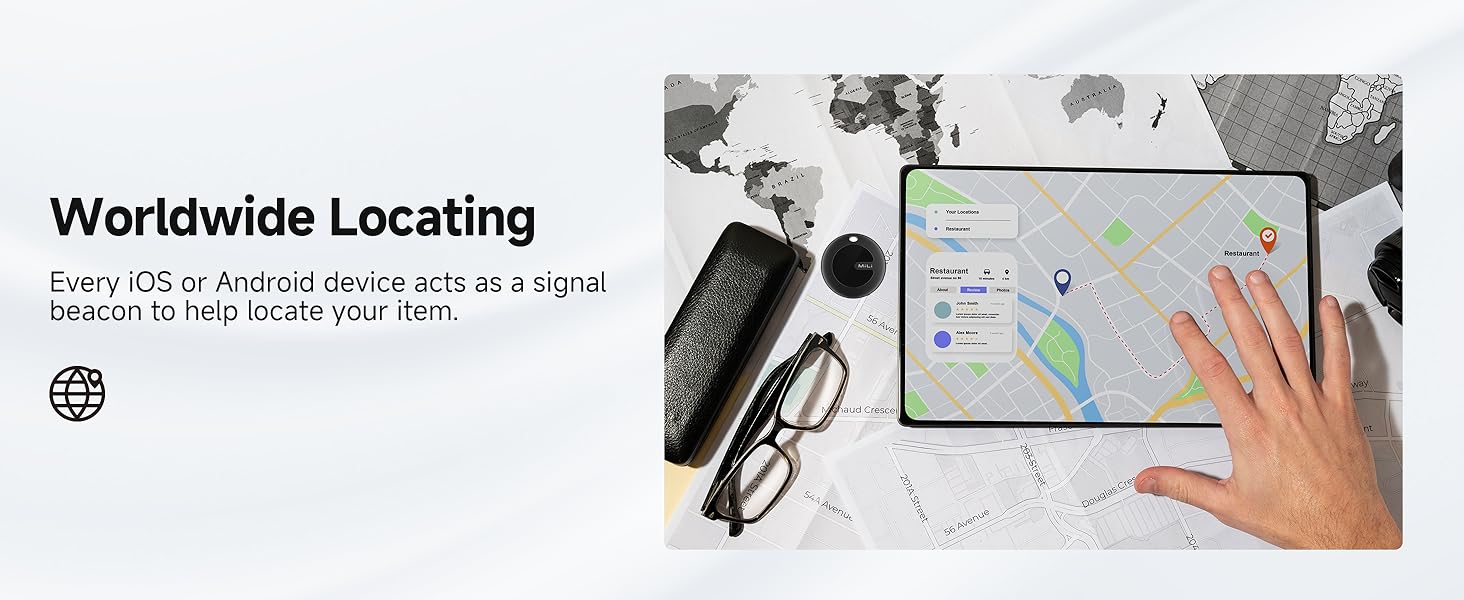
Image: Worldwide locating feature, showing a map on a tablet with a MiTag ثنائي.
4.3 Sharing Your Device
You can share the location of your MiTag Duo with trusted friends or family members for added peace of mind:
- Within the Find My or Find Hub app, select the MiTag Duo you wish to share.
- Look for a "Share Device" or similar option.
- Follow the app's instructions to send an invitation to the desired contact.

Image: The 'Share Your Device' feature, showing how to share the MiTag Duo's location with others.
4.4 Mark as Lost
If an item with a MiTag Duo is lost, you can mark it as lost in the app. This will enable you to receive notifications if its location is updated by another device on the network.
5. الصيانة
5.1 استبدال البطارية
ذا ميTag Duo uses a replaceable CR2032 coin cell battery. The battery life typically lasts between 8 to 12 months (200-300 days), depending on usage frequency and environmental temperatures.
لاستبدال البطارية:
- Locate the battery compartment on your MiTag ثنائي.
- Carefully open the compartment using a small tool if necessary.
- قم بإزالة بطارية CR2032 القديمة.
- قم بإدخال بطارية CR2032 جديدة مع توجيه الجانب الموجب (+) لأعلى.
- أغلق حجرة البطارية بشكل محكم.
You can check the current battery status within the Apple Find My or Google Find Hub app.

الصورة: انفجرت view of the MiTag Duo, illustrating the replaceable CR2032 battery and its typical lifespan.
5.2 مقاومة الماء والغبار
ذا ميTag Duo features an IP67 rating, meaning it is dust-resistant and can withstand immersion in water up to 1 meter (3 feet) for up to 30 minutes. This makes it suitable for daily use and exposure to splashes or rain.
حذر:
- While IP67 rated, prolonged immersion or exposure to high-pressure water jets is not recommended.
- Ensure the battery compartment is securely closed after replacement to maintain water resistance.
6. استكشاف الأخطاء وإصلاحها
- MiTag عدم الاقتران: Ensure Bluetooth is enabled on your phone. Try resetting the MiTag Duo by pressing and holding the button for several seconds until you hear a confirmation sound, then attempt pairing again. Confirm you are not trying to pair with both iOS and Android simultaneously.
- لا يوجد صوت عند محاولة تحديد الموقع: Check the battery level in the app. If low, replace the CR2032 battery. Ensure your phone is within Bluetooth range of the MiTag ثنائي.
- الموقع غير دقيق: Location accuracy relies on the density of the Find My or Find Hub network. In areas with fewer participating devices, location updates may be less frequent or precise.
- استنزاف البطارية بسرعة: Battery life can be affected by extreme temperatures and frequent use of the 'Play Sound' feature. Ensure you are using a fresh CR2032 battery.
- Cannot share location: Ensure both your device and the recipient's device have the necessary app installed and are connected to the internet.
إخلاء هام:
ذا ميTag Duo is designed for tracking items and is not intended for tracking people or pets. Its functionality relies on the density of the Find My/Find Hub network, which may not be suitable for real-time tracking of living beings.
7. المواصفات
| رقم الموديل | HD-P16 |
| الأبعاد (WxHxL) | 1.46 بوصة × 1.46 بوصة × 0.2 بوصة (37 مم × 37 مم × 5 مم) |
| وزن العنصر | 2.12 أونصة (60 جرامًا) |
| الاتصال | بلوتوث |
| نوع البطارية | CR2032 (قابلة للاستبدال) |
| عمر البطارية | Up to 8-12 months (200-300 days) |
| مقاومة الماء والغبار | IP67 |
| مادة | أكريلونيتريل بوتادين ستايرين (ABS)، بولي كربونات (PC) |
8. الضمان والدعم
For warranty information, please refer to the specific terms and conditions provided at the time of purchase or contact MiLi customer support directly. If you encounter any issues or have questions regarding your MiTag Duo, please reach out to MiLi customer service for assistance.
You can typically find contact information for MiLi support on their official webالموقع أو من خلال بائع التجزئة الذي اشتريت منه المنتج.


