مقدمة
Thank you for choosing the Emerson EVP-2002 Home Theater LCD Projector. This manual provides essential information for setting up, operating, and maintaining your projector to ensure optimal performance and longevity. Please read this manual thoroughly before using the product and retain it for future reference.
ماذا يوجد في الصندوق
عند تفريغ الأمتعة، يرجى التأكد من وجود جميع العناصر التالية:
- Emerson EVP-2002 Projector
- UL Approved Power Adaptor
- جهاز التحكم عن بعد
- غطاء عدسة جهاز الإسقاط
- دليل المستخدم (هذا المستند)
المنتج انتهىview
The Emerson EVP-2002 is designed to deliver an immersive home theater experience with its advanced LCD technology and versatile connectivity options.

الصورة: الجبهة view of the Emerson EVP-2002 projector, showcasing the lens and ventilation. This compact projector is designed for home entertainment.
المميزات الرئيسية:
- الترفيه التفاعلي: Transforms your space into a theater for sports, movies, and TV shows.
- الاتصال عبر البلوتوث: Allows easy pairing with external audio devices.
- Effortless Media Streaming: Compatible with streaming devices like Amazon Fire Stick, Roku, or Google Chromecast (not included).
- مرئيات حية: Advanced LCD projector delivers high-quality resolution with clarity and color vibrancy.
- Versatile Multi-Media Functionality: Supports HDMI and USB flash drives for various video, audio, and photo formats.
- لمبة LED طويلة الأمد: Durable LED bulb with up to 30,000 hours of lifespan.
- Powerful Built-In Speakers: Delivers clear, full-bodied sound.

الصورة: الجانب view of the Emerson EVP-2002 projector, showing its compact cylindrical design and adjustable stand.
أبعاد المنتج والوزن:
- أبعاد: 6.75 × 4.12 × 4.98 بوصة
- وزن: 1.43 رطل

Image: Diagram illustrating the dimensions (6.75 in. length, 4.12 in. width, 4.98 in. height) and weight (1.43 lbs) of the Emerson EVP-2002 projector.
دليل الإعداد
1. تحديد مستوى
Position the projector on a stable, flat surface. Ensure there is adequate ventilation around the unit. The distance from the screen or wall will determine the image size. Adjust the projector's angle using its stand for optimal projection.
2. توصيل الطاقة
- Connect the UL Approved Power Adaptor to the DC IN port on the projector.
- Plug the power adaptor into a standard electrical outlet.
- The power indicator light should illuminate.
3. توصيل مصادر الإدخال
The EVP-2002 offers multiple input options:
- HDMI: Connect an HDMI cable from your source device (e.g., laptop, game console, streaming stick) to the HDMI port on the projector.
- USB: أدخل محرك أقراص فلاش USB في منفذ USB لتشغيل الوسائط fileس مباشرة.
- صوت 3.5 ملم: Connect external speakers or headphones using a 3.5mm audio cable to the AUX OUT port.

الصورة: الخلفية view of the Emerson EVP-2002 projector, showing the various input ports including HDMI, USB, and DC power input.
تعليمات التشغيل
1. تشغيل/إيقاف التشغيل
- To power on, press the Power button on the projector or the remote control.
- To power off, press the Power button again. The projector will enter standby mode.
2. ضبط التركيز
قم بتدوير حلقة التركيز الموجودة بالقرب من العدسة حتى تظهر الصورة المعروضة واضحة وحادة.
3. اختيار المصدر
Use the "Source" button on the remote control or the projector's control panel to cycle through available input sources (HDMI, USB, etc.).
4. اتصال البلوتوث
- Ensure Bluetooth is enabled on your external audio device (e.g., speaker, headphones).
- On the projector, navigate to the Bluetooth settings (refer to on-screen menu if available, or press the dedicated Bluetooth button if present).
- قم بتحديد جهازك من قائمة الأجهزة المتاحة للإقران.
- Once paired, audio will be routed through the connected Bluetooth device.
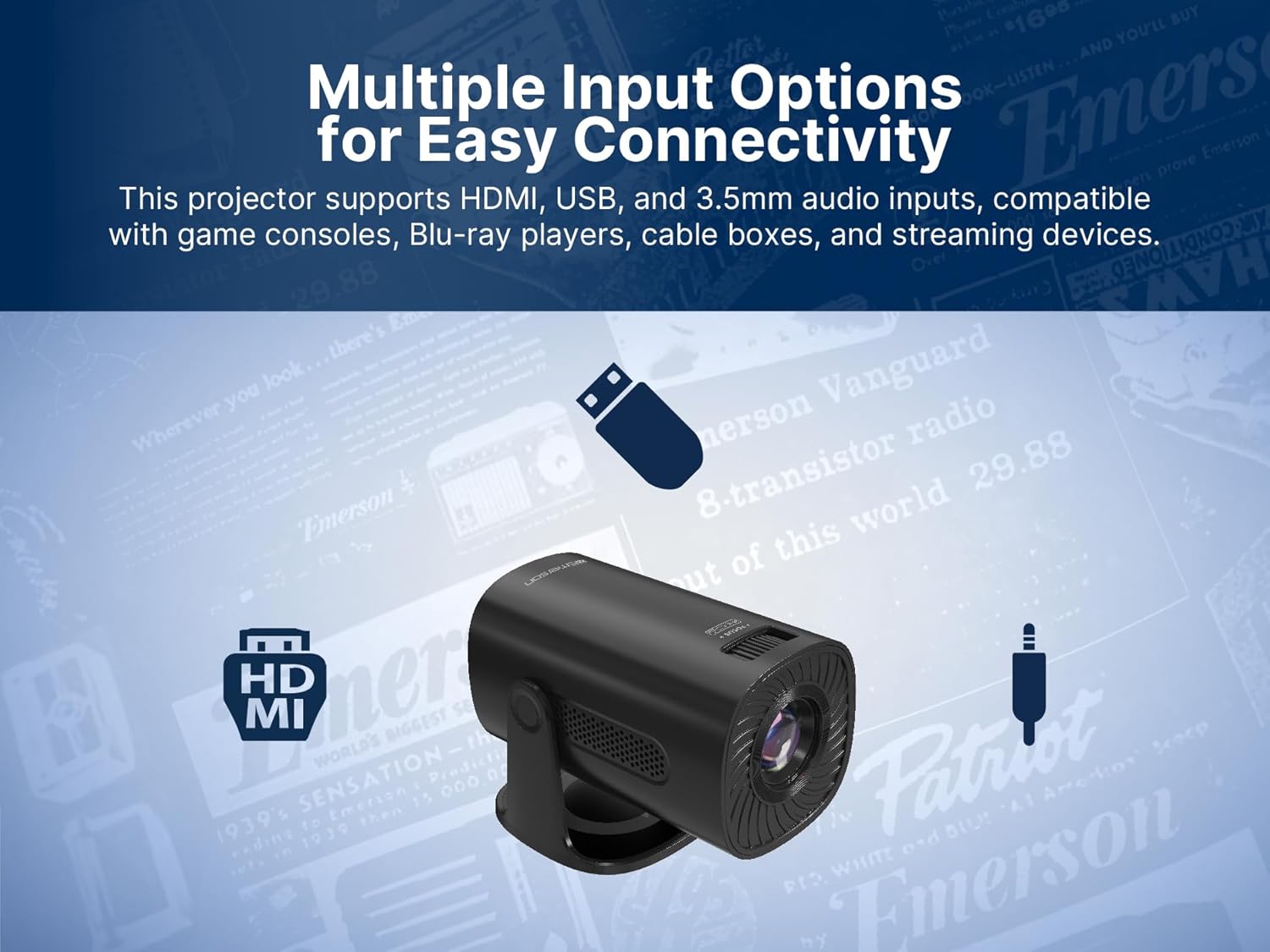
Image: The Emerson EVP-2002 projector displaying a Bluetooth icon, indicating its wireless audio connectivity feature.
5. تشغيل الوسائط (USB)
- Insert a USB flash drive containing compatible media files في منفذ USB.
- حدد "USB" كمصدر إدخال.
- التنقل عبر المجلدات و files using the remote control or projector buttons.
- حدد file لبدء التشغيل.

Image: The Emerson EVP-2002 projector connected to a USB drive, illustrating its capability to play various media formats directly.
صيانة
تضمن الصيانة المناسبة طول عمر جهاز العرض الخاص بك والأداء الأمثل.
1. تنظيف العدسة
- Always power off and unplug the projector before cleaning.
- استخدم قطعة قماش ناعمة وخالية من الوبر مصممة خصيصًا للعدسات البصرية.
- Gently wipe the lens in a circular motion. Avoid harsh chemicals or abrasive materials.
- Replace the lens cover when the projector is not in use to protect it from dust.
2. تنظيف هيكل جهاز العرض
- امسح الجزء الخارجي بقطعة قماش ناعمة وجافة.
- Do not use liquid cleaners or sprays directly on the projector.
3. التهوية
- Ensure the ventilation vents are not blocked to prevent overheating.
- Periodically check and gently clean any dust accumulation on the vents using a soft brush or compressed air.
استكشاف الأخطاء وإصلاحها
إذا واجهت مشكلات مع جهاز العرض الخاص بك، فراجع المشكلات والحلول الشائعة التالية:
| مشكلة | السبب المحتمل | حل |
|---|---|---|
| لم يتم عرض أي صورة |
|
|
| الصورة ضبابية |
|
|
| لا يوجد صوت |
|
|
| ارتفاع درجة حرارة جهاز العرض |
|
|
تحديد
| ميزة | التفاصيل |
|---|---|
| رقم الموديل | إيفب-2002 |
| ماركة | إيمرسون |
| أبعاد المنتج | 6.75 × 4.12 × 4.98 بوصة |
| وزن العنصر | 1.43 رطل |
| دقة العرض | 1280 × 720 |
| تكنولوجيا الاتصال | بلوتوث |
| ميزة خاصة | مكبر صوت مدمج |
| الاستخدامات الموصى بها | الأعمال، التعليم، الألعاب، السينما المنزلية |
| الشركة المصنعة | شركة ناكسا للإلكترونيات |
فيديوهات المنتج
Emerson EVP-2002 Product Video - 360 Spin
فيديو: 360 درجة view of the Emerson EVP-2002 projector, showcasing its design and various angles. This video provides a comprehensive visual overview of the product's exterior.
الضمان والدعم
معلومات الضمان
For detailed warranty information, please refer to the warranty card included with your product or visit the official Emerson webالموقع. احتفظ بإيصال الشراء الخاص بك كإثبات للشراء في حالة وجود أي مطالبات بالضمان.
دعم العملاء
If you require further assistance, technical support, or have questions not covered in this manual, please contact Emerson customer support. Contact details can typically be found on the product packaging, the official Emerson webالموقع أو بطاقة الضمان.


