1. المقدمة
Thank you for choosing the Roborock Q10 VF Robot Vacuum and Mop. This device is designed to provide efficient and thorough cleaning of your home, combining powerful vacuuming with advanced mopping capabilities. This manual will guide you through the setup, operation, maintenance, and troubleshooting of your new robot cleaner to ensure optimal performance and longevity.
2. معلومات السلامة
يرجى قراءة جميع تعليمات السلامة بعناية قبل استخدام هذا المنتج. قد يؤدي عدم اتباع هذه التعليمات إلى حدوث صدمة كهربائية أو حريق أو إصابة خطيرة.
- يمكن استخدام هذا الجهاز من قبل الأطفال الذين تبلغ أعمارهم 8 سنوات فأكثر والأشخاص ذوي القدرات البدنية أو الحسية أو العقلية المحدودة أو الذين يفتقرون إلى الخبرة والمعرفة إذا تم الإشراف عليهم أو توجيههم فيما يتعلق باستخدام الجهاز بطريقة آمنة وفهم المخاطر التي ينطوي عليها.
- يجب مراقبة الأطفال والتأكد من عدم لعبهم بالجهاز.
- لا يجوز للأطفال القيام بأعمال التنظيف والصيانة دون إشراف.
- استخدم فقط محول الطاقة الأصلي وقاعدة الشحن المقدمة من الشركة المصنعة.
- لا تستخدم الروبوت في بيئات تحتوي على لهب مكشوف أو مواد قابلة للاشتعال.
- احتفظ بالشعر والملابس الفضفاضة والأصابع وجميع أجزاء الجسم بعيدًا عن الفتحات والأجزاء المتحركة.
- لا تغمر الروبوت أو قاعدة الشحن الخاصة به في الماء أو السوائل الأخرى.
- Ensure the robot is placed on a stable surface to prevent falls.
3. الإعداد
3.1 فك الصندوق ووضعه في مكانه
Carefully remove all components from the packaging. Place the charging dock against a wall on a hard, level surface, ensuring there is adequate space around it for the robot to maneuver. Connect the power adapter to the charging dock and plug it into a power outlet.

Image: The Roborock Q10 VF robot vacuum and mop with its charging dock, ready for initial setup.
3.2 الرسوم الأولية
Place the robot on the charging dock. Ensure the charging contacts on the robot align with those on the dock. The robot will begin charging automatically. For first-time use, it is recommended to fully charge the robot before operation.
3.3 تنزيل التطبيق والاتصال
Download the Roborock app from your mobile device's app store. Follow the in-app instructions to connect your robot to your home Wi-Fi network. Note: The robot supports only 2.4GHz Wi-Fi networks.
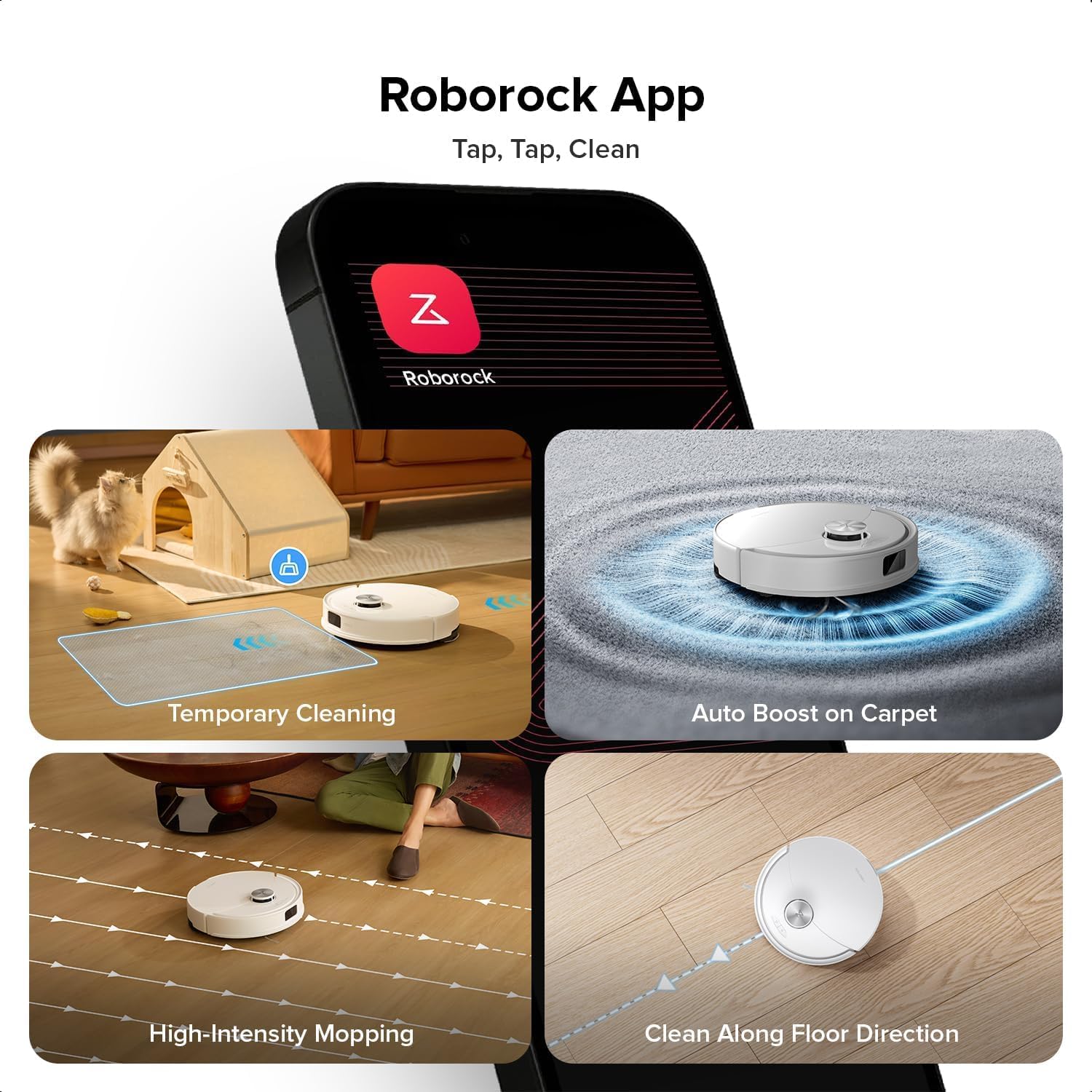
Image: A smartphone displaying the Roborock app interface, showing various cleaning options and controls.
3.4 التخطيط الأولي
Once connected, initiate a full cleaning cycle from the app. The robot will use its PreciSense LiDAR Navigation system to create a detailed map of your home. This map is crucial for efficient cleaning and allows for advanced features like zone cleaning and no-go zones.

Image: The Roborock Q10 VF robot vacuum using its LiDAR sensor to scan and map the surrounding environment for navigation.
4. تعليمات التشغيل
4.1 بدء عملية التنظيف وإيقافها
Press the power button on the robot or use the Roborock app to start a cleaning cycle. Press the button again or use the app to pause or stop cleaning. The robot will automatically return to its charging dock when cleaning is complete or when its battery is low.
4.2 أوضاع التنظيف
The Roborock Q10 VF offers various cleaning modes accessible via the app:
- الفراغ فقط: لإزالة الحطام الجاف.
- الممسحة فقط: للتنظيف الرطب للأرضيات الصلبة.
- المكنسة الكهربائية والممسحة: التنظيف بالمكنسة الكهربائية والمسح في آن واحد.
- التنظيف المخصص: حدد غرفًا أو مناطق معينة للتنظيف.
4.3 الميزات المتقدمة
- HyperForce Suction: The robot provides an impressive 10000Pa suction power, effectively lifting hair, crumbs, and debris from deep carpets and floor crevices.
- ReactiveTech Obstacle Avoidance: Powered by structured light, this advanced system detects and navigates around obstacles effortlessly, even in cluttered rooms.

Image: The Roborock Q10 VF robot vacuum transitioning from a hard floor to a carpet, with its mop module automatically lifting to avoid wetting the carpet.
- Auto-Lifting Mopping System: The mop automatically lifts when carpet is detected, allowing for seamless cleaning of both hard floors and carpets in a single session without manual adjustments.

Image: The Roborock Q10 VF robot vacuum intelligently detecting and navigating around various household obstacles on the floor.
- مناطق ممنوعة ذكية: The app allows you to define virtual no-go zones and invisible walls to restrict the robot from entering certain areas or crossing boundaries.
5. الصيانة
Regular maintenance ensures your Roborock Q10 VF operates at peak performance. Always power off the robot before performing any maintenance.
5.1 إفراغ سلة المهملات
Open the robot's top cover and remove the dustbin. Empty its contents into a trash can. It is recommended to empty the dustbin after each cleaning cycle.
5.2 Cleaning the Main Brush and Side Brush
The Dual Anti-Tangle Design features a main brush and a side brush that work together to minimize hair tangles. Remove the main brush cover and lift out the main brush. Use the cleaning tool to remove any tangled hair or debris. Clean the side brush similarly. Reinstall all components securely.

الصورة: لقطة مقربة view of the Roborock Q10 VF's underside, highlighting its dual anti-tangle main brush and side brush design.
5.3 Cleaning the VibraRise 2.0 Mopping System
Remove the mop pads from the robot. Wash the mop pads thoroughly with water and mild detergent. Allow them to air dry completely before reattaching. The VibraRise 2.0 system tackles stubborn stains with high-frequency scrubbing.
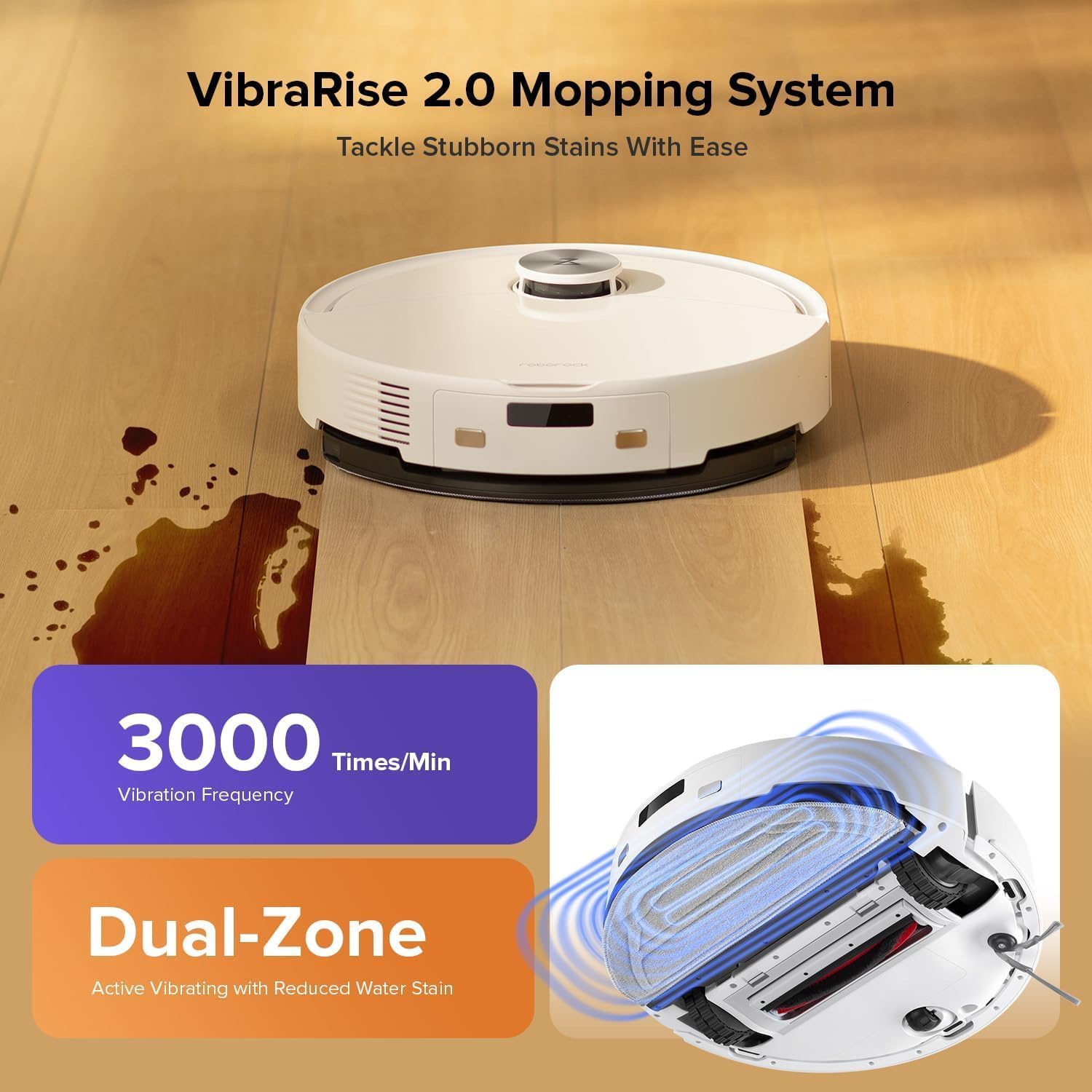
Image: The Roborock Q10 VF robot vacuum actively mopping a hard floor, illustrating the VibraRise 2.0 high-frequency scrubbing action.
5.4 Cleaning Filters and Sensors
Tap the filter to remove dust. The filter can be rinsed with water; ensure it is completely dry before reinstalling. Wipe all sensors (LiDAR, cliff sensors, wall sensors) with a soft, dry cloth to maintain optimal navigation and obstacle detection.
6. استكشاف الأخطاء وإصلاحها
إذا واجهت مشاكل مع الروبوت الخاص بك، فراجع المشاكل والحلول الشائعة التالية:
| مشكلة | السبب المحتمل | حل |
|---|---|---|
| الروبوت لا يعمل | بطارية منخفضة؛ زر الطاقة غير مضغوط بشكل صحيح | اشحن الروبوت؛ اضغط مع الاستمرار على زر الطاقة لمدة 3 ثوانٍ |
| لا يمكن الاتصال بشبكة Wi-Fi | Incorrect Wi-Fi password; Not 2.4GHz network; Router issues | Verify password; Ensure 2.4GHz network; Restart router and robot |
| أداء التنظيف الضعيف | Full dustbin; Clogged brushes/filter; Dirty sensors | Empty dustbin; Clean brushes and filter; Wipe sensors |
| الروبوت يتعطل بشكل متكرر | Obstacles on floor; Dirty cliff sensors | Clear floor of small objects; Clean cliff sensors |
| Mop not lifting on carpet | Carpet detection sensor dirty or blocked | Clean the carpet detection sensors on the underside of the robot |
7. المواصفات
| ميزة | التفاصيل |
|---|---|
| ماركة | روبوروك |
| رقم الموديل | Q10VF02-00 |
| لون | أبيض |
| أبعاد المنتج | 39.2 × 46.8 × 14 سم |
| وزن العنصر | 15.2 كيلوغرام |
| المجلدtage | 220.0 فولت |
| مستوى الضوضاء | 65 ديسيبل |
| أقصى وقت تشغيل | 250 minutes (4 hours 10 minutes) |
| المميزات الخاصة | LiDAR Navigation, ReactiveTech Obstacle Avoidance, Auto-Lifting Mop |
| توصية السطح | Carpet, Hardwood Floor |
| نوع وحدة التحكم | التحكم في التطبيق |
| المكونات المضمنة | بطارية |
| نوع الفلتر | Cloth and Foam |
| سعة سلة المهملات | 500 مل |
| سعة خزان المياه | 200 مل |
| Maximum Vacuuming Area | 1,937 قدم مربع |
8. الضمان والدعم
Your Roborock Q10 VF Robot Vacuum and Mop comes with a standard manufacturer's warranty. For detailed warranty information, please refer to the warranty card included in your product packaging or visit the official Roborock website. For technical support, troubleshooting assistance, or to purchase replacement parts, please contact Roborock customer service through their official channels.
You can visit the official Roborock store on Amazon for more information and support: Roborock Amazon Store


