1. انتهى المنتجview
The MOKiN UC6101B USB C to USB C Dual Monitor Hub is a versatile 5-in-1 adapter designed to expand the connectivity of your USB-C enabled devices. It features dual 4K@60Hz video output via DisplayPort Alt Mode 1.4, high-speed 10Gbps data transfer, and 100W Power Delivery (PD) charging. This hub transforms a single USB 4/Thunderbolt 4 port into a multi-functional workstation, ideal for enhancing productivity across various operating systems and devices.
المميزات الرئيسية:
- Dual 4K@60Hz Video Output: Supports two external USB-C monitors with 4K resolution at 60Hz refresh rate via DP Alt Mode 1.4.
- نقل البيانات بسرعة 10 جيجابت في الثانية: Two USB-C 3.1 ports provide data transfer speeds up to 10Gbps.
- 100W توصيل الطاقة: Features a dedicated PD charging port, allowing up to 87W pass-through charging for your host device.
- اتصال 5 في 1: Combines video output, data transfer, and power delivery in a compact design.
- التوافق الواسع: Designed for Thunderbolt 4/USB 4 laptops, compatible with Windows PCs, Steam Deck, Android devices, and USB-C monitors.
2. Product Diagram and Ports
Familiarize yourself with the ports and indicators on your MOKiN UC6101B hub.

الصورة: من أعلى إلى أسفل view of the MOKiN UC6101B USB C Hub, highlighting its compact design and the MOKiN logo.

الصورة: عن قرب view of the MOKiN UC6101B USB C Hub, showing the two USB-C DP Alt Mode ports (4K@60Hz & 10Gbps Data Transfer), two USB 3.1 (10Gbps data only) ports, and the PD3.0 (100W Fast Charging) port.
أوصاف المنفذ:
- 2 x USB-C DP Alt Mode Ports: These ports support dual 4K@60Hz video output, 10Gbps data transfer, and 4.5W charging (5V/0.9A Max Output). Connect your USB-C monitors here.
- 2 x USB-C 3.1 Data Ports: These ports are for data transfer only, offering speeds up to 10Gbps. They do not support video output or charging for external devices.
- 1 x 100W PD Charging Port: Connect your laptop's power adapter to this port to provide up to 87W pass-through charging to your host device while using the hub.
3. تعليمات الإعداد
Follow these steps to set up your MOKiN UC6101B hub:
- قم بتوصيل الموزع بجهازك المضيف: Plug the integrated USB-C cable from the MOKiN hub into a fully functional USB-C port (Thunderbolt 3/4 or USB 4) on your laptop, desktop, or compatible device.
- توصيل الشاشات الخارجية: Connect your USB-C monitors to the two USB-C DP Alt Mode ports on the hub. Ensure your monitors support USB-C video input.
- قم بتوصيل محول الطاقة (اختياري ولكن يُنصح به): For stable performance and to charge your host device, connect your laptop's power adapter (not included) to the 100W PD charging port on the hub.
- Connect Data Devices: Plug any USB-C data devices (e.g., external SSDs, flash drives) into the two USB-C 3.1 data ports.
Video: This video demonstrates the setup process of the MOKiN USB C to USB C Dual Monitor Hub, showing how to connect it to a laptop and external monitors.
4. أوضاع التشغيل
4.1. Windows Operating System:
For Windows laptops with Thunderbolt 4/USB 4 ports, the hub supports both MST (Multi-Stream Transport) and SST (Single-Stream Transport) modes, allowing for extended dual displays.

Image: Diagram illustrating a Windows laptop connected to two external monitors, demonstrating an extended display setup (A+B+C).
- الوضع الموسع: Each external monitor can display different content, extending your desktop workspace.
- وضع المرآة: Both external monitors can display the same content as your laptop screen.
4.2. macOS Operating System:
Due to limitations of the macOS system, dual-monitor MST (Multi-Stream Transport) is not supported. macOS will only support mirror mode for external displays.

Image: Diagram illustrating a macOS laptop connected to two external monitors, showing that only mirror mode (A+B+B) is supported, and extended mode (A+B+C) is not available.
- Mirror Mode Only: All connected external monitors will display the same content as your MacBook screen.
4.3. Other Compatible Devices:
The hub is compatible with devices like Steam Deck and Android smartphones/tablets that support DisplayPort Alt Mode. Functionality may vary based on the device's capabilities and operating system.
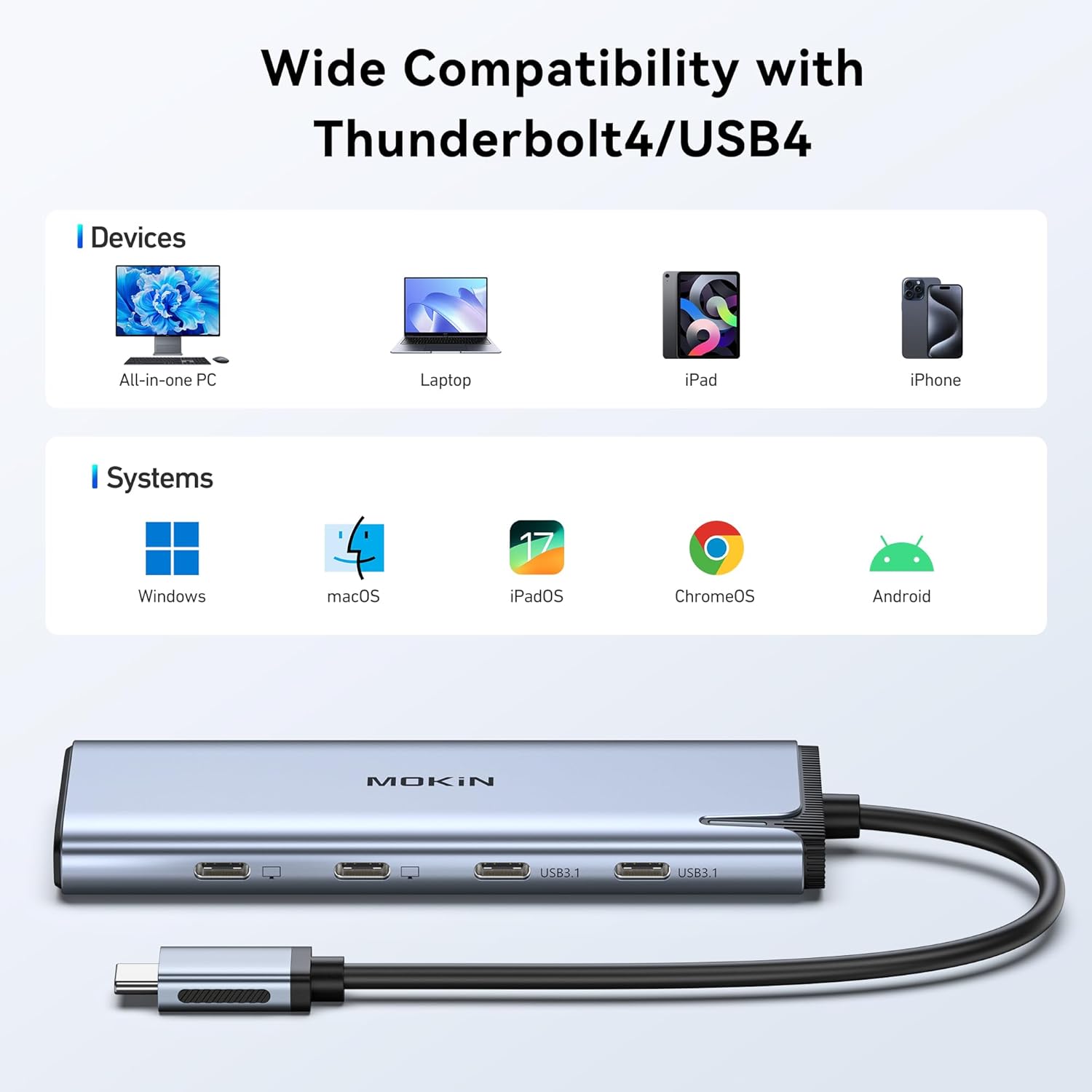
Image: Visual representation of the hub's wide compatibility with devices like All-in-one PCs, Laptops, iPads, iPhones, and systems including Windows, macOS, iPadOS, ChromeOS, and Android.
5. Power Delivery (PD)
The MOKiN UC6101B hub supports 100W Power Delivery 3.0, allowing you to charge your host device while using the hub's other functions.
- مدخل: The PD port can receive up to 100W from a compatible USB-C power adapter.
- الإخراج: The hub provides up to 87W pass-through charging to your connected laptop or host device. The remaining wattage is used to power the hub itself and any connected peripherals.
- ملحوظة: The power adapter and USB-C to USB-C charging cable are not included and must be purchased separately.

Image: Illustration of a laptop being charged via the MOKiN hub's PD port, showing 100W input from a wall charger and 85W output to the laptop.
Video: This video demonstrates the 100W Power Delivery feature of the MOKiN USB C Hub, showing a laptop charging while connected to the hub.
6. نقل البيانات
The two USB-C 3.1 data ports on the MOKiN UC6101B hub provide high-speed data transfer capabilities.
- سرعة: Enjoy data transfer speeds of up to 10Gbps, which is significantly faster than USB 2.0.
- الاستخدام: Ideal for quickly transferring large files from external SSDs, flash drives, or other USB-C storage devices.
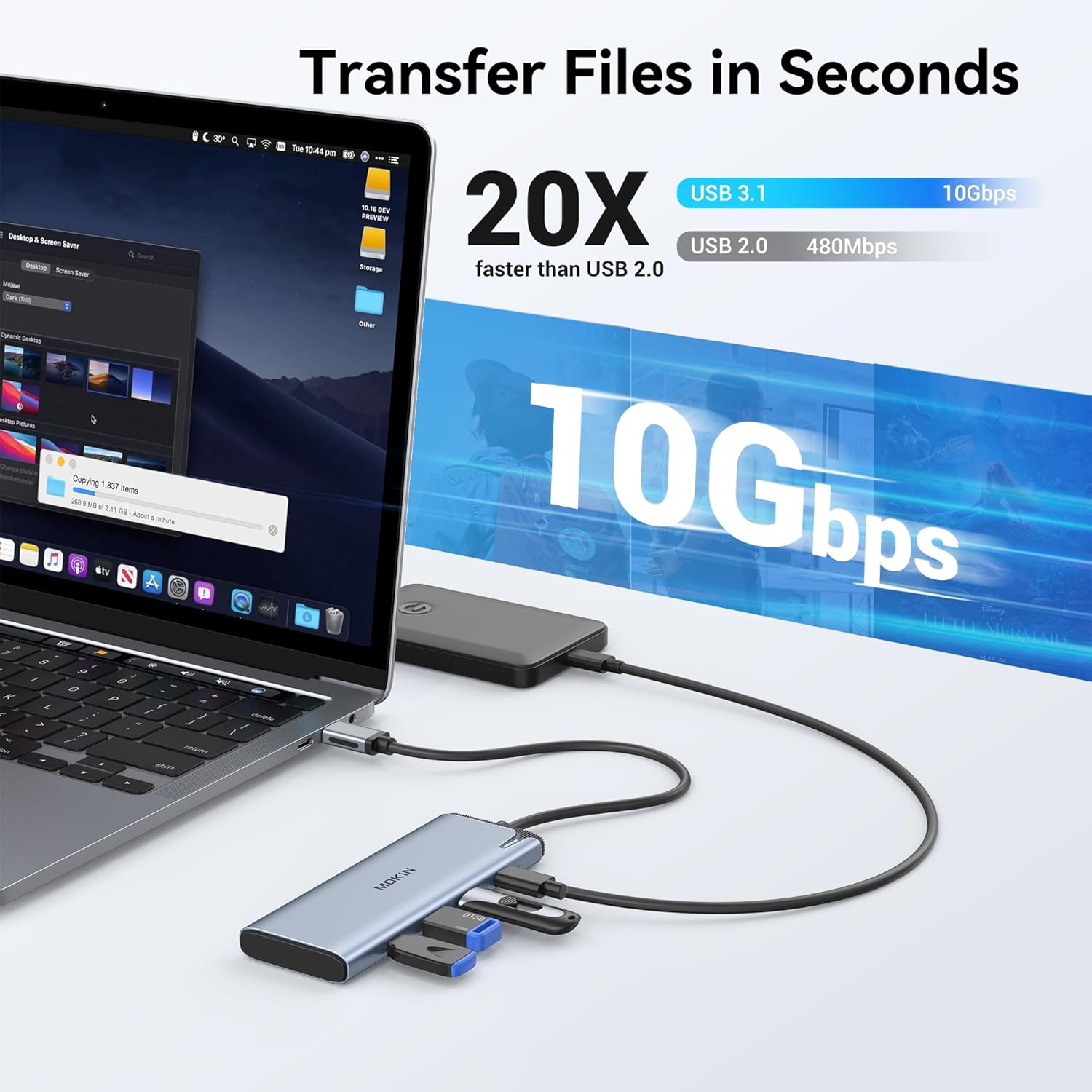
Image: A laptop connected to the MOKiN hub, demonstrating fast file transfer speeds of 10Gbps to an external storage device.
7. ملاحظات التوافق
For optimal performance, ensure your host device meets the following requirements:
- Fully Functional USB-C Port: Your laptop must have a fully functional USB-C port that supports DisplayPort Alt Mode (DP Alt Mode) and Power Delivery. This includes Thunderbolt 3/4 and USB 4 ports.
- macOS Limitations: Dual-monitor MST (extended display with different content on each external monitor) is not supported on macOS systems. Only mirror mode is available.
- أنظمة ويندوز: Supports MST/SST dual-display modes for extended 4K/60Hz output on two USB-C monitors.
- أجهزة أخرى: Compatible with USB-C monitors, AR glasses, Steam Deck, Windows PCs, and Android devices that support DP Alt Mode.

Image: A visual guide explaining the difference between Thunderbolt 3/4, Full Function USB-C, and USB4 ports, indicating which support data, charging, and video.

Image: A compatibility chart listing various laptop brands (Dell, HP, Lenovo, Apple, ASUS) and operating systems (Windows, macOS, Chrome OS, iPad OS, Android) compatible with the hub.
8. Troubleshooting and Important Tips
- Power Supply Suggestions: Considering the power consumption of the product and the limited maximum output of your laptop's USB-C port, connecting multiple ports to the dock can result in a relatively high load. To prevent insufficient power allocation, it is recommended to connect a 100W power supply to the dock. Using a power supply lower than 65W may result in slow charging or no charging of the computer.
- About 4 Displays: When using DP1.4, it is possible to extend to 3 displays, depending on the processor's support for 3 monitors. However, if the laptop does not have a dedicated graphics card, the laptop's screen may go black when extending to 3 displays.
- About Apple: Due to the limitation of only allowing a single video signal output, MacBooks do not support MST (Multi-Stream Transport).
- After Connecting: Make sure to connect the power supply to the docking station to ensure proper functionality.
- التوافق: We do not recommend using any other converters with the docking station as we cannot guarantee compatibility.
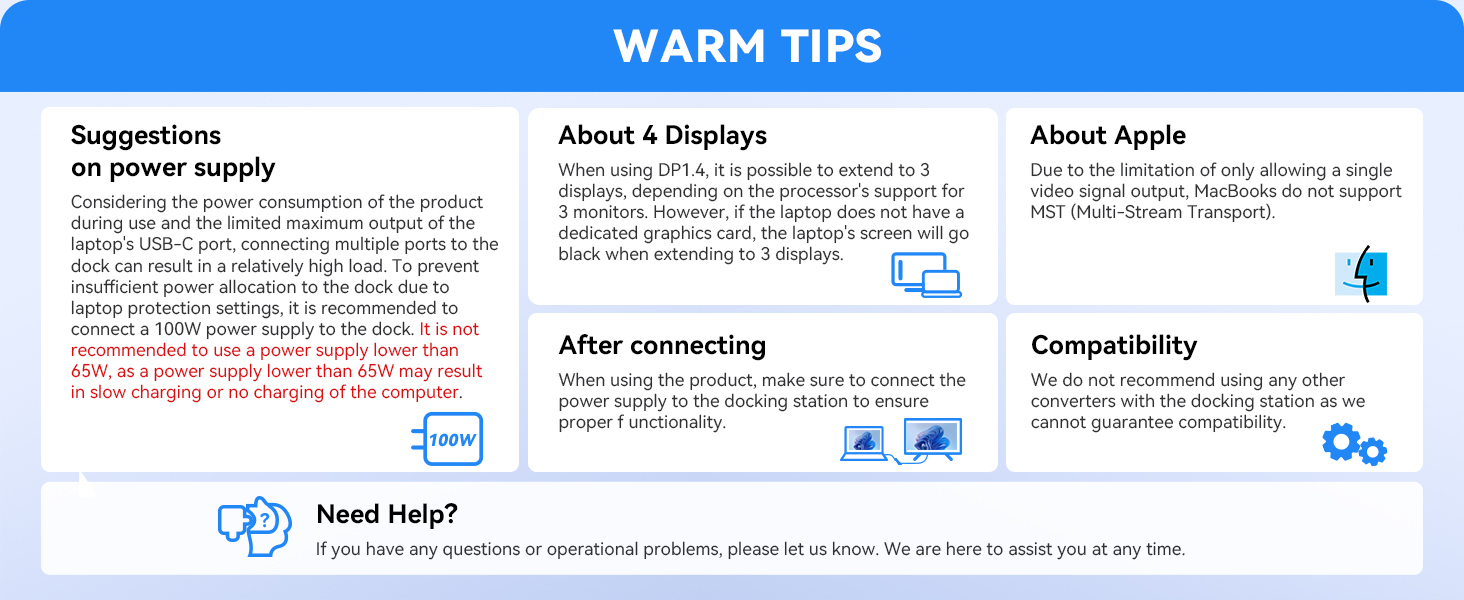
Image: A summary of warm tips covering power supply, 4-display considerations, macOS limitations, connection procedures, and general compatibility warnings.
9. المواصفات
| ميزة | التفاصيل |
|---|---|
| رقم الموديل | UC6101B |
| ماركة | موكين |
| لون | رمادي |
| واجهة الأجهزة | يو اس بي نوع سي |
| إجمالي منافذ USB | 5 (2x USB-C DP Alt Mode, 2x USB-C 3.1 Data, 1x 100W PD) |
| مخرج الفيديو | Dual 4K@60Hz (DP Alt Mode 1.4) |
| سرعة نقل البيانات | 10Gbps (USB-C 3.1) |
| توصيل الطاقة | 100W PD (up to 87W pass-through) |
| وزن العنصر | 2.46 أونصات |
| أبعاد الحزمة | 7.91 × 2.56 × 0.75 بوصة |
| تاريخ أول توفر | 9 ديسمبر 2024 |
10. الضمان والدعم
MOKiN products are designed for reliability and performance. For any questions, operational problems, or support needs, please contact MOKiN customer service. Refer to your product packaging or the official MOKiN webالموقع للحصول على تفاصيل الضمان المحددة ومعلومات الاتصال.
Note: This manual provides general instructions. Product features and specifications are subject to change without notice.


