1. المقدمة وما فوقview
The Lexar PLAY PRO microSD Express Card is a high-performance storage solution designed to enhance the gaming experience on compatible handheld consoles and other devices. Utilizing advanced PCIe technology, this card delivers exceptional read and write speeds, significantly reducing game loading times and accelerating data transfers. With a substantial 512GB capacity, it provides ample space for a vast library of games, applications, and multimedia content.
This card is engineered for durability and reliability, featuring robust protection against various environmental factors. It is also designed with future compatibility in mind, ensuring seamless integration with both current and upcoming gaming systems.

Figure 1: Lexar 512GB Play PRO microSD Express Card. This image shows the front of the microSD Express card, highlighting its Lexar branding, 512GB capacity, microSDXC EX, and PLAY PRO series designation.
2. الميزات والفوائد
- Revolutionary Performance: Experience read speeds up to 900MB/s and write speeds up to 600MB/s, powered by PCIe and NVMe interface technologies. This results in significantly faster game loading and smoother gameplay, up to 4 times faster than typical UHS-I microSD cards.
- Optimized for Gaming: Specifically designed for next-generation handheld gaming devices such as the Nintendo Switch 2, ASUS ROG Ally, and Steam Deck, ensuring an optimized and lag-free gaming experience.
- Ampسعة التخزين: The 512GB capacity provides extensive space for numerous AAA games, downloadable content, and other digital files, reducing the need for frequent data management.
- Future-Proof Compatibility: While optimized for microSD Express devices, the card is also backwards-compatible with UHS-I and UHS-II host devices (operating at UHS-I speeds), offering versatility across a wide range of existing hardware.
- الحماية المضمنة: Designed to withstand harsh conditions, the card is IPX7 waterproof, wearproof, temperature-proof, x-ray-proof, vibration-resistant, magnetic-proof, shockproof, and drop-proof, ensuring data integrity and longevity.
- Data Recovery Tool: Includes lifetime access to the Lexar Recovery Tool, a software solution designed to help restore accidentally deleted or formatted files, providing an extra layer of security for your data.
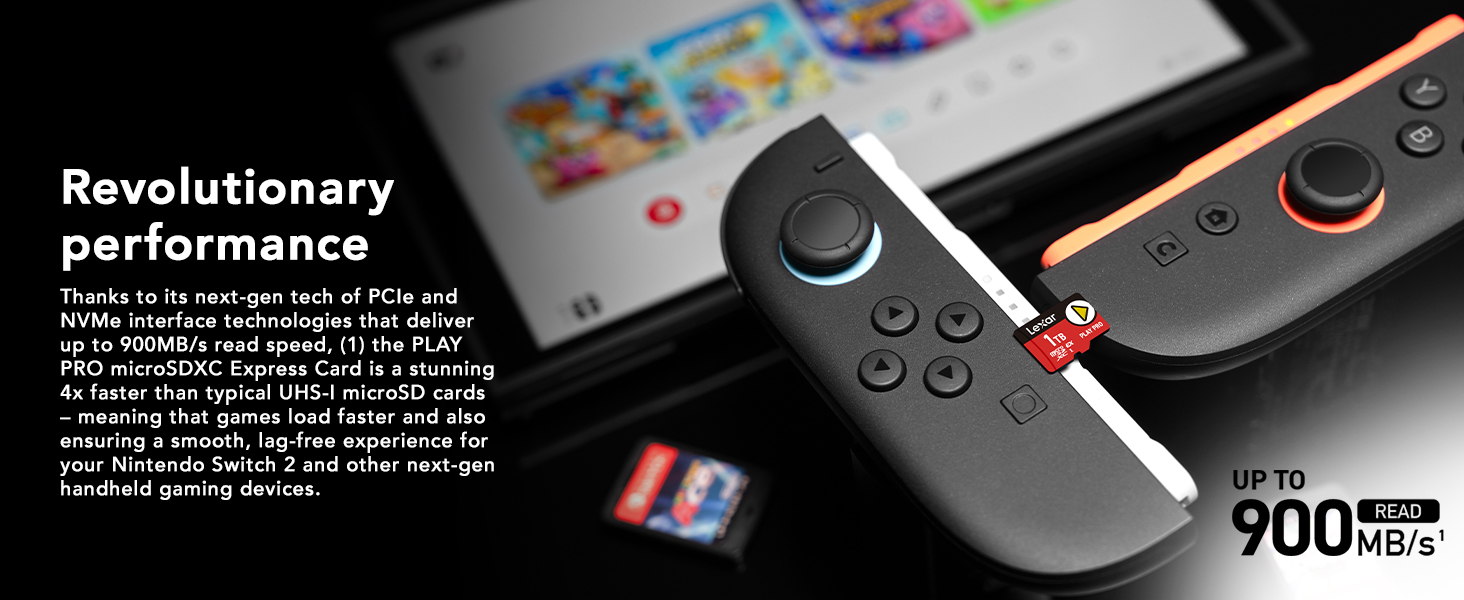
Figure 2: Revolutionary Performance. This image illustrates the high read and write speeds of the Lexar PLAY PRO microSD Express Card, showing "Up to 900MB/s Read" and "Up to 600MB/s Write" alongside a gaming console.
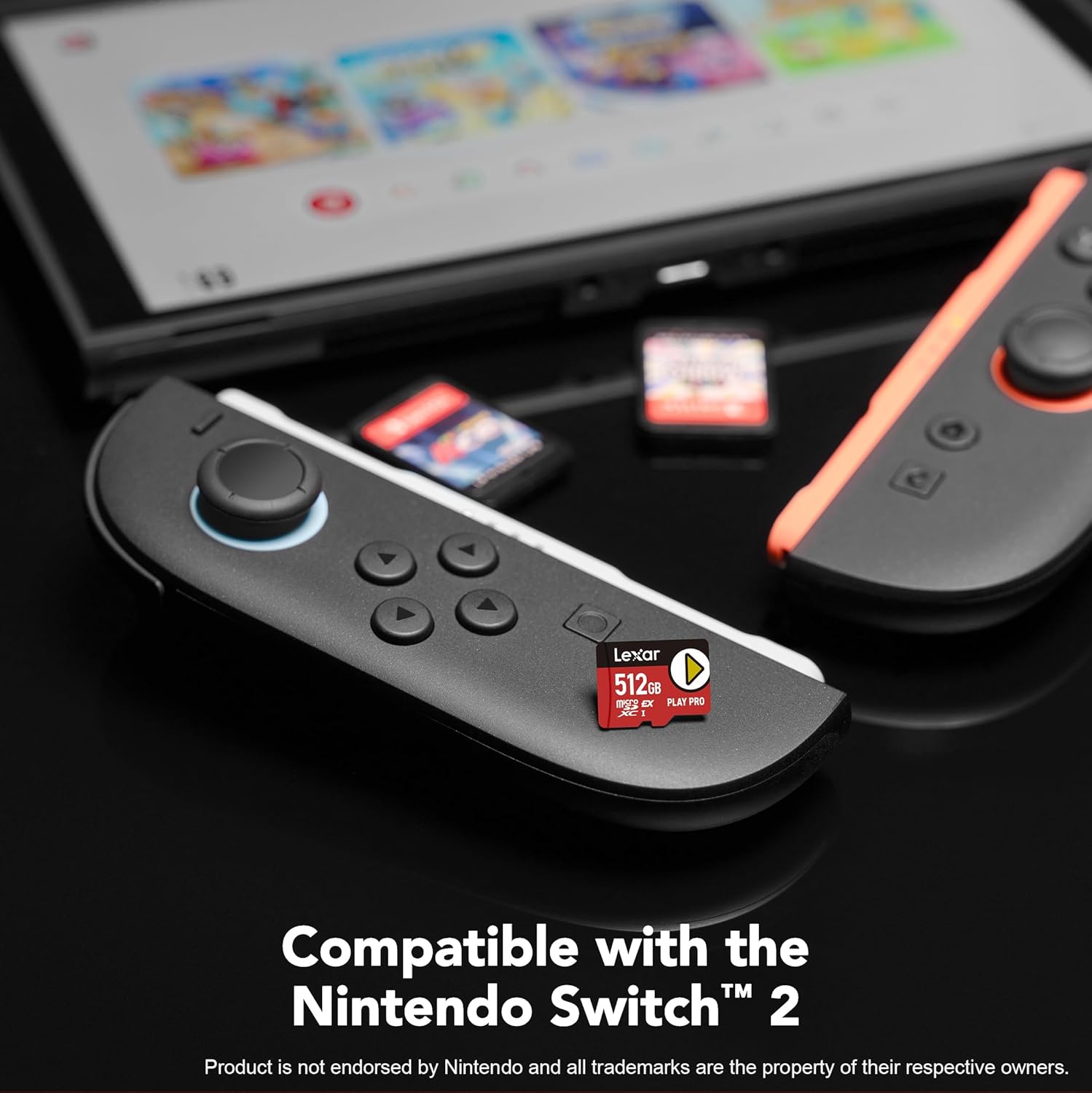
Figure 3: Compatible with Nintendo Switch 2. This image shows the Lexar PLAY PRO microSD Express Card inserted into the microSD Express slot of a Nintendo Switch 2 console, emphasizing its compatibility.
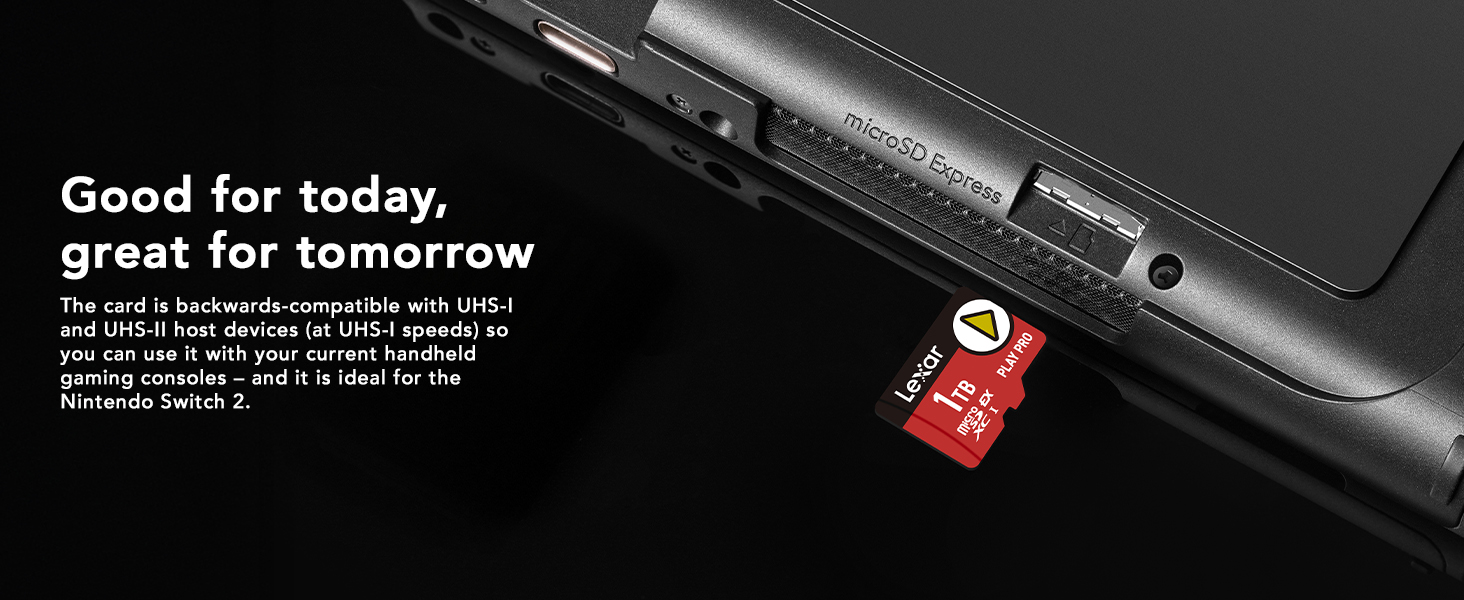
Figure 4: Good for Today, Great for Tomorrow. This image highlights the card's wide compatibility, showing it being inserted into a device with a "microSD Express" slot, and noting its backward compatibility with UHS-I and UHS-II devices.
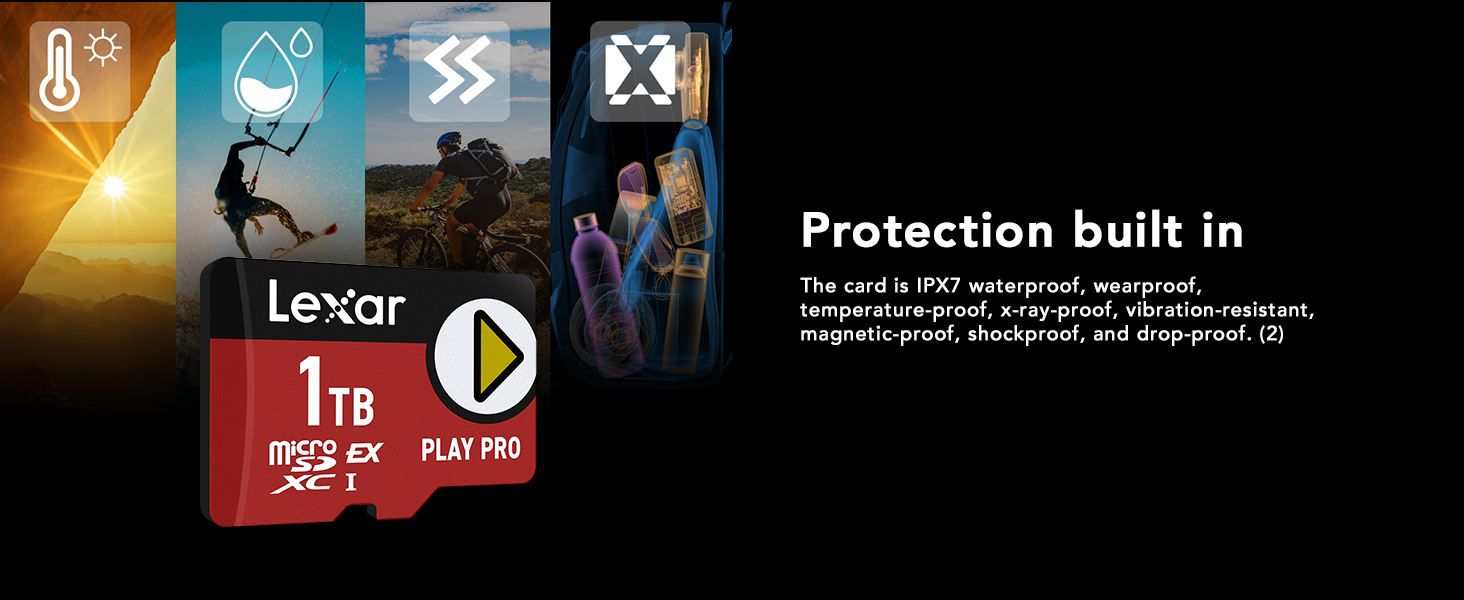
Figure 5: Protection Built In. This image visually represents the card's durability features, including resistance to water, wear, temperature, X-rays, vibration, magnetism, shock, and drops.

Figure 6: Lexar Recovery Tool. This image displays the user interface of the Lexar Recovery Tool on a laptop screen, showing options for secure file storage, video/picture/file restoration, lifetime usage, and rigorous testing.
3. الإعداد
To begin using your Lexar PLAY PRO microSD Express Card, follow these general steps:
- Locate the microSD Card Slot: Identify the microSD card slot on your compatible device (e.g., Nintendo Switch 2, ASUS ROG Ally, Steam Deck). Refer to your device's user manual for the exact location.
- أدخل البطاقة: Gently insert the Lexar PLAY PRO microSD Express Card into the slot with the gold contacts facing down (or as indicated by your device's manual). Push until it clicks into place. Do not force the card.
- Format the Card (if prompted): Your device may prompt you to format the card upon first insertion. Formatting prepares the card for use with your device and erases any existing data. Follow the on-screen instructions. If not prompted, the card is likely ready for use.
- التحقق من الاعتراف: Check your device's storage settings to confirm that the Lexar PLAY PRO microSD Express Card is recognized and its full capacity is displayed.

Figure 7: MicroSD Express Slot. This image shows the Lexar PLAY PRO microSD Express Card being inserted into a device's microSD Express slot, illustrating the physical setup process.
4. تعليمات التشغيل
Once the Lexar PLAY PRO microSD Express Card is installed and recognized, you can utilize it for various functions:
- Storing Games and Applications: Most compatible devices will automatically use the microSD card for new game and application installations if it is set as the primary storage. You may also be able to transfer existing data from internal storage to the card via your device's settings.
- Saving Game Data: Game save files are typically managed by the device's operating system. The high-speed performance of the Lexar PLAY PRO card ensures quick saving and loading of game progress.
- نقل Files: لنقل files (e.g., photos, videos, music) to or from the card using a computer, you will need a compatible microSD card reader. Connect the card reader to your computer and insert the Lexar card. The card will appear as a removable drive, allowing you to drag and drop files.
- تحسين الأداء: For optimal performance, ensure your device's firmware is up to date. Avoid removing the card while data is being read from or written to it, as this can lead to data corruption.
5. الصيانة
Proper care and maintenance will ensure the longevity and optimal performance of your Lexar PLAY PRO microSD Express Card:
- التعامل الجسدي: Always handle the card by its edges. Avoid touching the gold contacts, as oils and dirt can interfere with connectivity.
- تخزين: When not in use, store the card in its original packaging or a protective case to prevent physical damage and exposure to dust.
- الظروف البيئية: Despite its robust design, avoid exposing the card to extreme temperatures, direct sunlight for prolonged periods, or strong magnetic fields.
- تنظيف: If necessary, gently clean the gold contacts with a soft, lint-free cloth. Do not use abrasive materials or harsh chemicals.
- النسخ الاحتياطي المنتظم: Periodically back up important data from your microSD card to another storage device (e.g., computer hard drive, cloud storage) to prevent data loss in case of unforeseen issues.
6. استكشاف الأخطاء وإصلاحها
If you encounter issues with your Lexar PLAY PRO microSD Express Card, consider the following troubleshooting steps:
| مشكلة | السبب المحتمل | حل |
|---|---|---|
| لم يتم التعرف على البطاقة بواسطة الجهاز. | Improper insertion, dirty contacts, incompatible device, or card issue. |
|
| سرعة القراءة/الكتابة بطيئة. | Device limitation, card nearly full, or fragmented data. |
|
| تلف البيانات أو وجود أخطاء فيها. | Improper removal, power loss during transfer, or physical damage. |
|
If problems persist after attempting these steps, please contact Lexar customer support for further assistance.
7. المواصفات
| ميزة | التفاصيل |
|---|---|
| ماركة | ليكسار |
| اسم الموديل | PLAY PRO |
| رقم موديل العنصر | LMSXPS0512G-BNNNU |
| نوع ذاكرة فلاش | بطاقة مايكرو SDXC |
| سعة تخزين الذاكرة | 512 جيجا بايت |
| سرعة القراءة | تصل إلى 900 ميجابايت/ثانية |
| سرعة الكتابة | تصل إلى 600 ميجابايت/ثانية |
| واجهة الأجهزة | بطاقة ذاكرة ميكرو إس دي إكس سي |
| فئة سرعة جمعية الرقمية الآمنة | الصف الثاني |
| الأجهزة المتوافقة | ASUS ROG Ally, Gaming Console, Nintendo Switch 1, Nintendo Switch 2, Steam Deck |
| ميزة خاصة | Dust Proof, Lightweight |
| وزن العنصر | 0.317 أونصة (0.01 كجم) |
| أبعاد الحزمة | 5.39 × 3.98 × 0.28 بوصة |
| الشركة المصنعة | Lexar International |
| رمز المنتج الموحد | 843367138746 |
8. الضمان والدعم
The Lexar PLAY PRO microSD Express Card comes with a ضمان محدود مدى الحياة. This warranty covers defects in material and workmanship under normal use. For specific terms and conditions, please refer to the official Lexar website or the warranty information included with your product packaging.
Additionally, your purchase includes Lifetime Access to the Lexar Recovery Tool. This proprietary software can assist you in recovering accidentally deleted or formatted files from your Lexar memory card. Instructions for downloading and using the Lexar Recovery Tool are available on the Lexar support webموقع.
For technical support, warranty claims, or further inquiries, please visit the official Lexar support portal or contact their customer service directly.
Lexar Official Webموقع: www.lexar.com


