1. المقدمة
This manual provides detailed instructions for the Nitecore NU25 MCT UL 400 Lumen Ultralight USB-C Rechargeable Headlamp. Please read thoroughly before use to ensure proper operation and maintenance.
2. محتويات العبوة
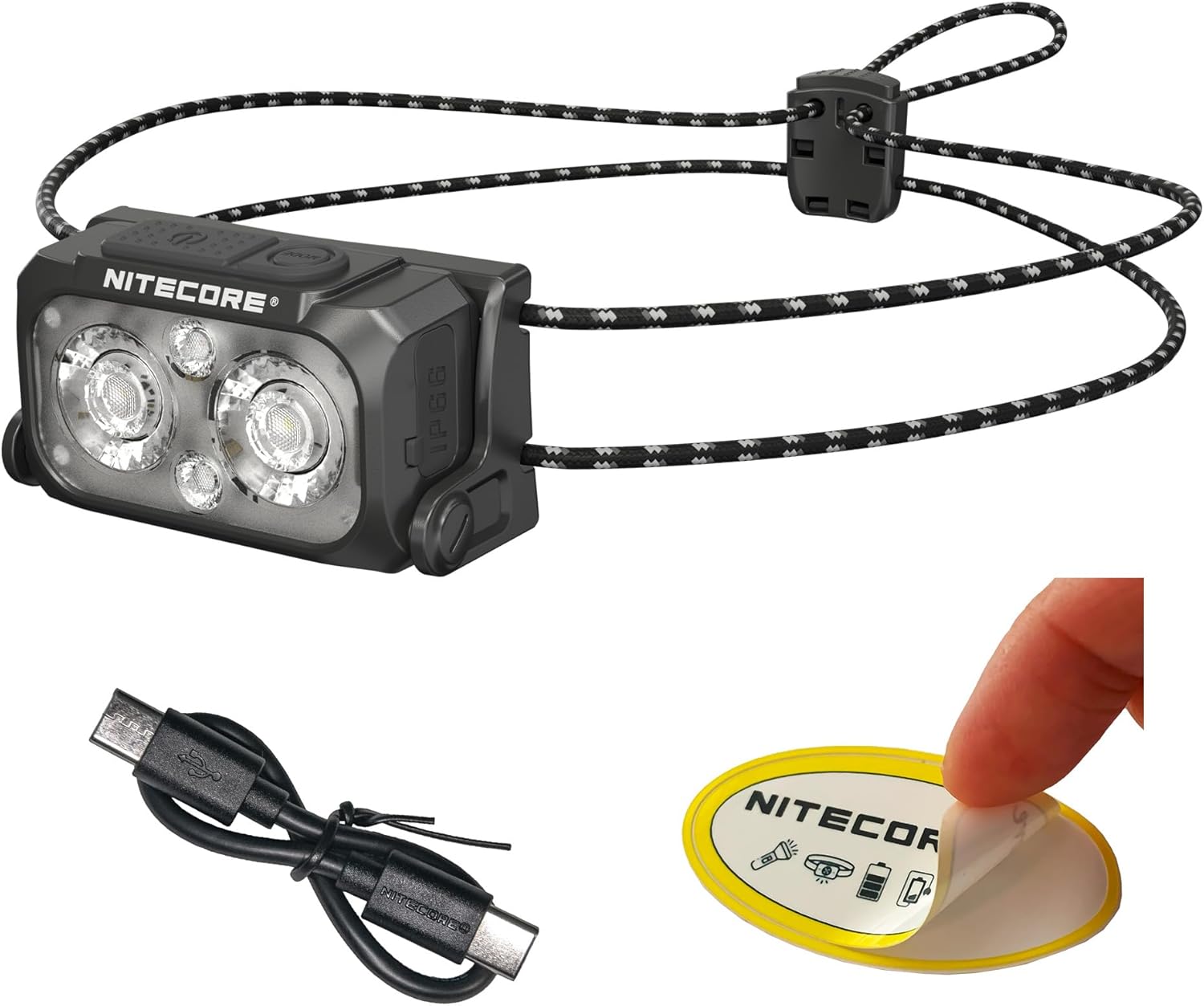
The Nitecore NU25 MCT UL package includes:
- مصباح رأس Nitecore NU25 MCT ULamp
- كابل شحن USB-C إلى USB-C
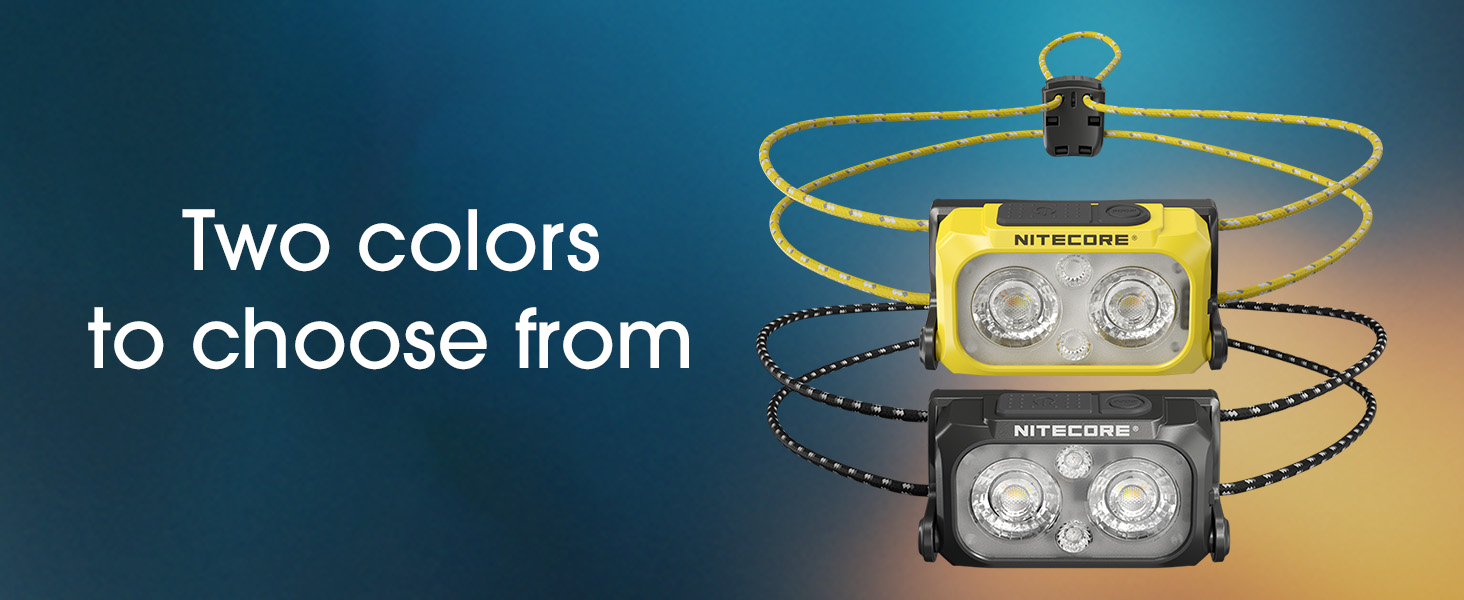
- Elastic Cord Headband (Black)
- كيس نشر الأشياء
- ملصق نايت كور
3. الإعداد والاستخدام الأول
3.1. شحن المصابيح الأماميةamp
The NU25 MCT UL features a built-in rechargeable Lithium Ion battery.
- حدد موقع منفذ الشحن USB-C على جانب المصباح الأماميamp.
- Open the protective cover of the USB-C port.
- Connect the included USB-C charging cable to the headlamp and a power source (e.g., USB adapter, computer USB port).
- The power indicator lights will show charging status. A full charge typically takes approximately 1 hour.
- Once fully charged, disconnect the cable and securely close the protective cover to maintain water resistance.
3.2. ضبط عصابة الرأس
الرأسamp comes with an elastic cord headband for comfortable and secure fit.
- ضع الرأسamp على رأسك.
- Adjust the elastic cord using the cord lock mechanism at the back to achieve a snug fit without being too tight.
- الرأسamp unit can be tilted up or down to direct the beam as needed.

4. تعليمات التشغيل
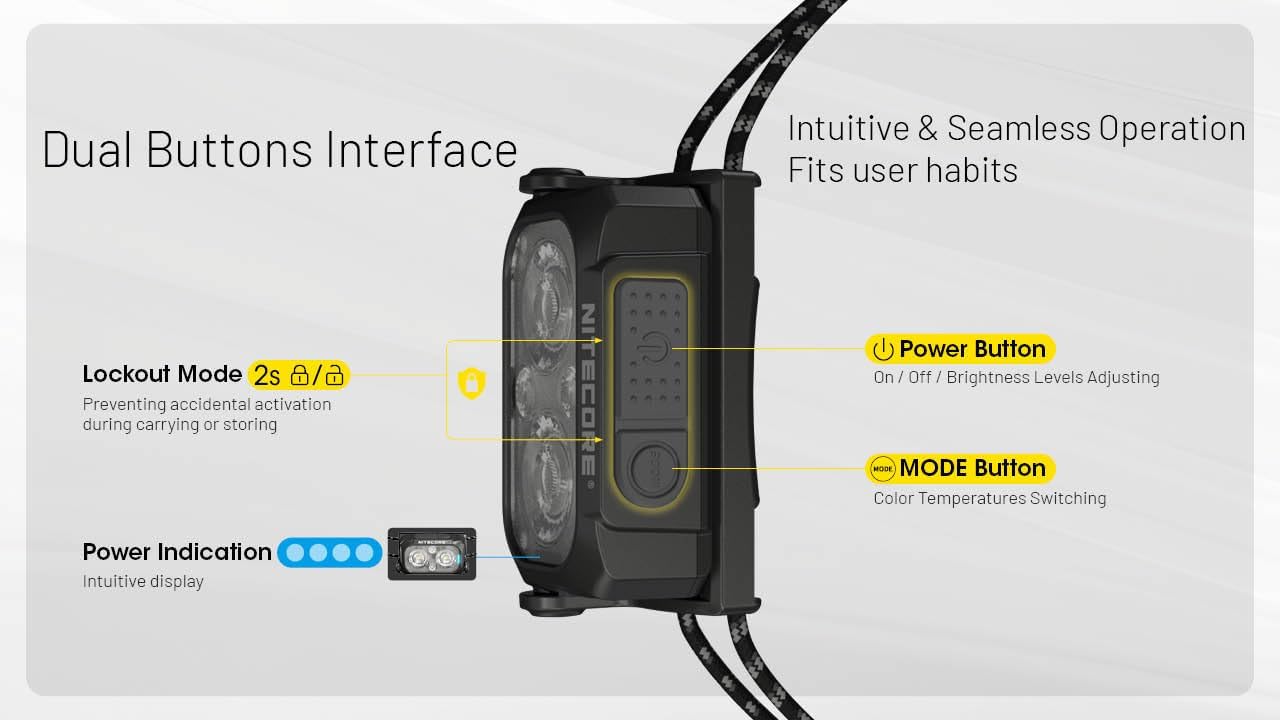
The NU25 MCT UL features a dual-button interface for intuitive control.

4.1. Power On/Off & Brightness Adjustment (White Light)
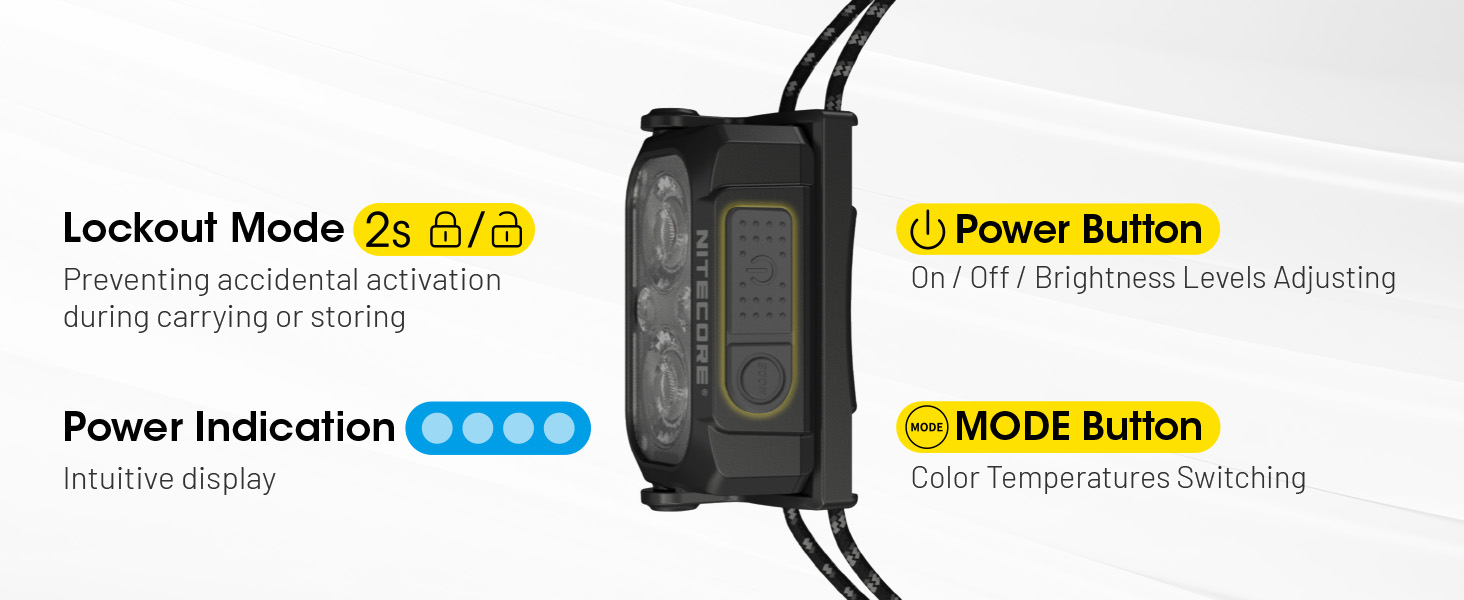
- لتشغيل: Long press the Power button (larger button) for 2 seconds. The headlamp will turn on in the last used white light mode (or low neutral white by default).
- لضبط السطوع: While the white light is on, short press the Power button to cycle through Ultra Low, Low, Mid, and High brightness levels.
- لإيقاف التشغيل: اضغط لفترة طويلة على زر الطاقة لمدة 2 ثوان.
4.2. تغيير درجة حرارة اللون
الرأسamp offers multiple color temperatures for the primary white light.
- While the white light is on, short press the Mode button (smaller button) to cycle through Warm White (3000K), Neutral White (4500K), and Cool White (6500K).
4.3. وضع الضوء الأحمر
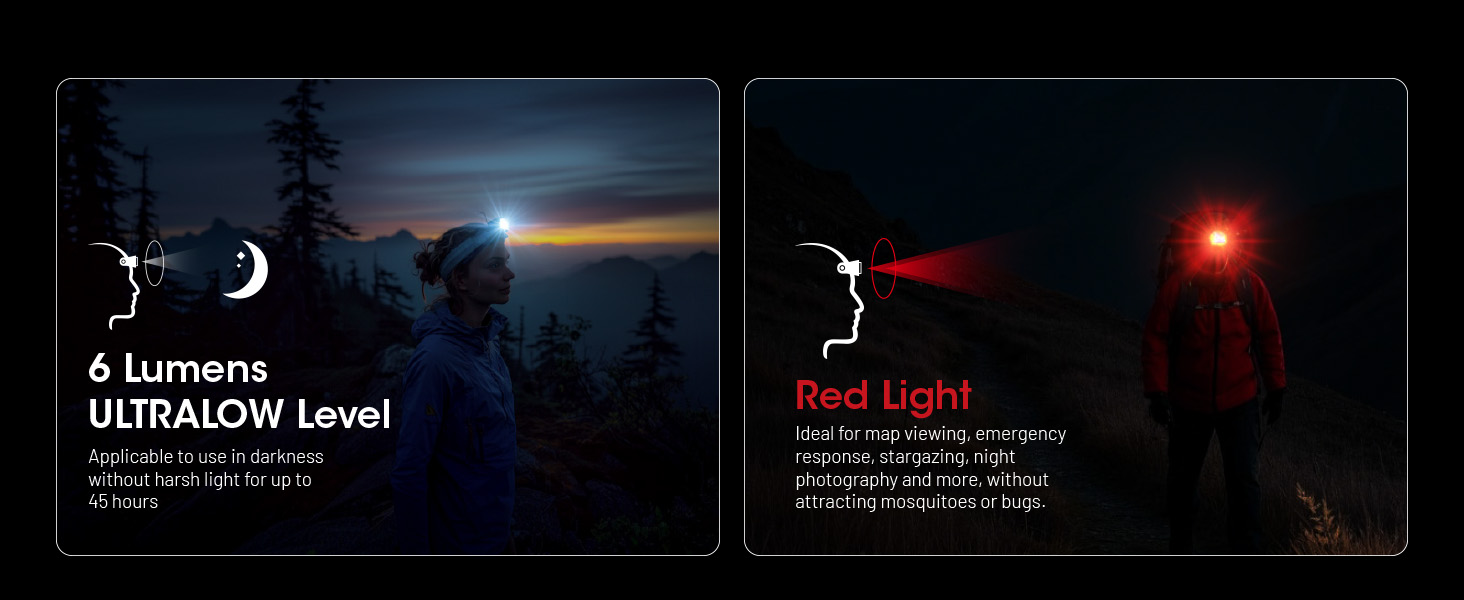
The auxiliary red light is useful for preserving night vision and signaling.
- To turn on red light: عندما يكون الرأسamp is off, long press the Mode button for 2 seconds. It will turn on in Low Red.
- To adjust red light brightness/mode: While the red light is on, short press the Power button to cycle through Low Red, High Red, and Red Flashing.
- To turn off red light: Long press the Mode button for 2 seconds.

4.4. Special Modes (SOS, Beacon)
- To access special modes: بينما كان الرأسamp is off, double press the Mode button. It will activate SOS mode.
- To cycle through special modes: While in SOS mode, short press the Power button to switch to Beacon mode.
- To exit special modes: Long press the Power button or Mode button for 2 seconds.
4.5. وظيفة القفل
To prevent accidental activation during transport or storage:
- لقفل: عندما يكون الرأسamp is off, simultaneously press and hold both the Power and Mode buttons for 2 seconds. The headlamp will flash once to indicate it is locked.
- لإلغاء القفل: Simultaneously press and hold both the Power and Mode buttons for 2 seconds. The headlamp will flash once and turn on in Ultra Low mode.
5. الميزات الرئيسية
- تصميم خفيف: Weighing only 1.65 oz (47g) with the elastic cord, designed for maximum comfort during extended use.
- Multiple Color Temperatures (MCT): Offers Warm (3000K), Neutral (4500K), and Cool (6500K) white light options to suit various environments and preferences.
- إخراج سطوع عالية: Up to 400 lumens with a maximum beam distance of 144 yards.
- USB-C قابلة للشحن: Integrated USB-C port for convenient and fast charging.
- بناء متين: Crafted from robust PC material, rated IP66 for water and dust resistance, and impact-resistant up to 1 meter.
- الضوء الأحمر المساعد: Preserves night vision and provides signaling capabilities.
- Intuitive Dual-Button Interface: Easy operation for power, brightness, and mode selection.
- مؤشر الطاقة: Built-in indicator displays battery status.
6. المواصفات الفنية
| وضع | الناتج | وقت التشغيل | مسافة الشعاع | شدة ذروة الشعاع |
|---|---|---|---|---|
| Primary Light (Neutral White / Warm Light / Cool Light) | ||||
| عالي | 400 لومن | 2ساعة و 40دقيقة | 132م | 4381 شمعة |
| منتصف | 200 لومن | 5h | 94م | 2192 شمعة |
| قليل | 60 لومن | 13 ساعة | 51م | 662 شمعة |
| منخفض للغاية | 6 لومن | 45 ساعة | 13م | 43 شمعة |
| الضوء الأحمر المساعد | ||||
| عالي | 15 لومن | 10 ساعة | -- | -- |
| قليل | 7 لومن | 26 ساعة | -- | -- |
| وميض بطيء | 15 لومن | -- | -- | -- |
| الأوضاع الخاصة | ||||
| نداء استغاثة | 400 لومن | -- | -- | -- |
| منارة | 400 لومن | -- | -- | -- |
| مقاومة التأثير | 1m | |||
| مقاومة الماء | IP66 | |||
Note: Stated data is measured using the built-in 700mAh Li-ion battery (3.85V) in accordance with international flashlight testing standards ANSI/PLATO FL 1-2019 at an ambient temperature of 22°C (72°F) from the NITECORE Lab. The data may vary in real-world use due to different environmental conditions.
This product is equipped with a thermal protection function, which automatically regulates the output of the product according to the working condition to maintain optimal performance.

7. الرعاية والصيانة
- تنظيف الرأسamp جسم ذو ملمس ناعم،amp القماش. تجنب المواد الكاشطة.
- تأكد من إغلاق غطاء منفذ USB-C بإحكام عند عدم الشحن للحفاظ على مقاومة الماء.
- Recharge the battery regularly, even if not in use, to prolong battery life. Avoid fully depleting the battery for extended periods.
- قم بتخزين الرأسamp في مكان بارد وجاف بعيدًا عن أشعة الشمس المباشرة ودرجات الحرارة العالية.
8. استكشاف الأخطاء وإصلاحها
- هيدلamp لا يتم تشغيله:
- Check if the battery is charged. Connect to a USB-C power source.
- Ensure the lockout function is not activated (simultaneously press both buttons for 2 seconds to unlock).
- مخرجات الضوء خافتة أو غير متسقة:
- The battery might be low; recharge the headlamp.
- الرأسamp may be in thermal regulation mode if it has been operating at high output for an extended period. Allow it to cool down.
- دخول المياه:
- Ensure the USB-C port cover is properly sealed. If water has entered, turn off the device immediately and allow it to dry completely before attempting to use it again. Contact customer support if issues persist.
9. الضمان ودعم العملاء
The Nitecore NU25 MCT UL headlamp comes with a limited warranty. For specific warranty terms and conditions, please refer to the warranty card included in your package or visit the official Nitecore webموقع.
For technical support, service, or inquiries, please contact Nitecore customer service or your local distributor.
Manufacturer: Sysmax Innovation Co.


