1. المقدمة
This manual provides detailed instructions for the operation and maintenance of your Monster Open Touch Pro 100 Wireless Earbuds. Please read this manual thoroughly before use to ensure proper functionality and to maximize your listening experience.
2. محتويات العبوة
تأكد من وجود جميع العناصر في الحزمة الخاصة بك:
- Monster Open Touch Pro 100 Wireless Earbuds (Left and Right)
- حافظة شحن مع شاشة تعمل باللمس
- كابل شحن USB (نوع C)
- دليل المستخدم (هذا المستند)
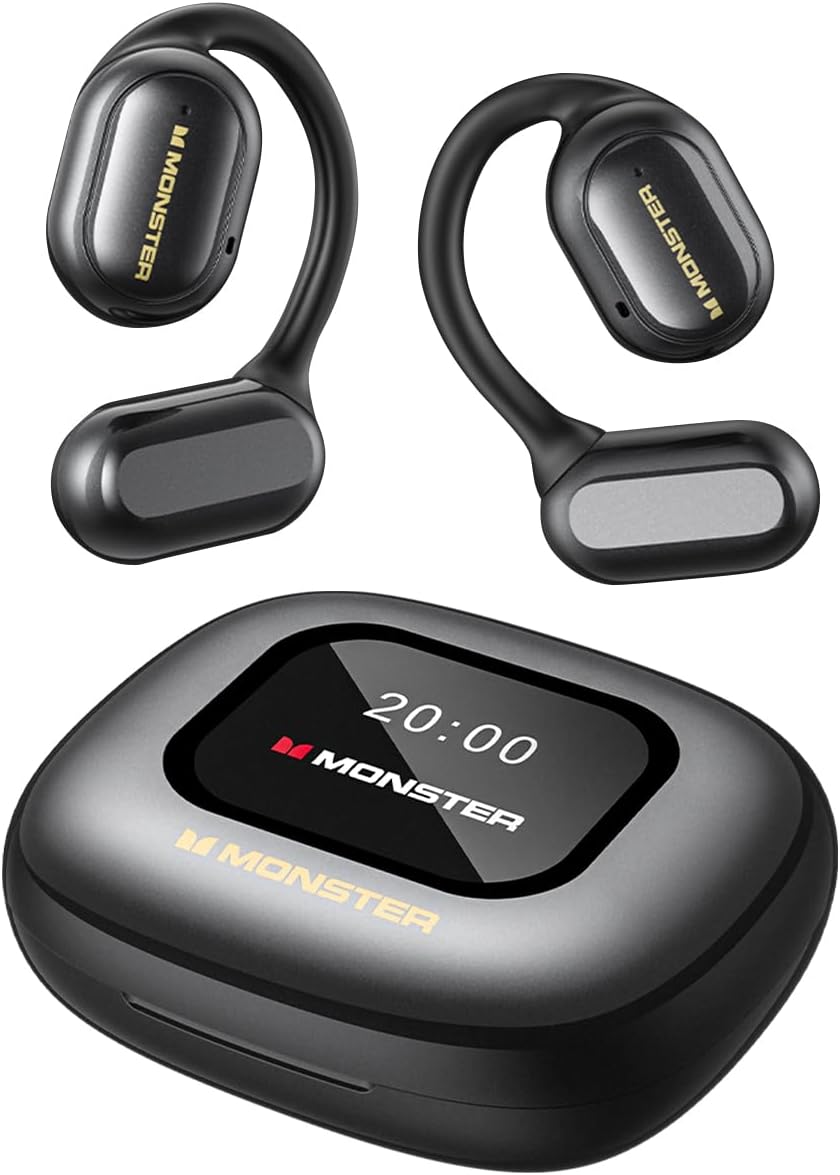
Image: The Monster Open Touch Pro 100 wireless earbuds and their charging case, illustrating the complete product package.
3. انتهى المنتجview
3.1 مكونات سماعات الأذن
- تصميم الأذن المفتوحة: Allows awareness of surroundings.
- خطافات الأذن: Ergonomic curved design for secure and comfortable wear.
- محركات ديناميكية مقاس 16.2 مم: For clear sound quality.
- الميكروفونات: For Environmental Noise Cancellation (ENC) during calls.
- شحن جهات الاتصال: لشحن الجهاز داخل العلبة.
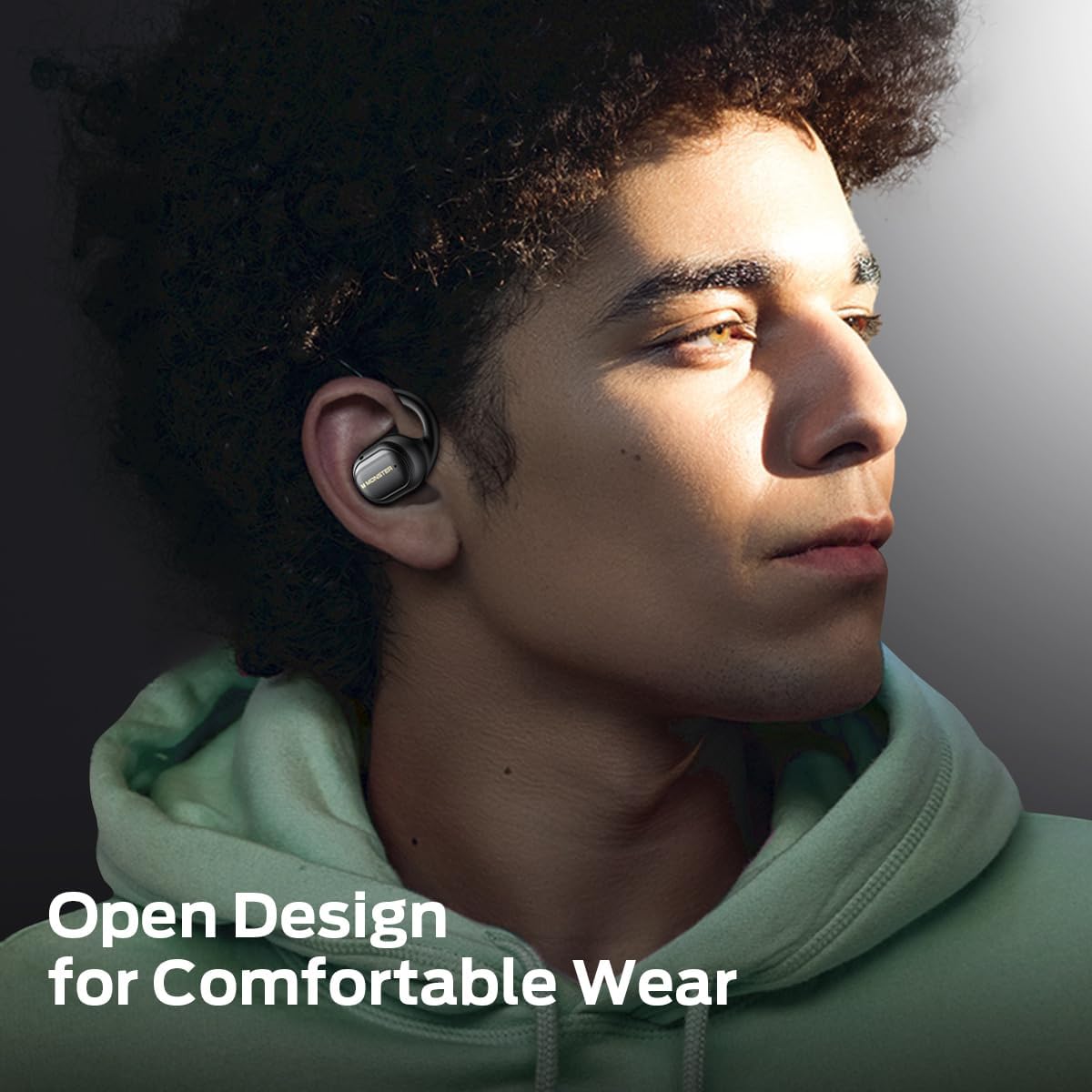
Image: A man wearing the Monster Open Touch Pro 100 earbud, demonstrating its open-ear design and comfortable fit.
3.2 Charging Case Features
- LED Full-Color Smart Touch Screen: For control over music, settings, and more.
- فتحة بطاقة TF: Supports independent MP3 playback (TF card not included).
- منفذ شحن USB-C: لإعادة شحن العلبة.

Image: The Monster Open Touch Pro 100 charging case displaying its LED full-color smart touch screen, showing various control options.
4. الإعداد
4.1 الشحن الأولي
Before first use, fully charge the earbuds and the charging case. Place the earbuds into the charging case and connect the USB-C cable to the charging port on the case, then connect the other end to a USB power source (e.g., computer, wall adapter).
The LED screen on the charging case will indicate the charging status. A full charge typically takes approximately 1.5-2 hours for the case and earbuds.
4.2 تشغيل/إيقاف التشغيل
- تشغيل الطاقة: افتح علبة الشحن. سيتم تشغيل سماعات الأذن تلقائيًا ودخول وضع الاقتران.
- إيقاف التشغيل: أعد وضع سماعات الأذن في علبة الشحن وأغلق الغطاء. سيتم فصلها وإيقاف تشغيلها تلقائيًا.
4.3 اقتران بلوتوث
- Ensure the earbuds are charged and powered on (open the charging case).
- على جهازك (الهاتف الذكي، الجهاز اللوحي، الكمبيوتر المحمول)، قم بتمكين البلوتوث.
- بحث عن available Bluetooth devices and select "Monster Open Touch Pro 100".
- Once connected, the earbuds will indicate successful pairing, and the device will show them as connected.
The earbuds will automatically attempt to reconnect to the last paired device when removed from the case.
5. تعليمات التشغيل
5.1 عناصر التحكم باللمس في سماعات الأذن
The earbuds feature touch-sensitive areas for controlling playback and calls:
- تشغيل/إيقاف مؤقت: Single click on either L/R earbud.
- الأغنية التالية: Double click on the Right earbud.
- الأغنية السابقة: Triple click on the Left earbud.
- الرد على المكالمة: Double click on either L/R earbud.
- قطع الاتصال: استمر في الضغط لمدة 3 ثوانٍ على سماعة الأذن اليسرى/اليمنى.
- تنشيط مساعد الصوت: استمر في الضغط لمدة 2 ثوانٍ على سماعة الأذن اليسرى/اليمنى.

Image: A visual guide to the touch controls on the Monster Open Touch Pro 100 earbuds, detailing actions for play/pause, track skipping, call management, and voice assistant activation.
5.2 وظائف شاشة اللمس لحافظة الشحن
The full-color touch screen on the charging case provides advanced controls:
- التحكم في تشغيل الموسيقى: Play, pause, skip tracks, adjust volume directly from the screen.
- أوضاع EQ: Select from multiple equalizer presets (e.g., Rock and Roll, Pop, Normal, Jazz, Classic) to customize your audio experience.
- تبديل اللغة: Change the system language of the case interface.
- غطاء عدسة الكاميرا: Use the case as a remote shutter button for your smartphone camera.
- العثور على سماعة الأذن الخاصة بي: Locate misplaced earbuds by activating an audible signal.
- إعدادات: Access additional device settings.

Image: The Monster Open Touch Pro 100 charging case screen displaying the language selection interface, allowing users to switch between languages.

Image: The Monster Open Touch Pro 100 charging case screen displaying various equalizer modes such as Rock and Roll, Pop, Normal, Jazz, and Classic.
5.3 Independent MP3 Mode (TF Card)
The charging case features a TF card slot, allowing the earbuds to function as an independent MP3 player without requiring a connected phone or network.
- Insert a TF card (not included) with your music files into the designated slot on the charging case.
- On the touch screen, navigate to the "SD Music" option.
- Select and play your desired music directly from the TF card.
Note: Hot-swapping of the TF card is not supported. Ensure the device is powered off or in a safe state before inserting or removing the TF card.

Image: The Monster Open Touch Pro 100 charging case with a TF card being inserted, highlighting its independent MP3 playback capability.
6. الصيانة
6.1 التنظيف
- امسح سماعات الأذن وعلبة الشحن بقطعة قماش ناعمة وجافة وخالية من الوبر.
- لا تستخدم المنظفات الكاشطة أو الكحول أو المذيبات الكيميائية.
- Keep charging contacts clean and dry to ensure proper charging.
6.2 مقاومة الماء
تتميز سماعات الأذن بتصنيف IPX5 لمقاومة الماء، مما يعني أنها محمية من رذاذ الماء ذي الضغط المنخفض من أي اتجاه. وهذا يجعلها مناسبة للتمارين الرياضية والأمطار الخفيفة.
Important: The charging case is NOT waterproof. Avoid exposing the charging case to water or moisture.

Image: A woman exercising while wearing the Monster Open Touch Pro 100 earbuds, illustrating their IPX5 waterproof performance against sweat and light moisture.
6.3 التخزين
عند عدم استخدام سماعات الأذن، احفظها في علبة الشحن لحمايتها وضمان استمرار شحنها. خزّنها في مكان بارد وجاف بعيدًا عن درجات الحرارة المرتفعة والمنخفضة.
7. استكشاف الأخطاء وإصلاحها
| مشكلة | السبب المحتمل | حل |
|---|---|---|
| سماعات الأذن لا تقترن | Earbuds not in pairing mode; Bluetooth off on device; out of range. | Ensure case is open and earbuds are powered on. Turn Bluetooth off and on on your device. Move closer to your device. |
| لا يوجد صوت من سماعات الأذن | Volume too low; earbuds not connected; media paused. | Increase volume on device and earbuds. Reconnect earbuds. Check media playback status. |
| علبة الشحن لا تشحن | Cable not connected properly; faulty cable/adapter; dirty charging port. | Ensure USB-C cable is securely connected. Try a different cable or power adapter. Clean the charging port gently. |
| سماعات الأذن لا تشحن في العلبة | Earbuds not seated correctly; dirty charging contacts. | Adjust earbuds in case to ensure proper contact. Clean earbud and case charging contacts. |
| شاشة اللمس لا تستجيب | خلل برمجي مؤقت؛ انخفاض مستوى البطارية. | Restart the charging case (if possible, by closing and reopening). Ensure the case is sufficiently charged. |
8. المواصفات
| ميزة | التفاصيل |
|---|---|
| اسم الموديل | Monster Open Touch Pro 100 |
| تكنولوجيا الاتصال | لاسلكي (بلوتوث) |
| نسخة البلوتوث | 5.4 |
| وضع الأذن | أذن مفتوحة |
| نوع برنامج تشغيل الصوت | محرك ديناميكي (16.2 مم) |
| ميزات التحكم في الضوضاء | إلغاء الضوضاء البيئية (ENC) |
| طريقة التحكم | يلمس |
| المميزات الخاصة | LED Full-Color Smart Screen, TF Card Support, IPX5 Waterproof (earbuds only) |
| عمر البطارية (سماعات الأذن) | حتى 8 ساعات (شحنة واحدة) |
| إجمالي وقت التشغيل | ما يصل إلى 30 ساعة (مع علبة الشحن) |
| مادة | سيليكون (خطافات الأذن) |
| وزن العنصر | 7.4 أونصات |
| الأجهزة المتوافقة | الهواتف الذكية، أجهزة الكمبيوتر المحمولة، الأجهزة اللوحية، مكبرات الصوت الذكية |
9. الضمان والدعم
للحصول على معلومات الضمان ودعم العملاء، يرجى الرجوع إلى الوثائق المرفقة مع عملية الشراء أو زيارة موقع Monster الرسمي webالموقع. احتفظ بإثبات الشراء الخاص بك لتقديم مطالبات الضمان.
الشركة المصنعة: وحش


