مقدمة
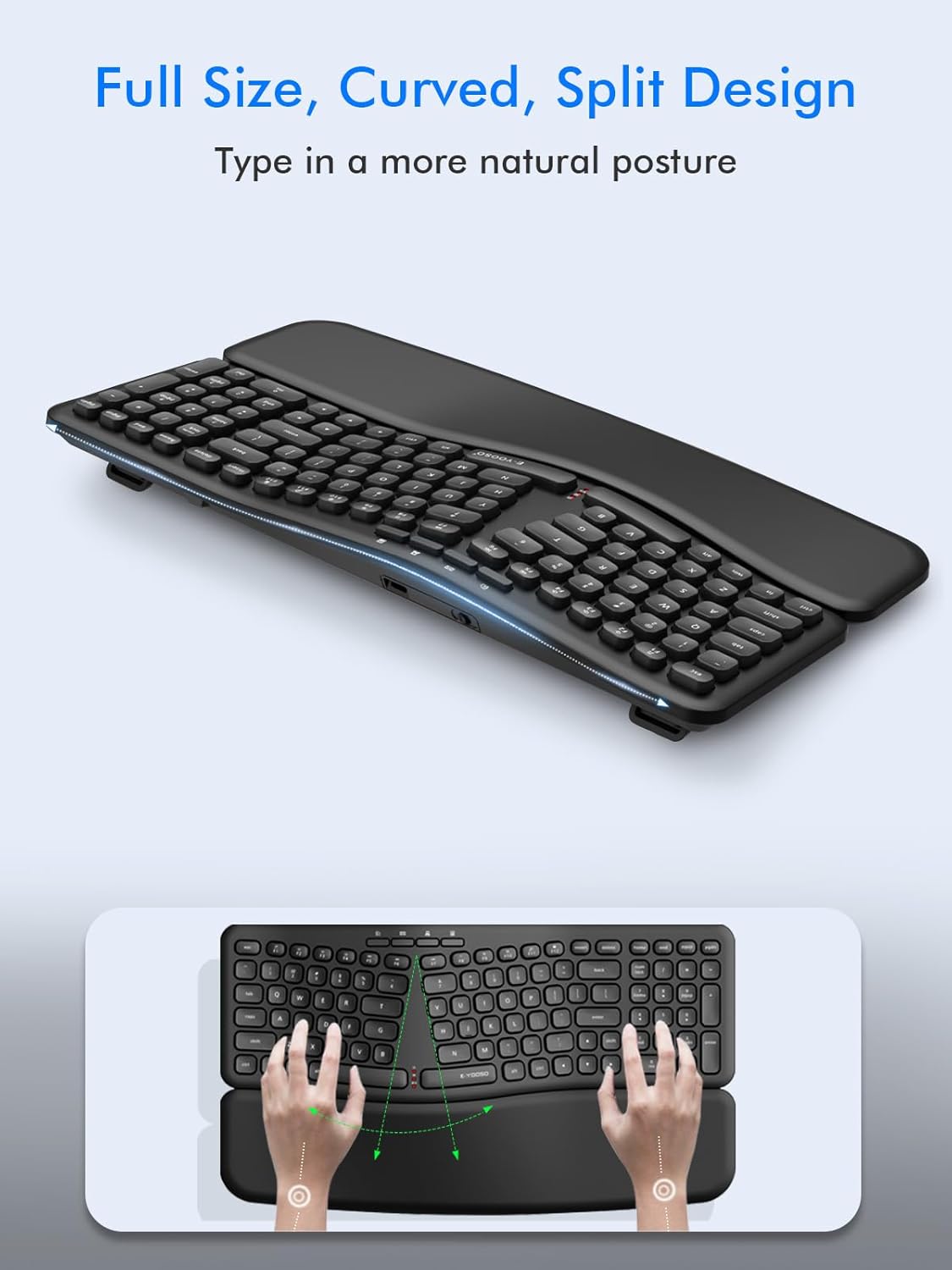
Thank you for choosing the E-YOOSO K-757 Ergonomic Wireless Keyboard. This keyboard is designed to provide a comfortable and efficient typing experience with its split, curved layout and detachable wrist rest. It utilizes 2.4GHz wireless technology for a stable connection across various operating systems.
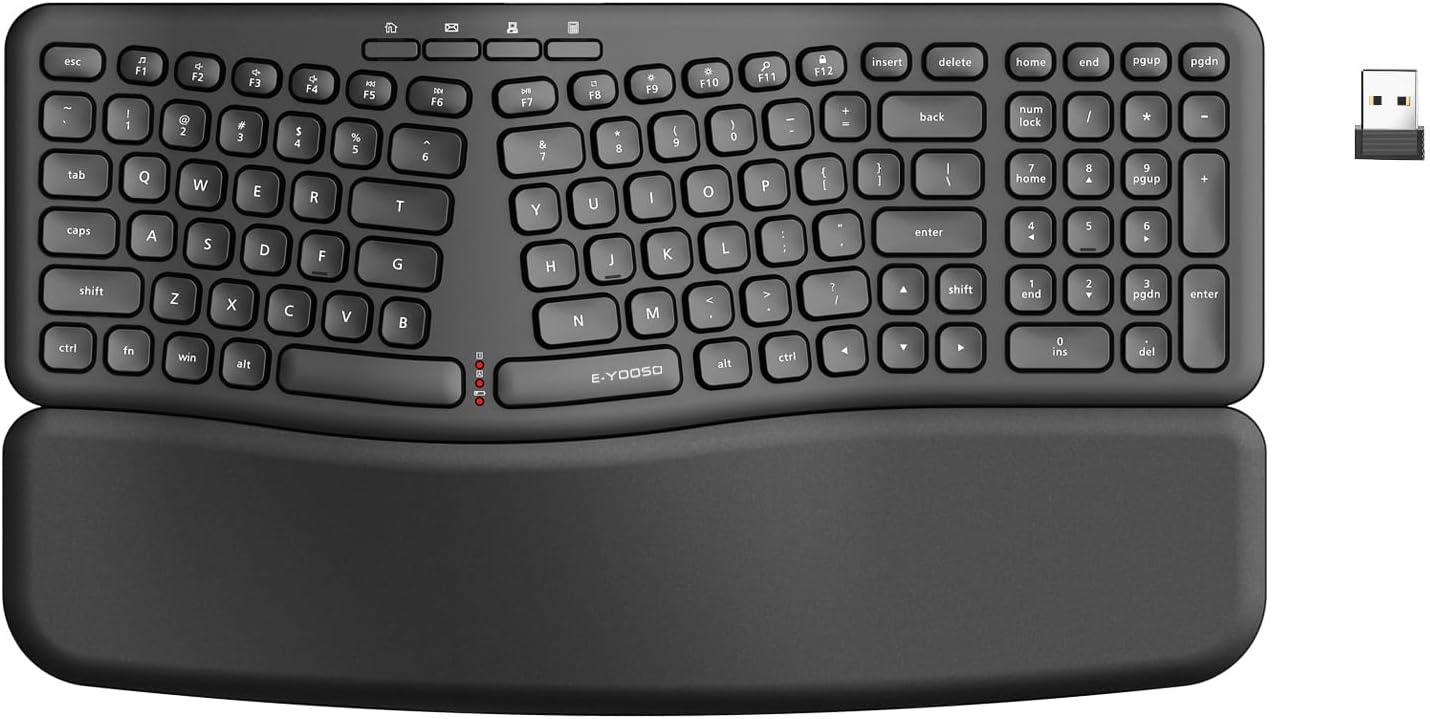
محتويات الحزمة
يرجى التأكد من وجود جميع العناصر في الحزمة الخاصة بك:
- E-YOOSO K-757 Ergonomic Wireless Keyboard
- استقبال USB نانو
- دليل المستخدم (هذا المستند)

تعليمات الإعداد
1. تركيب البطارية
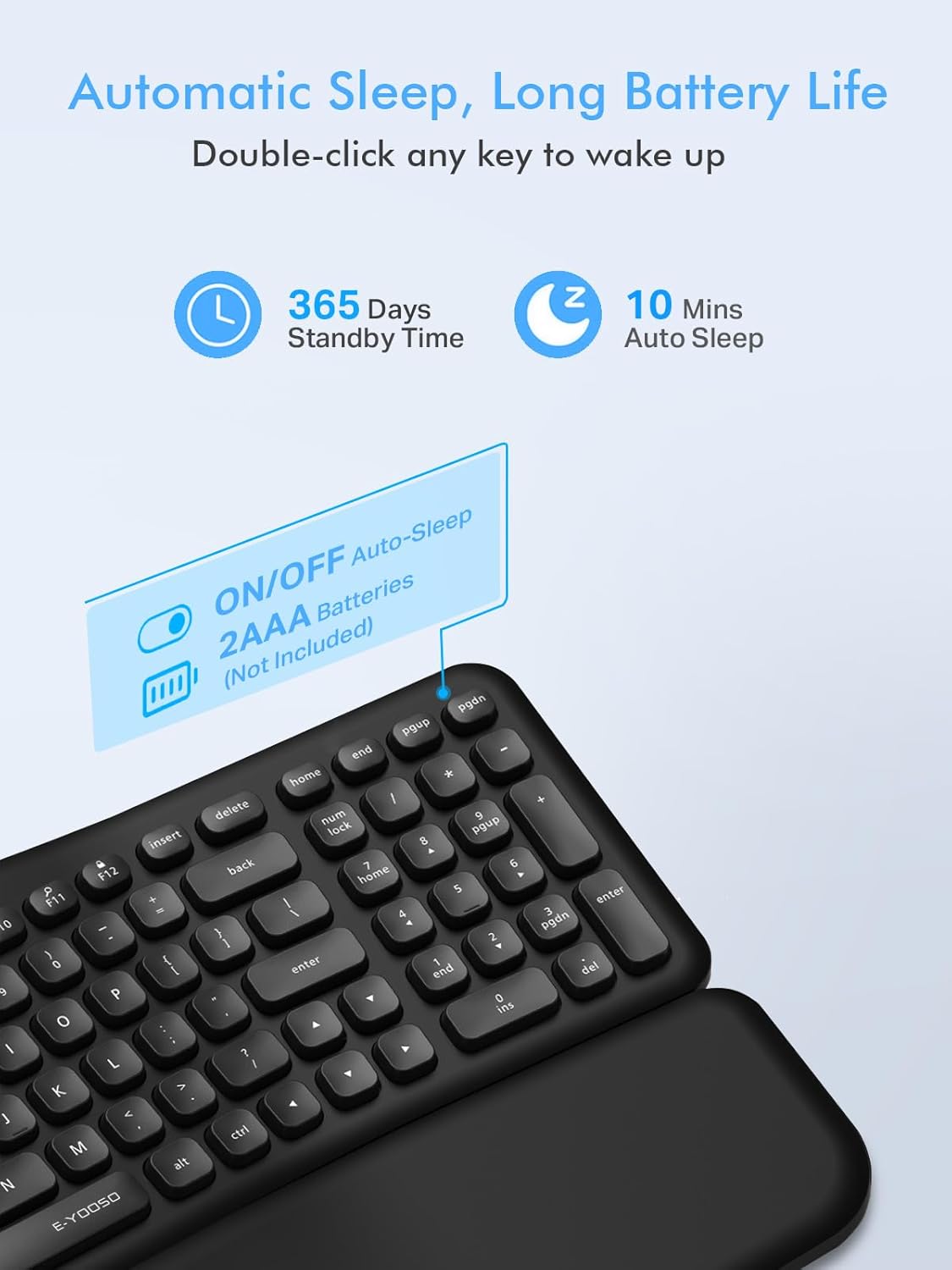
The E-YOOSO K-757 keyboard requires two (2) AAA batteries (not included) for operation.
- حدد مكان حجرة البطارية على الجانب السفلي من لوحة المفاتيح.
- افتح غطاء حجرة البطارية.
- قم بإدخال بطاريتين AAA، مع التأكد من القطبية الصحيحة (+/-).
- أغلق غطاء حجرة البطارية جيدًا.

2. توصيل جهاز الاستقبال USB
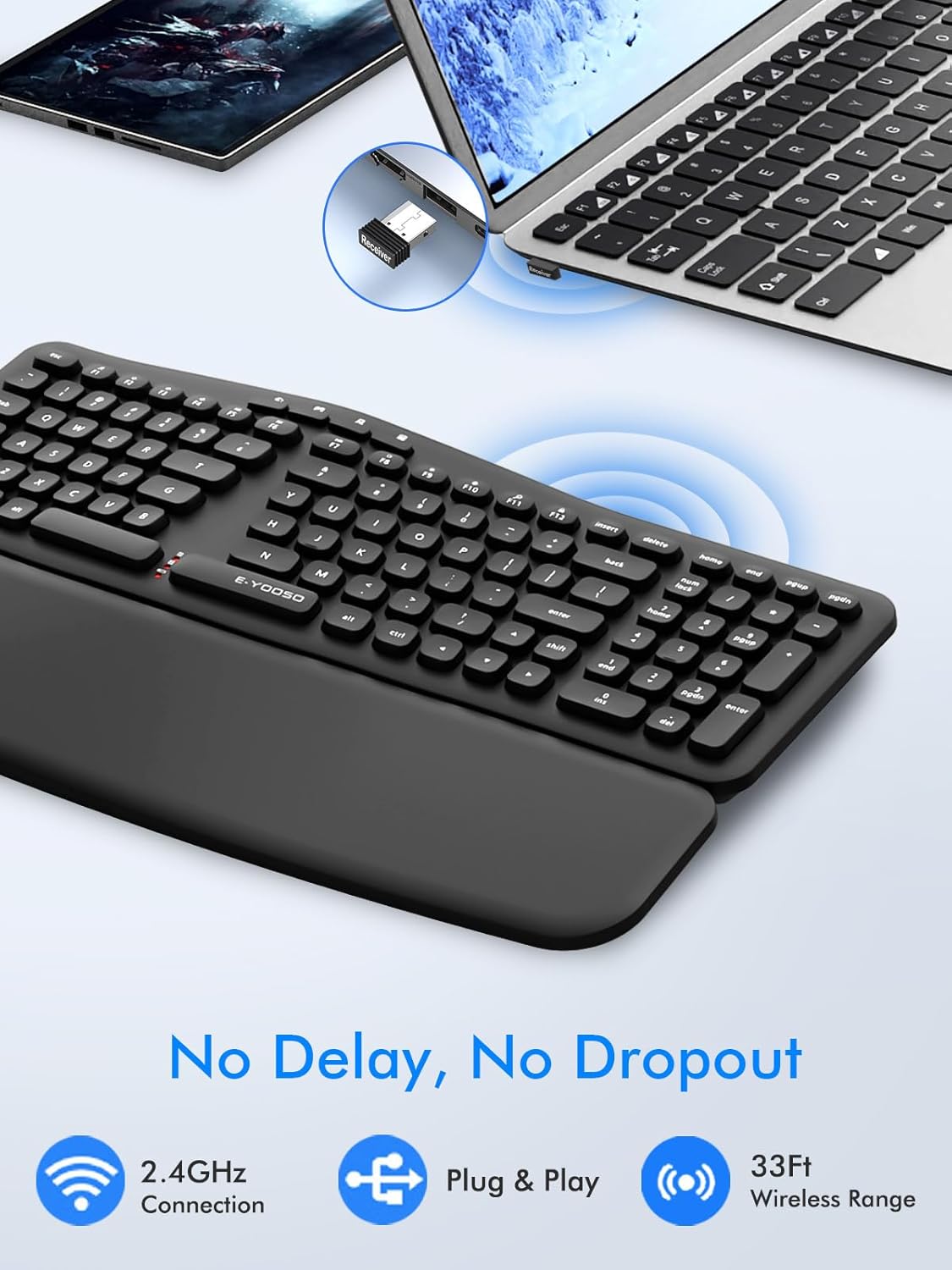
The keyboard connects wirelessly via a 2.4GHz USB nano receiver.
- Locate the USB nano receiver, typically stored in a slot on the underside of the keyboard or within the packaging.
- Plug the USB nano receiver into an available USB port on your computer (PC, Laptop, Mac, etc.).
- The keyboard should automatically connect. No additional drivers are typically required.
3. التوافق
This wireless keyboard is compatible with a wide range of devices and operating systems:
- PC
- سطح المكتب
- كمبيوتر محمول
- دفتر ملاحظات
- Mac (some function keys may not be compatible)
- نوافذ
- لينكس
- نظام التشغيل كروم

تعليمات التشغيل
1. Ergonomic Design Features
The K-757 keyboard incorporates several features to enhance typing comfort and reduce strain:
- Split and Curved Layout: Guides your hands into a natural typing position.
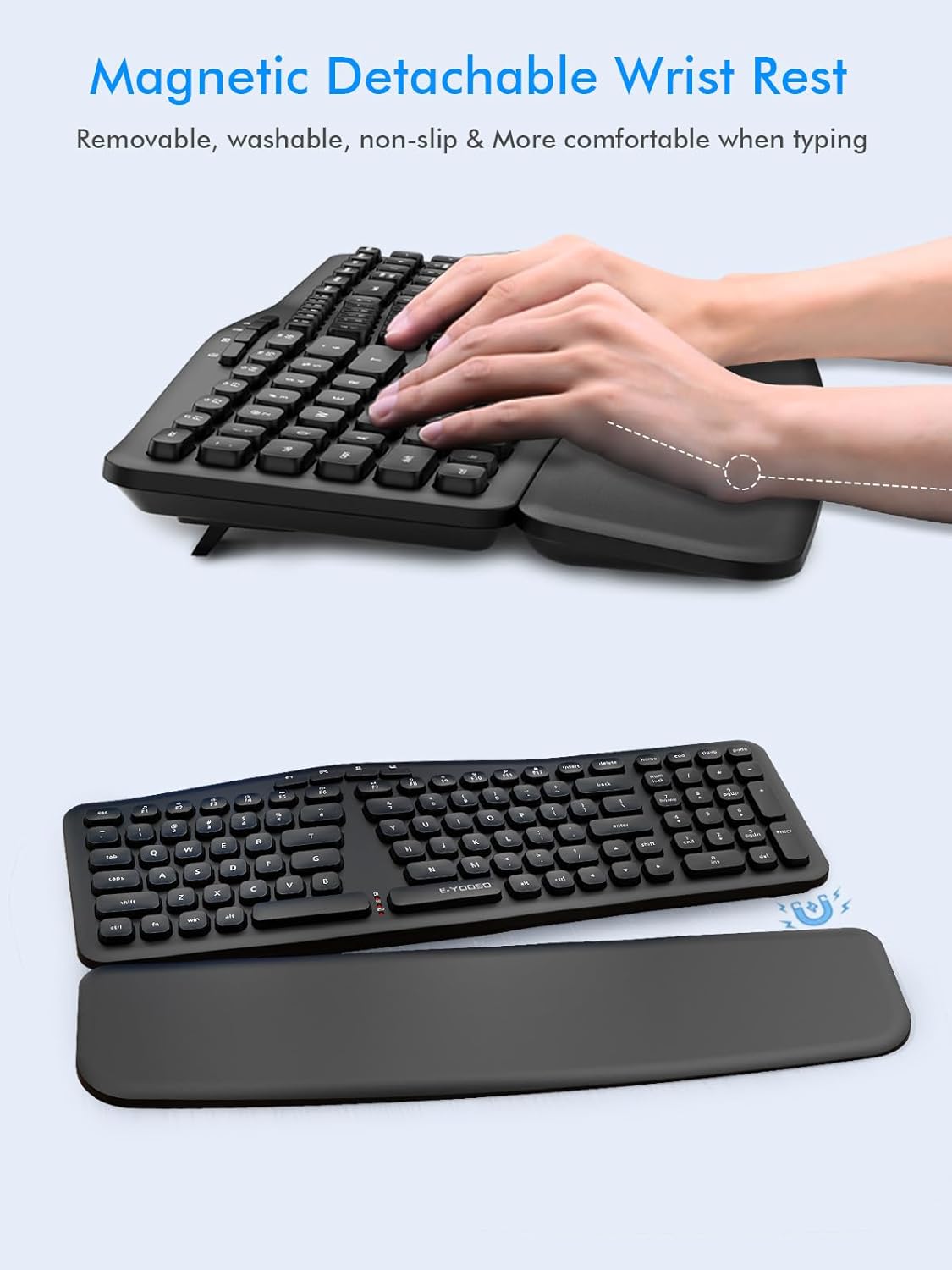
- Detachable Magnetic Wrist Rest: Provides support for your wrists and can be adjusted or removed based on preference. It features a spill-proof nano-coating for easy cleaning.
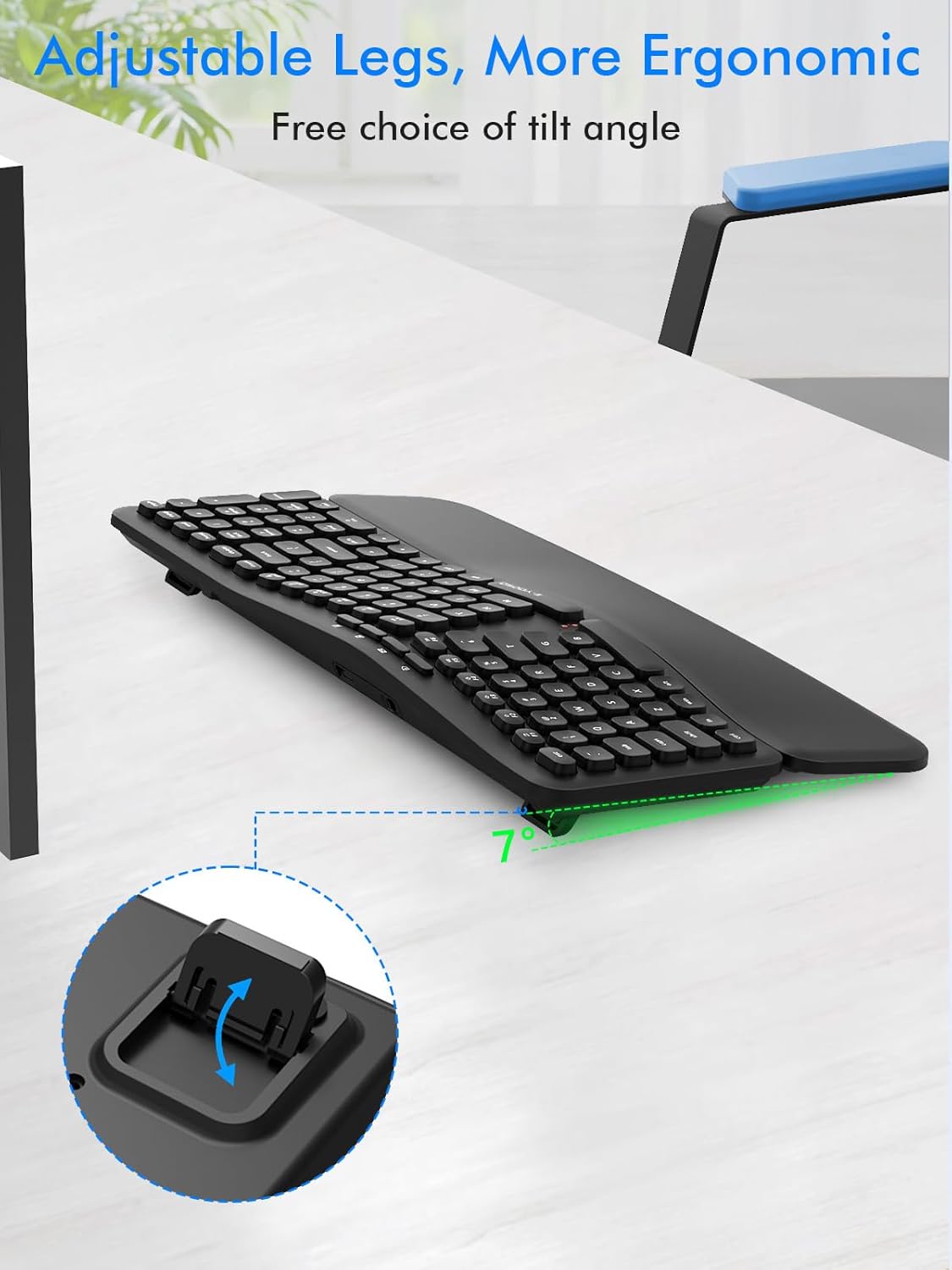
- أرجل قابلة للتعديل: Foldable legs on the underside allow you to choose a preferred typing angle (e.g., 7 degrees) for improved posture.
2. Multimedia Hotkeys
The keyboard includes standard F1-F12 shortcut hotkeys and four additional one-touch hotkeys for increased efficiency. Refer to the keycap legends for specific functions.
3. Automatic Sleep Function
To conserve battery life, the keyboard features an automatic sleep mode. After 10 minutes of inactivity, the keyboard will enter sleep mode. To wake it up, simply double-click any key.
صيانة
1. تنظيف لوحة المفاتيح
للحفاظ على الأداء والمظهر الأمثل:
- استخدم قطعة قماش ناعمة وخالية من الوبر وامسحها برفق.ampened with water or a mild cleaning solution to wipe down the keys and surfaces.
- For the detachable wrist rest, its spill-proof nano-coating allows for easy cleaning of coffee stains or other spills. Wipe with a damp قطعة قماش.
- تجنب استخدام المواد الكيميائية القاسية، أو المنظفات الكاشطة، أو الرطوبة الزائدة.
2. استبدال البطارية
When the keyboard's performance degrades or it stops responding, it may be time to replace the batteries. Follow the battery installation steps in the Setup section.
استكشاف الأخطاء وإصلاحها
If you encounter issues with your E-YOOSO K-757 keyboard, please refer to the following common solutions:
- لوحة المفاتيح لا تستجيب:
- تأكد من تركيب البطاريات بشكل صحيح وعدم نفاذها. استبدلها إذا لزم الأمر.
- Verify the USB nano receiver is securely plugged into a working USB port on your computer.
- Move the keyboard closer to the USB receiver to ensure it is within the 33-foot wireless range.
- حاول توصيل مستقبل USB بمنفذ USB مختلف.
- Double-click any key to wake the keyboard from auto-sleep mode.
- Keys not typing correctly or delayed response:
- تأكد من عدم وجود أي عوائق أسفل المفاتيح.
- Ensure the keyboard is within range of the USB receiver and there are no major interferences (e.g., large metal objects).
- استبدل البطاريات إذا كانت منخفضة.
- Function keys not working on Mac:
- Some function keys may have limited or no compatibility with Mac operating systems. This is a known characteristic and not a defect.
تحديد
Detailed technical specifications for the E-YOOSO K-757 Ergonomic Wireless Keyboard:
| ميزة | التفاصيل |
|---|---|
| رقم الموديل | ك-757 |
| ماركة | إي-يوسو |
| تكنولوجيا الاتصال | 2.4 جيجا يو اس بي لاسلكي |
| لاسلكي المدى | حتى 33 قدم (10 أمتار) |
| مصدر الطاقة | 2 بطاريات AAA (غير مدرجة) |
| تخطيط لوحة المفاتيح | لوحة مفاتيح كويرتي |
| المميزات الخاصة | Ergonomic, Detachable Wrist Rest, Wave, Split Design, Full Size |
| وصف لوحة المفاتيح | الوسائط المتعددة |
| الأجهزة المتوافقة | Laptop, Notebook, PC, Mac, Windows, Linux, Chromebook, Television |
| لون | أسود |
| وزن العنصر | 2.31 رطل |
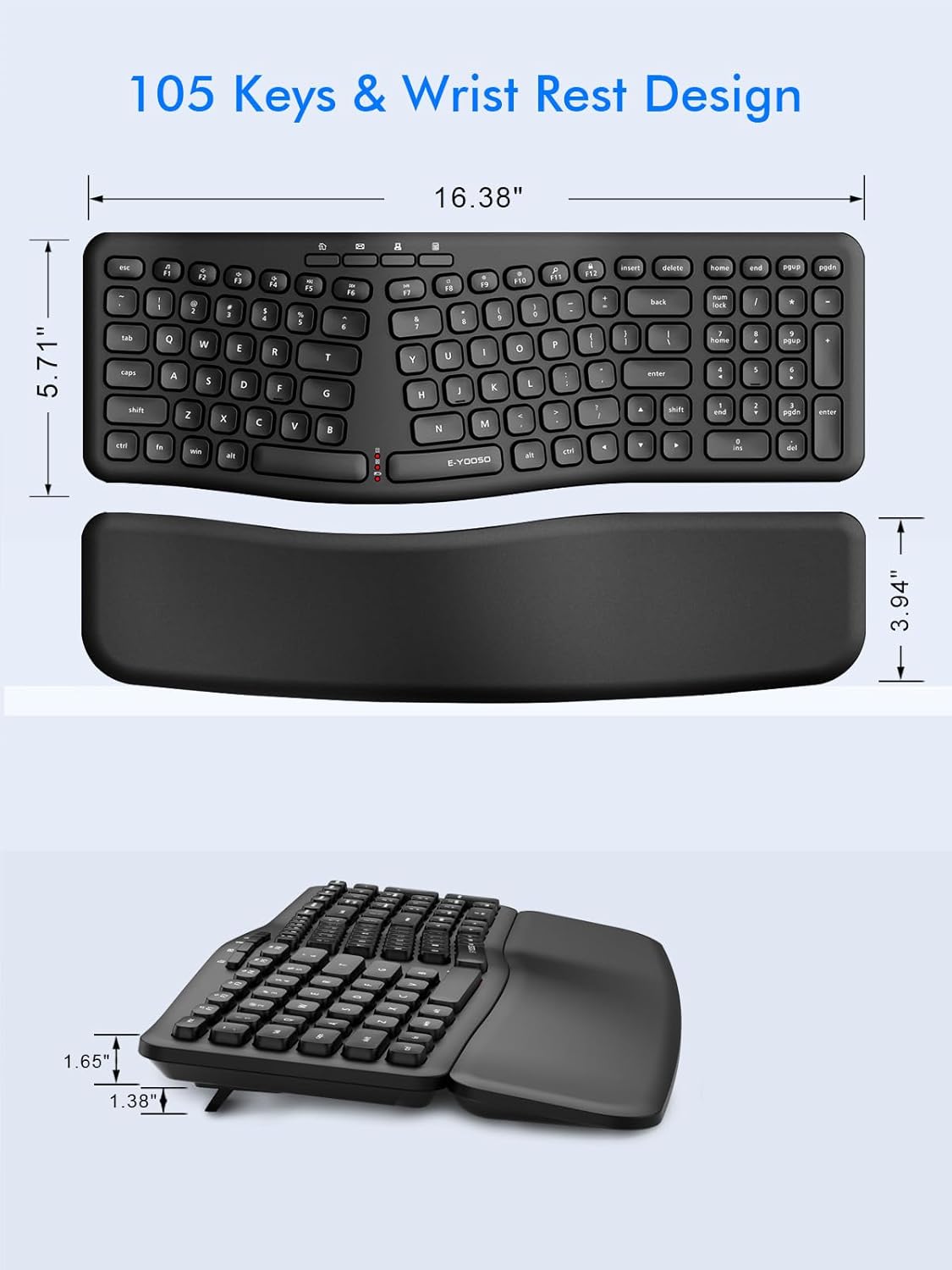
| أبعاد الحزمة | 17.63 × 6.61 × 3.39 بوصة |
الضمان والدعم
For information regarding the product warranty, please refer to the warranty card included with your purchase or visit the official E-YOOSO website. For technical support or further assistance, please contact E-YOOSO customer service through their official channels.


