1. معلومات هامة حول السلامة
Please read all instructions carefully before using the DOYO 180° PC Racing Wheel. Retain this manual for future reference.
- لا تعرض الجهاز لدرجات حرارة شديدة أو رطوبة أو أشعة الشمس المباشرة.
- تجنب إسقاط الجهاز أو تعريضه لصدمات قوية.
- لا تحاول تفكيك الجهاز أو تعديله. سيؤدي ذلك إلى إلغاء الضمان.
- احتفظ بالجهاز بعيدًا عن الماء والسوائل الأخرى.
- استخدم فقط الكابلات والملحقات المرفقة.
- تأكد من التهوية المناسبة أثناء الاستخدام لمنع ارتفاع درجة الحرارة.
2. محتويات العبوة
تأكد من وجود جميع العناصر في الحزمة الخاصة بك:
- DOYO 180° PC Racing Wheel Unit
- وحدة الدواسة (دواسة الوقود والفرامل)
- كابل توصيل USB
- دليل المستخدم
3. انتهى المنتجview
3.1 مكونات
The DOYO 180° PC Racing Wheel system consists of the main steering wheel unit and a separate pedal unit.
الشكل 3.1: انتهىview of the DOYO 180° PC Racing Wheel and Pedal Unit.
3.2 الميزات الرئيسية
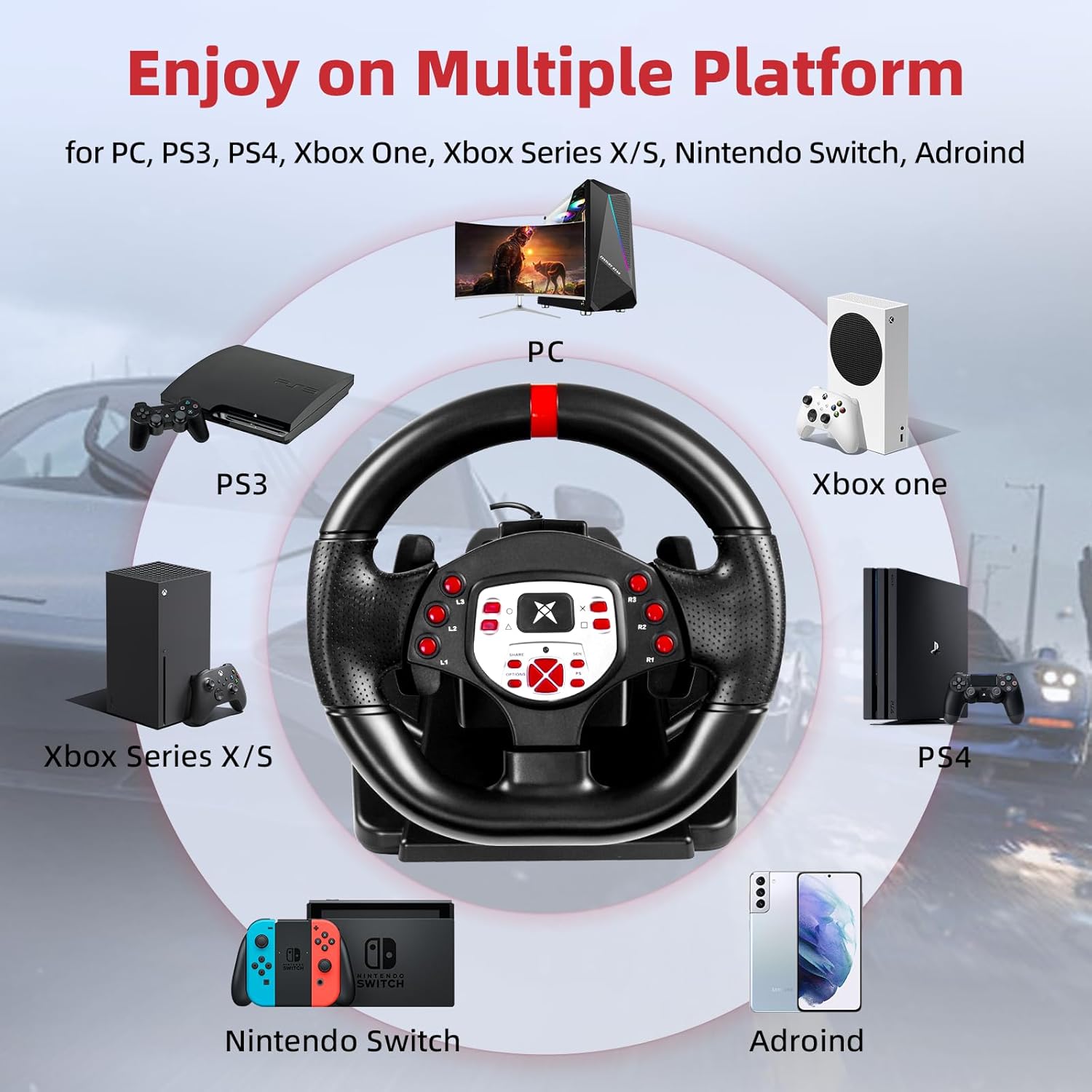
- التوافق الواسع: Supports PC, PlayStation 4 (PS4), PlayStation 3 (PS3), and Nintendo Switch.
- دوران 180 درجة: The steering wheel offers 180 degrees of rotation for realistic driving simulation.
- اهتزاز بمحرك مزدوج: Built-in dual motors provide realistic vibration feedback based on in-game events.
- Adjustable Height & Tilt: The steering wheel's height and tilt can be adjusted to suit various user preferences and seating positions.
- مبدلات السرعة اليدوية: Integrated paddle shifters allow for quick and responsive gear changes.
- Linear Pedal Design: The pedal unit features a linear design for precise control over acceleration and braking.
- Strong Fixation: Equipped with four large suction cups on the base for stable mounting on flat surfaces.
- Multi-level Sensitivity Adjustment: Allows users to fine-tune steering sensitivity for different games and driving styles.

الشكل 3.2: مفصل view of the racing wheel's controls and features.
4. تعليمات الإعداد
4.1 Connecting the Steering Wheel
The DOYO Racing Wheel is designed for plug-and-play functionality across supported platforms.

Figure 4.1: Multi-platform compatibility of the racing wheel.
4.1.1 اتصال الكمبيوتر
- Connect the USB cable from the steering wheel unit to an available USB port on your PC.
- The system should automatically detect and install the necessary drivers. If not, manual driver installation may be required (refer to DOYO support webموقع).
4.1.2 PS3/PS4 Connection
- Ensure your console is powered off.
- Connect the USB cable from the steering wheel unit to an available USB port on your PS3 or PS4 console.
- Power on your console. The wheel should be recognized as a controller.
4.1.3 وصلة نينتندو سويتش
- Go to System Settings > Controllers and Sensors > Pro Controller Wired Communication and set it to 'On'.
- Connect the USB cable from the steering wheel unit to the Nintendo Switch dock's USB port.
- The wheel should be recognized and ready for use.
4.2 Connecting the Pedal Unit
Connect the cable from the pedal unit to the designated port on the back of the steering wheel unit.

Figure 4.2: Connection point for the foot pedal unit.
4.3 تركيب عجلة القيادة
The steering wheel base is equipped with four large suction cups for secure mounting.
- Place the steering wheel unit on a clean, flat, and smooth surface (e.g., a desk or table).
- اضغط بقوة على قاعدة عجلة القيادة لتثبيت أكواب الشفط.
- تأكد من ثبات العجلة قبل الاستخدام.
Video 4.3: Demonstration of the DOYO 180 Degree PC Racing Wheel and its features, including setup and usage.
5. تعليمات التشغيل
5.1 Steering Wheel Rotation
The steering wheel provides 180 degrees of rotation, allowing for 90 degrees to the left and 90 degrees to the right from the center position.

Figure 5.1: The steering wheel's 180-degree rotation range.
5.2 Height and Tilt Adjustment
To adjust the steering wheel's position for optimal comfort:
- Locate the adjustment knob or lever on the steering wheel base.
- Rotate the knob or release the lever to unlock the adjustment mechanism.
- Adjust the tilt angle and telescopic length (up to 5cm) to your desired position.
- Secure the adjustment by rotating the knob or engaging the lever.

Figure 5.2: Steering wheel height and tilt adjustment.
5.3 مبدلات السرعة اليدوية
Use the paddle shifters located behind the steering wheel for manual gear changes in compatible games. The left paddle typically shifts down, and the right paddle shifts up.

Figure 5.3: Dual paddle shifters for gear control.
5.4 Pedal Unit Operation
The linear pedal unit provides progressive control for acceleration and braking. Press the right pedal for acceleration and the left pedal for braking.
5.5 ردود الفعل الاهتزازية
The dual motor vibration system provides immersive feedback, simulating road conditions, collisions, and other in-game effects.

Figure 5.4: Illustration of dual motor vibration feedback.
5.6 تعديل الحساسية
The steering wheel features a multi-level sensitivity adjustment. Refer to the on-screen display or indicator on the wheel to select your preferred sensitivity level (e.g., Grade 1-7).

Figure 5.5: Sensitivity adjustment dial on the steering wheel.
6. الصيانة
To ensure the longevity and optimal performance of your DOYO Racing Wheel:
- تنظيف: Use a soft, dry cloth to wipe down the steering wheel and pedal unit. Do not use abrasive cleaners or solvents.
- تخزين: قم بتخزين الجهاز في مكان بارد وجاف بعيدًا عن أشعة الشمس المباشرة ودرجات الحرارة القصوى عندما لا يكون قيد الاستخدام.
- العناية بالكابلات: Avoid bending or twisting cables excessively.
7. استكشاف الأخطاء وإصلاحها
If you encounter issues with your DOYO Racing Wheel, please refer to the following common solutions:
| مشكلة | الحل المحتمل |
|---|---|
| عجلة القيادة غير معترف بها من قبل وحدة التحكم/الكمبيوتر |
|
| لا يوجد رد فعل اهتزازي |
|
| الدواسات لا تستجيب |
|
| Steering sensitivity too high/low |
|
If the problem persists, please contact DOYO customer support for further assistance.
8. المواصفات
- رقم الموديل: R180C-PC
- ASIN: B0DXBNTWZG
- زاوية الدوران: 180 درجة
- التوافق: الكمبيوتر الشخصي، PS4، PS3، نينتندو سويتش
- اهتزاز: Dual Motor Feedback
- تثبيت: 4 أكواب شفط
- وزن السلعة: حوالي 7.24 رطل (3.28 كجم)
- أبعاد الحزمة: 13 × 11.5 × 10.5 بوصة (33 × 29.2 × 26.7 سم)
- الشركة المصنعة: دويو
9. الضمان والدعم
DOYO products come with a limited warranty. For detailed warranty information, product support, or to report any issues, please refer to the warranty card included with your product or visit the official DOYO website. Please have your model number (R180C-PC) and purchase information ready when contacting support.


