مقدمة
Thank you for choosing the hOmeLabs 25 Pint Wi-Fi Dehumidifier. This manual provides essential information for the safe operation, maintenance, and troubleshooting of your new appliance. Designed for efficient moisture removal in spaces up to 3,500 sq ft, this dehumidifier features Wi-Fi smart control, quiet operation, and flexible drainage options to enhance your indoor environment.
تعليمات السلامة الهامة
Please read all instructions carefully before using the dehumidifier. Failure to follow these instructions may result in electric shock, fire, or serious injury.
- Always plug the dehumidifier into a grounded electrical outlet.
- لا تقم بتشغيل الوحدة إذا كان سلك الطاقة أو القابس تالفًا.
- تأكد من وضع الوحدة على سطح مستوٍ ومستقر لمنع الانقلاب.
- لا تسد فتحات دخول أو خروج الهواء. حافظ على مسافة لا تقل عن 8 بوصة حول الوحدة.
- افصل جهاز إزالة الرطوبة قبل التنظيف أو النقل أو إجراء أي صيانة.
- لا تستخدم الوحدة في المناطق التي يتم فيها تخزين السوائل أو الغازات القابلة للاشتعال.
- هذا الجهاز مخصص للاستخدام السكني فقط.
- احتفظ بالأطفال والحيوانات الأليفة بعيدًا عن الوحدة أثناء التشغيل.
المنتج انتهىview
Familiarize yourself with the components of your hOmeLabs dehumidifier.

The hOmeLabs 25 Pint Wi-Fi Dehumidifier shown alongside its blue and white product packaging, highlighting its compact design and brand.

An illustration showing the dimensions of the dehumidifier: 19.6 inches high, 12.2 inches wide, and 8.2 inches deep, emphasizing its compact form factor.

A close-up of the dehumidifier's control panel, displaying buttons for Wi-Fi, fan speed, timer, comfort mode, and indicators for tank full and filter status.

The dehumidifier positioned in a gym setting next to a yoga mat, illustrating its compact design and emphasizing its ultra-quiet operation at 47 dB.
المكونات الرئيسية:
- لوحة التحكم: Digital display and buttons for settings.
- مدخل / مخرج الهواء: مكان دخول وخروج الهواء من الوحدة.
- خزان المياه: Removable bucket for collected moisture.
- منفذ الصرف المستمر: منفذ لتوصيل خرطوم تصريف للتشغيل المستمر.
- Caster Wheels & Handle: لسهولة الحمل.
- فلتر قابل للغسل: Located at the back for air purification.
تعليمات الإعداد
- فك التعبئة: أخرج مزيل الرطوبة من عبوته بحرص. احتفظ بمواد التغليف للتخزين أو النقل لاحقًا.
- الموقع: Place the unit upright on a firm, level surface in the area where dehumidification is desired. Ensure there is at least 8 inches (20 cm) of space around all sides of the unit for proper airflow. Avoid placing it near heat sources or in direct sunlight.
- توصيل الطاقة: Plug the power cord into a grounded 110-120V/60Hz electrical outlet. The unit will beep once, and the display will light up.
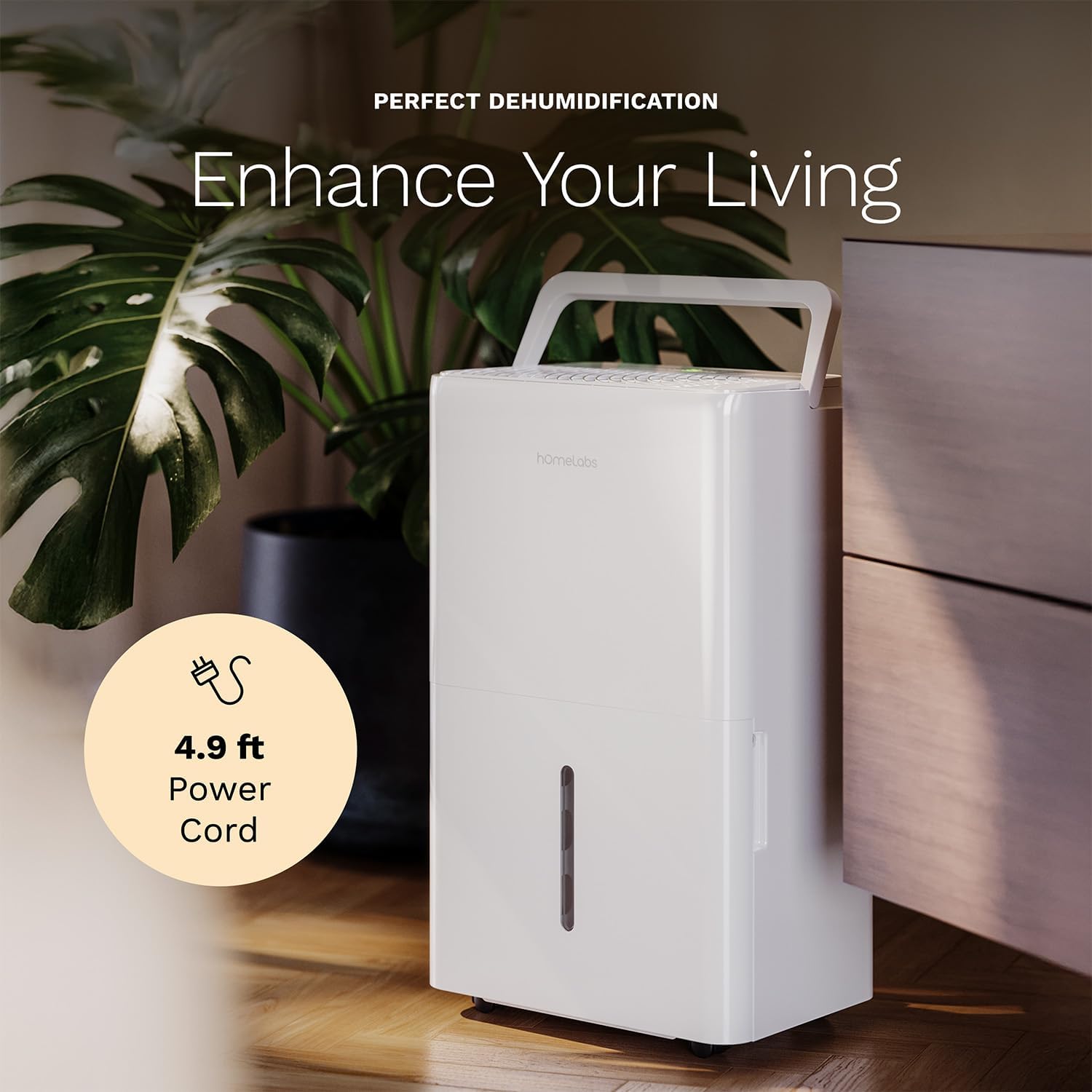
The dehumidifier positioned in a room, highlighting its 4.9 ft power cord for flexible placement.
- Drainage Option (Optional):

An image illustrating the two drainage options: using the built-in tank (manual emptying) or connecting a gravity drain hose for continuous drainage.
- الصرف اليدوي: The unit will collect water in the internal tank. When the tank is full, the unit will automatically shut off and indicate "Tank Full". Empty the tank as described in the Maintenance section.
- الصرف المستمر: For continuous operation without emptying the tank, attach the included drain hose to the continuous drain outlet. Ensure the hose is sloped downwards to a suitable drain (e.g., floor drain, large bucket) to allow gravity drainage.
تعليمات التشغيل
وظائف لوحة التحكم:
- زر الطاقة: اضغط لتشغيل أو إيقاف تشغيل الوحدة.
- أزرار ضبط الرطوبة (+/-): Adjust the desired humidity level from 35% to 85% relative humidity (RH) in 5% increments.
- زر سرعة المروحة: Cycle through High, Medium, and Low fan speeds.
- زر المؤقت: Set a timer for automatic ON/OFF operation (1-24 hours).
- Comfort Mode Button: Activates a preset humidity level for optimal comfort.
- زر Wi-Fi: Activates Wi-Fi pairing mode.
Wi-Fi Smart Control:
Your dehumidifier can be controlled remotely via Wi-Fi using a smartphone app, Google Assistant, or Alexa.

The dehumidifier shown with icons indicating compatibility with Google Home and Alexa, along with a smartphone icon representing app control for remote operation.
- تحميل التطبيق: Download the hOmeLabs app from your smartphone's app store (iOS or Android).
- الاقتران: Follow the in-app instructions to pair your dehumidifier with your home Wi-Fi network. This typically involves pressing and holding the Wi-Fi button on the control panel until the indicator light flashes.
- جهاز التحكم عن بعد: Once paired, you can adjust settings, monitor humidity levels, and set schedules from anywhere using your smartphone.
صيانة
تضمن الصيانة المنتظمة الأداء الأمثل وتطيل عمر جهاز إزالة الرطوبة لديك.
تفريغ خزان المياه:
- When the water tank is full, the "Tank Full" indicator will illuminate, and the unit will stop operating.
- اسحب خزان المياه بحرص من مقدمة الوحدة.
- قم بتفريغ الماء المتجمع في حوض أو مصرف.
- أدخل الخزان الفارغ في الوحدة حتى تسمع صوت طقطقة. ستستأنف الوحدة عملها.
تنظيف مرشح الهواء:
The "Filter" indicator light will illuminate after 250 hours of operation, reminding you to clean the filter. Clean the filter every two weeks or more frequently depending on usage and air quality.
- قم بإيقاف تشغيل جهاز إزالة الرطوبة وفصله عن مأخذ الطاقة.
- قم بإزالة فلتر الهواء من الجزء الخلفي للوحدة.
- اغسل الفلتر بالماء الدافئ والصابون، ثم اشطفه جيدًا.
- Allow the filter to air dry completely before reinstalling. Do not use a dryer or direct heat.
- Once the filter is reinstalled, press and hold the "Filter" button for 3 seconds to reset the filter timer.
النظافة العامة:
- امسح الجزء الخارجي من الوحدة بقطعة قماش ناعمة دamp قطعة قماش.
- لا تستخدم المواد الكيميائية القاسية، أو المواد الكاشطة، أو المذيبات.
- قم بتنظيف خزان المياه بانتظام لمنع نمو العفن والفطريات.
استكشاف الأخطاء وإصلاحها
راجع هذا القسم للتعرف على المشكلات الشائعة وحلولها.
| مشكلة | السبب المحتمل | حل |
|---|---|---|
| لا يتم تشغيل جهاز إزالة الرطوبة. | No power; Power cord not plugged in; Tank full. | Check power supply; Plug in power cord securely; Empty water tank. |
| الوحدة تعمل ولكنها لا تجمع المياه. | ضبط الرطوبة مرتفع للغاية؛ درجة حرارة الغرفة منخفضة للغاية؛ فلتر الهواء مسدود. | خفض مستوى الرطوبة المطلوب؛ تأكد من أن درجة حرارة الغرفة أعلى من 41 درجة فهرنهايت (5 درجات مئوية)؛ نظف فلتر الهواء. |
| الوحدة صاخبة. | الوحدة غير مستوية؛ فلتر الهواء مسدود؛ انسداد المروحة. | ضعها على سطح مستوٍ؛ نظف فلتر الهواء؛ تحقق من وجود أي عوائق في منطقة المروحة. |
| مشاكل في الاتصال بشبكة Wi-Fi. | كلمة مرور الواي فاي غير صحيحة؛ جهاز التوجيه بعيد جدًا؛ مشاكل في التطبيق. | Verify Wi-Fi password; Move unit closer to router; Restart app/unit. |
تحديد
| ميزة | التفاصيل |
|---|---|
| ماركة | هوم لابس |
| اسم الموديل | hOmelabs - Dehumidifier - 25 Pint - WIFI (HME0088) |
| قدرة إزالة الرطوبة | 25 Pints per Day (at 80°F, 60%RH) / MAX 64 Pints (at 95°F, 90%RH) |
| منطقة التغطية | تصل إلى 3,500 قدم مربع |
| حجم الخزان | 1 جالون |
| أبعاد المنتج (العمق × العرض × الارتفاع) | 8.2 بوصة عمق × 12.2 بوصة عرض × 19.6 بوصة ارتفاع |
| وزن العنصر | 27.1 رطل |
| وضع التشغيل | اوتوماتيكي |
| المميزات الخاصة | Adjustable Humidity Control, Automatic Defrost, Automatic Moisture Removal, Automatic Shutoff, Bucket Storage, Digital Display, Portable, Quiet Operation, Removable Tank, Timer, Washable Filter, Wi-Fi Enabled |
| كفاءة الطاقة | Energy Star Most Efficient 2024 Certified |
الضمان والدعم
Your hOmeLabs 25 Pint Wi-Fi Dehumidifier comes with a standard manufacturer's warranty. For detailed warranty information, please refer to the official warranty document provided with your purchase or visit the hOmeLabs webموقع.
وثيقة الضمان: تنزيل الضمان (PDF)
For technical support, troubleshooting assistance, or to inquire about replacement parts, please contact hOmeLabs customer service. Contact information can typically be found on the hOmeLabs webالموقع أو في عبوة منتجك.


