1. المقدمة
Thank you for choosing the Shokz OpenDots ONE Ear Cuff Wireless Earphones. These open-ear earphones are designed to provide a comfortable listening experience while keeping you aware of your surroundings. This manual provides detailed instructions for setup, operation, maintenance, and troubleshooting to ensure optimal performance.

Image 1.1: Shokz OpenDots ONE earphones and charging case.
The Shokz OpenDots ONE features:
- Open-ear ear-cuff design for pressure-free comfort and situational awareness.
- Dolby Audio support for immersive, high-quality sound with 16mm equivalent dual-driver system and Bassphere technology.
- Up to 40 hours of total battery life with the charging case, including quick charge functionality.
- Bluetooth 5.4 for stable multipoint connection.
- IP54 water resistance for protection against sweat and light splashes.
- Dedicated app for sound customization, touch control settings, and finding lost earphones.
- AI noise-canceling microphone for clear calls.
- DirectPitch technology to minimize sound leakage and enhance privacy.

الصورة 1.2: انتهىview of key features including lightweight design, Dolby Audio, 40-hour battery, IP54 rating, and wireless charging.
2. الإعداد
2.1. شحن سماعات الأذن والعلبة
قبل الاستخدام الأول، قم بشحن سماعات الأذن وعلبة الشحن بالكامل.
- شحن USB-C: Connect the provided USB-C cable to the charging case and a power source. The indicator light on the case will show charging status. A full charge takes approximately 60 minutes.
- الشحن اللاسلكي: ضع علبة الشحن على قاعدة شحن لاسلكية متوافقة. سيؤكد ضوء المؤشر عملية الشحن.
- الشحن السريع: A 10-minute quick charge provides approximately 2 hours of playback.

Image 2.1: The charging case connected via USB-C, illustrating the 40-hour total playback and quick charge feature.

Image 2.2: The charging case placed on a wireless charging pad, demonstrating wireless charging capability.
2.2. الاقتران بجهازك
- Open the charging case. The earphones will automatically enter pairing mode, indicated by a flashing LED light.
- على جهازك (الهاتف الذكي، الجهاز اللوحي، الكمبيوتر)، انتقل إلى إعدادات البلوتوث.
- Select "Shokz OpenDots ONE" from the list of available devices.
- Once connected, the LED indicator on the earphones will stop flashing.
2.3. ارتداء سماعات الأذن
The OpenDots ONE features an ear-cuff design that rests gently on your ear without blocking the ear canal. They are designed to be worn without distinguishing between left and right, as the earphones automatically detect orientation.
- Gently place the earphone over your ear, ensuring the speaker rests comfortably near your ear canal.
- The flexible JointArc structure adapts to various ear shapes for a secure and comfortable fit.
- The design is compatible with glasses and masks, preventing interference.
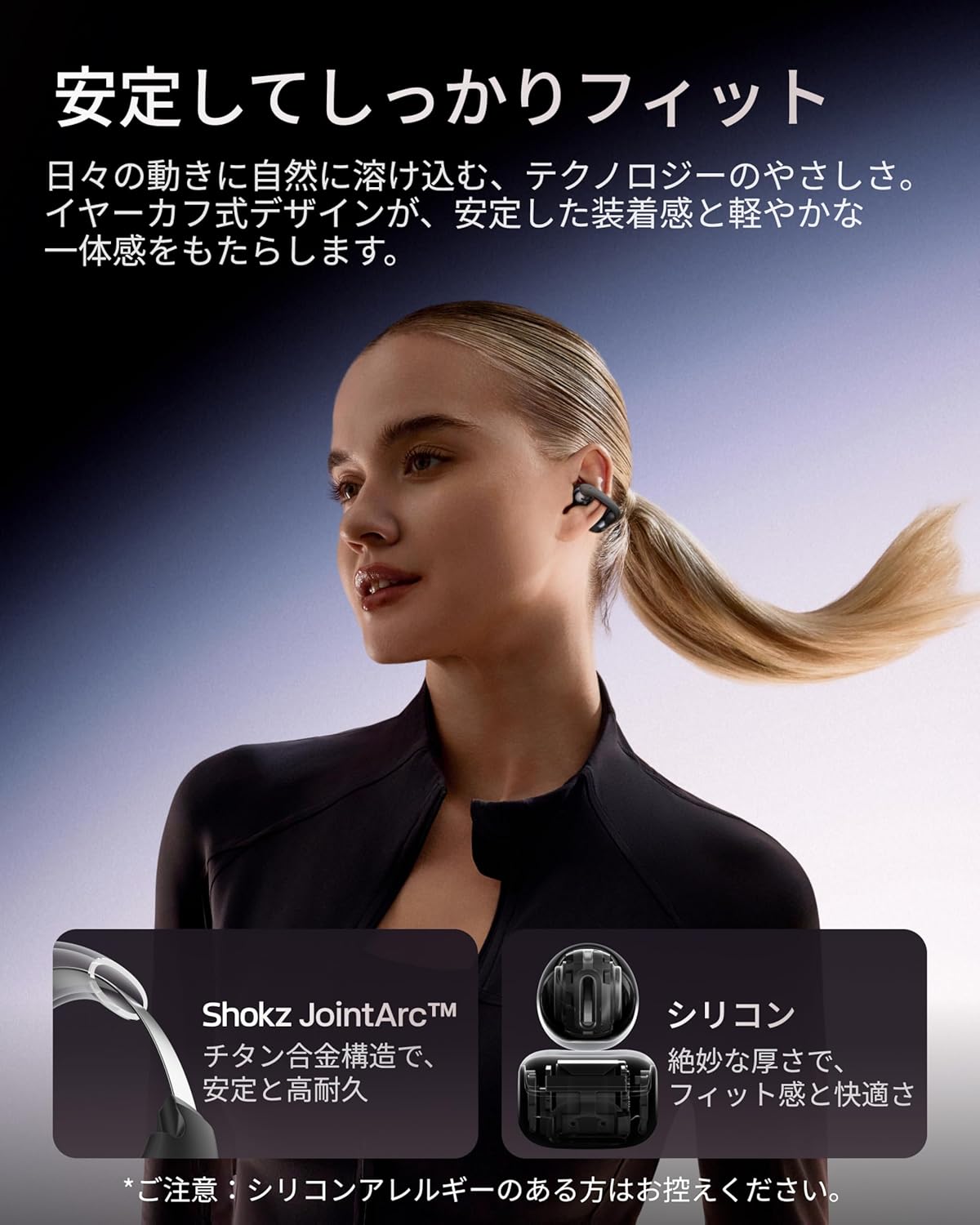
Image 2.3: A woman wearing the Shokz OpenDots ONE earphones, demonstrating the secure and comfortable ear-cuff fit.

Image 2.4: Visual guide for correct earphone placement and common incorrect wearing methods.
3. تشغيل سماعات الأذن
3.1. عناصر التحكم الأساسية باللمس
The OpenDots ONE features intuitive touch controls on each earphone. You can customize these controls via the Shokz app.
- تشغيل/إيقاف مؤقت: Double-tap the battery compartment or JointArc area.
- رفع/خفض الصوت: Touch and hold the top or bottom of the battery compartment.
- المسار التالي: Triple-tap (customizable).
- المسار السابق: Quadruple-tap (customizable).
- الرد/إنهاء المكالمة: انقر نقرًا مزدوجًا.
- رفض المكالمة: المس مع الاستمرار.
- تنشيط مساعد الصوت: Triple-tap (customizable).
3.2. Shokz App Features
Download the dedicated Shokz app for enhanced control and customization.
- تخصيص الصوت: Choose from 4 preset EQ modes (Standard, Vocal, Bass Boost, Private) and 2 custom modes to adjust the sound profile.
- Touch Control Settings: Customize touch gestures to your preference.
- Find My Earphones: ابحث عن سماعات الأذن المفقودة.
- تحديثات البرامج الثابتة: حافظ على تحديث سماعات الأذن الخاصة بك بأحدث الميزات والتحسينات.
- Prompt Volume Adjustment: Control the volume of system prompts.
- وضع الخاص: Enhance sound leakage prevention for increased privacy.

Image 3.1: The Shokz app interface, showing options for EQ settings and other customizations.
3.3. اتصال متعدد النقاط
The OpenDots ONE supports multipoint connection, allowing you to connect to two Bluetooth devices simultaneously. This enables seamless switching between devices, for example, from a laptop for music to a phone for a call.
- Ensure both devices are paired with your OpenDots ONE.
- The earphones will automatically switch audio source based on activity (e.g., incoming call).
4. الصيانة
4.1. التنظيف
- امسح سماعات الأذن وعلبة الشحن بقطعة قماش ناعمة وجافة وخالية من الوبر.
- لا تستخدم المنظفات الكاشطة أو المذيبات أو البخاخات الهوائية.
- تجنب دخول الرطوبة إلى أي فتحات.
4.2. التخزين
- قم بتخزين سماعات الأذن في علبة الشحن الخاصة بها عندما لا تكون قيد الاستخدام لحمايتها والحفاظ على شحنها.
- تجنب التخزين في درجات حرارة عالية أو رطوبة عالية.
4.3. مقاومة الماء (IP54)
The OpenDots ONE earphones are rated IP54, meaning they are resistant to dust and splashing water from any direction. This makes them suitable for exercise and outdoor activities in light rain. However, they are not designed for submersion in water or exposure to pressurized water jets.
- لا تغمر سماعات الأذن في الماء عمداً.
- If the earphones get wet, wipe them dry before placing them back in the charging case.
5. استكشاف الأخطاء وإصلاحها
5.1. No Sound or Intermittent Audio
- تأكد من شحن سماعات الأذن.
- Check that the earphones are properly paired and connected to your device.
- Verify the volume levels on both the earphones and your connected device.
- اقترب من جهازك لضمان اتصال بلوتوث مستقر.
- حاول فصل اتصال البلوتوث ثم إعادة توصيله.
5.2. مشاكل الاقتران
- Ensure the earphones are in pairing mode (flashing LED).
- قم بإيقاف تشغيل البلوتوث على الأجهزة الأخرى القريبة لتجنب التداخل.
- قم بحذف الجهاز من إعدادات البلوتوث في هاتفك وحاول الاقتران مرة أخرى.
- Perform a factory reset (refer to the Shokz app or official support for instructions).
5.3. مشاكل الشحن
- تأكد من توصيل كابل USB-C بشكل آمن بكل من العلبة ومصدر الطاقة.
- في حالة استخدام الشحن اللاسلكي، تأكد من وضع الغطاء بشكل صحيح على لوحة الشحن.
- حاول استخدام كابل شحن أو محول طاقة مختلف.
- قم بتنظيف نقاط الشحن الموجودة على سماعات الأذن وداخل العلبة باستخدام قطعة قطن جافة.
5.4. تسرب الصوت
While DirectPitch technology significantly reduces sound leakage, some leakage may occur at very high volumes or in very quiet environments. To minimize this:
- خفض حجم.
- Activate "Private Mode" in the Shokz app.
6. المواصفات
| ميزة | التفاصيل |
|---|---|
| اسم الموديل | OpenDots ONE |
| مرجع الشركة المصنعة | SHOKZ E310 |
| تكنولوجيا الاتصال | لاسلكي |
| تكنولوجيا الاتصالات اللاسلكية | بلوتوث 5.4 |
| استجابة التردد | 2400 ميجا هرتز |
| حساسية | 97.5 ديسيبل |
| وضع الأذن | أذن مفتوحة |
| عامل شكل سماعة الرأس | أذن مفتوحة |
| لون | أسود |
| مستوى مقاومة الماء | IP54 (مقاوم للماء) |
| عمر البطارية (سماعات الأذن) | حتى ساعتين |
| إجمالي عمر البطارية (مع العلبة) | حتى ساعتين |
| وقت الشحن | حوالي 60 دقيقة |
| Charging Style | منفذ USB-C، شحن لاسلكي |
| نوع التحكم | Call Control, Volume Control, Media Control |
| طريقة التحكم | التطبيق، اللمس |
| وزن المنتج | 65 جرام |
| مواد | Titanium Alloy, Silicone, PC |
| الاستخدامات الموصى بها | Exercise, Entertainment, Sports, Training, Running, Work, Meetings, Daily Use, Commuting |
| الأجهزة المتوافقة | الأجهزة التي تعمل بتقنية البلوتوث |
| المكونات المضمنة | OpenDots ONE Earphones ×1, OpenDots ONE Charging Case ×1, USB-C Charging Cable ×1 |
7. الضمان والدعم
7.1. معلومات الضمان
For specific warranty details, please refer to the warranty card included with your product or visit the official Shokz website. Typically, Shokz products come with a limited warranty covering manufacturing defects.
7.2. دعم العملاء
If you encounter any issues not covered in this manual or require further assistance, please contact Shokz customer support through their official website or the dedicated Shokz app. You can also visit the Shokz Official Store on Amazon للحصول على موارد إضافية.


