1. المقدمة
This manual provides detailed instructions for the safe and effective use of your pTron Funk Rap 10W Mini Bluetooth Speaker. Please read this manual thoroughly before operating the device and retain it for future reference.
The pTron Funk Rap is a compact and portable Bluetooth speaker designed to deliver clear audio with a 10W output. It features multiple playback options, including Bluetooth 5.4, TF card, and USB, along with a True Wireless Stereo (TWS) function for enhanced sound. The speaker is equipped with a Type-C port for convenient charging and offers up to 8 hours of playtime.
2. محتويات العبوة
تأكد من وجود جميع العناصر في العبوة:
- pTron Funk Rap 10W Mini Bluetooth Speaker
- Power Cable (Type-C USB)
- دليل البدء السريع
3. انتهى المنتجview
The pTron Funk Rap speaker features a durable design with a front metal grill and multi-function control buttons for easy operation. Its compact size and lightweight construction make it suitable for various environments.

Image: The pTron Funk Rap 10W Mini Bluetooth Speaker, shown in blue from an angled perspective, highlighting its compact form factor and design.
3.1 عناصر التحكم والمنافذ
تعرّف على عناصر التحكم والمنافذ الخاصة بالسماعة:
- زر الطاقة: اضغط مع الاستمرار لتشغيل مكبر الصوت أو إيقاف تشغيله.
- زر التشغيل/الإيقاف المؤقت: اضغط لتشغيل الصوت أو إيقافه مؤقتًا.
- زر رفع الصوت/المسار التالي: Press to increase volume; press and hold for next track.
- زر خفض الصوت/المسار السابق: Press to decrease volume; press and hold for previous track.
- زر الوضع: Press to switch between Bluetooth, TF Card, and USB modes. Long press for TWS pairing.
- منفذ شحن من النوع C: لشحن مكبر الصوت.
- فتحة بطاقة TF: For inserting a MicroSD/TF card.
- منفذ USB: For connecting a USB drive.

Image: An infographic illustrating the main features of the pTron Funk Rap speaker, including its 10W sound, portable design, multi-playback modes, Type-C charging, 66mm drivers, 8 hours playtime, Bluetooth 5.4 connectivity, and TWS function.
4. الإعداد
4.1 شحن السماعة
- Connect the provided Type-C USB cable to the charging port on the speaker.
- قم بتوصيل الطرف الآخر من الكابل بمحول طاقة USB (غير متضمن) أو بمنفذ USB الخاص بالكمبيوتر.
- سوف يضيء مؤشر الشحن.
- A full charge typically takes approximately 2 hours. The indicator light will change or turn off once charging is complete.
4.2 تشغيل/إيقاف التشغيل
- لتشغيل: اضغط مع الاستمرار على زر الطاقة لعدة ثوانٍ حتى تسمع صوتًا أو ترى ضوء مؤشر.
- لإيقاف التشغيل: اضغط مع الاستمرار على زر الطاقة مرة أخرى لعدة ثوانٍ حتى تسمع مطالبة صوتية أو ينطفئ ضوء المؤشر.
4.3 اقتران بلوتوث
لتوصيل مكبر الصوت بجهازك عبر البلوتوث:
- Ensure the speaker is powered on and in Bluetooth pairing mode (indicated by a flashing LED light and an audible prompt). If not, press the Mode button to switch to Bluetooth mode.
- قم بتفعيل البلوتوث على هاتفك الذكي أو جهازك اللوحي أو حاسوبك المحمول.
- بحث عن أجهزة البلوتوث المتوفرة.
- Select "pTron Funk Rap" from the list of devices.
- Once connected, you will hear a confirmation sound, and the LED indicator will stop flashing.
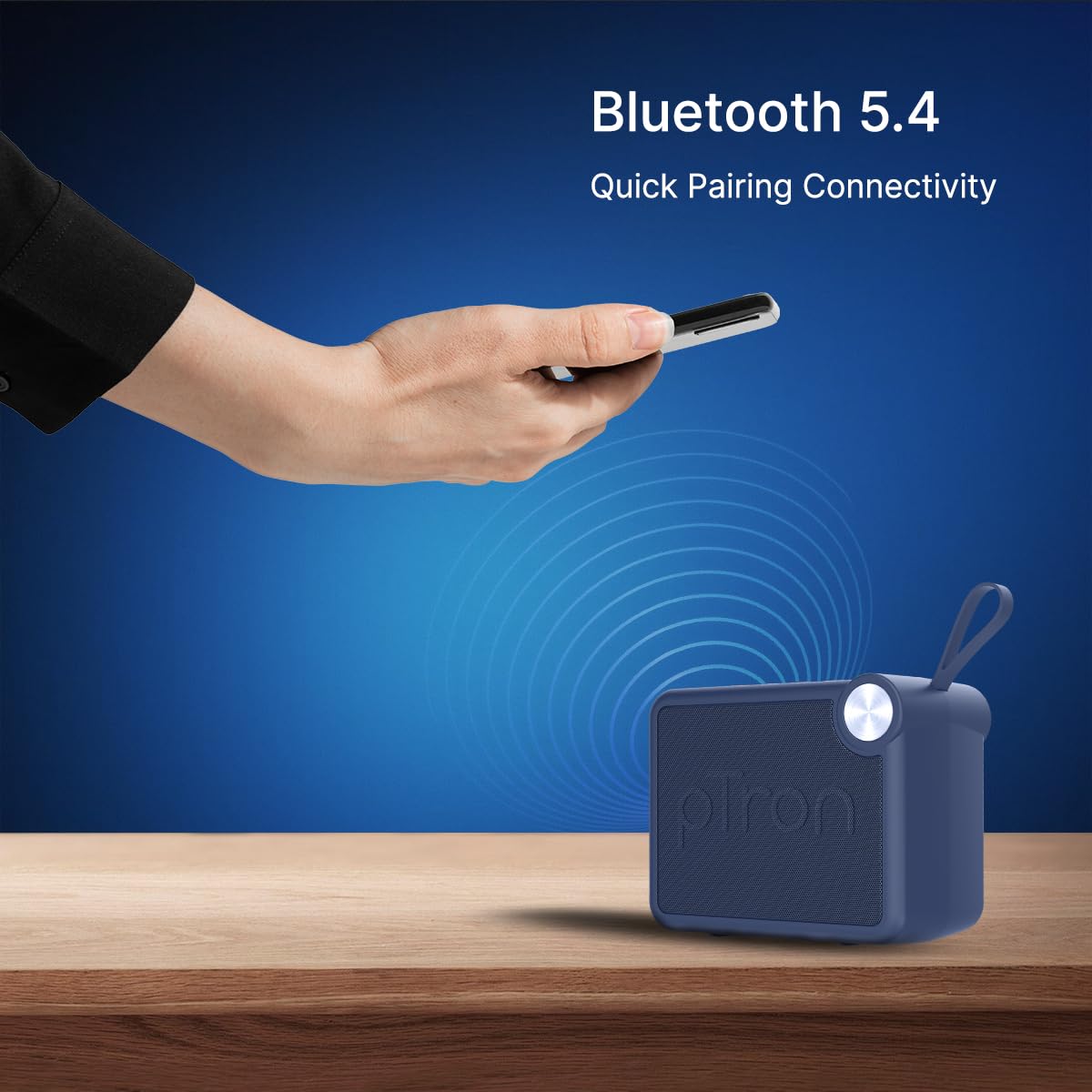
Image: A visual representation of a hand holding a smartphone, indicating the process of connecting to the pTron Funk Rap speaker via Bluetooth 5.4 for quick pairing.
5. تعليمات التشغيل
5.1 وضع Bluetooth
- تشغيل/إيقاف مؤقت: اضغط على زر التشغيل / الإيقاف المؤقت.
- ضبط مستوى الصوت: اضغط على زر رفع الصوت أو خفض الصوت.
- المسار التالي: اضغط مع الاستمرار على زر رفع الصوت.
- المسار السابق: اضغط مع الاستمرار على زر خفض الصوت.
5.2 وضع بطاقة TF
- أدخل بطاقة TF (MicroSD) مع الصوت fileفي فتحة بطاقة TF.
- The speaker will automatically switch to TF Card mode or you may need to press the Mode button.
- Playback controls (Play/Pause, Volume, Next/Previous Track) function as in Bluetooth mode.
5.3 وضع تشغيل USB
- أدخل محرك أقراص فلاش USB مع الصوت files في منفذ USB.
- The speaker will automatically switch to USB mode or you may need to press the Mode button.
- Playback controls (Play/Pause, Volume, Next/Previous Track) function as in Bluetooth mode.
5.4 True Wireless Stereo (TWS) Mode
To pair two pTron Funk Rap speakers for stereo sound:
- تأكد من تشغيل كلا السماعتين وعدم توصيلهما بأي جهاز بلوتوث.
- On both speakers, long press the Mode button for approximately 2 seconds.
- You will hear an audible prompt indicating TWS pairing mode. The speakers will automatically connect to each other.
- Once paired, one speaker will act as the master. Connect your device to this master speaker via Bluetooth as described in section 4.3.
- سيتم الآن تشغيل الصوت بالستيريو عبر كلا مكبري الصوت.

Image: Two pTron Funk Rap speakers are depicted, illustrating their ability to connect in True Wireless Stereo (TWS) mode to provide a more immersive audio experience.
5.5 وظائف الاتصال
When connected to a smartphone via Bluetooth:
- الرد على المكالمة: اضغط على زر التشغيل/الإيقاف المؤقت مرة واحدة.
- إنهاء المكالمة: اضغط على زر التشغيل/الإيقاف المؤقت مرة واحدة أثناء المكالمة.
- رفض المكالمة: اضغط مع الاستمرار على زر التشغيل/الإيقاف المؤقت.
6. الصيانة
- تنظيف: استخدم قطعة قماش ناعمة وجافة لتنظيف مكبر الصوت. لا تستخدم منظفات أو مذيبات كاشطة.
- تخزين: قم بتخزين مكبر الصوت في مكان بارد وجاف بعيدًا عن أشعة الشمس المباشرة ودرجات الحرارة القصوى.
- العناية بالبطارية: To prolong battery life, charge the speaker fully before first use and at least once every three months if not used regularly. Avoid fully discharging the battery frequently.
- مقاومة الماء: هذه السماعة غير مقاومة للماء. تجنب تعريضها للماء أو الرطوبة الزائدة.
7. استكشاف الأخطاء وإصلاحها
إذا واجهت مشكلات مع مكبر الصوت الخاص بك، فراجع المشكلات والحلول الشائعة التالية:
- مكبر الصوت لا يعمل: تأكد من شحن البطارية. قم بتوصيل السماعة بمصدر الطاقة باستخدام كابل Type-C.
- لا يمكن الاقتران عبر البلوتوث:
- Ensure the speaker is in Bluetooth pairing mode (flashing LED).
- Make sure Bluetooth is enabled on your device and it is within 10 meters of the speaker.
- قم بإيقاف تشغيل كل من مكبر الصوت وجهاز البلوتوث الخاص به ثم أعد تشغيلهما.
- قم بمسح قائمة الاقتران عبر البلوتوث على جهازك وحاول الاقتران مرة أخرى.
- لا يوجد صوت:
- تحقق من مستوى الصوت على كل من السماعة والجهاز المتصل.
- Ensure the speaker is correctly connected to your device.
- If using TF card or USB, ensure the audio files are in a supported format and the media is inserted correctly.
- جودة الصوت سيئة:
- قرّب مكبر الصوت من جهاز البلوتوث الخاص بك لتقليل التداخل.
- تأكد من عدم وجود أي عوائق بين مكبر الصوت وجهازك.
- التحقق من جودة مصدر الصوت.
- مشاكل اقتران TWS:
- Ensure both speakers are fully charged and not connected to any other Bluetooth device before initiating TWS pairing.
- كرر خطوات إقران سماعات الأذن اللاسلكية بعناية.
8. المواصفات
| ميزة | التفاصيل |
|---|---|
| اسم الموديل | Funk Rap |
| نوع السماعة | رئيس المحمولة |
| تكنولوجيا الاتصال | بلوتوث 5.4، يو اس بي |
| وضع إخراج الصوت | ستيريو (مع TWS) |
| الحد الأقصى لقوة خرج السماعة | 10 واط |
| حجم برنامج تشغيل الصوت | 66 مليمتر |
| مقاومة | 4 أوم |
| إشارة إلى نسبة الضوضاء | 85 ديسيبل |
| استجابة التردد | 20000 كيلو هرتز |
| مدى البلوتوث | 10 أمتار |
| مصدر الطاقة | تعمل بالبطارية |
| نوع البطارية | Lithium Polymer (1 x 9V included) |
| متوسط عمر البطارية | 8 ساعة |
| وقت الشحن | 2 ساعة |
| طريقة التحكم | أزرار اللمس |
| مادة | أكريلونيتريل بوتادين ستايرين (ABS) |
| أبعاد المنتج | 10.4 عمق × 8.6 عرض × 5.8 ارتفاع سنتيمتر |
| وزن العنصر | 271 جرام |
| بلد المنشأ | الهند |
9. الضمان والدعم
9.1 معلومات الضمان
The pTron Funk Rap 10W Mini Bluetooth Speaker comes with a ضمان الشركة المصنعة لمدة 6 أشهر from the date of purchase, covering manufacturing defects. This warranty is limited and does not cover damage caused by misuse, accidents, unauthorized modifications, or normal wear and tear.
9.2 دعم العملاء
For any product-related queries, technical assistance, or warranty claims, please contact pTron customer support:
- هاتف: 040-67138888
- بريد إلكتروني: support@ptron.in
- عنوان الشركة المصنعة: PALRED ELECTRONICS PVT. LTD., SY.NO. 56, 1ST FLOOR, GUNDLAPOCHAMPقرية ألي، مجمع التكنولوجيا MTP، TSIIC-IALA NACHARAM، حيدر أباد - 500076، تيلانجانا، الهند


