1. المقدمة
Welcome to the user manual for the TOWODE 5MP 8-Channel Security Camera DVR System. This system is designed to provide comprehensive surveillance for your property, featuring high-definition cameras, efficient video compression, and remote access capabilities. Please read this manual thoroughly before installation and operation to ensure proper use and optimal performance.
2. محتويات العبوة
تأكد من تضمين جميع العناصر المدرجة أدناه في الحزمة الخاصة بك:
- 1x 8-Channel DVR Recorder
- 4x 5MP HD Surveillance Cameras
- 1x 1TB Hard Disk Drive (Pre-installed)
- 4x 15-meter Integrated Video/Power Cables
- 4x 12V2A Power Supplies (for cameras)
- 1x DVR Power Adapter
- 1 × ماوس يو اس بي
- 1 × دليل المستخدم

الصورة: أكثر منview of the TOWODE 8-Channel DVR System components, including the DVR unit, four 5MP cameras, and a 1TB hard drive.
3. انتهى النظامview والميزات الرئيسية
The TOWODE 5MP 8-Channel Security Camera DVR System offers advanced surveillance capabilities. Key features include:
- 8-Channel DVR: Supports up to 8 cameras with AHD/TVI/CVI/CVBS/IP camera 5-in-1 access mode.
- 5MP Ultra HD Cameras: Capture video at 25fps with 2592*1944 HD resolution, featuring a 3.6mm lens and 80-foot infrared night vision.
- كاميرات مقاومة للعوامل الجوية بمعيار IP66: Durable metal aluminum construction suitable for both indoor and outdoor use in various weather conditions.
- ضغط الفيديو H.265+: Efficiently saves storage space (up to 80% compared to H.264) and improves image quality.
- Intelligent Alarm System: Mobile detection triggers alarms and sends notifications via email or mobile phone.
- الوصول عن بعد: View real-time surveillance and video playback via mobile phones, computers, and other devices.
- Pre-installed 1TB HDD: For immediate recording, expandable up to 14TB with an external HDD.
- 24/7 Non-stop Recording: Continuous recording for comprehensive security.

Image: Detailed diagram illustrating the connections and features of the TOWODE 5MP Hybrid 5-IN-1 Security Camera System, including DVR ports and camera specifications.
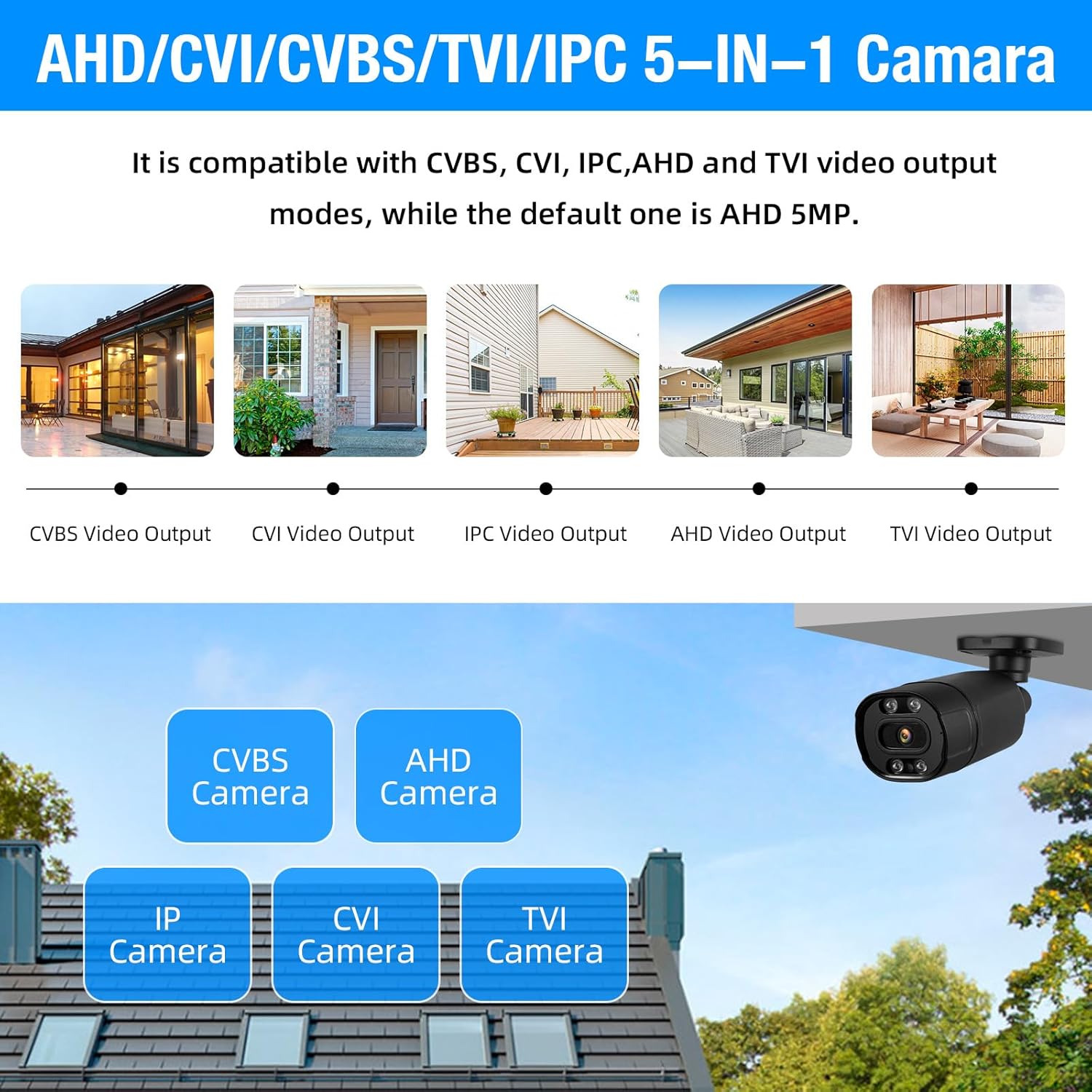
Image: Visual representation of the DVR's compatibility with multiple camera types: CVBS, CVI, IPC, AHD, and TVI, highlighting its 5-in-1 capability.
4. دليل الإعداد
4.1 فك العبوة والفحص الأولي
Carefully unpack all components and verify them against the package contents list. Inspect for any visible damage to the DVR or cameras.
4.2 Connecting the Hard Drive (if not pre-installed)
The 1TB hard drive is typically pre-installed in your DVR. If it is not, open the DVR casing, connect the SATA data and power cables to the HDD, and secure the HDD within the DVR chassis using the provided screws.

Image: The DVR unit highlighting the pre-installed 1TB hard drive and its capability to support up to 14TB of external storage.
4.3 Connecting Cameras to the DVR
Connect each 5MP camera to the DVR using the provided 15-meter integrated cables. These cables transmit both video signals and power. Connect the BNC connector to the 'VIDEO IN' ports on the back of the DVR and the power connector to the camera's power input.
4.4 Connecting the DVR to a Monitor
Connect the DVR to a monitor using either the VGA or HDMI (HD-port) output. Ensure the monitor is powered on and set to the correct input source.
4.5 توصيل الطاقة والشبكة
Connect the DVR to a power outlet using the provided power adapter. Connect an Ethernet cable from the DVR's 'NET' port to your router or network switch for remote access functionality.
4.6 التشغيل الأولي والتكوين
Power on the DVR. Follow the on-screen prompts for initial setup, including setting up an administrator password, date/time, and network settings. It is recommended to format the hard drive during the initial setup if prompted.
5. تعليمات التشغيل
5.1 مباشر View
After initial setup, the system will display a live view من جميع الكاميرات المتصلة بالشاشة. يمكنك التبديل بين وضع الكاميرا الواحدة view وشبكة متعددة الكاميرات view using the DVR controls or a connected USB mouse.

Image: An 8-channel live view displayed on a monitor, demonstrating continuous recording and simultaneous monitoring of multiple areas.
5.2 التسجيل
The system is configured for 24/7 continuous recording by default. You can adjust recording schedules, enable motion-triggered recording, or initiate manual recording through the DVR's menu interface. The H.265+ video compression technology optimizes storage usage.
5.3 الوصول عن بعد (تطبيق الهاتف المحمول)
To access your system remotely, download the XMEye or ICSee app from the App Store or Google Play. Register an account, add your DVR device by scanning the QR code or entering the device ID, and configure network settings on the DVR to enable remote viewعمل.

Image: A smartphone screen showing the XMEye application, demonstrating remote monitoring capabilities for checking home or business security from anywhere.
5.4 التشغيل الذكي
Access the playback function through the DVR menu or mobile app. You can search for recorded footage by date, time, or event (e.g., motion detection). The H.265+ compression ensures efficient storage and smooth playback of recorded events.

Image: An illustration of the smart playback feature, allowing users to easily navigate through recorded footage on a timeline to review أحداث محددة.
5.5 كشف الحركة وأجهزة الإنذار
Configure motion detection zones and sensitivity settings in the DVR menu. When motion is detected, the system can trigger an alarm, record footage, and send push notifications or email alerts to your registered devices.

Image: Depiction of the AI motion detection system, showing how it identifies human movement and sends instant notifications to a mobile device via the XMEye app.
6. الصيانة
- التنظيف المنتظم: Periodically clean camera lenses and DVR vents to ensure optimal performance and prevent overheating. Use a soft, dry cloth.
- تحديثات البرامج الثابتة: تحقق من الشركة المصنعة website for firmware updates for your DVR. Keeping the firmware updated can improve system stability and add new features.
- حالة القرص الصلب: Monitor the health of the pre-installed 1TB HDD through the DVR's system information. Back up important footagهـ بانتظام.
- فحص الكابلات: Periodically inspect all cables for wear and tear, especially outdoor cables, to ensure secure connections and prevent signal loss.
- أمان كلمة المرور: Regularly change your DVR and remote access app passwords to maintain system security.
7. استكشاف الأخطاء وإصلاحها
- No Video Display on Monitor:
- Check power connections for both the DVR and the monitor.
- Verify the VGA/HDMI cable connection between the DVR and monitor.
- Ensure the monitor input source is correctly selected (e.g., HDMI1, VGA).
- Try a different monitor or video cable to rule out hardware issues.
- لا توجد صورة من الكاميرا:
- Check camera power supply and cable connections to the DVR.
- Ensure the camera is compatible with the DVR's input mode (AHD/TVI/CVI/CVBS/IP).
- Test the camera on a different channel or with a known working cable.
- الوصول عن بعد لا يعمل:
- Verify the DVR is connected to the internet (check network cable and router status).
- Ensure network settings (DHCP, port forwarding if necessary) are correctly configured on the DVR.
- تحقق مما إذا كان تطبيق الهاتف المحمول محدثًا إلى الإصدار الأحدث.
- Confirm the correct device ID/QR code is used for adding the device to the app.
- مشاكل التسجيل:
- Check if the hard drive is properly installed and formatted.
- Verify hard drive status in DVR settings; it might be full or faulty.
- Ensure recording schedules are correctly set.
- خاصية كشف الحركة لا تعمل:
- Adjust motion detection sensitivity and detection zones in the DVR settings.
- تأكد من الكاميرا view لا يتم إعاقة.
- Check if alarm actions (recording, notification) are enabled.
8. المواصفات
| ميزة | التفاصيل |
|---|---|
| ماركة | تود |
| رقم الموديل | أ6508ل2 |
| تكنولوجيا الاتصال | سلكي |
| دقة التقاط الفيديو | 5 ميجا بكسل (2592*1944) |
| المميزات الخاصة | App Control, Audio Recording, Human Detection, Motion Sensor |
| عدد القنوات | 8 |
| سعة تخزين الذاكرة | 1 TB (Pre-installed), expandable up to 14 TB |
| مصدر الطاقة | كهرباء سلكية |
| أبعاد العنصر (الطول × العرض × الارتفاع) | 7 × 7 × 1.5 بوصة |
| معدل الإطارات | 25 إطارًا في الثانية |
| واجهة الأجهزة | Ethernet, VGA, HDMI, USB |
| Video Input Modes | AHD, TVI, CVI, CVBS, IP (5-in-1) |
| عدسة الكاميرا | 3.6 ملم |
| نطاق الرؤية الليلية | Up to 80 feet (Infrared) |
| تصنيف مانعة لتسرب الماء | IP66 |
9. الضمان والدعم
9.1 معلومات الضمان
TOWODE products are covered by a limited warranty. Please refer to the warranty card included with your product or visit the official TOWODE webللاطلاع على شروط وأحكام الضمان المفصلة، يُرجى زيارة الموقع. احتفظ بإيصال الشراء كإثبات للشراء في حال وجود أي مطالبات بالضمان.
9.2 دعم العملاء
For technical assistance, troubleshooting, or any questions regarding your TOWODE Security Camera DVR System, please contact TOWODE customer support. Contact information can typically be found on the product packaging, the official TOWODE webالموقع الإلكتروني، أو داخل تطبيق الهاتف المحمول.
When contacting support, please have your product model number (A6508L2) and purchase details readily available.


