1. المقدمة
The TobenONE USB-C Docking Station (Model: XYY-PD100CL) is a versatile 16-in-1 solution designed to expand the connectivity of your USB-C enabled laptop. It provides comprehensive port expansion, multi-monitor support, high-speed data transfer, and power delivery, enhancing productivity for both professionals and students.

Image: The TobenONE USB-C Docking Station, showcasing its compact design alongside a laptop and the included 100W GaN III charger.
2. الميزات الرئيسية
- التوافق العالمي: Seamlessly works with Windows 10+ and Chromebook devices featuring USB-C DisplayPort Alt Mode, Thunderbolt 4/3, and USB4. Compatible with HP, Dell, and Lenovo laptops. (Note: Not recommended for Mac users.)
- اتصال 16 في 1: Offers extensive port options including dual HDMI, one DisplayPort, multiple USB-C and USB-A ports, 2.5Gbps Ethernet, 100W Power Delivery, and SD/TF card slots.
- Blazing-Fast Data Transfer: Equipped with 10Gbps USB-C and USB-A ports, enabling data transfers up to 20 times faster than traditional USB 2.0.
- إيثرنت بسرعة 2.5 جيجابت في الثانية: Provides stable and high-speed internet connectivity, ideal for video calls, streaming, and large file التحميلات.
- شحن 100 واط بي دي: Features a robust 100W GaN power supply to keep your laptop charged during intensive work sessions, eliminating the need for a separate charger.
- صور مذهلة: Supports up to 4K@60Hz resolution for dual or triple monitor setups. A single display can achieve 8K@30Hz or 4K@120Hz for razor-sharp clarity.
- Sleek Cooling Stand Design: Ergonomically designed to elevate your laptop, promoting better airflow and heat dissipation.
3. محتويات العبوة
يرجى التأكد من وجود جميع العناصر في الحزمة الخاصة بك:
- TobenONE USB-C Docking Station (Model: XYY-PD100CL)
- محول الطاقة 100W
- 60CM (1.96 Feet) USB-C Cable

Image: The package includes the UDS041W Laptop Dock Stand, a 100W Power Adapter, and a 60CM USB-C Cable.
4. دليل الإعداد
Follow these steps to set up your TobenONE USB-C Docking Station:
- توصيل الطاقة: Plug the 100W power adapter into the DC-IN port on the docking station, then connect the adapter to a wall outlet.
- الاتصال بالكمبيوتر المحمول: Use the provided 60CM USB-C cable to connect the "HOST" USB-C port on the docking station to your laptop's USB-C port. Ensure your laptop supports USB-C DisplayPort Alt Mode, Thunderbolt 4/3, or USB4.
- توصيل الشاشات:
- For single display: Connect your monitor to either HDMI 1, HDMI 2, or DisplayPort.
- For dual or triple displays: Connect your monitors to the available HDMI 1, HDMI 2, and DisplayPort outputs.

Image: A laptop connected to two external 4K monitors, demonstrating a dual display setup for enhanced productivity.
- توصيل الأجهزة الطرفية: Plug your USB devices (keyboard, mouse, external drives, etc.) into the available USB 3.0, USB 3.2 (10Gbps), or USB-C (10Gbps) ports.

الصورة: تفصيلية view of the docking station's rear and side ports, including Ethernet, HDMI, DisplayPort, various USB types, SD/MicroSD slots, audio, and power button.

Image: An external hard drive connected to one of the 10Gbps USB ports, highlighting the high-speed data transfer capabilities.
- توصيل إيثرنت: For a stable wired internet connection, plug an Ethernet cable into the 2.5Gbps Ethernet port on the docking station.
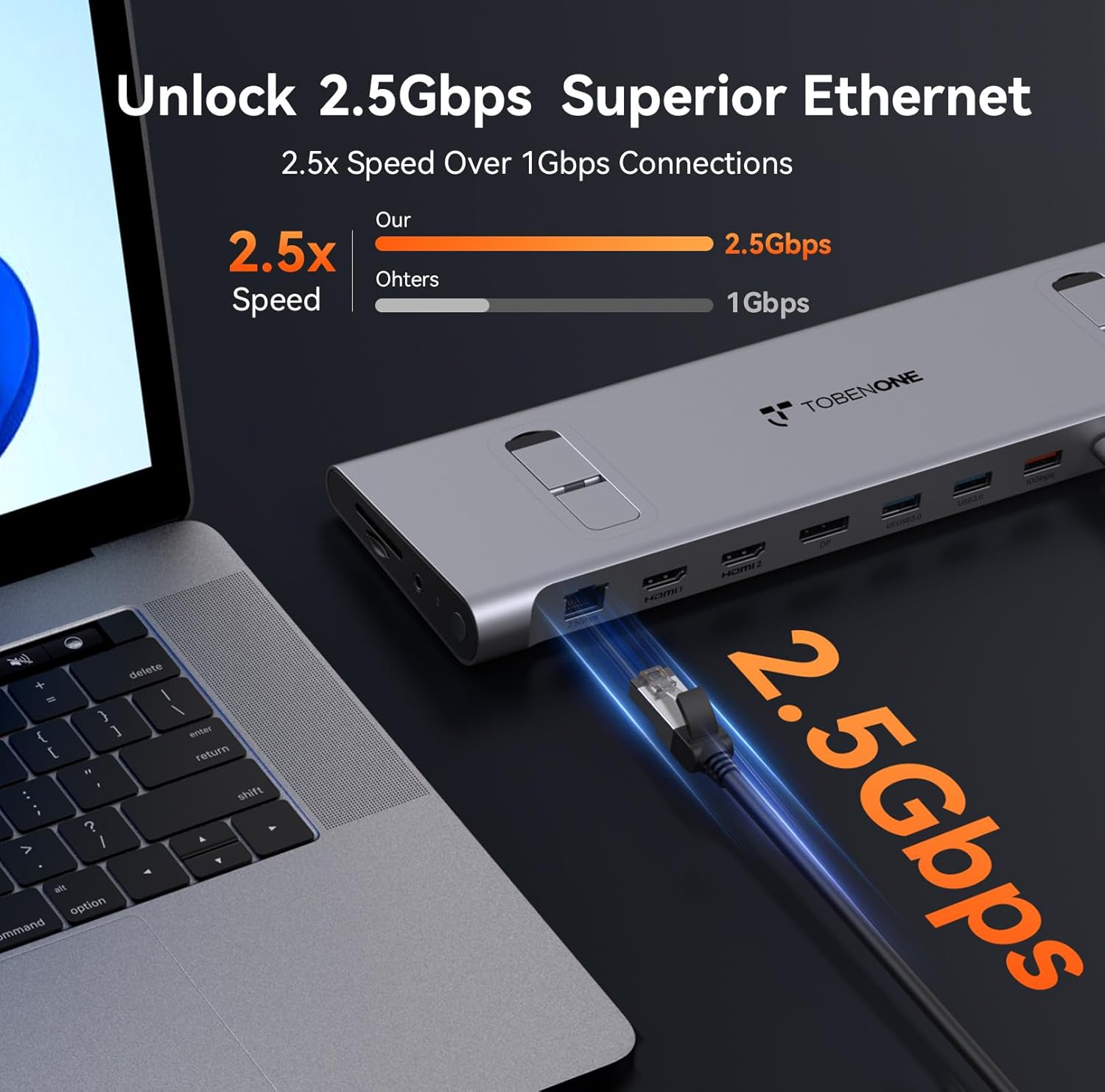
Image: An Ethernet cable connected to the 2.5Gbps Ethernet port on the docking station, ensuring a fast and reliable network connection.
- أدخل بطاقات SD/TF: If needed, insert your SD or MicroSD cards into the dedicated slots on the side of the docking station.
- اتصال الصوت: Connect headphones or speakers to the 3.5mm audio port for audio output.
- تشغيل الطاقة: Press the power button on the side of the docking station to turn it on.
5. تعليمات التشغيل
Display Configuration (Windows/Chromebook)
The docking station supports various display configurations. Your laptop's capabilities (e.g., Thunderbolt 4/DP 1.4 with DSC vs. DP 1.2) will determine the maximum resolution and refresh rates.
| معيار الواجهة | Thunderbolt 4/DP 1.4 (support DSC) | دي بي 1.2 | ||||
|---|---|---|---|---|---|---|
| HDMI1 | HDMI2 | DP | HDMI1 | HDMI2 | DP | |
| شاشة واحدة | 8 كيلو @30 هرتز | 8 كيلو @30 هرتز | 8 كيلو @30 هرتز | 4 كيلو @30 هرتز | 4 كيلو @30 هرتز | 4 كيلو @30 هرتز |
| 4 كيلو @60 هرتز | 4 كيلو @60 هرتز | 4 كيلو @60 هرتز | 1080P @ 60Hz | 1080P @ 60Hz | 1080P @ 60Hz | |
| شاشة مزدوجة | 4 كيلو @60 هرتز | 1080P @ 60Hz | ||||
| 4 كيلو @60 هرتز | 4 كيلو @60 هرتز | 1080P @ 60Hz | 1080P @ 60Hz | |||
| العرض الثلاثي | 4 كيلو @60 هرتز | 1080P @ 60Hz | ||||
Table: This table outlines the supported display resolutions and refresh rates for single, dual, and triple monitor setups, depending on your laptop's DisplayPort interface standard.
Laptop Placement and Cooling
The docking station is designed to function as a sleek cooling stand. Place your laptop directly on top of the docking station, aligning it with the integrated supports. This ergonomic design helps improve airflow and prevent overheating during extended use.

Image: A laptop positioned on the docking station, illustrating how the design facilitates airflow for efficient cooling.
6. الصيانة
- Keep the docking station clean by wiping it with a soft, dry cloth. Avoid using abrasive cleaners or solvents.
- تأكد من التهوية المناسبة حول الجهاز لمنع ارتفاع درجة الحرارة.
- Store the docking station in a cool, dry place when not in use.
- Handle cables and connectors carefully to prevent damage.
7. استكشاف الأخطاء وإصلاحها
المشاكل الشائعة والحلول:
- لا يوجد إخراج للعرض:
- Ensure the docking station is powered on and properly connected to your laptop's USB-C port.
- Verify that your laptop's USB-C port supports DisplayPort Alt Mode, Thunderbolt 3/4, or USB4.
- تحقق من جميع كابلات العرض (HDMI، DisplayPort) للتأكد من التوصيلات الآمنة.
- Try updating your laptop's graphics drivers.
- Confirm your laptop supports Display Stream Compression (DSC) for higher resolutions (e.g., 8K@30Hz or 4K@120Hz single display).
- لا يوجد توصيل للطاقة إلى الكمبيوتر المحمول:
- تأكد من توصيل محول الطاقة 100 واط بشكل آمن بمحطة الإرساء وبمأخذ كهربائي يعمل.
- Verify the USB-C cable connecting the dock to your laptop is capable of power delivery.
- أجهزة USB غير معترف بها:
- أعد توصيل جهاز USB بمنفذ مختلف على محطة الإرساء.
- تأكد من تشغيل محطة الإرساء.
- Try connecting the device directly to your laptop to confirm it functions independently.
- مشاكل اتصال الإيثرنت:
- تحقق من اتصال كابل Ethernet بكل من محطة الإرساء وجهاز التوجيه/المودم الخاص بك.
- تحقق من إعدادات الشبكة على الكمبيوتر المحمول الخاص بك.
8. المواصفات
| يصف | التفاصيل |
|---|---|
| رقم الموديل | XYY-PD100CL |
| أبعاد المنتج | 11.81 بوصة طول × 3.14 بوصة عرض × 0.86 بوصة ارتفاع |
| وزن العنصر | 2.27 رطل |
| إجمالي منافذ USB | 6 (including 10Gbps USB-A and USB-C) |
| إجمالي منافذ HDMI | 2 |
| منفذ العرض | 1 |
| منفذ إيثرنت | 2.5 جيجابت في الثانية |
| توصيل الطاقة | 100 واط (مدخل)، 87 واط (مخرج) |
| قارئ البطاقات | فتحات SD/TF |
| منفذ الصوت | صوت 3.5 ملم |
| الأجهزة المتوافقة | Supports full-featured USB-C, USB4, and Thunderbolt 3 / Thunderbolt 4 systems running Windows 10 / 11 & ChromeOS 100 or newer (e.g., HP ProBook/EliteBook/Spectre x360, Dell XPS/Latitude, Lenovo ThinkPad/IdeaPad/Yoga, Microsoft Surface Pro/Go/Book/Laptop, LG Gram). |
9. الضمان والدعم
TobenONE is committed to providing professional office connectivity solutions. For any questions, technical support, or warranty inquiries regarding your docking station, please refer to the official TobenONE webالموقع أو تواصل مع خدمة العملاء مباشرةً. احتفظ بإيصال الشراء لطلبات الضمان.
Visit the official TobenONE Store: متجر توبين وان على أمازون


