1. المقدمة
This user manual provides detailed instructions for the AOBOCAM Q18 4K HD Mini Spy Camera. Designed for both indoor and outdoor surveillance, this compact wireless camera offers high-definition video recording, advanced motion detection, and clear night vision capabilities. Please read this manual thoroughly before using the device to ensure proper operation and to maximize its features for your security needs.
2. معلومات السلامة
- مصدر الطاقة: Use only the provided charging cable and a compatible USB power adapter (not included) to charge the camera. Ensure the power source meets the camera's voltagالمتطلبات.
- مقاومة الماء: هذه الكاميرا غير مقاوم للماء. Avoid exposing it to rain, moisture, or any liquids. Use only in dry environments or with appropriate weather protection for outdoor use.
- درجة حرارة: Operate the camera within recommended temperature ranges. Extreme temperatures can affect battery life and device performance.
- الموقع: Install the camera securely to prevent it from falling. Ensure it is placed out of reach of children and pets.
- التفكيك: Do not attempt to disassemble, repair, or modify the camera yourself. This will void the warranty and may cause damage or injury.
- تصرف: Dispose of the camera and its battery responsibly according to local regulations. Do not dispose of batteries in fire.
3. محتويات العبوة
يرجى التحقق من محتويات العبوة عند فتحها. في حال وجود أي أغراض مفقودة أو تالفة، يُرجى التواصل مع خدمة العملاء.
- 1 x AOBOCAM Q18 Mini Spy Camera
- 1 × كابل شحن USB
- 1 x Multi-angle Rotating Stand
- 1 × دليل المستخدم

Image: The AOBOCAM Q18 Mini Spy Camera shown with its included USB charging cable and a small, multi-angle rotating stand, demonstrating its compact size and accessories.
4. انتهى المنتجview
The AOBOCAM Q18 is a highly compact and versatile surveillance camera, designed for discreet monitoring. Its small form factor (1.5 inches, 3x3x3 cm, 50 grams) allows for easy placement in various locations.
المميزات الرئيسية:
- 4K HD Video Resolution: يلتقط صورًا واضحة ومفصلة للطعامtage.
- عدسة بزاوية فائقة الاتساع 150 درجة: يوفر مجالًا واسعًا من view، مما يقلل من النقاط العمياء.
- رؤية ليلية محسنة: Ensures clear visibility even in low-light or complete darkness up to 20 meters.
- اتصال واي فاي بتردد 2.4 جيجاهرتز: يسمح بالتحكم عن بعد viewing and control via a dedicated mobile application. (Note: 5GHz WiFi is not supported).
- عمر بطارية طويل: Equipped with a 1500mAh battery, offering up to 6 hours of continuous operation. Supports 24/7 monitoring when connected to power.
- التثبيت المرن: Can be easily installed on walls, ceilings, or other suitable surfaces using its multi-angle rotating stand or magnetic body.

Image: The AOBOCAM Q18 Mini Spy Camera demonstrating its compact size and 4K resolution capability, shown alongside a smartphone interface and various camera angles.

Image: A visual comparison highlighting the superior clarity, vivid colors, and lack of color cast in 4K Ultra HD images compared to 1080p resolution.
5. دليل الإعداد
Setting up your AOBOCAM Q18 camera is a straightforward process. Follow these steps to get your camera connected and ready for use.
5.1. قم بتنزيل التطبيق
بحث عن the dedicated AOBOCAM application on your smartphone's app store (iOS App Store or Android Google Play Store) and download it. Ensure your phone's Bluetooth is enabled for easier pairing.
5.2. قم بتشغيل الكاميرا
Press and hold the power button on the AOBOCAM Q18 camera until the indicator light turns on, indicating it is powered on and ready for pairing.
5.3. الاتصال بشبكة Wi-Fi
- Open the AOBOCAM app on your smartphone.
- Follow the on-screen instructions to add a new device. The app will guide you through the process of connecting the camera to your 2.4GHz Wi-Fi network.
- Ensure your Wi-Fi router is broadcasting a 2.4GHz signal. The camera does not support 5GHz Wi-Fi.
- Once connected, the camera's indicator light will change, and you will be able to view the live feed from the app.

Image: A visual guide to connecting the AOBOCAM Q18 camera via Bluetooth and Wi-Fi, showing the three simple steps for app pairing and network configuration.
6. تعليمات التشغيل
Once your AOBOCAM Q18 is set up, you can utilize its various features for effective surveillance.
6.1. حي View والتسجيل
- Open the AOBOCAM app to access the live video feed from your camera.
- You can manually start and stop recordings directly from the app.
- The camera supports local storage via a micro SD card (up to 256GB, not included) and cloud storage options (subscription may be required).

Image: The AOBOCAM app interface on a smartphone, demonstrating the ability to view live video recordings from multiple cameras, with options for cloud storage and micro SD card support.
6.2. كشف الحركة
- تمكين كشف الحركة في إعدادات التطبيق.
- When motion is detected, the camera will automatically start recording and send instant push notifications to your smartphone.
- Adjust sensitivity settings within the app to minimize false alarms.

Image: A visual representation of the camera's motion detection feature, showing an intruder being detected and an alert notification appearing on a smartphone.

Image: The intelligent AI motion detection feature in action, showing instant alerts being sent to a smartphone when movement is detected, such as by a pet.
6.3. الرؤية الليلية
- تتحول الكاميرا تلقائيًا إلى وضع الرؤية الليلية في ظروف الإضاءة المنخفضة.
- Its advanced infrared LEDs provide clear black-and-white images up to 20 meters in complete darkness.

Image: A demonstration of the camera's night vision capability, showing a clear monochrome image of a sleeping baby in darkness compared to a color image in daylight.

صورة: مستخدم viewing the HD night vision feed on their smartphone, illustrating the clarity provided by the AOBOCAM camera even in dark conditions.
6.4. البطارية والطاقة
- The built-in 1500mAh battery provides up to 6 hours of continuous operation.
- For 24/7 surveillance, it is recommended to keep the camera connected to a power source using the provided USB cable.
- The camera can record while charging.
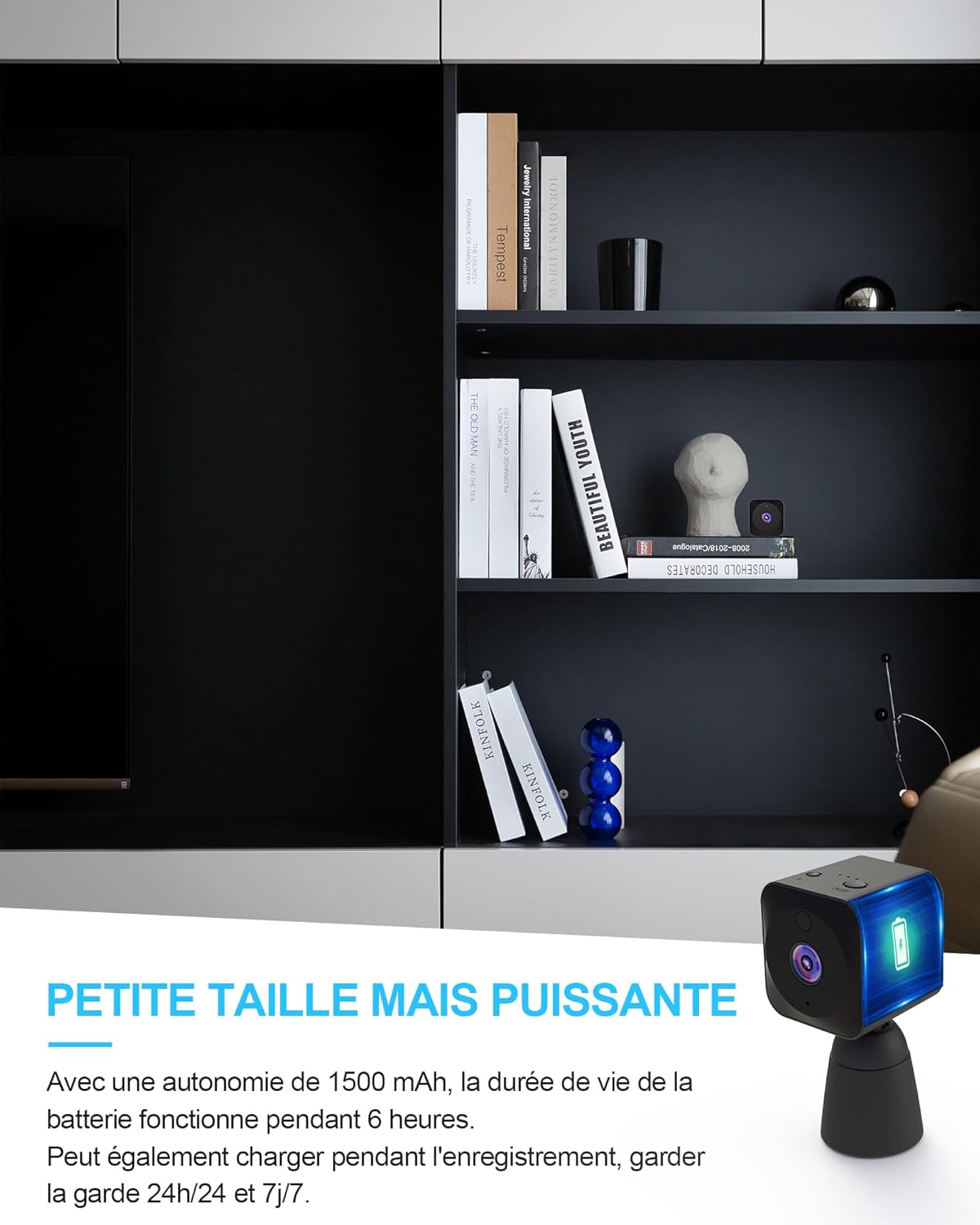
Image: The AOBOCAM Q18 camera discreetly placed on a shelf, highlighting its small size and powerful battery life, capable of continuous operation or 24/7 monitoring when plugged in.
7. الصيانة
Proper maintenance ensures the longevity and optimal performance of your AOBOCAM Q18 camera.
- تنظيف: استخدم قطعة قماش ناعمة وجافة لتنظيف عدسة الكاميرا وجسمها. لا تستخدم المنظفات السائلة أو المواد الكاشطة.
- تخزين: When not in use for extended periods, store the camera in a cool, dry place, away from direct sunlight and extreme temperatures.
- العناية بالبطارية: If storing for a long time, charge the battery to about 50% every few months to prevent deep discharge.
- تحديثات البرامج الثابتة: Periodically check the AOBOCAM app for any available firmware updates for your camera to ensure the best performance and security.
8. استكشاف الأخطاء وإصلاحها
If you encounter issues with your AOBOCAM Q18 camera, refer to the following common problems and solutions.
| مشكلة | السبب المحتمل | حل |
|---|---|---|
| الكاميرا لا تعمل. | نفدت طاقة البطارية. | Charge the camera using the USB cable for at least 2 hours. |
| لا يمكن الاتصال بشبكة Wi-Fi. | Incorrect Wi-Fi band (5GHz not supported); incorrect password; camera too far from router. | Ensure your router is broadcasting a 2.4GHz signal. Double-check Wi-Fi password. Move camera closer to the router. Reset camera and try pairing again. |
| Poor image quality / distorted colors. | Lens is dirty; insufficient lighting; camera placed too far from subject. | Clean the camera lens with a soft, dry cloth. Ensure adequate lighting or enable night vision. Adjust camera position. |
| تنبيهات كشف الحركة متكررة للغاية أو لا تعمل. | Sensitivity settings are too high/low; environmental factors (e.g., shadows, moving branches). | Adjust motion detection sensitivity in the app. Ensure the camera is placed in an area with minimal false triggers. Check app notification settings. |
| App is not responding or crashing. | Outdated app version; phone operating system issues. | Update the AOBOCAM app to the latest version. Restart your smartphone. Reinstall the app if necessary. |
9. المواصفات
Detailed technical specifications for the AOBOCAM Q18 Mini Spy Camera.
| ميزة | التفاصيل |
|---|---|
| اسم الموديل | س18 |
| ماركة | أوبوكام |
| الأبعاد (الطول × العرض × الارتفاع) | 30 × 30 × 30 مليمترات (حوالي 1.2 × 1.2 × 1.2 بوصة) |
| وزن | 50 جرام |
| مادة | بلاستيك |
| تكنولوجيا الاتصال | لاسلكي (واي فاي 2.4 جيجاهرتز) |
| دقة تسجيل الفيديو | 4K HD (also supports 1080p) |
| Viewزاوية جي | 150 درجة |
| نطاق الرؤية الليلية | حتى 20 أمتار |
| المميزات الخاصة | APP Control, Night Vision, Motion Detector, 4K, Bluetooth & Wi-Fi |
| نوع البطارية | Lithium-polymer (1500mAh) |
| Battery Life (Continuous) | تصل إلى 6 ساعة |
| مستوى مقاومة الماء | غير مقاوم للماء |
| الاستخدامات الموصى بها | Indoor Security, Outdoor Security, Baby Monitoring |
10. الضمان والدعم
10.1. معلومات الضمان
AOBOCAM products typically come with a manufacturer's warranty. For specific warranty terms, duration, and conditions, please refer to the warranty card included in your product packaging or contact AOBOCAM customer service directly. Keep your purchase receipt as proof of purchase for warranty claims.
10.2. دعم العملاء
If you have any questions, require technical assistance, or need to report an issue that cannot be resolved using the troubleshooting guide, please contact AOBOCAM customer support. You can usually find contact information (email, phone, or website) on the product packaging or on the official AOBOCAM webموقع.
For the most up-to-date support information, please visit the official AOBOCAM webالموقع أو المنصة التي اشتريت المنتج منها.


