مقدمة
Thank you for choosing the OSCAL Hibuds 6 Wireless Earbuds. This manual provides detailed instructions for setting up, operating, and maintaining your earbuds to ensure optimal performance and longevity. Please read this manual thoroughly before use.
ماذا يوجد في الصندوق
تأكد من وجود جميع العناصر في الحزمة الخاصة بك:
- OSCAL Hibuds 6 Wireless Earbuds (Left and Right)
- حافظة الشحن اللاسلكي
- كابل شحن USB-C
- دليل المستخدم
- Two Extra Pairs of Eartips (Small, Medium, Large)

Image: Contents of the OSCAL Hibuds 6 package, showing the earbuds, charging case, USB-C cable, user manual, and additional eartips.
المنتج انتهىview
The OSCAL Hibuds 6 are designed for comfort and high-fidelity audio. Key features include 13mm dynamic drivers, Bluetooth 5.4 connectivity, and an IPX7 water-resistant rating.
سماعات الأذن وحقيبة الشحن

Image: The OSCAL Hibuds 6 wireless earbuds resting in their charging case. The case features an LED display indicating the battery percentage لكل من العلبة وسماعات الأذن الفردية.
تصميم خفيف الوزن

Image: A person wearing the OSCAL Hibuds 6 earbuds, demonstrating their lightweight and comfortable fit. The image also shows the compact charging case, emphasizing portability.
Dynamic Driver and Noise Cancelling Mic

الصورة: انفجار view diagram of an earbud, highlighting the 13mm dynamic driver responsible for rich bass and crisp mids. Text also indicates the use of DNS algorithms for clearer calls.
نصائح الأذن سيليكون

Image: A visual representation of an earbud with three different sizes of silicone ear tips (Small, Medium, Large) to ensure a comfortable and secure fit for various ear shapes.
يثبت
1. شحن سماعات الأذن والعلبة
Before first use, fully charge the earbuds and the charging case. Connect the USB-C charging cable to the charging port on the case and to a power source. The LED display on the case will show the charging status and battery levels.
- A full charge provides up to 8 hours of playtime for the earbuds and a total of 40 hours with the charging case.
- A 10-minute quick charge can provide approximately 50 minutes of listening time.

Image: The OSCAL Hibuds 6 charging case with its LED display showing a full charge (100%), illustrating the extended 40-hour total playtime capability.
2. الاقتران بجهاز
The OSCAL Hibuds 6 utilize Bluetooth 5.4 for stable and fast connections.
- افتح علبة الشحن. ستدخل سماعات الأذن تلقائيًا في وضع الاقتران.
- على جهازك (الهاتف الذكي، الجهاز اللوحي، الكمبيوتر المحمول)، قم بتمكين البلوتوث وابحث عن الأجهزة المتاحة.
- Select "OSCAL Hibuds 6" from the list of found devices to connect.
- بمجرد إقران سماعات الأذن، ستتصل تلقائيًا بجهازك عند إخراجها من العلبة.

Image: The OSCAL Hibuds 6 earbuds and charging case shown connecting to both a tablet and a smartphone, demonstrating the multipoint connection feature.
تعليمات التشغيل
Smart Tap Control
The earbuds feature touch controls for easy management of audio playback and calls:
- تشغيل/إيقاف مؤقت: ضغطة واحدة على أي سماعة أذن.
- المسار التالي: اضغط مرتين على سماعة الأذن اليمنى.
- المسار السابق: اضغط مرتين على سماعة الأذن اليسرى.
- الرد/إنهاء المكالمة: ضغطة واحدة على أي سماعة أذن.
- رفض المكالمة: اضغط مع الاستمرار على أي من سماعات الأذن لمدة ثانيتين.
- تنشيط مساعد الصوت: Press and hold the right earbud for 2 seconds (in standby or music mode).
وظيفة الاتصال
The integrated AI-enhanced ENC microphones suppress ambient noise, ensuring clear voice transmission during calls, gaming chats, or voice recordings.
اتصال متعدد النقاط
The Hibuds 6 can connect to two devices simultaneously, allowing for seamless switching between them without manual re-pairing.

Image: A visual representation of the OSCAL Hibuds 6 maintaining simultaneous connections to both a tablet and a smartphone, illustrating the multipoint connection feature for seamless device switching.
الصيانة والعناية
تنظيف
نظّف سماعات الأذن وعلبة الشحن بانتظام للحفاظ على الأداء الأمثل والنظافة.
- استخدم قطعة قماش ناعمة وجافة وخالية من الوبر لمسح سماعات الأذن وعلبة الشحن.
- قم بإزالة أي شمع أذن أو حطام من أطراف الأذن وشبكة مكبر الصوت بلطف باستخدام فرشاة ناعمة صغيرة أو قطعة قطن.
- لا تستخدم المنظفات الكاشطة أو الكحول أو المذيبات الكيميائية.
مقاومة الماء (IPX7)
The earbuds are IPX7 rated, meaning they are protected against immersion in water up to 1 meter for 30 minutes. This makes them suitable for use during sports, light rain, or sweating.
- علبة الشحن هي لا water-resistant. Avoid exposing the charging case to liquids.
- تأكد من جفاف سماعات الأذن تمامًا قبل وضعها مرة أخرى في علبة الشحن لمنع تلفها.
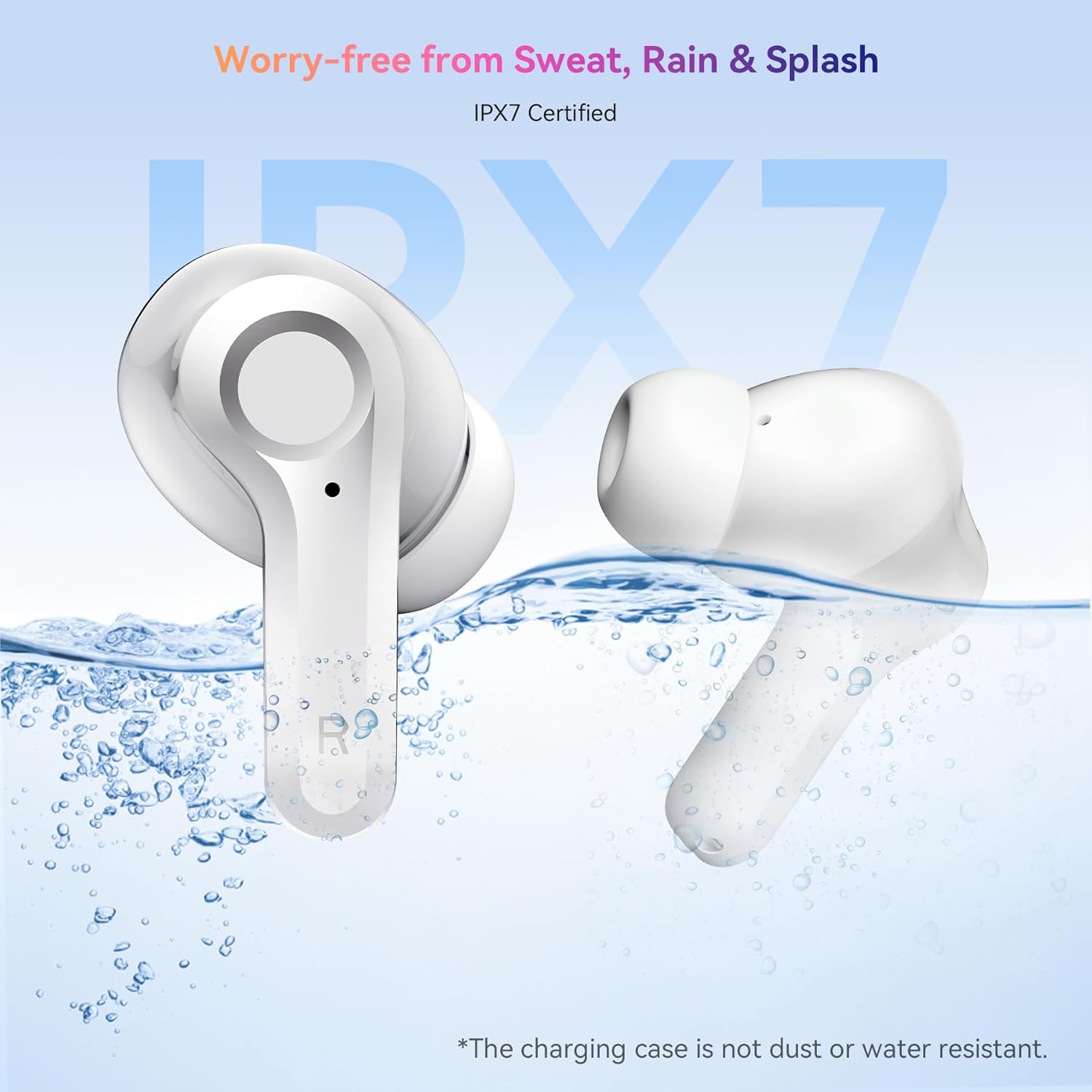
Image: The OSCAL Hibuds 6 earbuds shown partially submerged in water, visually confirming their IPX7 water-resistant certification. A note clarifies that the charging case is not water-resistant.
استكشاف الأخطاء وإصلاحها
If you encounter issues with your OSCAL Hibuds 6, refer to the following common solutions:
| مشكلة | حل |
|---|---|
| سماعات الأذن لا تقترن | تأكد من شحن سماعات الأذن. أعدها إلى علبتها، ثم أغلقها، ثم أعد فتحها. تحقق من إعدادات البلوتوث في جهازك وحاول إعادة الاقتران. |
| تعمل سماعة أذن واحدة فقط | Ensure both earbuds are charged. Try placing both back in the case, closing it, and then taking them out again to re-establish the connection. |
| مستوى صوت منخفض أو جودة صوت رديئة | Adjust volume on your device. Clean ear tips and speaker mesh. Ensure ear tips provide a good seal in your ear. |
| علبة الشحن لا تشحن | افحص كابل USB-C ومحول الطاقة. تأكد من توصيل الكابل بإحكام بكل من الهيكل ومصدر الطاقة. |
| سماعات الأذن لا تشحن في العلبة | Ensure the charging case has power. Clean the charging contacts on both the earbuds and inside the case. |
تحديد
Detailed technical specifications for the OSCAL Hibuds 6 Wireless Earbuds:
| ميزة | مواصفة |
|---|---|
| اسم الموديل | Hibuds 6 |
| نسخة البلوتوث | 5.4 |
| حجم برنامج تشغيل الصوت | محرك ديناميكي 13 ملم |
| التحكم في الضوضاء | AI-enhanced ENC Microphones |
| مقاومة الماء | IPX7 (سماعات الأذن فقط) |
| عمر البطارية (سماعات الأذن) | ما يصل إلى 8 ساعات لكل تهمة |
| إجمالي وقت اللعب (مع الحقيبة) | تصل إلى 40 ساعة |
| منفذ الشحن | يو اس بي-سي |
| نوع التحكم | التحكم باللمس |
| وزن ياربود | Approximately 4.15g (0.15oz) each |
| وزن علبة الشحن | حوالي 35 جرام |
| التوافق | أجهزة iOS وAndroid وWindows |
| رمز المنتج الموحد | 810175529004 |
الضمان والدعم
OSCAL products are designed for reliability and performance. For specific warranty details, please refer to the warranty card included in your product packaging or visit the official OSCAL webموقع.
If you require technical assistance or have questions not covered in this manual, please contact OSCAL customer support through their official channels.


