1. المقدمة
This manual provides detailed instructions for the proper setup, operation, and maintenance of your FEELWORLD T10 Camera Monitor. Please read this manual thoroughly before using the product to ensure optimal performance and longevity. The FEELWORLD T10 is designed to enhance your videography and photography experience with its advanced monitoring capabilities.
2. محتويات العبوة
تأكد من وجود جميع العناصر في الحزمة الخاصة بك:
- FEELWORLD T10 Camera Monitor
- F750 4400mAh Battery (or similar NP-F series battery)
- كابل يو اس بي
- دليل المستخدم (هذا المستند)
If any items are missing or damaged, please contact FEELWORLD customer support.
3. الإعداد
3.1. تركيب البطارية
The FEELWORLD T10 monitor is powered by an NP-F series battery. The package includes an F750 4400mAh battery.
- تأكد من إيقاف تشغيل الشاشة.
- Locate the battery slot on the rear of the monitor.
- Align the battery with the slot, ensuring the contacts match.
- قم بإدخال البطارية في الفتحة حتى تستقر في مكانها بشكل آمن.
- لإزالة البطارية، اضغط على زر تحرير البطارية (إن وجد) واسحب البطارية للخارج.
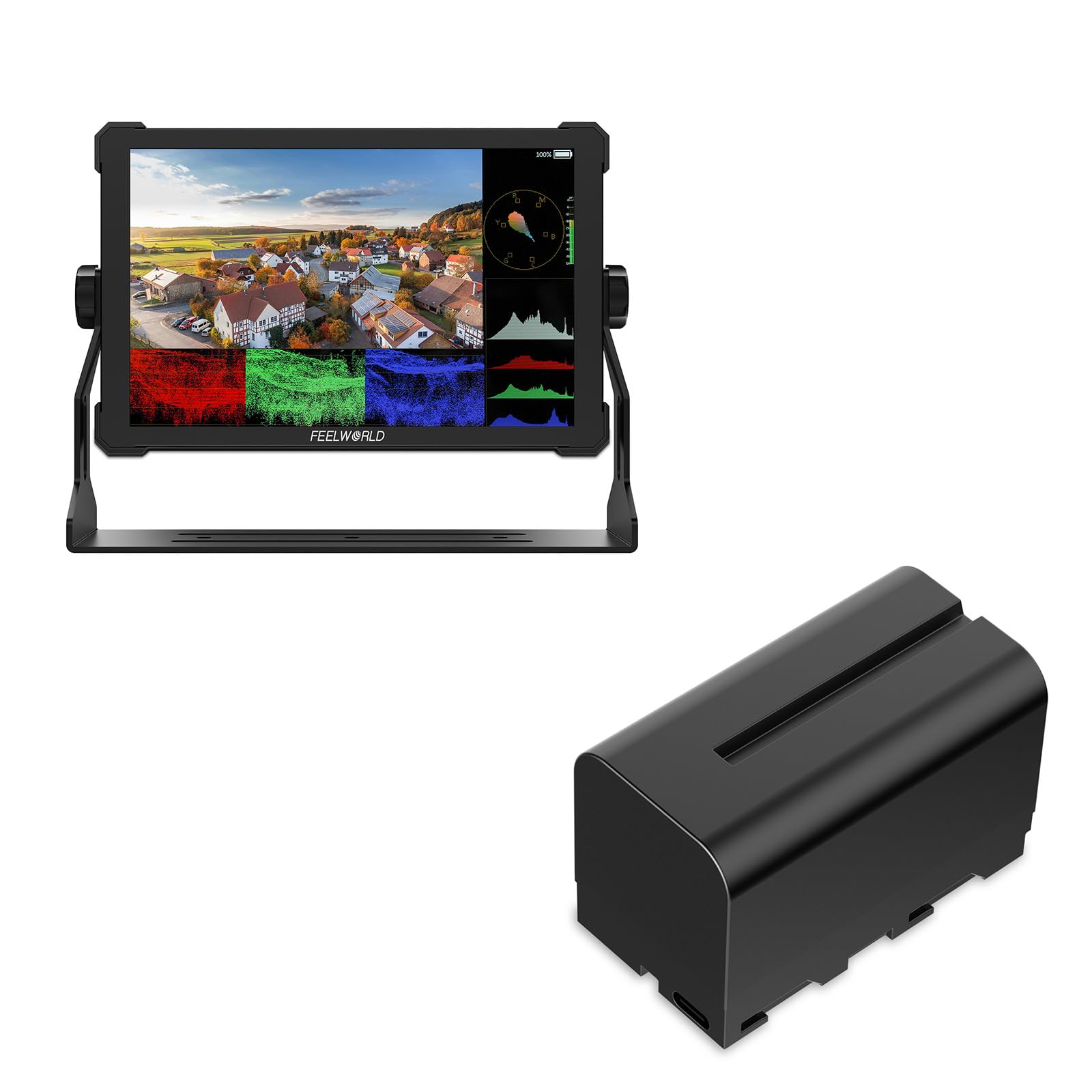
الصورة 1: خلفي view of the FEELWORLD T10 Camera Monitor showing the battery slot. The F750 battery is designed to slide into this slot for power.
3.2. Connecting to a Camera/Device
The T10 monitor supports various input methods. Use the appropriate cable (not always included) to connect your camera or device.
- مدخلات HDMI: Connect an HDMI cable from your camera's HDMI output to the monitor's HDMI input port.
- اتصال USB: The included USB cable can be used for firmware updates or power delivery (if supported by your power source).
4. تعليمات التشغيل
4.1. تشغيل / إيقاف التشغيل
Press and hold the power button (usually located on the side or top of the monitor) for a few seconds to turn the monitor on or off. A short press may activate/deactivate the screen or enter standby mode, depending on settings.
4.2. Basic Navigation and Menu System
The T10 monitor typically features a menu button and navigation buttons (up/down/left/right or a scroll wheel) to access and adjust settings.
- اضغط على قائمة طعام زر لفتح القائمة الرئيسية.
- استخدم أزرار التنقل للتنقل عبر خيارات القائمة.
- اضغط على OK/SET button (often the center of the navigation cluster) to select an option or confirm a setting.
- اضغط على قائمة طعام button again or an EXIT زر لإغلاق القائمة.
4.3. الميزات والإعدادات الرئيسية
The FEELWORLD T10 offers various features to assist with videography and photography:
- نسبة العرض إلى الارتفاع: Adjust the display aspect ratio (e.g., 16:9) to match your camera's output or desired viewتنسيق جي.
- دقة الفيديو: The monitor supports up to 1080p video resolution. Ensure your camera's output matches or is compatible.
- مساعدة التركيز: Utilize peaking or other focus assist tools to ensure sharp focus.
- أدوات التعريض الضوئي: Features like false color or zebras can help monitor exposure levels.
- أزرار الوظائف المخصصة: Assign frequently used functions to programmable buttons for quick access.
5. الصيانة
5.1. تنظيف الشاشة
- استخدم قطعة قماش ناعمة وخالية من الوبر لمسح الشاشة والجسم برفق.
- بالنسبة للبقع العنيدة، استخدمي القليل منampامسح قطعة القماش بالماء أو بمحلول تنظيف الشاشات المصمم خصيصًا للأجهزة الإلكترونية.
- تجنب استخدام المواد الكيميائية القاسية أو المذيبات أو المواد الكاشطة، لأنها قد تتلف الشاشة أوasing.
5.2. العناية بالبطارية
- اشحن البطارية بالكامل قبل الاستخدام لأول مرة.
- قم بتخزين البطاريات في مكان بارد وجاف عندما لا تكون قيد الاستعمال.
- Avoid fully discharging lithium-ion batteries frequently, as this can reduce their lifespan.
- في حالة التخزين لفترات طويلة، اشحن البطارية إلى حوالي 50-60% من سعتها.
5.3. التخزين
When not in use, store the monitor in a protective case or bag to prevent scratches and impact damage. Keep it away from extreme temperatures, humidity, and direct sunlight.
6. استكشاف الأخطاء وإصلاحها
| مشكلة | السبب المحتمل | حل |
|---|---|---|
| لا يتم تشغيل الشاشة. | البطارية فارغة أو غير مثبتة بشكل صحيح. | اشحن البطارية أو تأكد من تثبيتها بشكل صحيح. |
| لم يتم عرض أي إشارة. | Incorrect input source selected; cable not connected properly; camera not outputting signal. | Check cable connections; select correct input source in monitor menu; verify camera's output settings. |
| الصورة مشوهة أو تومض. | Faulty cable; incompatible resolution/frame rate; interference. | Try a different cable; adjust camera output resolution; move away from strong electromagnetic sources. |
| يتم استنزاف البطارية بسرعة. | High screen brightness; old battery; cold environment. | Reduce screen brightness; replace old battery; operate in moderate temperatures. |
إذا واجهت مشاكل غير مدرجة هنا، فيرجى الرجوع إلى قسم الدعم أو الاتصال بخدمة العملاء.
7. المواصفات
| ميزة | التفاصيل |
|---|---|
| ماركة | فيلوورلد |
| اسم الموديل | ت10 |
| نسبة العرض إلى الارتفاع | 16:9 |
| دقة التقاط الفيديو | 1080 بكسل |
| مدعوم File شكل | MP4، AVI، MOV |
| نوع البطارية | Lithium Ion (NP-F series compatible) |
| متوسط عمر البطارية | Approximately 3 Hours (with included F750 battery) |
| الأجهزة المتوافقة | Personal Computer, Smartphone, Tablet (via appropriate adapters/cables) |
| استخدامات محددة للمنتج | Videography, Photography |
| الحد الأقصى لدقة العرض | دقة كاملة |
| التركيز التلقائي | Yes (Focus Assist features) |
8. الضمان والدعم
8.1. معلومات الضمان
تأتي منتجات FEELWORLD عادةً مع ضمان محدود. يُرجى الرجوع إلى بطاقة الضمان المرفقة مع المنتج أو زيارة موقع FEELWORLD الرسمي. webللاطلاع على أحدث وأدق شروط وأحكام الضمان، يرجى زيارة الموقع الإلكتروني. احتفظ بإثبات الشراء لتقديم مطالبات الضمان.
8.2. دعم العملاء
For technical assistance, troubleshooting, or service inquiries, please contact FEELWORLD customer support through their official website or the contact information provided in your product packaging. You may need to provide your product model (T10) and serial number.
المتجر الرسمي لـ FEELWORLD: تفضل بزيارة متجر FEELWORLD على أمازون


