مقدمة
Welcome to the JLab Go Lux ANC Wireless Headphones instruction manual. These premium on-ear Bluetooth headphones are designed to provide an immersive audio experience with advanced features for comfort and connectivity.
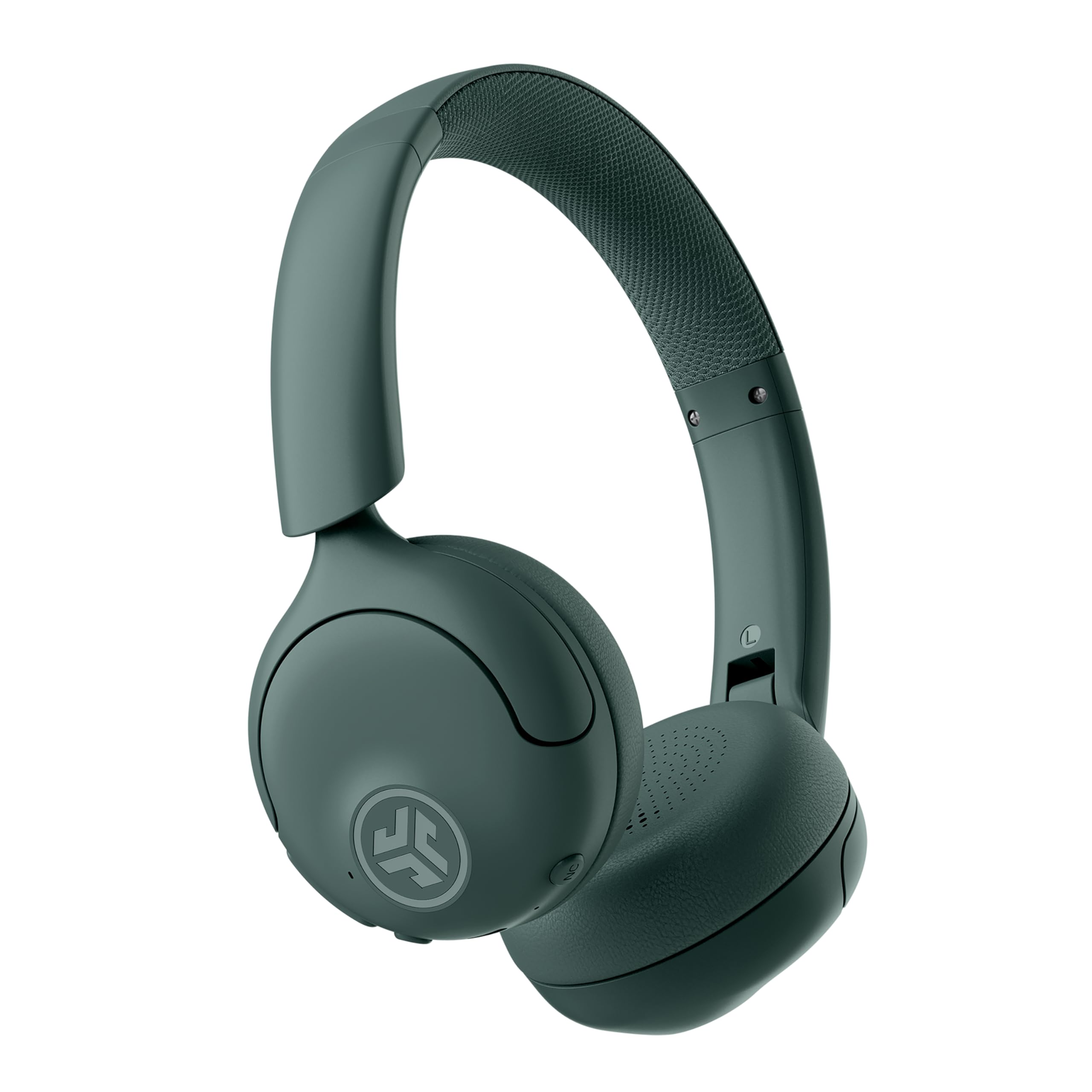
Image: JLab Go Lux ANC Wireless Headphones, showcasinز- التصميم العام.
الميزات الرئيسية
- Hybrid Active Noise Cancelling (ANC) & Be Aware Mode: Eliminate distractions up to 30 dB or stay connected to your surroundings.
- Cloud Foam Comfort: Ergonomically shaped Form-Fit Earcups and adjustable hinges for ultimate comfort.
- Customizable Sound via JLab App: Personalize ANC/Be Aware settings, touch controls, and sound preferences.
- مكالمات واضحة تمامًا: Noise-canceling microphones ensure clear communication.
- اتصالات سهلة: Bluetooth Multipoint for simultaneous connection to two devices, Wireless Share Mode, Google Fast Pair, and Microsoft Swift Pair.
- Google Find My Device: Locate your headphones easily.
دليل الإعداد
1. الشحن الأولي
Before first use, fully charge your JLab Go Lux ANC headphones using the provided USB-C charging cable. The charging port is located on one of the earcups.

Image: JLab Go Lux ANC headphones folded, showing the USB-C charging cable.
2. اقتران بلوتوث
لإقران سماعات الرأس بجهاز:
- تأكد من إيقاف تشغيل سماعات الرأس.
- اضغط مع الاستمرار على زر الطاقة حتى يومض مؤشر LED باللون الأزرق والأحمر، مما يشير إلى وضع الاقتران.
- On your device (smartphone, tablet, computer), go to Bluetooth settings and select "JLab Go Lux ANC" from the list of available devices.
- بمجرد الاتصال ، سيتحول مؤشر LED إلى اللون الأزرق الثابت.
3. اتصال متعدد النقاط
The headphones support Bluetooth Multipoint, allowing connection to two devices simultaneously:
- Pair with the first device as described above.
- قم بتعطيل البلوتوث على الجهاز الأول. ستعود سماعات الرأس إلى وضع الاقتران.
- قم بالاقتران مع الجهاز الثاني.
- أعد تفعيل البلوتوث على الجهاز الأول. ستتصل سماعات الرأس تلقائيًا بالجهازين.
4. JLab App Installation
Download the JLab App from the App Store or Google Play Store to customize settings and access additional features.

Image: JLab App interface on a smartphone, demonstrating sound customization options.
تعليمات التشغيل
1. تشغيل/إيقاف التشغيل
- تشغيل الطاقة: اضغط مع الاستمرار على زر الطاقة لمدة 3 ثوانٍ.
- إيقاف التشغيل: اضغط مع الاستمرار على زر الطاقة لمدة 5 ثوانٍ.
2. Hybrid ANC & Be Aware Mode
Toggle between Hybrid Active Noise Cancelling and Be Aware Mode using the dedicated NC button on the earcup.
- إلغاء الضوضاء النشطة الهجين: يقلل من الضوضاء الخارجية للحصول على تجربة استماع غامرة.
- Be Aware Mode: يسمح للأصوات المحيطة بالمرور، مما يبقيك على دراية بالبيئة المحيطة بك.

Image: A person wearing JLab headphones, illustrating the Hybrid ANC and Be Aware Mode features.
3. عناصر التحكم الأساسية
The headphones feature intuitive touch controls on the earcups:
- رفع/خفض الصوت: استخدم أزرار الصوت المخصصة.
- تشغيل/إيقاف مؤقت: Single tap the multi-function button.
- المسار التالي: Double tap the multi-function button.
- المسار السابق: Triple tap the multi-function button.
- الرد/إنهاء المكالمة: Single tap the multi-function button during a call.
- رفض المكالمة: اضغط مع الاستمرار على زر الوظائف المتعددة أثناء المكالمة الواردة.
4. Wireless Share Mode
Share audio wirelessly between two JLab Lux headphones. Refer to the JLab App or JLab website for detailed instructions on activating and using Wireless Share Mode.
5. Google Find My Device
Utilize Google Find My Device to locate your headphones if misplaced. Ensure your headphones are connected to a compatible Android device.
صيانة
1. الشحن
Charge the headphones using the provided USB-C cable. A full charge provides up to 70+ hours of playtime (40+ hours with ANC on).
2. التنظيف
Wipe the headphones with a soft, dry cloth. Avoid using harsh chemicals or abrasive materials. Ensure the charging port is dry before charging.
3. التخزين
عند عدم الاستخدام، احفظ سماعات الرأس في مكان بارد وجاف. تصميمها القابل للطي يسمح بتخزينها بشكل مضغوط.

Image: JLab Go Lux ANC headphones folded for compact storage, alongside the charging cable.
استكشاف الأخطاء وإصلاحها
- لا يوجد طاقة: تأكد من شحن سماعات الرأس بالكامل.
- لا يمكن الاقتران: تأكد من تفعيل البلوتوث على جهازك وأن سماعات الرأس في وضع الاقتران. حاول حذف الجهاز من هاتفك وإعادة الاقتران.
- مشاكل الصوت: Check volume levels on both headphones and connected device. Ensure headphones are within Bluetooth range.
- إلغاء الضوضاء النشط لا يعمل: Verify ANC mode is activated.
For further assistance, refer to the JLab App or contact JLab customer support.
تحديد
| اسم الموديل | Go Lux ANC |
| تكنولوجيا الاتصال | لاسلكي (بلوتوث 5.0) |
| وضع الأذن | على الأذن |
| التحكم في الضوضاء | Hybrid Active Noise Cancelling, Be Aware Mode |
| نوع برنامج تشغيل الصوت | محرك هجين (40 مم) |
| عمر البطارية | Up to 70+ Hours (40+ Hours with ANC) |
| طريقة التحكم | التحكم في مستوى الصوت باللمس |
| الأجهزة المتوافقة | Android devices, Windows PCs |
| مادة | Plastic, Metal, Faux Leather |
| وزن العنصر | 0.704 أونصة (0.02 كجم) |
| أبعاد المنتج | 2.95 × 6.1 × 7.48 بوصة |
الضمان والدعم
Your JLab Go Lux ANC Wireless Headphones come with a JLab 2 Year Warranty.
For warranty claims, technical support, or additional product information, please visit the official JLab Store or contact JLab customer service.


