1. المقدمة
The ZEBRONICS Pixigo A16 is a 15.6-inch portable monitor designed for enhanced productivity and entertainment on the go. Featuring a Full HD 1080p resolution, anti-glare screen, and versatile connectivity options, it serves as an ideal secondary display for laptops, smartphones, and gaming consoles. Its lightweight design and 180° adjustable stand ensure flexibility and ease of use in various environments.
2. محتويات العبوة
تأكد من تضمين جميع العناصر المدرجة أدناه في الحزمة الخاصة بك:
- Monitor - 1 unit
- Mini HDMI Cable - 1 unit
- Type C DP Cable - 1 unit
- Power Adapter - 1 unit
- User Manual - 1 unit
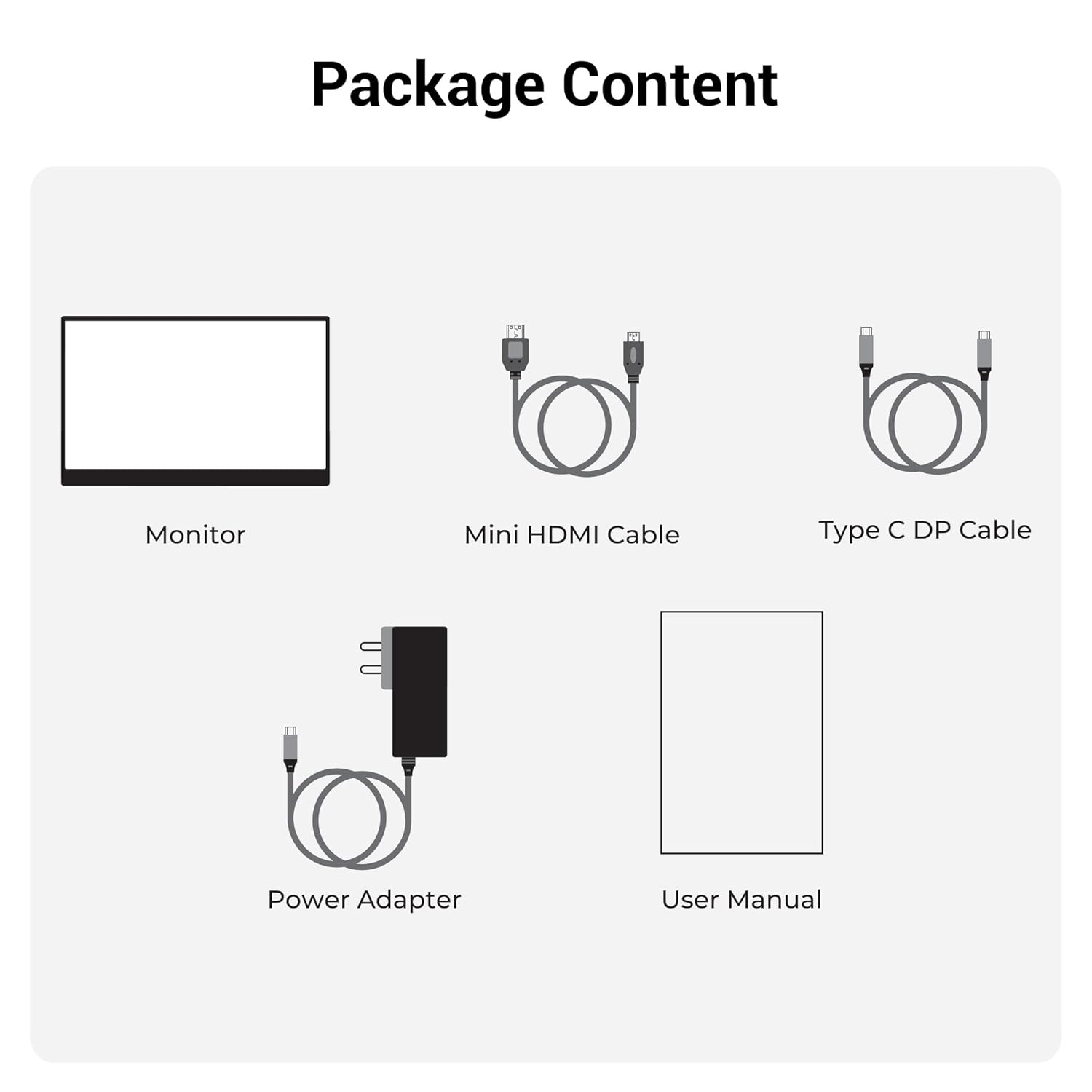
الشكل 2.1: محتويات العبوة
3. انتهى المنتجview
3.1 المنافذ وأدوات التحكم
Familiarize yourself with the various ports and control buttons on your Pixigo A16 monitor:
- منفذ HDMI صغير: لإدخال الفيديو من الأجهزة المزودة بمخرج HDMI.
- Type C Port 2 (Power + Display): Supports both power delivery and display signal via a single Type-C cable.
- Type C Port 1 (Only Power): Dedicated for power input to the monitor.
- Power / Return Button: Used to power the monitor on/off and navigate back in the OSD menu.
- مؤشر LED: Shows the power status of the monitor.
- Roller Key / Menu: Used to access and navigate the On-Screen Display (OSD) menu and adjust settings.
- مقبس سماعة الرأس: لتوصيل أجهزة الصوت الخارجية.

Figure 3.1: Monitor Ports and Controls
3.2 الميزات الرئيسية
- 15.6-inch FHD 1080p Display: Delivers sharp and vivid visuals with a resolution of 1920x1080.
- شاشة مضادة للتوهج: Minimizes reflections and eye strain for comfortable viewعمل.
- حامل قابل للتعديل بزاوية 180 درجة: Offers flexible positioning to achieve the optimal viewزاوية جي.
- المدخلات المزدوجة: Features 1x Type-C DP port and 1x Mini HDMI port for broad compatibility.
- مكبرات الصوت المدمجة: يوفر مخرج صوت مدمج.
- خفيفة الوزن وقابلة للحمل: Compact design for easy transport and use in various locations.
- سطوع 300 شمعة: Ensures a bright and vibrant screen, even in well-lit environments.
- 16.7 مليون لون: Supports accurate color reproduction.
- نسبة العرض إلى الارتفاع 16:9: Ideal for media consumption and multitasking.
- قابلة للتثبيت على الحائط: Supports wall mounting for a clutter-free setup.

الشكل 3.2: ميزات العرض
4. الإعداد
Follow these steps to set up your ZEBRONICS Pixigo A16 portable monitor:
- قم بفك الشاشة: قم بإزالة الشاشة وجميع الملحقات من العبوة بعناية.
- وضع الحامل: Adjust the integrated 180° stand to your desired viewزاوية جي.
- توصيل الطاقة: Connect the provided Power Adapter to the Type C Port 1 (Power Only) on the monitor and plug it into a power outlet.
- الاتصال بالجهاز:
- For Type-C Devices (with DisplayPort Alt Mode): Use the Type C DP Cable to connect your device (laptop, smartphone) to Type C Port 2 (Power + Display) on the monitor. This single cable can provide both power and display signal.
- For HDMI Devices: Use the Mini HDMI Cable to connect your device (laptop, gaming console) to the Mini HDMI Port on the monitor. Ensure the monitor is also powered via Type C Port 1.
- تشغيل الطاقة: Press the Power / Return Button to turn on the monitor.

Figure 4.1: Wide Compatibility with PC, Laptop, Mobile, and Gaming Console
5. تعليمات التشغيل
5.1 التشغيل الأساسي
- تشغيل/إيقاف التشغيل: Press and hold the Power / Return Button for a few seconds.
- اختيار مصدر الإدخال: The monitor should automatically detect the input source. If not, access the OSD menu using the Roller Key and manually select the input.
- ضبط مستوى الصوت: Use the Roller Key to adjust the volume of the built-in speakers or connected headphones.
5.2 قائمة العرض على الشاشة (OSD)
تتيح لك قائمة OSD تخصيص إعدادات العرض المختلفة:
- Press the Roller Key to open the OSD menu.
- Roll the Roller Key up or down to navigate through menu options.
- Press the Roller Key to select an option or confirm a setting.
- Press the Power / Return Button to go back to the previous menu or exit the OSD.
5.3 ضبط الحامل
The integrated stand can be adjusted up to 180 degrees to find the most comfortable viewing angle for your needs. Simply pivot the monitor on its stand to tilt it forward or backward.

Figure 5.1: 180° Adjustable Stand
6. الصيانة
لضمان طول عمر الشاشة وأدائها الأمثل، اتبع إرشادات الصيانة التالية:
- تنظيف الشاشة: استخدم قطعة قماش ناعمة وخالية من الوبر وامسحها برفق.ampيُنظف بالماء أو بمنظف شاشات غير كاشط. تجنب استخدام المواد الكيميائية القاسية أو المواد الكاشطة.
- تنظيف Casing: امسح الشاشةasinباستخدام قطعة قماش ناعمة وجافة.
- تخزين: عند عدم الاستخدام، قم بتخزين الشاشة في مكان بارد وجاف، بعيدًا عن أشعة الشمس المباشرة ودرجات الحرارة القصوى.
- التعامل: Handle the monitor with care, especially when transporting it. Its lightweight design makes it portable, but it should still be protected from impacts.
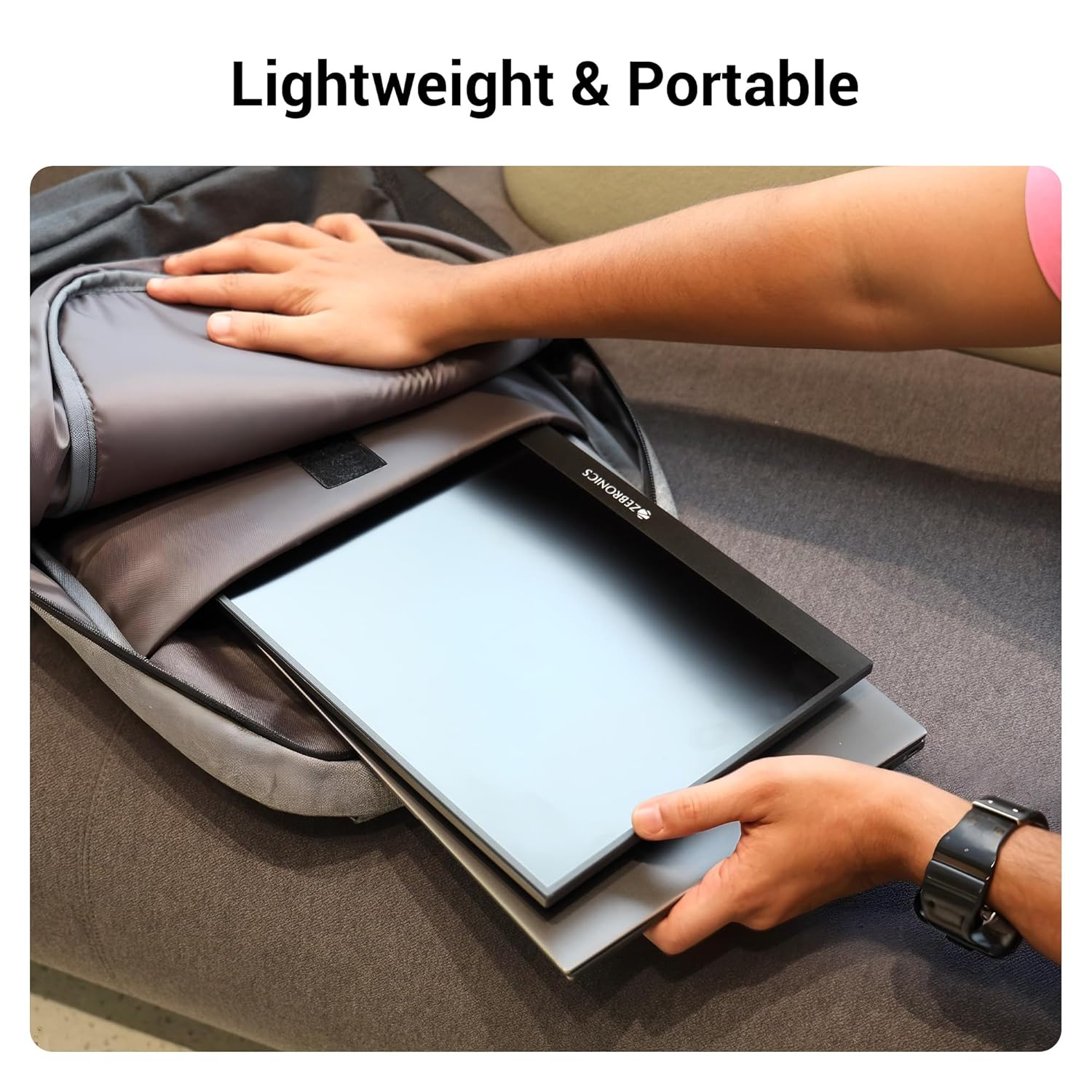
الشكل 6.1: تصميم خفيف الوزن وقابل للحمل
7. استكشاف الأخطاء وإصلاحها
إذا واجهت مشكلات مع شاشتك، فراجع المشكلات والحلول الشائعة التالية:
| مشكلة | السبب المحتمل | حل |
|---|---|---|
| لا يوجد عرض/لا توجد إشارة | تم اختيار مصدر إدخال غير صحيح؛ وصلة كابل غير محكمة؛ طاقة غير كافية. | Check cable connections (HDMI/Type-C). Ensure the monitor is powered. Select the correct input source via the OSD menu. For Type-C, ensure your device supports DisplayPort Alt Mode. |
| شاشة متذبذبة | Faulty cable; Incompatible resolution/refresh rate; Power fluctuations. | Try a different cable. Adjust the resolution or refresh rate on your connected device. Ensure stable power supply. |
| لا يوجد صوت | Volume too low/muted; Incorrect audio output selected on device. | Increase monitor volume using the Roller Key. Check audio settings on your connected device to ensure audio is routed to the monitor. |
| الشاشة لا تعمل | No power; Power adapter issue. | Ensure the power adapter is securely connected to the monitor (Type C Port 1) and a working power outlet. |
8. المواصفات
Detailed technical specifications for the ZEBRONICS Pixigo A16 portable monitor:
- ماركة: الزبرونيك
- نموذج: Zeb-Pixigo A16
- حجم الشاشة: 15.6 بوصة (39.6 سم)
- دقة الشاشة: 1920 × 1080 بكسل (FHD 1080p)
- نسبة العرض إلى الارتفاع: 16:9
- سطوع: 300 Nits
- دعم اللون: 16.7 مليون لون
- وصف سطح الشاشة: Matte (Anti-glare)
- الاتصال: 1x Mini HDMI Port, 2x Type C Ports (1x Power + Display, 1x Power Only), Headphone Jack
- مكبرات الصوت المدمجة: نعم
- وزن السلعة: 804 جرام
- أبعاد المنتج (الطول × العرض × الارتفاع): 1.7 × 35.5 × 22.2 سم
9. الضمان والدعم
For warranty information, technical support, or service inquiries, please refer to the warranty card included in your package or visit the official ZEBRONICS webالموقع. احتفظ بإيصال الشراء الخاص بك كإثبات للشراء في حالة مطالبات الضمان.


