
1. انتهى المنتجview
The OWON HDS241 is a versatile 3-in-1 handheld device integrating a single-channel oscilloscope, a 24000-count digital multimeter, and a 100kHz signal generator. Designed for both outdoor and indoor use, it offers a compact form factor with powerful measurement capabilities for various electrical and electronic applications.

Image 1.1: The OWON HDS241 device, highlighting its oscilloscope, multimeter, and signal generator functions.
2. معلومات السلامة
Before using the OWON HDS241, please read and understand all safety instructions to prevent electric shock, injury, or damage to the device. Keep this manual for future reference.
- الأمان العام: استخدم الجهاز دائمًا ضمن نطاق حجمه المحددtage and current limits. Do not operate the device in wet or damp شروط.
- سلامة التحقيق: Ensure probes are correctly connected and rated for the measurement being performed. Avoid touching exposed wiring or components when the device is powered on.
- سلامة البطارية: Use only the specified battery type. Do not disassemble, crush, or expose the battery to extreme temperatures.
- صيانة: يُرجى إحالة جميع أعمال الصيانة إلى فنيين مؤهلين. لا تحاول إصلاح الجهاز بنفسك.
3. الميزات الرئيسية
- مقياس متعدد رقمي: 4 1/2 digit True RMS digital multimeter for measuring AC/DC voltage/current, resistance, diode, capacitance, and continuity. Maximum input voltage is AC 750V, DC 1000V.
- Signal Waveform Generator: 1-channel 100 kHz generator supporting sine, square, ramp, and pulse wave outputs. Maximum output amplitude is 2.5 Vpp.
- الذبذبات: Waveform refresh rate up to 10,000 wfms/s, 40MHz bandwidth, and real-time sampling rate up to 250MSa/s. Features auto-setup, multiple measurement functions, 8K record length, cursor measurement, and slow scan mode for long-term signal monitoring.
- تصميم مضغوط: Portable form factor with a 3.5-inch high-definition color LCD screen, suitable for various environments.
- عمر بطارية طويل: Low-power design with a 2000 mAh high-capacity lithium battery and standard Type-C port for charging and power bank compatibility.
4. محتويات العبوة
The standard package for the OWON HDS241 includes:
- OWON HDS241 Handheld Oscilloscope Unit
- Test Leads for Multimeter
- مسبار راسم الذبذبات
- كابل USB Type-C
- دليل المستخدم (هذا المستند)
Note: Additional accessories such as a BNC-to-alligator clip cable or carrying case may need to be purchased separately.
5. تخطيط الجهاز وعناصر التحكم
Familiarize yourself with the physical components and controls of the HDS241.

الصورة 5.1: الأمام والجانب view of the OWON HDS241 with key controls and ports labeled. Labels include: signal input connector, display area, multifunction keys, channel key, mode switching key, system settings, save settings, power button, relative value/activation menu key, multimeter input port, horizontal time base setting/signal adjustment, return key, range switch/measurement menu key, arrow keys, auto range/auto setting key, hold value/Stop/Run key, probe compensation output (2.5V/1kHz square wave or signal generator output), USB charging/communication interface, approximate weight (0.6 kg host, excluding battery), gross weight (1.2 kg).
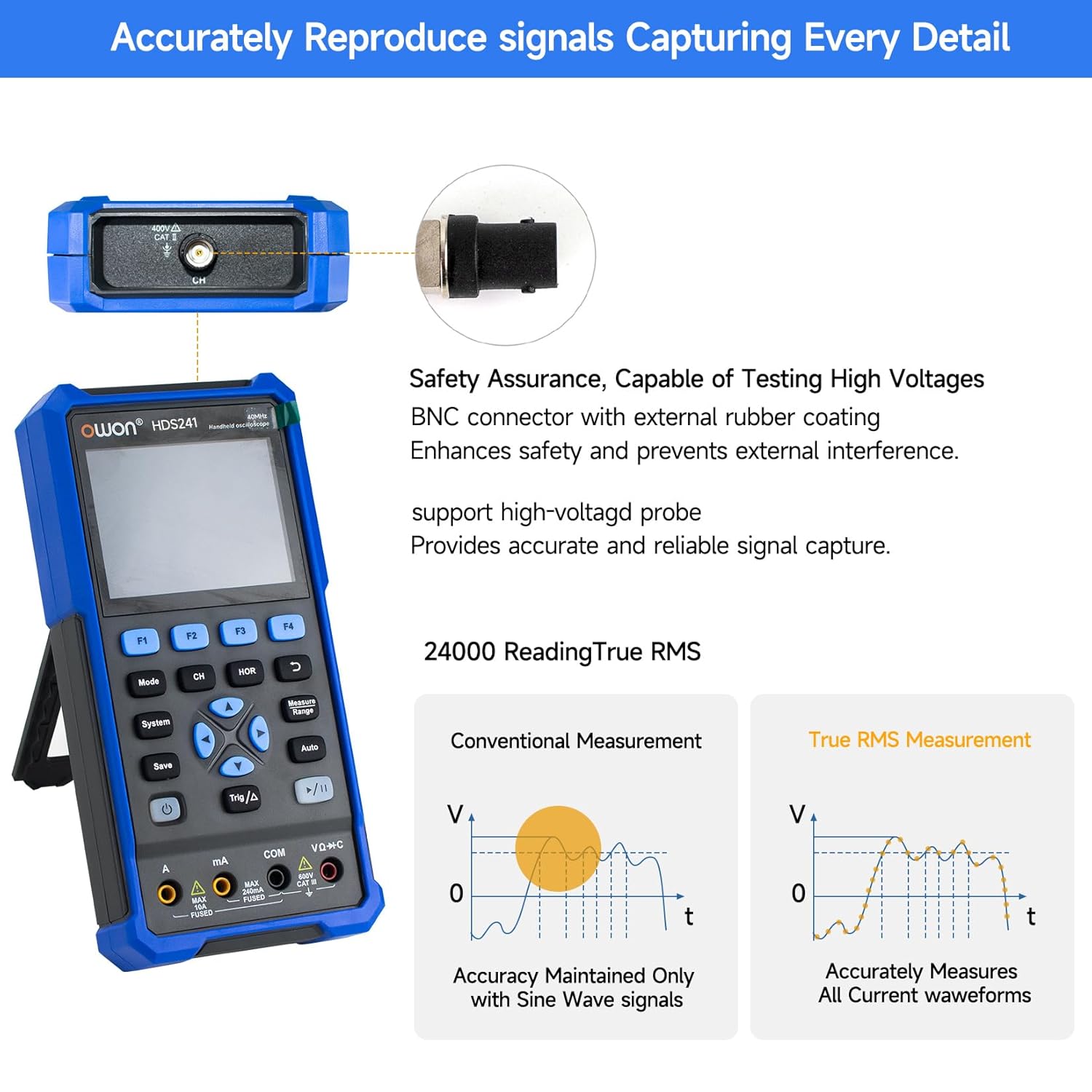
Image 5.2: Detail of the BNC connector, designed for safety and signal integrity, with external rubber coating.
6. الإعداد الأولي
6.1 شحن الجهاز
The HDS241 is equipped with a built-in 2000 mAh lithium battery. Before first use, fully charge the device using the provided USB Type-C cable and a compatible power adapter (not included) or a computer USB port.
- Connect the USB Type-C cable to the device's Type-C port.
- قم بتوصيل الطرف الآخر من الكبل بمصدر طاقة USB.
- سيظهر مؤشر الشحن حالة الشحن.

Image 6.1: The USB Type-C charging port and internal battery compartment, emphasizing long-lasting performance.
6.2 تشغيل/إيقاف التشغيل
اضغط مع الاستمرار على قوة زر لتشغيل الجهاز أو إيقاف تشغيله.
7. أوضاع التشغيل
The HDS241 features three primary operating modes: Oscilloscope, Multimeter, and Signal Generator. Press the وضع button to switch between these functions.
7.1 وضع راسم الإشارة
In Oscilloscope mode, the device displays real-time waveforms, allowing for detailed analysis of electrical signals. Connect the oscilloscope probe to the BNC connector on the top of the device.
- الإعداد التلقائي: اضغط على آلي button for automatic scaling and positioning of the waveform.
- القياسات: استخدم يقيس menu (accessed via F1) to select automatic measurements like Frequency, Period, Amplitude, Max, Min, Peak-to-Peak, and RMS.
- قياسات المؤشر: Activate cursor measurements (accessed via F2) to manually measure voltage (ΔV) and time (ΔT) differences between points on the waveform.
- إعدادات الزناد: Adjust trigger type, level, and mode using the المثلثات زر.
- Horizontal/Vertical Controls: Use the navigation arrows to adjust time base (horizontal) and voltage scale (vertical).

الصورة 7.1.1: مثالamples of oscilloscope display features including dual sampling mode, high refresh rate, 8 types of auto-measurements, and cursor measurements.

الصورة 7.1.2: مثالamples of actual measured waveforms, demonstrating the oscilloscope's signal capture capabilities for different signal types.
7.2 وضع المقياس المتعدد
In Multimeter mode, the HDS241 functions as a digital multimeter. Connect the test leads to the appropriate input ports (VΩ+C, COM, A, mA) at the bottom of the device.
- اختيار الوظيفة: استخدم وضع button to cycle through measurement types (Voltage, Current, Resistance, Capacitance, Diode, Continuity).
- النطاق التلقائي: The device supports auto-ranging for convenient measurement.
- امسك المعلومات: استخدم يحفظ button or a dedicated hold function (if available) to freeze the current reading.
7.3 وضع مولد الإشارة
The Signal Generator mode allows the device to output various waveforms. Connect the output to the circuit under test using the appropriate cable (e.g., BNC to alligator clips, not included).
- اختيار شكل الموجة: Use the F-keys to select sine, square, ramp, or pulse waveforms.
- تعديل المعلمة: Adjust frequency and amplitude using the navigation arrows. The maximum output amplitude is 2.5 Vpp.
8. إدارة البيانات
The HDS241 supports data transfer to a computer via its USB Type-C port for further analysis and record-keeping.
- الاتصال بجهاز الكمبيوتر: Use the provided USB Type-C cable to connect the device to your computer.
- برمجة: راجع OWON website for any necessary drivers or software to facilitate data transfer and analysis.
- حفظ البيانات: استخدم يحفظ button to store waveform images, settings, or measurement data directly on the device.
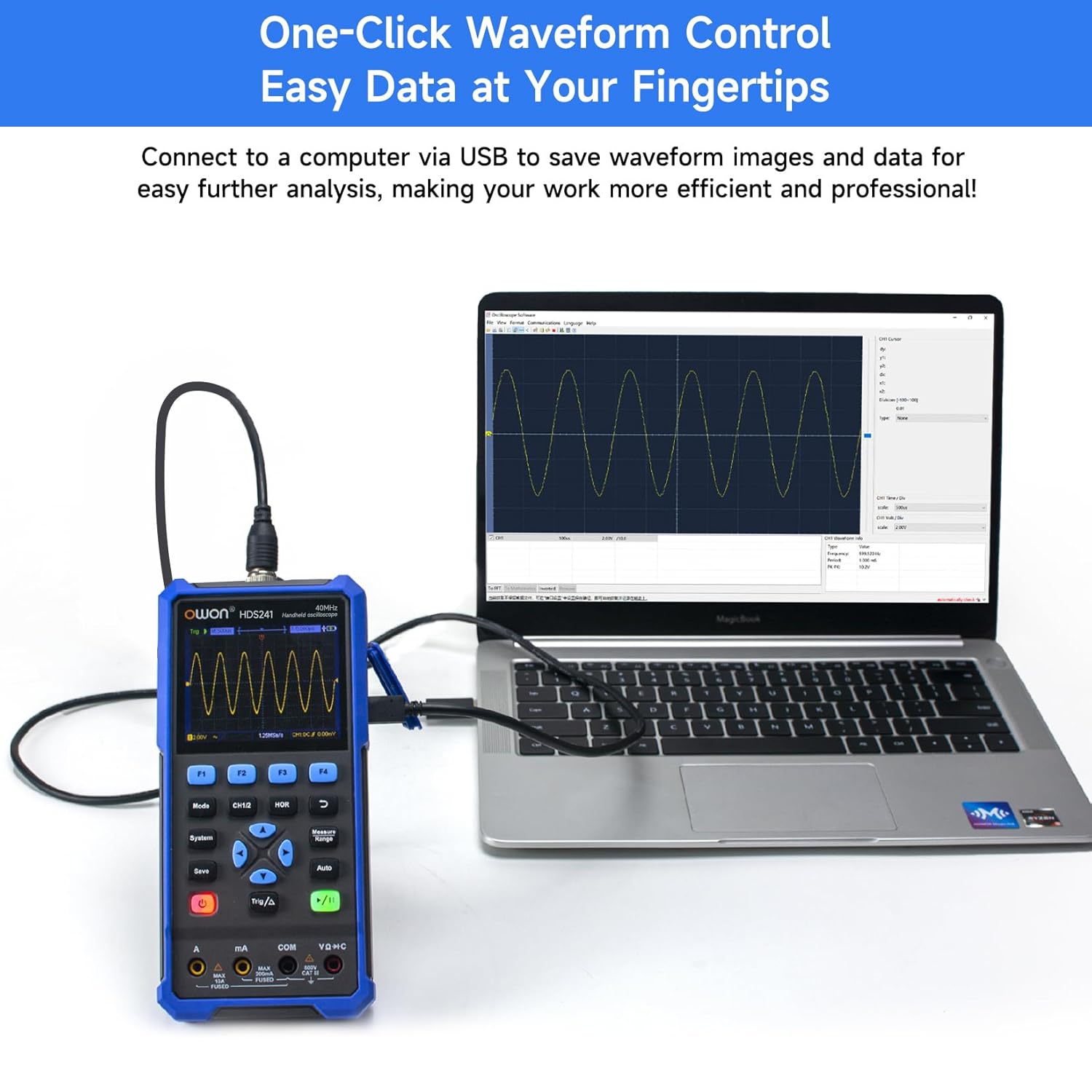
Image 8.1: The OWON HDS241 connected to a computer for data transfer and analysis, enabling easy waveform control.
9. الصيانة
- تنظيف: نظّف الجهاز بقطعة قماش ناعمة وجافة. لا تستخدم منظفات أو مذيبات كاشطة.
- تخزين: قم بتخزين الجهاز في مكان بارد وجاف بعيدًا عن أشعة الشمس المباشرة ودرجات الحرارة القصوى.
- العناية بالبطارية: للتخزين طويل الأمد، تأكد من شحن البطارية جزئيًا (حوالي 50٪) وأعد شحنها كل بضعة أشهر للحفاظ على صحة البطارية.
- معايرة المجس: Periodically calibrate the oscilloscope probe using the dedicated probe compensation output to ensure accurate measurements.
10. استكشاف الأخطاء وإصلاحها
| مشكلة | السبب المحتمل | حل |
|---|---|---|
| الجهاز لا يعمل. | بطارية منخفضة أو فارغة. | Connect the device to a power source using the USB Type-C cable and allow it to charge. |
| No waveform displayed in oscilloscope mode. | Probe not connected correctly; signal too small or too large; incorrect time base or voltagمقياس البريد. | Ensure probe is securely connected. Press آلي for automatic setup. Adjust vertical and horizontal scales manually. Check trigger settings. |
| قراءات جهاز القياس المتعدد غير دقيقة. | Test leads not properly connected; incorrect measurement function selected; external interference. | Verify test lead connections. Ensure the correct measurement mode (voltage, current, resistance) is selected. Minimize external electrical noise. |
| Signal generator output is not as expected. | Incorrect waveform type, frequency, or amplitude set. | Check the selected waveform, frequency, and amplitude settings in the signal generator menu. |
11. المواصفات الفنية
Oscilloscope Specifications:
| المعلمة | قيمة |
|---|---|
| النطاق الترددي | 40 ميجا هرتز |
| قناة | 1 |
| Sampمعدل لينغ | 250MSa / ثانية |
| وضع الاستحواذ | Sample, Peak Detect |
| طول السجل | Max. 8K |
| عرض | شاشة LCD مقاس 3.5 بوصة |
| معدل تحديث شكل الموجة | 10,000 واط/ثانية |
| اقتران المدخلات | DC, AC, Ground |
| معاوقة الإدخال | 1 MΩ±2%, in parallel with 16 pF±10 pF |
| تخفيف المجس | 1X، 10X، 100X، 1000X |
| الحد الأقصى لحجم الإدخالtage | 400V (DC + AC, PK-PK) |
| Sensitivity Resolution | 10 مللي فولت/قسم-10 فولت/قسم |
| الدقة الرأسية | 8 بت |
| المقياس الأفقي | 5ns/div-1000s/div, step 1-2-5 |
| نوع الزناد | حافة |
| وضع الزناد | تلقائي، عادي، فردي |
| القياس التلقائي | Period, Frequency, Mean, PK-PK, Max, Min, Amplitude, RMS |
| قياس المؤشر | ΔV, ΔT |

Image 11.1: Detailed oscilloscope specifications.
Digital Multimeter Specifications:
| المعلمة | قيمة |
|---|---|
| عرض العد | 4½ digits (max 24000 counts) |
| أوضاع الاختبار | المجلدtage, Current, Resistance, Capacitance, Diode, Continuity |
| الحد الأقصى لحجم الإدخالtage | تيار متردد 750 فولت، تيار مستمر 1000 فولت |
| الحد الأقصى لتيار الإدخال | تيار متردد 10 أمبير ، تيار مستمر 10 أمبير |
| نطاق السيارات | نعم |
| RMS الحقيقي | نعم |

Image 11.2: Detailed digital multimeter specifications.
Signal Waveform Generator Specifications:
| المعلمة | قيمة |
|---|---|
| أشكال الموجة | جيب، مربع، Ramp، نبض |
| تردد الإخراج | 10 هرتز-100 كيلو هرتز |
| Ampخط الطول | 2Vpp-2.5Vpp |

Image 11.3: Detailed signal waveform generator specifications.
المواصفات العامة:
- أبعاد: 9.6 × 3.8 × 19.8 سم
- وزن السلعة: 1.2 كيلوغرام
- مصدر الطاقة: Battery Powered (2000 mAh Lithium Battery)
- لون: أزرق
- الشهادات: CE, True RMS
12. الضمان والدعم
OWON products are designed for reliability and performance. For warranty information, technical support, or service inquiries, please refer to the official OWON webالموقع أو اتصل بالموزع المحلي لديك.
- فترة الضمان: Standard manufacturer's warranty applies. Please check your purchase documentation for specific terms and duration.
- الدعم الفني: Visit the OWON official website for FAQs, software downloads, and contact information for technical assistance.
- الإرجاعات: Refer to the retailer's return policy for details on product returns and exchanges.


