مقدمة
This comprehensive user manual is designed to help you unlock the full potential of your Google Pixel 9, Pixel 9 Pro, or Pixel 9 Pro XL smartphone. Whether you are new to the Pixel ecosystem or upgrading to the latest series, this guide provides detailed, step-by-step instructions and comprehensive illustrations to navigate Android 14 and master your device's advanced features.
The manual covers everything from initial setup to advanced camera functions, battery optimization, security settings, powerful AI tools, gaming enhancements, and smart home integration. It is written in clear, user-friendly language, making complex functions easy to understand for all users, from beginners to seniors.
دليل أكثرview

Front cover of the user manual, featuring the Google Pixel 9, 9 Pro, and 9 Pro XL smartphones.
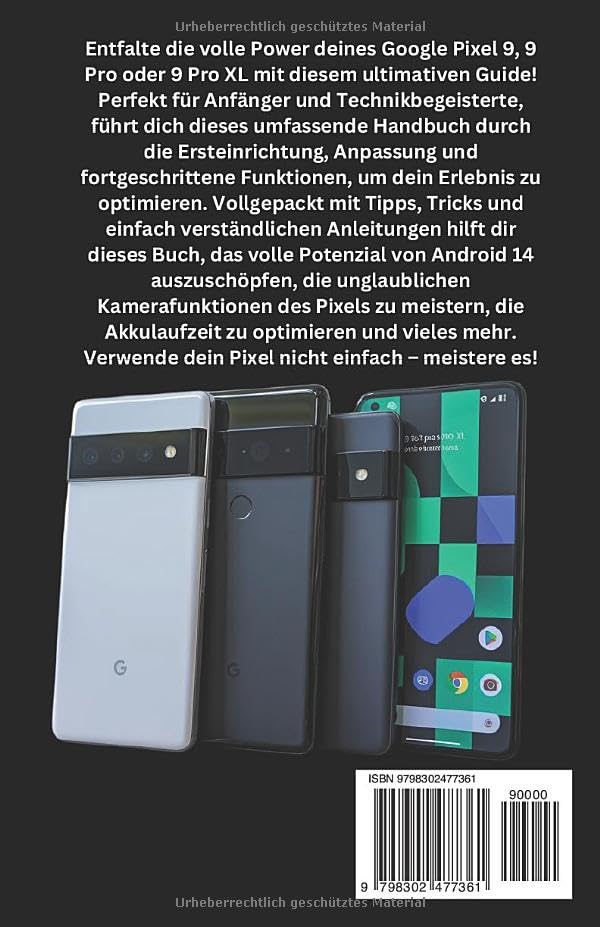
Back cover of the user manual, showing the ISBN-13: 979-8302477361.
1. الإعداد والتكوين الأولي
This section guides you through the essential steps to set up your new Google Pixel 9 series device. From powering on for the first time to connecting to Wi-Fi and transferring data, these instructions ensure a smooth start.
1.1 First-Time Power On
- اشحن جهازك: Before starting, ensure your Pixel device has sufficient charge. Connect the provided USB-C cable to the charging port and a compatible power adapter.
- تشغيل الطاقة: Press and hold the power button (typically on the right side of the device) until the Google logo appears.
- اختار اللغة: اتبع التعليمات التي تظهر على الشاشة لتحديد اللغة المفضلة لديك.
1.2 الاتصال بشبكة Wi-Fi
A stable internet connection is crucial for setup and updates.
- From the setup screen, tap on "يبدأ" or "Let's go".
- Select your Wi-Fi network from the list. If prompted, enter the network password.
- مقبض "يتصل".
1.3 إعداد حساب Google
Your Google account is essential for accessing apps, services, and backups.
- Sign in with an existing Google account or create a new one.
- Review and accept the Google Terms of Service and Privacy Policy.
2. Operating Your Google Pixel 9 Series
This section details the core functionalities and advanced features of your Pixel device, helping you navigate Android 14 and utilize its capabilities effectively.
2.1 التنقل في نظام Android 14
- الشاشة الرئيسية: قم بتخصيص شاشتك الرئيسية باستخدام الأدوات المصغّرة واختصارات التطبيقات.
- إشعارات: اسحب لأسفل من أعلى الشاشة للوصول إلى الإشعارات والإعدادات السريعة.
- درج التطبيقات: مرر لأعلى من أسفل الشاشة الرئيسية إلى view جميع التطبيقات المثبتة.
2.2 وظائف الكاميرا
The Pixel 9 series boasts advanced camera capabilities. Explore modes like:
- Super Res Zoom: Enhance digital zoom for clearer distant shots.
- الوضع الليلي: Capture vibrant photos in low-light conditions.
- الوضع الرأسي: إنشاء صور ذات مظهر احترافي مع خلفيات ضبابية.
2.3 Google Assistant & Gemini AI
Utilize voice commands and intelligent AI features:
- Activate Google Assistant by saying "Hey Google" or long-pressing the power button.
- Leverage Gemini AI for smart routines, content summaries, and more.
2.4 الأمن والخصوصية
Protect your data with built-in security features:
- تمييز الوجوه: Set up facial unlock for quick and secure access.
- ماسح البصمات: سجل بصمات أصابعك للتحقق من الهوية البيومترية.
- لوحة معلومات الخصوصية: Monitor app permissions and data access.
- Family Link & Parental Controls: Manage screen time and content for family members.
2.5 تجربة الألعاب
Optimize your gaming with Game Mode:
- Access Game Mode settings to enhance performance and minimize distractions during gameplay.
2.6 تكامل المنزل الذكي
Connect your Pixel to your smart home ecosystem:
- Control Google Nest devices and other compatible smart home products directly from your Pixel.
3. الصيانة وتحسين أداء البطارية
Proper maintenance ensures the longevity and optimal performance of your Google Pixel device. This section focuses on maximizing battery life.
3.1 Battery Saving Techniques
- بطارية قابلة للتكيف: Enable Adaptive Battery in settings to learn your usage patterns and optimize app power consumption.
- المظهر الداكن: Use Dark Theme to reduce power consumption on OLED screens.
- سطوع الشاشة: Adjust screen brightness to a comfortable level or enable Adaptive Brightness.
- تحديث التطبيق في الخلفية: Limit background activity for apps that consume significant power.
- خدمات الموقع: Turn off location services when not in use or set them to "While using the app" for specific applications.
4. استكشاف المشكلات الشائعة وإصلاحها
This section provides general guidance for resolving common issues you might encounter with your Google Pixel 9 series device. For more detailed troubleshooting, refer to the comprehensive manual or Google's official support resources.
4.1 الجهاز لا يستجيب
- إعادة التشغيل القسري: Press and hold the power button for about 30 seconds until the device restarts.
4.2 مشاكل الاتصال (Wi-Fi/Bluetooth)
- التبديل بين التشغيل/الإيقاف: Try turning Wi-Fi or Bluetooth off and then on again from Quick Settings.
- انسى الشبكة: For Wi-Fi issues, forget the network and reconnect.
- إعادة تشغيل جهاز التوجيه: If other devices are affected, restart your Wi-Fi router.
4.3 App Crashing or Freezing
- إيقاف التطبيق بالقوة: Go to Settings > Apps > See all apps, select the problematic app, and tap "Force stop".
- مسح ذاكرة التخزين المؤقت: In the app's settings, go to Storage & cache and tap "Clear cache".
- تحديث التطبيق: تأكد من تحديث التطبيق إلى أحدث إصدار من متجر جوجل بلاي.
5. مواصفات المنتج
The following table outlines key specifications for the Google Pixel 9, 9 Pro & 9 Pro XL User Manual (Paperback edition).
| ميزة | التفاصيل |
|---|---|
| ASIN | B0DPLCFBMJ |
| الناشر | نُشرت بشكل مستقل |
| تاريخ النشر | 4 ديسمبر 2024 |
| لغة | الألمانية |
| طباعة طول | 335 صفحة |
| رقم الكتاب الدولي المعياري 13 | 979-8302477361 |
| وزن العنصر | 13.8 أونصات |
| أبعاد | 5.5 × 0.76 × 8.5 بوصة |
6. الضمان والدعم
This user manual provides comprehensive instructions for operating your Google Pixel 9 series device. Please note that this manual itself does not include warranty information for the Google Pixel smartphones. For details regarding the warranty of your Google Pixel device, please refer to the official documentation provided with your smartphone or visit the official Google support webموقع.
For further assistance or technical support related to your Google Pixel 9, 9 Pro, or 9 Pro XL, please visit the official Google Support page or contact Google customer service directly.
Disclaimer: This manual is a guide for the Google Pixel 9 series and is not an official Google publication. All product names, logos, and brands are property of their respective owners.