1. المقدمة
This manual provides essential information for setting up, operating, and maintaining your GenMachine Mini PC AMD Ryzen 7 7735HS. Please read this manual thoroughly before using the device to ensure proper functionality and safety.
2. معلومات السلامة
اتبع إرشادات السلامة التالية لمنع تلف الجهاز أو إصابتك:
- لا تعرض الجهاز للماء أو الرطوبة أو درجات الحرارة العالية.
- تأكد من التهوية المناسبة لمنع ارتفاع درجة الحرارة. لا تسد فتحات التهوية.
- استخدم فقط محول الطاقة المقدم.
- تجنب إسقاط الجهاز أو تعريضه لصدمات قوية.
- لا تحاول فتح أو إصلاح الجهاز بنفسك. أحل جميع أعمال الصيانة إلى فنيين مؤهلين.
3. محتويات العبوة
تأكد من وجود جميع العناصر في العبوة:
- GenMachine Mini PC
- دليل المستخدم
- محول الطاقة
- كابل HDMI
- قوس التثبيت (مع مسامير)

صورة: محتويات العبوة. This image displays the items included in the GenMachine Mini PC box: the Mini PC unit, user manual, power adapter, HDMI cable, and a mounting bracket with screws.
4. انتهى المنتجview
The GenMachine Mini PC is a compact, high-performance computer designed for various applications, from home office tasks to multimedia consumption. Its small footprint allows for versatile placement.

الصورة: الجبهة View of GenMachine Mini PC. This image shows the front panel of the GenMachine Mini PC, featuring the power button, USB-C port, audio jack, and two USB 3.0 ports.
4.1 اللوحة الأمامية
- زر الطاقة: اضغط لتشغيل / إيقاف تشغيل الجهاز.
- منفذ USB-C: لنقل البيانات وعرض المخرجات.
- مقبس الصوت: لسماعات الرأس أو مكبرات الصوت الخارجية.
- منافذ USB 3.0 (x2): For connecting peripherals like keyboards, mice, or external storage.
4.2 اللوحة الخلفية

الصورة: الخلفية View of GenMachine Mini PC. This image illustrates the rear panel of the Mini PC, highlighting the power input, HDMI ports, Ethernet ports, and additional USB ports.
- مدخل الطاقة (DC IN): قم بتوصيل محول الطاقة هنا.
- منافذ HDMI (x2): Connect to monitors or TVs for video output. Supports 4K resolution.
- منافذ إيثرنت (x2): For wired network connections (Dual 2.5G).
- منافذ USB 2.0 (x2): لتوصيل أجهزة USB المختلفة.
4.3 Design and Dimensions

Image: GenMachine Mini PC Size Comparison. This image compares the compact size of the GenMachine Mini PC to a traditional tower chassis, illustrating its space-saving design. Dimensions are shown as 126mm x 130mm x 40mm.
The GenMachine Mini PC features an ultra-durable, lightweight metal casing. Its compact design (approximately 126 x 130 x 40 mm) makes it significantly smaller than traditional desktop computers, ideal for any work environment.
5. الإعداد
5.1 توصيل الأجهزة الطرفية
- Connect your monitor(s) to the HDMI ports or the USB-C port using appropriate cables.
- Connect your USB keyboard and mouse to the available USB ports.
- If using wired internet, connect an Ethernet cable to one of the Ethernet ports.
- Connect the power adapter to the DC IN port on the Mini PC, then plug it into a power outlet.
5.2 التشغيل
Press the power button on the front panel of the Mini PC. The power indicator light will illuminate, and the system will begin to boot.
5.3 Initial Operating System Setup
Upon first boot, you will be guided through the operating system setup process (e.g., Windows 11). Follow the on-screen instructions to configure language, region, network, and user accounts.
6. تعليمات التشغيل
6.1 الاتصال بالشبكة
- واي فاي: During initial setup or via the operating system's network settings, select your Wi-Fi network and enter the password. The Mini PC supports Wi-Fi 6 for faster and more stable wireless connections.
- إيثرنت: If an Ethernet cable is connected, the system should automatically detect and connect to the wired network. The Mini PC features dual 2.5G network ports for enhanced connectivity.
6.2 أجهزة البلوتوث
The Mini PC supports Bluetooth 5.2. To pair a Bluetooth device (e.g., headphones, keyboard, mouse):
- Enable Bluetooth on your device and set it to pairing mode.
- On the Mini PC, go to the operating system's Bluetooth settings.
- بحث عن and select your device from the list, then follow any on-screen prompts to complete pairing.
6.3 إعداد شاشات متعددة
The GenMachine Mini PC supports up to four displays simultaneously, utilizing its two HDMI ports and one full-function USB-C port (which supports 4K display output).
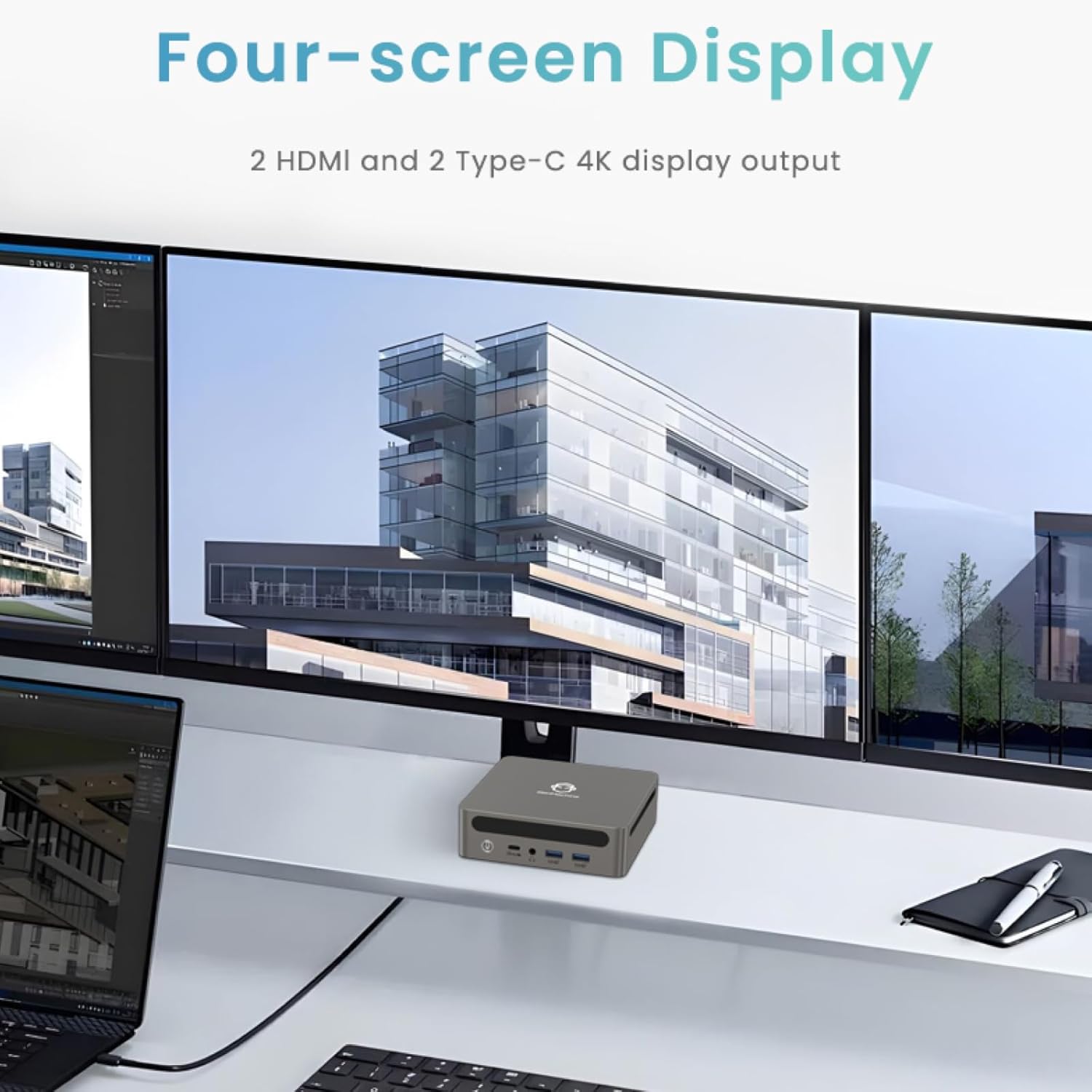
Image: Four-Screen Display Setup. This image demonstrates the GenMachine Mini PC connected to four monitors, showcasing its multi-display capabilities for enhanced productivity.
To configure multiple displays, connect your monitors and then adjust display settings within your operating system (e.g., Extend, Duplicate, or Second screen only).
7. الصيانة
7.1 التنظيف
Regularly clean the exterior of the Mini PC with a soft, dry cloth. For stubborn dirt, slightly dampen the cloth with water. Do not use harsh chemicals or abrasive cleaners. Ensure ventilation openings are free of dust buildup.
7.2 تحديثات البرامج
Keep your operating system and drivers updated to ensure optimal performance and security. Check for updates regularly through your operating system's settings.
7.3 التخزين
When not in use for extended periods, store the Mini PC in a cool, dry place, away from direct sunlight and extreme temperatures.
8. استكشاف الأخطاء وإصلاحها
| مشكلة | السبب المحتمل | حل |
|---|---|---|
| لا يوجد طاقة | محول الطاقة غير متصل، منفذ الطاقة معيب. | Ensure power adapter is securely connected to the Mini PC and a working power outlet. Try a different outlet. |
| لا يوجد عرض على الشاشة | Monitor not connected; incorrect input source selected on monitor; faulty cable. | Check HDMI/USB-C cable connections. Ensure the monitor is set to the correct input source. Try a different cable or monitor. |
| خدمة الواي فاي غير متصلة | Incorrect password; router issue; Wi-Fi adapter driver issue. | Verify Wi-Fi password. Restart your router. Check operating system settings for Wi-Fi adapter status and drivers. |
| النظام بطيء أو لا يستجيب | Too many applications running; insufficient free storage; outdated drivers. | Close unnecessary applications. Free up disk space. Update operating system and drivers. Restart the Mini PC. |
9. المواصفات
The following table details the technical specifications of the GenMachine Mini PC AMD Ryzen 7 7735HS:
| ميزة | التفاصيل |
|---|---|
| المعالج | AMD Ryzen 7 7735HS (3.2 GHz, 8 Cores, 16 Threads, up to 4.75 GHz Max Boost Clock) |
| الرسومات | AMD Radeon Graphics (Integrated, 680 MB RAM) |
| كبش | 32GB LPDDR5 (up to 6400 Mb/s) |
| تخزين | 512GB 2280 SSD (PCIE x 16 interface) |
| نظام التشغيل | OS (Windows 11 typically pre-installed) |
| مخرج الفيديو | 2x HDMI (4K @ 60Hz), 1x USB-C (4K display output), supports up to 3 displays |
| منافذ USB | 2x USB 3.0, 2x USB 2.0, 1x USB-C (full-function USB 4.0 port) |
| الشبكات | Wi-Fi 6, Bluetooth 5.2, Dual 2.5G Ethernet |
| صوتي | مقبس الصوت |
| أبعاد | 6.34 × 6.3 × 3.62 بوصة (حوالي 16.1 × 16 × 9.2 سم) |
| وزن | 2.4 رطل (حوالي 1.09 كجم) |
| لون | قطعة من الجبن |

Image: AMD Ryzen 7 7735HS Processor. This image highlights the specifications of the AMD Ryzen 7 7735HS processor, including its 8 cores, 16 threads, and up to 4.75 GHz max boost clock.

Image: LPDDR5 Memory Performance. This image illustrates the enhanced speed of LPDDR5 RAM, showing a 50% increase in maximum DRAM bandwidth compared to LPDDR4X, reaching up to 6400 Mb/s.
10. الضمان والدعم
For warranty information and technical support, please refer to the documentation included with your purchase or visit the official GenMachine webالموقع. احتفظ بإثبات الشراء الخاص بك لتقديم مطالبات الضمان.
For further assistance, you may contact GenMachine customer service through their official channels.


