مقدمة
The Technoline WT175 is a compact and versatile quartz alarm clock designed for convenience and portability. It features a clear digital display and offers multiple functions including time, date, temperature, humidity, and various alarm settings. Its magnetic casing makes it suitable for travel and everyday use.

الشكل 1: أمام view of the Technoline WT175 Mini Travel Alarm Clock, displaying the time and control buttons.
الميزات الرئيسية
- عرض الوقت 12/24 ساعة
- عرض التاريخ
- Temperature display (in Celsius)
- عرض الرطوبة
- منبه مع وظيفة الغفوة
- Configurable alarm settings: Weekday, Weekend, or Daily
- Timer with countdown and stop function
- مؤشر البطارية المنخفضة
- مغناطيسي جasing for versatile placement
محتويات الحزمة
- Technoline WT175 Mini Travel Alarm Clock
- دليل المستخدم (هذا المستند)
- ملحوظة: البطاريات غير متضمنة ويجب شراؤها بشكل منفصل.

الشكل 2: Product packaging for the Technoline WT175, detailing specifications and features.
يثبت
1. تركيب البطارية
- حدد مكان حجرة البطارية في الجزء الخلفي من ساعة المنبه.
- افتح غطاء حجرة البطارية.
- Insert 1x AAA Micro LR03 battery, ensuring correct polarity (+/-).
- أغلق غطاء حجرة البطارية جيدًا.
2. التشغيل الأولي
Upon successful battery installation, the display will activate. You may need to press the تعيين button to begin initial time and date configuration.
تعليمات التشغيل
The Technoline WT175 features several control buttons: تعيين, START/STOP/RESET, ZZ (Snooze/Light), AL SET ON-OFF, +, و وضع.
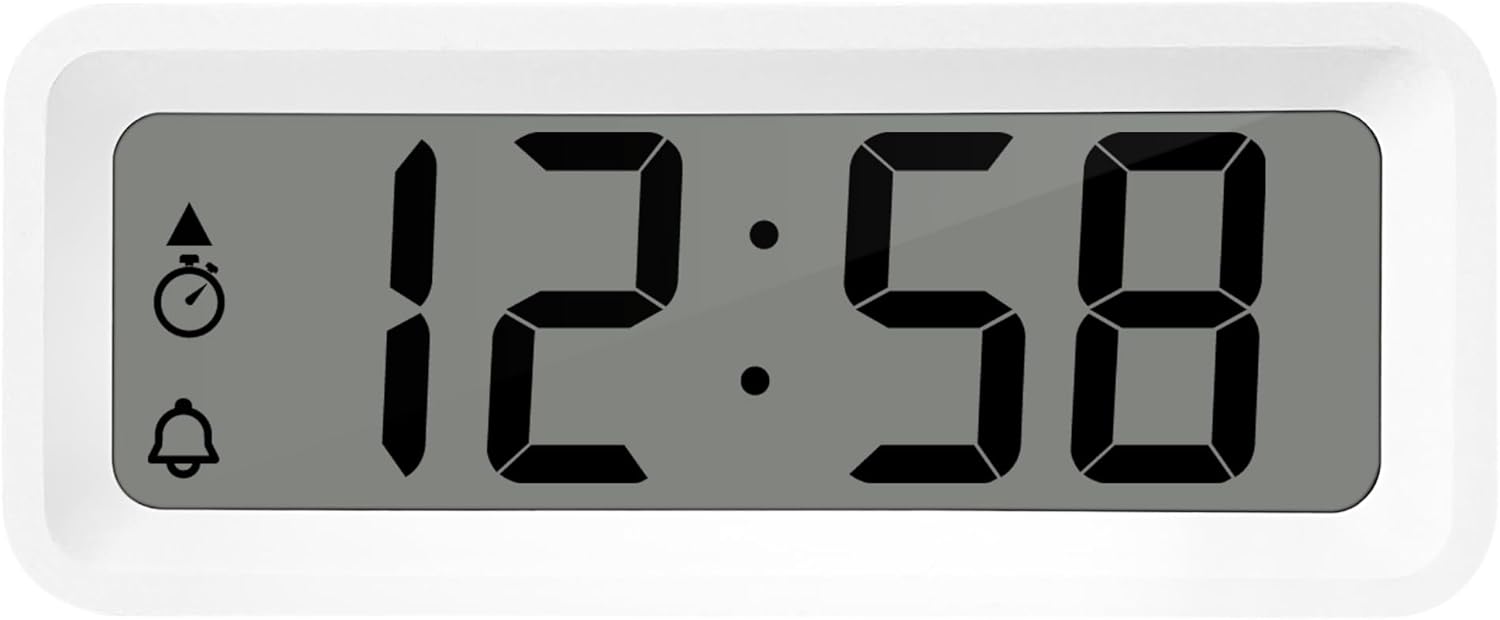
الشكل 3: مفصل view of the alarm clock's display and control buttons.
1. ضبط الوقت والتاريخ
- اضغط مع الاستمرار على تعيين اضغط على الزر حتى يبدأ عرض الوقت في الوميض.
- استخدم + or - أزرار لضبط الساعة.
- يضعط تعيين again to confirm the hour and move to minutes.
- يستخدم + or - لضبط الدقائق.
- تواصل الضغط تعيين للتنقل بين السنة والشهر واليوم وتعيينها باستخدام + or - أزرار.
- يضعط تعيين للمرة الأخيرة للخروج من وضع الإعدادات.
2. 12/24 Hour Format Selection
While in normal time display mode, press the وضع زر للتبديل بين تنسيقات الوقت 12 ساعة و 24 ساعة.
3. ضبط المنبه
- اضغط على AL SET ON-OFF button once to enter alarm setting mode. The alarm time will flash.
- استخدم + or - أزرار لضبط ساعة التنبيه.
- يضعط AL SET ON-OFF again to confirm the hour and move to alarm minutes.
- يستخدم + or - لضبط دقائق المنبه.
- يضعط AL SET ON-OFF again to confirm and exit alarm setting mode.
4. Activating/Deactivating Alarm and Snooze
- To turn the alarm ON or عناضغط على AL SET ON-OFF button while in normal time display mode. An alarm icon will appear/disappear on the display.
- عندما يصدر صوت التنبيه ، اضغط على ZZ (Snooze) button to activate the snooze function. The alarm will temporarily stop and sound again after a few minutes.
- To stop the alarm completely, press any other button (e.g., تعيين or وضع).
5. Weekday/Weekend/Daily Alarm Settings
The WT175 allows for flexible alarm scheduling. While in alarm setting mode (after pressing AL SET ON-OFF), you can cycle through alarm types by pressing the + or - buttons after setting the alarm time. Look for indicators on the display for:
- المنبه اليومي: يصدر صوت المنبه كل يوم.
- Weekday Alarm: يصدر صوت المنبه من الاثنين إلى الجمعة.
- Weekend Alarm: يصدر صوت الإنذار يومي السبت والأحد.
6. Timer and Countdown Function
- اضغط على وضع button repeatedly until the timer display appears (often indicated by a stopwatch icon).
- To set the countdown timer, press and hold تعيين. يستخدم + or - to set the desired hours, minutes, and seconds. Press تعيين to confirm each segment.
- يضعط START/STOP/RESET لبدء العد التنازلي.
- يضعط START/STOP/RESET مرة أخرى لإيقاف/استئناف العد التنازلي.
- لإعادة ضبط المؤقت، اضغط مع الاستمرار START/STOP/RESET.
7. عرض درجة الحرارة والرطوبة
The Technoline WT175 continuously displays the current indoor temperature (in Celsius) and humidity levels. These readings are typically shown alongside the time and date on the main display.

الشكل 4: The WT175 alarm clock displaying time, temperature, and humidity in a bedroom setting.
صيانة
1. استبدال البطارية
When the low battery indicator appears on the display, it is time to replace the battery. Follow the battery installation steps outlined in the يثبت section. Ensure to dispose of old batteries responsibly according to local regulations.
2. التنظيف
To clean the alarm clock, use a soft, dry cloth. Do not use abrasive cleaners, solvents, or immerse the device in water. Avoid spraying cleaning solutions directly onto the unit.
استكشاف الأخطاء وإصلاحها
- العرض فارغ أو باهت:
- تأكد من تركيب البطارية بشكل صحيح.
- استبدل البطارية بأخرى جديدة.
- لا يصدر صوت الإنذار:
- Ensure the alarm is activated (alarm icon visible on display).
- Verify the alarm time is set correctly.
- Check the alarm type (Daily, Weekday, Weekend) matches your desired schedule.
- وقت أو تاريخ غير صحيح:
- Re-enter the time and date following the instructions in the تعليمات التشغيل قسم.
- Ensure the 12/24 hour format is set as desired.
- الأزرار لا تستجيب:
- قم بإزالة البطارية ثم أعد إدخالها لإجراء إعادة ضبط بسيطة.
- Ensure the device is not in a specific setting mode that locks other buttons.
تحديد
| ميزة | التفاصيل |
|---|---|
| نموذج | WT175 |
| ماركة | تكنولاين |
| الأبعاد (الطول × العرض × الارتفاع) | 8.8 × 3.81 × 3.7 سم |
| وزن | 120 جرام |
| مصدر الطاقة | 1x AAA Micro LR03 Battery (not included) |
| نوع العرض | رقمي |
| المميزات الخاصة | Alarm, Snooze, Temperature, Humidity, Date, Timer, Countdown, Magnetic Casing, Low Battery Indicator |
| لون | White (as per current product variant) |
| الاستخدام الداخلي والخارجي | داخلي |

الشكل 5: Dimensions of the Technoline WT175 alarm clock.
الضمان والدعم
For warranty information or technical support regarding your Technoline WT175 Mini Travel Alarm Clock, please refer to the warranty card included with your purchase or visit the official Technoline webموقع.
Official Technoline Webموقع: http://www.technoline.de


